
1. Introduction
This manual provides essential information for the safe and effective use of your Polaroid iE826 Digital Camera. Please read this manual thoroughly before operating the camera and retain it for future reference. The Polaroid iE826 is an ultracompact digital camera designed for capturing 18-megapixel still images and FHD 1080p video, featuring 8x optical zoom and Wi-Fi connectivity.
2. Safety Information
- Do not expose the camera to water or moisture.
- Avoid dropping the camera or subjecting it to strong impacts.
- Keep the camera away from direct sunlight and high temperatures.
- Use only specified accessories and power sources.
- Do not attempt to disassemble or modify the camera.
- Keep out of reach of children.
3. Package Contents
Verify that all items are present in the package:
- Polaroid iE826 Digital Camera
- USB Cable
- Lithium Ion Battery
- User Manual (this document)
4. Camera Overview
Familiarize yourself with the camera's components:
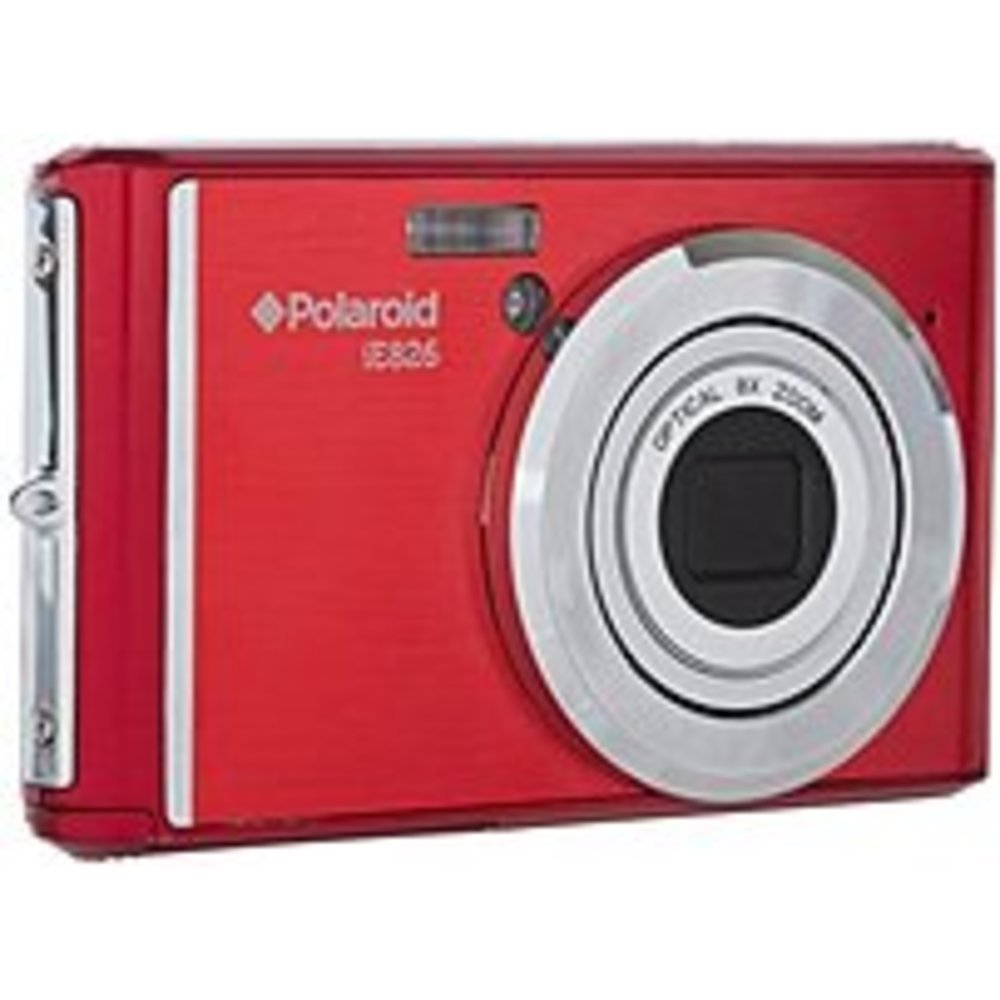
Figure 4.1: Front view of the Polaroid iE826 Digital Camera, showing the lens and flash.
4.1 Front Panel
- Lens: Captures images and video. Features 8x optical zoom.
- Built-In Flash: Provides illumination in low-light conditions.
4.2 Top Panel
- Power Button: Turns the camera on or off.
- Shutter Button: Press halfway to focus, fully to capture a photo.
- Zoom Lever: Controls the optical zoom (W for wide, T for telephoto).
4.3 Rear Panel
- 2-inch LCD Screen: Displays live view, menus, and playback.
- Menu Button: Accesses camera settings.
- Playback Button: Enters playback mode to view photos and videos.
- Directional Pad/OK Button: Navigates menus and confirms selections.
- Record Button: Starts and stops video recording.
4.4 Side/Bottom Panels
- USB Port: For charging the battery and transferring data.
- Battery Compartment: Houses the Lithium Ion battery.
- SD Card Slot: For inserting an SD memory card (not included).
5. Setup
5.1 Charging the Battery
- Open the battery compartment cover.
- Insert the Lithium Ion battery, ensuring correct orientation.
- Close the battery compartment cover securely.
- Connect the camera to a power source using the supplied USB cable. The charging indicator will illuminate.
- Charging is complete when the indicator light turns off.
5.2 Inserting an SD Card
An SD memory card (not included) is required to store photos and videos.
- Locate the SD card slot, usually near the battery compartment.
- Insert the SD card with the metal contacts facing the correct direction until it clicks into place.
- To remove, gently push the card until it springs out.
5.3 Initial Power On
- Press and hold the Power button until the LCD screen illuminates.
- Follow the on-screen prompts to set the date, time, and language.
6. Operating the Camera
6.1 Taking Photos
- Turn on the camera. The camera will enter photo mode by default.
- Frame your shot using the 2-inch LCD screen.
- Use the Zoom Lever to adjust the 8x optical zoom.
- Press the Shutter button halfway down to allow the camera to focus (Contrast Detection Autofocus).
- Once focused, press the Shutter button fully to capture the 18-megapixel image.
6.2 Recording Videos
- In photo mode, press the dedicated Record button to start recording FHD 1080p video.
- Press the Record button again to stop recording.
6.3 Playback Mode
- Press the Playback button to enter playback mode.
- Use the Directional Pad to navigate through your photos and videos.
- Press the OK button to view a selected item or play a video.
6.4 Menu Navigation
- Press the Menu button to access camera settings.
- Use the Directional Pad to scroll through menu options.
- Press the OK button to select an option or enter a sub-menu.
- Press the Menu button again to exit the menu.
6.5 Wi-Fi Connectivity
The Polaroid iE826 features Wi-Fi for wireless transfer of images and remote control via a compatible smartphone application (application availability may vary).
- Access the Wi-Fi settings through the camera's menu.
- Enable Wi-Fi and follow the on-screen instructions to connect to a network or generate a direct connection.
- Refer to the specific instructions within the camera's Wi-Fi menu for detailed connection steps.
7. Maintenance
7.1 Cleaning the Camera
- Use a soft, dry cloth to clean the camera body.
- For the lens and LCD screen, use a specialized lens cleaning cloth and solution.
- Do not use abrasive cleaners or solvents.
7.2 Storage
- Store the camera in a cool, dry place away from direct sunlight.
- Remove the battery if the camera will not be used for an extended period.
8. Troubleshooting
8.1 Camera Does Not Turn On
- Ensure the battery is fully charged and correctly inserted.
- Try charging the battery for at least 30 minutes.
8.2 Blurry Images
- Ensure sufficient lighting for your subject.
- Hold the camera steady when pressing the shutter button.
- Allow the camera to focus by pressing the shutter button halfway before fully pressing.
- Check if the lens is clean and free from smudges.
8.3 Memory Card Error
- Ensure the SD card is inserted correctly.
- Try formatting the SD card (this will erase all data).
- Test with a different, compatible SD card.
8.4 Wi-Fi Connection Issues
- Ensure Wi-Fi is enabled on both the camera and your smart device.
- Verify that the correct network and password are being used.
- Move closer to the Wi-Fi access point or camera.
9. Specifications
| Feature | Specification |
|---|---|
| Model Name | iE826 |
| Photo Sensor Resolution | 18 MP |
| Optical Zoom | 8 x |
| Video Resolution | FHD 1080p |
| Screen Size | 2 Inches (LCD) |
| Image Stabilization | Digital |
| Flash Memory Type | SD |
| Connectivity Technology | USB, Wi-Fi |
| Battery Cell Type | Lithium Ion |
| Exposure Control | Automatic |
| Autofocus | Contrast Detection |
| Item Weight | 8 ounces |
10. Warranty and Support
For warranty information and technical support, please refer to the warranty card included with your product or visit the official Polaroid website. Keep your purchase receipt as proof of purchase.


