
Introduction
Thank you for choosing the Kendal MX015-2 Large Handcrafted Wood Cuckoo Clock. This manual provides detailed instructions for the proper setup, operation, and maintenance of your new cuckoo clock. Please read this guide thoroughly before use to ensure optimal performance and longevity of your clock.
Product Features
- Solid Wood Construction: Crafted from solid wood with forest deer style and hand-carved decorations.
- Cuckoo Chime: The bird emerges and sings every hour, indicating the time with the number of calls.
- Automatic Night Shut-Off Sensor: Features a light sensor that silences the cuckoo during nighttime hours (approximately 10 PM to 6 AM).
- Adjustable Volume: Volume control switch allows selection between High, Low, or Off for the cuckoo sound.
- Quartz Movement: Provides excellent timekeeping accuracy.
- Battery Operated: Requires two D batteries (not included).

Image: Close-up of the clock highlighting its high accuracy, night mode, and wood construction.

Image: The cuckoo bird, adjustable sound feature, and moving pendulum are shown.
Package Contents
- 1 x Kendal MX015-2 Cuckoo Clock Unit
- 1 x Pendulum
- 2 x Decorative Weights (chains attached)
- 1 x Instruction Manual (this document)
Setup
- Unpacking: Carefully remove all components from the packaging. Inspect for any damage.
- Battery Installation: Open the battery compartment cover on the back of the clock. Insert two D-size batteries (not included), ensuring correct polarity (+/-).
- Attach Pendulum and Weights: Gently attach the pendulum to the hook located at the bottom center of the clock mechanism. Hook the decorative weights onto the chains.
- Mounting: Choose a suitable wall location. The clock is designed for wall mounting. Ensure the mounting point is secure enough to support the clock's weight.

Image: The cuckoo clock mounted on a wall in a living room setting.
Operating Instructions
- Setting the Time:
- Manually turn the minute hand (the longer hand) clockwise to set the correct time.
- When setting the time past the hour, allow the cuckoo to complete its chimes for each hour before proceeding. For example, if setting from 1:00 to 2:00, let the cuckoo chime once for 1:00, then move to 2:00 and let it chime twice. Continue this process until the desired time is reached.
- Cuckoo Chime Operation: The cuckoo bird will emerge from its door and chime the number of hours at the top of each hour.
- Adjusting Volume: Locate the volume control switch, usually on the side or back of the clock. Select between High, Low, or Off settings for the cuckoo sound.
- Night Shut-Off: The built-in light sensor automatically disables the cuckoo chime when the room is dark, typically between 10 PM and 6 AM, ensuring quiet nights.
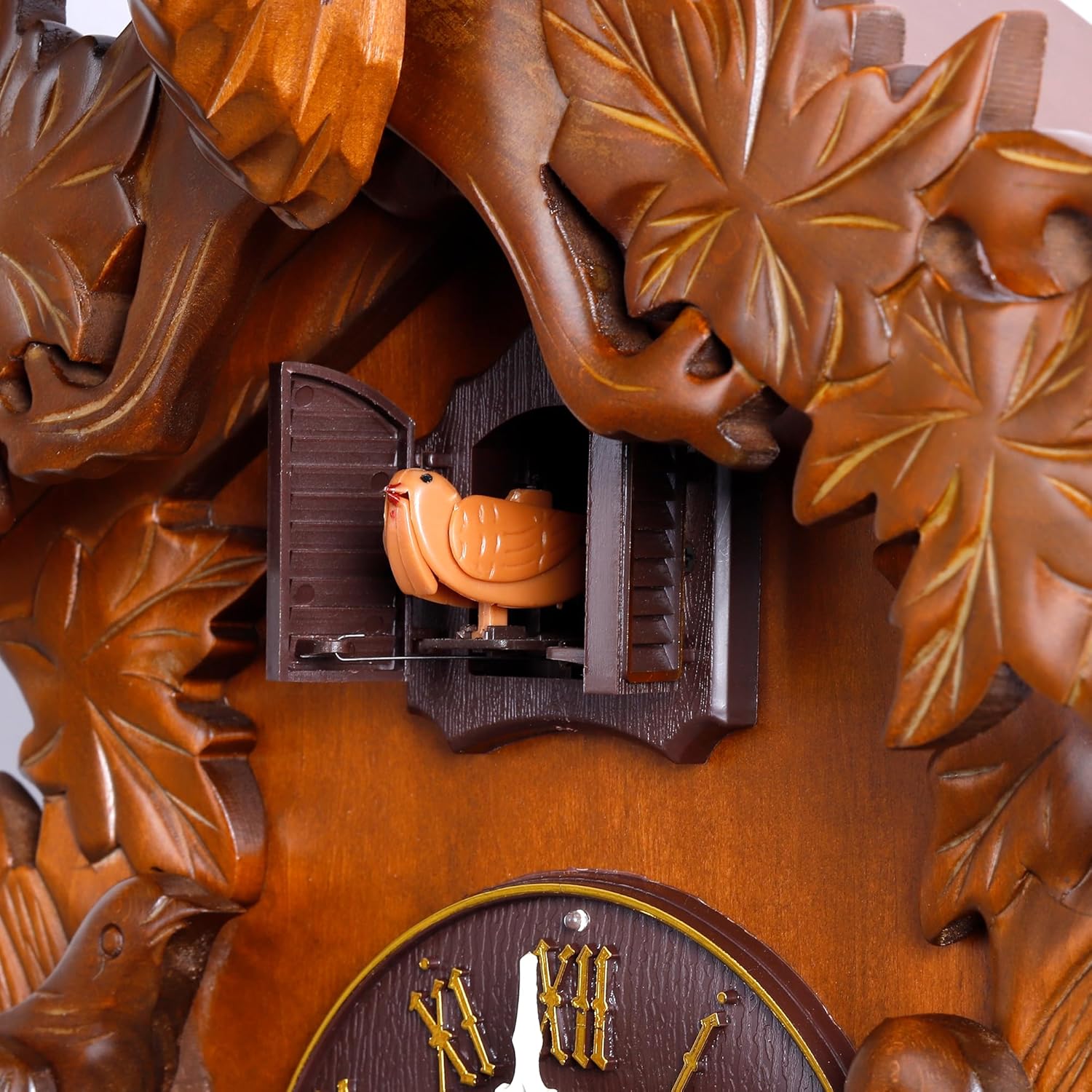
Image: Close-up of the cuckoo bird in its door.
Video: Official product video demonstrating the Kendal MX015-2 Cuckoo Clock's features and operation.
Maintenance
- Cleaning: Wipe the clock's wooden surfaces with a soft, dry cloth. Avoid using abrasive cleaners or solvents that may damage the finish.
- Battery Replacement: Replace batteries annually or when the clock's timekeeping becomes inaccurate or the cuckoo chime weakens.
- General Care: Keep the clock away from direct sunlight, extreme temperatures, and high humidity to prevent damage to the wood and internal mechanisms.
Troubleshooting
| Problem | Possible Cause | Solution |
|---|---|---|
| Clock not keeping accurate time | Low batteries or incorrect time setting. | Replace batteries. Re-set the time carefully, allowing the cuckoo to chime for each hour. |
| Cuckoo not chiming | Volume switch set to 'Off', low batteries, or dark room (night mode active). | Check volume switch. Replace batteries. Ensure sufficient light for daytime operation. |
| Cuckoo chimes not synchronized with time | Time was set without allowing cuckoo to chime. | Manually move the minute hand to 12 o'clock. Count the cuckoo chimes. Then, move the minute hand to the corresponding hour (e.g., if it chimed 7 times, move to 7 o'clock). Now, set the correct time by advancing the minute hand, allowing the cuckoo to chime at each hour. |
| Pendulum not swinging | Pendulum not properly attached or obstructed. | Ensure the pendulum is securely hooked and swings freely without obstruction. |
Specifications
- Model: MX015-2
- Brand: Kendal
- Dimensions (H x W x D, including deer head, excluding tails): 21.1" x 13.6" x 9.5"
- Material: Solid Wood (decorations), Plastic (bird, lock dial, weights)
- Power Source: 2 x D Batteries (not included)
- Display Type: Analog
- Special Features: Automatic Night Shut Off Sensor, Adjustable Volume
- Item Weight: 4.33 Pounds
- UPC: 614458521323

Image: Close-up of the clock face.
Warranty and Support
For warranty information or technical support, please refer to the manufacturer's official website or contact their customer service directly. Keep your purchase receipt for any warranty claims.