
Best Choice Products SKY2918
Best Choice Products 1/24 RC Lamborghini Veneno Sport Racing Car Instruction Manual
Model: SKY2918
1. Introduction
Thank you for purchasing the Best Choice Products 1/24 Officially Licensed RC Lamborghini Veneno Sport Racing Car. This manual provides essential information for the safe operation, setup, and maintenance of your new remote control vehicle. Please read it thoroughly before use and retain it for future reference.

Image: The Best Choice Products 1/24 RC Lamborghini Veneno Sport Racing Car in red, showcasing its sleek design and front-side profile.
2. Safety Information
- This product is recommended for ages 36 months to 3 years. Adult supervision is recommended for younger children.
- Do not operate the RC car near people, pets, or obstacles to prevent accidents.
- Avoid operating in wet conditions or on wet surfaces to prevent damage to electronic components.
- Do not touch the moving wheels or parts during operation.
- Always turn off the car and remote control when not in use.
- Remove batteries from both the car and remote control if storing for extended periods.
- Use only the recommended battery types and ensure correct polarity during installation.
- Do not mix old and new batteries, or different types of batteries.
- Keep small parts and batteries out of reach of young children to prevent choking hazards.
3. Package Contents
Verify that all items are present in your package:
- 1x RC Lamborghini Veneno Sport Racing Car
- 1x 27MHz Remote Control
4. Setup
4.1 Battery Installation (RC Car)
- Locate the battery compartment on the underside of the RC car.
- Using a screwdriver, open the battery compartment cover.
- Insert 3 "AA" batteries (not included) into the compartment, ensuring correct polarity (+/-).
- Replace the battery compartment cover and secure it with the screw.

Image: The underside of the RC car, highlighting the battery compartment and the fine-tune adjustment switch.
4.2 Battery Installation (Remote Control)
- Locate the battery compartment on the back of the remote control.
- Using a screwdriver, open the battery compartment cover.
- Insert 2 "AA" batteries (not included) into the compartment, ensuring correct polarity (+/-).
- Replace the battery compartment cover and secure it with the screw.

Image: The 27MHz remote control unit, showing its dual joystick design.
4.3 Powering On
- Turn the ON/OFF switch on the RC car to the "ON" position.
- Turn the ON/OFF switch on the remote control to the "ON" position.
- The car and remote should automatically pair. If the car does not respond, turn both off and then on again.
5. Operating Instructions
5.1 Remote Control Functions
The 27MHz remote control features two joysticks for intuitive operation:
- Left Joystick: Controls forward and reverse movement.
- Push forward to move the car forward.
- Pull backward to move the car in reverse.
- Right Joystick: Controls left and right turns.
- Push left to turn the car left.
- Push right to turn the car right.
5.2 Functional Lights
- The car features realistic headlights and taillights.
- White headlights illuminate when the car moves forward.
- Red taillights illuminate when the car moves in reverse.
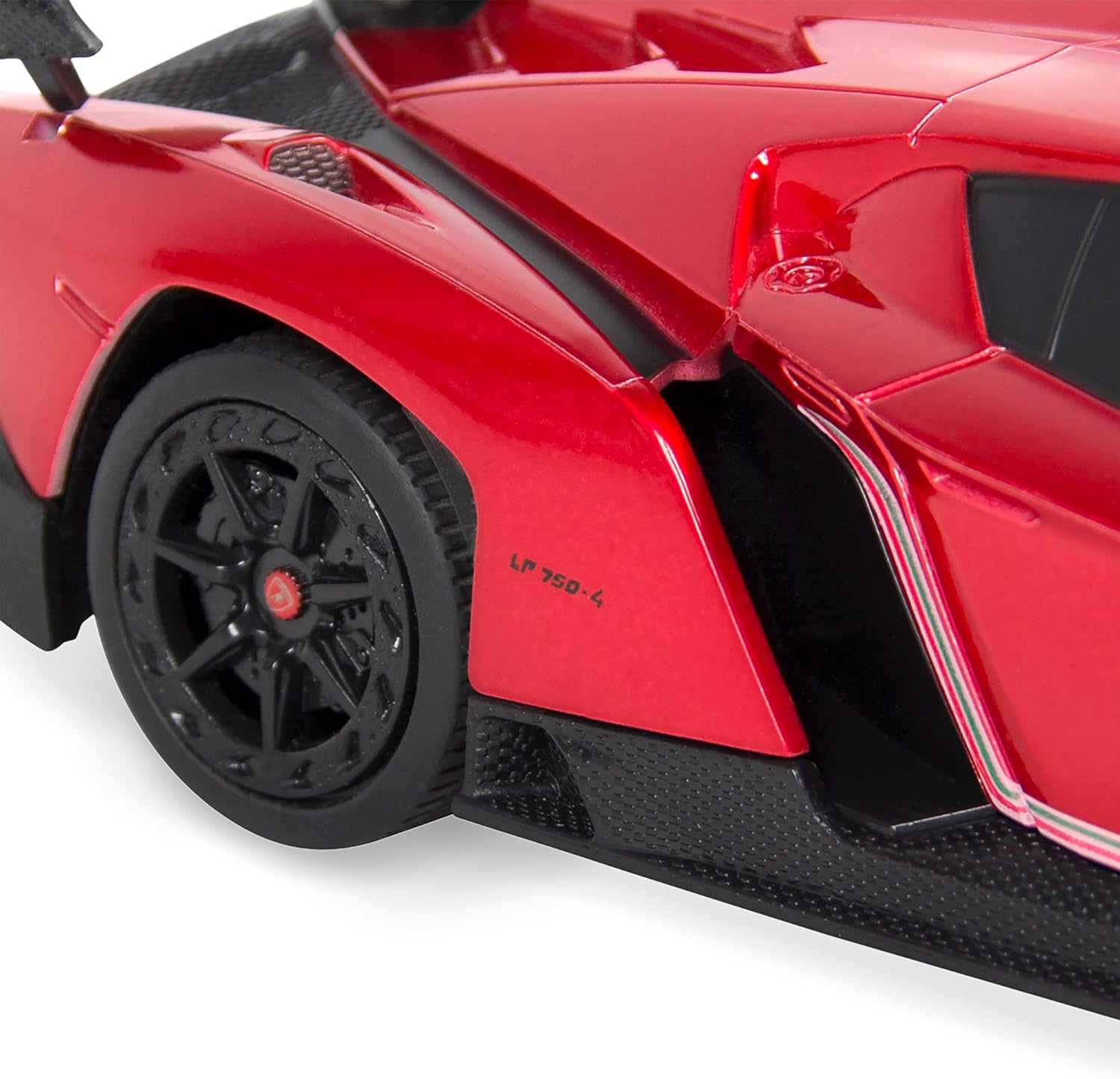
Image: Front view of the RC Lamborghini Veneno with its functional headlights illuminated.
5.3 Shock Suspension System
The RC car is equipped with a shock suspension system and rubber tires to absorb impacts and provide a smoother ride on various surfaces.
5.4 Fine Tune Adjustment
If the car does not drive straight, use the fine-tune adjustment switch located on the bottom of the car. Adjust it slightly left or right until the car maintains a straight path.
6. Maintenance
- Cleaning: Wipe the car and remote control with a soft, dry cloth. Do not use water or chemical cleaners.
- Storage: Store the RC car and remote in a cool, dry place away from direct sunlight. Remove all batteries if storing for extended periods to prevent leakage.
- Battery Care: Always dispose of used batteries responsibly according to local regulations.
7. Troubleshooting
| Problem | Possible Cause | Solution |
|---|---|---|
| Car does not move or respond to remote. |
|
|
| Car drives crooked. | Steering alignment needs adjustment. | Use the fine-tune adjustment switch on the bottom of the car to correct the steering. |
| Short operating range. | Low batteries in remote or car. | Replace batteries in both the car and remote control. |
8. Specifications
- Model: SKY2918
- Scale: 1/24
- Dimensions (L x W x H): 8" x 3.25" x 2" (20.3 cm x 8.3 cm x 5.1 cm)
- Weight: 1 pound (approx.)
- Control Frequency: 27MHz
- Car Battery Requirement: 3 x "AA" batteries (not included)
- Remote Control Battery Requirement: 2 x "AA" batteries (not included)
- Recommended Age: 36 months - 3 years (Manufacturer recommended)
- Features: Functional Head/Taillights, Shock Suspension System, Fine Tune Adjustment
Image: Diagram showing the dimensions of the RC Lamborghini Veneno: 8 inches long, 3.25 inches wide, and 2 inches high.
9. Product Overview Video
Watch this official video for a visual overview of the RC Lamborghini Veneno's features and operation.
Video: An official product video showcasing the Best Choice Products RC Lamborghini Veneno, demonstrating its functional lights, remote control, and shock suspension system in action.
10. Warranty and Support
Best Choice Products stands behind its products. For any questions, concerns, or warranty inquiries, please contact Best Choice Products customer support directly. Refer to the product packaging or the official Best Choice Products website for the most current contact information and warranty details.
You can visit the Best Choice Products Store on Amazon for more information.
Ask a question about this manual
Ask about setup, troubleshooting, compatibility, parts, safety, or missing instructions. Manuals+ will review the question and use this page’s manual context to help answer it.