
Keter 230925
Keter XL Plus Freestanding Plastic Utility Cabinet Instruction Manual
Model: 230925
1. Introduction
Thank you for choosing the Keter XL Plus Freestanding Plastic Utility Cabinet. This cabinet is designed to provide versatile storage solutions for your garage, utility room, or other areas requiring organized space. Its durable polypropylene resin construction ensures it will not peel, dent, or rust, making it easy to maintain. This manual provides essential information for safe assembly, proper use, and care of your new cabinet.
Safety Information
- Read all instructions carefully before assembly and use.
- Keep all components and packaging materials out of reach of children.
- Avoid contact with harsh chemicals, as they may damage the plastic material.
- Ensure the cabinet is placed on a level, stable surface.
- For added stability and safety, especially in areas with children or seismic activity, it is recommended to anchor the cabinet to a wall. Wall anchoring hardware may be included or purchased separately.
- Do not exceed the maximum load capacity per shelf (55 lbs / 25 kg).
2. Components Overview
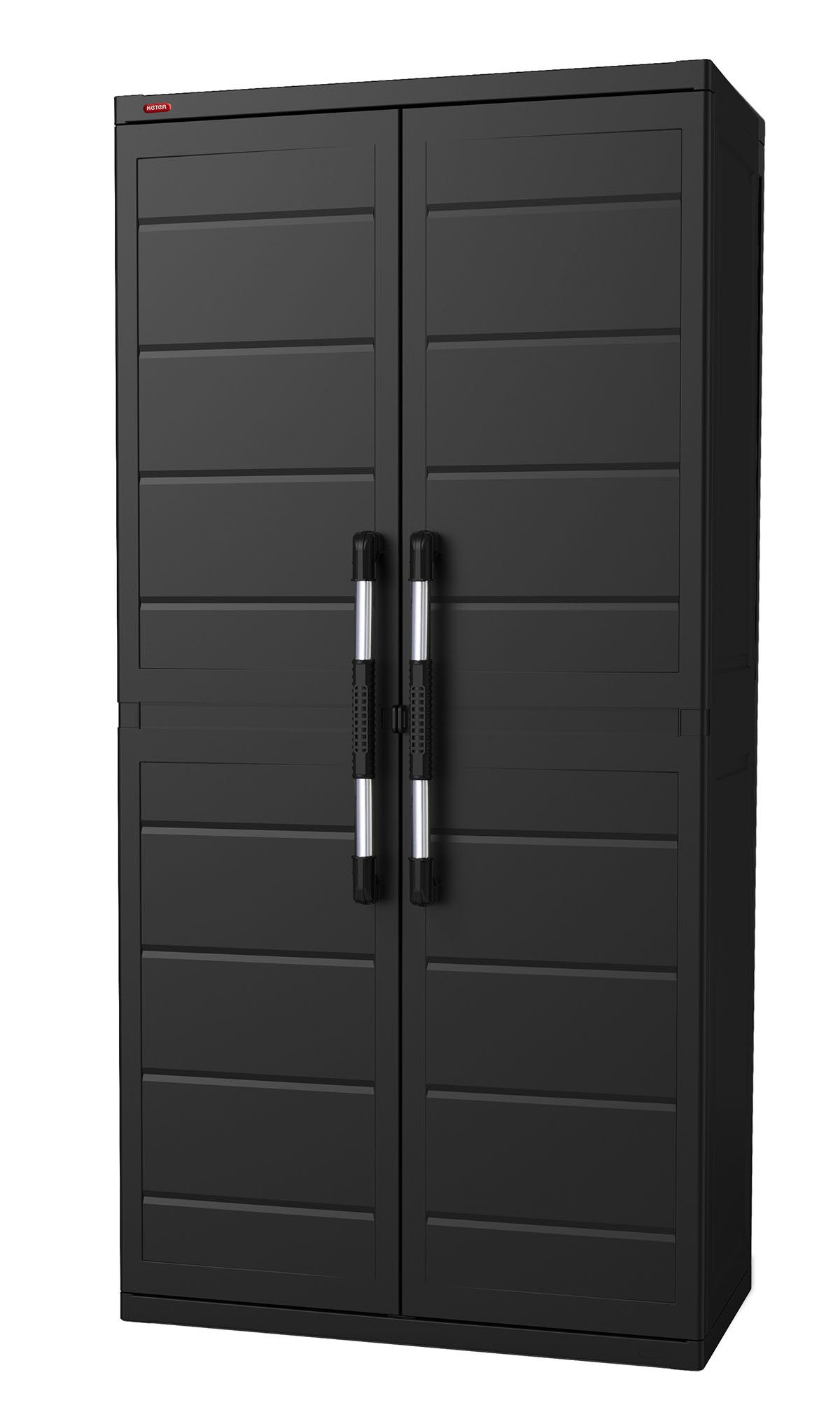
Before beginning assembly, ensure all parts are present and undamaged. While a detailed parts list is typically provided with the product packaging, the main components of your Keter XL Plus cabinet include:
- Side Panels
- Back Panels
- Top and Bottom Panels
- Adjustable Shelves (4 included)
- Doors (2)
- Handles
- Metal Hinges
- Locking Mechanism (for padlock use)
- Assembly Hardware (screws, anchors if applicable)


3. Setup and Assembly
The Keter XL Plus cabinet is designed for straightforward assembly with no tools required for most steps. Follow these general guidelines:
- Unpack Components: Carefully remove all parts from the packaging. Lay them out on a clean, flat, and soft surface to prevent scratches. Verify all components listed in your product's specific parts list are present.
- Assemble Base: Connect the bottom panel to the side panels according to the instructions provided in your product's specific manual. Ensure all connections are secure.
- Attach Back Panels: Slide the back panels into the designated grooves on the side and bottom panels.
- Install Top Panel: Secure the top panel to the assembled structure.
- Attach Doors: Mount the doors using the provided metal hinges. Ensure the doors open and close smoothly.
- Insert Handles: Attach the handles to the doors.
- Install Shelves: The shelves are adjustable. Slide each shelf into the desired grooves on the side panels. You can rearrange them later to suit your storage needs. No tools are required for shelf installation.
- Positioning and Anchoring: Place the assembled cabinet in its desired location. For enhanced stability and safety, especially if storing heavy items or in areas prone to movement, use the provided wall anchoring hardware to secure the cabinet to a wall.
Note: Refer to the specific assembly instructions included in your product packaging for detailed, step-by-step diagrams and part identification.

4. Operating Instructions
Adjusting Shelves
The Keter XL Plus cabinet features four adjustable shelves, allowing you to customize the internal storage space. To adjust a shelf:
- Empty the shelf of all contents.
- Carefully lift the shelf and slide it out of its current grooves.
- Align the shelf with the desired set of grooves at a new height.
- Slide the shelf firmly into place until it is level and secure.
Door Operation and Security
The cabinet doors are equipped with sturdy metal hinges for smooth opening and closing. To secure your belongings, the doors include a mechanism that allows for the use of a padlock (padlock not included). Simply align the padlock loop on the doors and insert your padlock to lock them closed.

5. Maintenance and Care
The Keter XL Plus cabinet is made from durable polypropylene resin, designed for low maintenance. To keep your cabinet in optimal condition:
- Cleaning: Wipe the cabinet surfaces with a soft cloth dampened with water and a mild soap solution. Avoid abrasive cleaners, solvents, or harsh chemicals, as these can damage the plastic.
- Inspection: Periodically check all connections, hinges, and shelf placements to ensure they remain secure.
- Environmental Conditions: While the cabinet is durable, extreme temperatures or prolonged direct sunlight may affect its material over time.
6. Troubleshooting
Cabinet Feels Flimsy After Assembly
- Check Connections: Ensure all panels are fully engaged and snapped into their respective slots. Apply firm pressure during assembly.
- Level Surface: Verify the cabinet is placed on a completely level surface. Uneven flooring can cause instability.
- Wall Anchoring: If not already done, anchor the cabinet to a wall using appropriate hardware. This significantly improves stability.
Shelves Do Not Stay in Place
- Proper Engagement: Ensure the shelves are fully slid into the grooves on both side panels. They should sit level and firmly.
- Overloading: Do not exceed the maximum weight limit of 55 lbs (25 kg) per shelf. Excessive weight can cause shelves to sag or dislodge.
Missing or Damaged Parts
- Contact Support: If you find any parts missing or damaged upon unpacking, do not proceed with assembly. Contact Keter customer support immediately for assistance.
7. Specifications
| Feature | Detail |
|---|---|
| Model Name | XL Plus |
| Model Number | 230925 |
| Dimensions (L x W x H) | 34.65" x 17.72" x 71.26" (88 cm x 45 cm x 181 cm) |
| Material | Durable Polypropylene Resin Plastic |
| Color | Black |
| Number of Shelves | 4 (Adjustable) |
| Load Capacity per Shelf | 55 lbs (25 kg) |
| Total Item Weight | 44.8 lbs (20.3 kg) |
| Assembly Required | Yes |
| Installation Type | Freestanding (Wall anchoring recommended) |

8. Warranty Information
Keter products are manufactured to high-quality standards. For specific warranty details regarding your Keter XL Plus Freestanding Plastic Utility Cabinet, please refer to the warranty card included with your product packaging or visit the official Keter website. Keep your proof of purchase for any warranty claims.
9. Customer Support
Should you have any questions, require assistance with assembly, or need to report missing or damaged parts, please contact Keter customer service. You can typically find contact information on the Keter website or on the product packaging.
Online Support: www.keter.com
Related documents230925


Ask a question about this manual
Ask about setup, troubleshooting, compatibility, parts, safety, or missing instructions. Manuals+ will review the question and use this page’s manual context to help answer it.