
Introduction
This manual provides essential instructions for the proper setup, operation, and maintenance of your GUESS Delancy Analog White Dial Men's Watch, model W0870G2. Please read this guide thoroughly to ensure optimal performance and longevity of your timepiece.
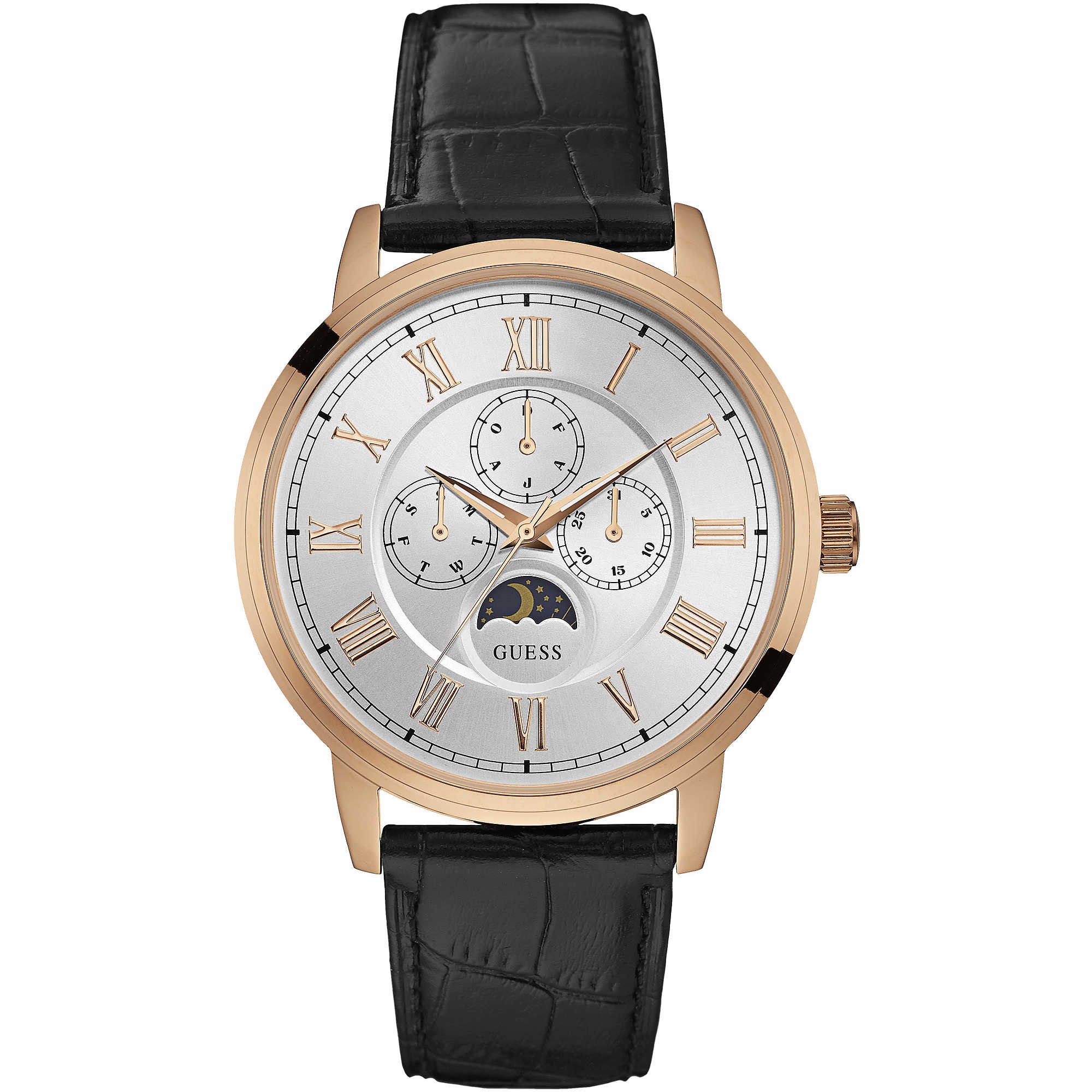
Figure 1: GUESS Delancy Analog White Dial Men's Watch W0870G2. This image displays the watch with its white dial, rose gold finish, and black leather strap.
Setup
1. Unboxing Your Watch
Carefully remove your watch from its packaging. Inspect the watch for any visible damage. Ensure all components are present.

Figure 2: The GUESS watch box, showing the watch cushion inside the open box and the closed lid with the GUESS logo.
2. Setting the Time and Date
- Pull out the crown: Gently pull the crown (the small knob on the side of the watch case) out to the first or second click position.
- First click: For setting the date (if applicable). Turn the crown clockwise or counter-clockwise until the correct date is displayed.
- Second click: For setting the time. Turn the crown to move the hour and minute hands.
- Set the time: Rotate the crown until the hour and minute hands indicate the correct time. To ensure accuracy, it is recommended to set the time a few minutes ahead and then turn it back.
- Push in the crown: Once the time and date are set, push the crown back into its normal position against the watch case. This will start the watch movement.
3. Wearing Your Watch
Adjust the leather strap to fit comfortably around your wrist. The buckle closure should be secure but not too tight, allowing for proper circulation.
Operation
1. Basic Timekeeping
Your GUESS Delancy watch features a precise Japanese Quartz movement, providing accurate analog time display with hour, minute, and second hands.
2. Day/Date Display
The watch includes an analog day and date display. The date typically advances automatically at midnight. If the date changes during the day, it indicates the watch is set to PM instead of AM. To correct this, pull the crown to the second click and advance the time by 12 hours.
3. Water Resistance
This watch is water resistant up to 30 meters (3 ATM). This means it is suitable for everyday use and can withstand splashes or brief immersion in water. It is not suitable for swimming, showering, or diving. Avoid operating the crown while the watch is wet.
Maintenance
1. Cleaning Your Watch
Wipe the watch case and crystal with a soft, dry cloth. For the leather strap, use a slightly damp cloth and allow it to air dry completely. Avoid using harsh chemicals or abrasive materials.
2. Battery Replacement
The watch is powered by a Lithium Metal battery. When the watch stops running, it indicates the battery needs replacement. It is recommended to have the battery replaced by a qualified watch technician to ensure proper sealing and water resistance.
3. Strap Care
Leather straps can be affected by moisture, sweat, and direct sunlight. To prolong the life of your strap, avoid prolonged exposure to water and extreme temperatures. Clean regularly and allow it to breathe.
4. Storage
When not wearing your watch, store it in a cool, dry place, away from direct sunlight and strong magnetic fields. The original watch box is ideal for storage.
Troubleshooting
- Watch not running:
- Check if the crown is fully pushed in.
- The battery may be depleted. Refer to the "Battery Replacement" section.
- Date/Day not changing at midnight:
- The watch might be set to the wrong AM/PM cycle. Advance the time by 12 hours as described in "Day/Date Display" section.
- Condensation under the crystal:
- This indicates moisture has entered the watch. Seek professional service immediately to prevent damage to the movement.
Specifications
| Model Number | W0870G2 |
| Brand | GUESS |
| Movement | Japanese Quartz |
| Display Type | Analog |
| Case Diameter | 44 Millimetres |
| Case Thickness | 10 Millimetres |
| Band Material | Leather |
| Band Width | 20 Millimetres |
| Water Resistance | 30 Meters (3 ATM) |
| Battery Type | Lithium Metal (included) |
| Item Weight | 100 Grams |
| Special Features | Analog Dial with Day/Date Display, Second Hand |
Warranty and Support
For warranty information or technical support, please refer to the warranty card included with your purchase or contact GUESS customer service. Keep your proof of purchase for warranty claims.


