
Introduction
The Richelieu BP205128195 Roosevelt Collection Cabinet Handle is a streamlined, solid steel pull designed to enhance the appearance and functionality of kitchen, bathroom, and dresser cabinets and drawers. This product features a durable brushed nickel finish and is RoHS certified, ensuring it is lead-free, mercury-free, cadmium-free, and hexavalent chromium-free. Each unit includes mounting hardware for straightforward installation.
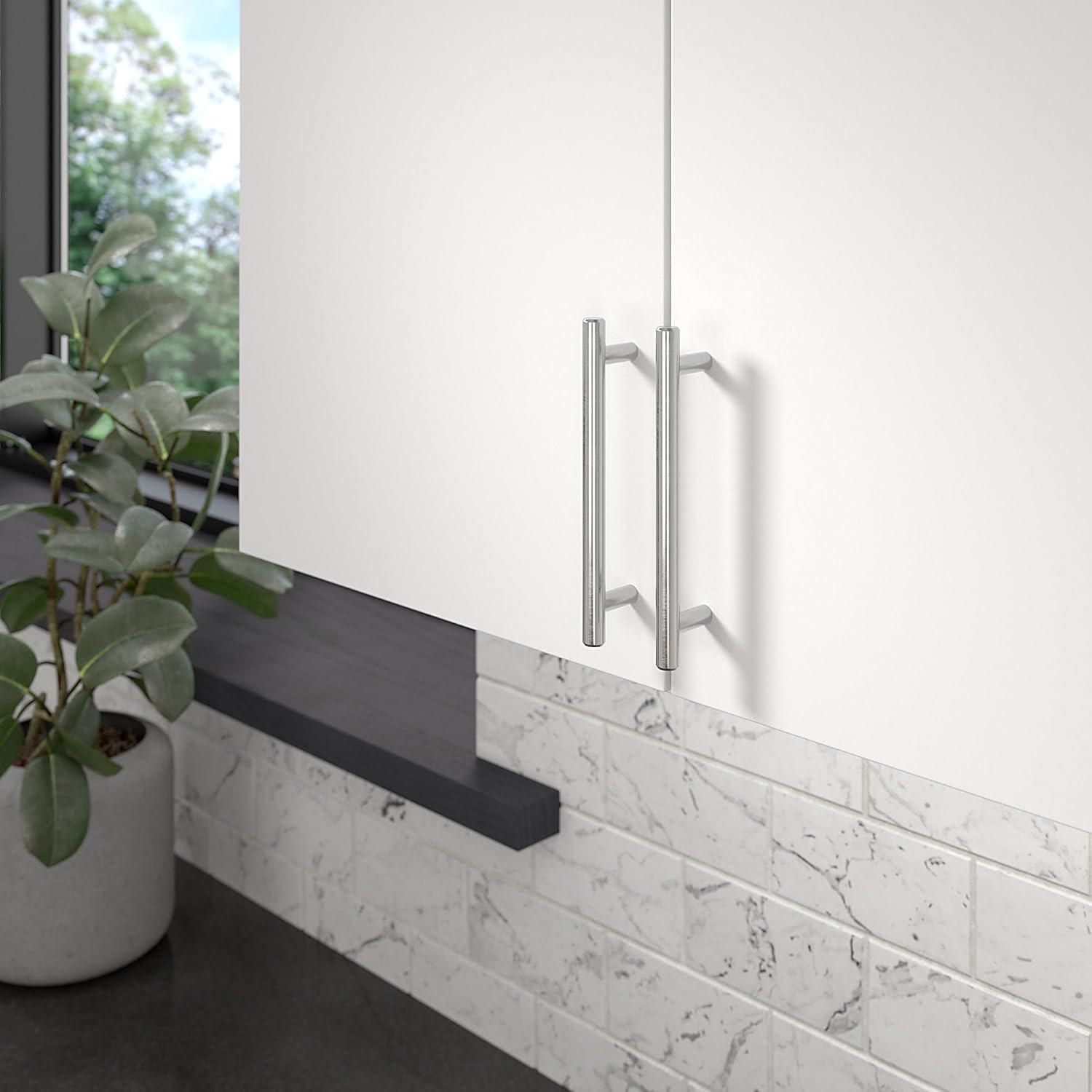
Image: Two Richelieu BP205128195 cabinet handles installed on white kitchen cabinets, demonstrating their appearance in a modern setting.
Setup and Installation
Proper installation ensures optimal performance and appearance of your cabinet handles. Follow these steps for a successful setup:
- Determine Spacing: Identify the desired center-to-center measurement for your pull. For this model, the standard center-to-center distance is 5 1/16 inches (128 mm).
- Choose Placement: Decide on the exact location for each handle on your cabinet doors or drawer fronts. Consider both aesthetics and ergonomics.
- Use a Drilling Template: To ensure accuracy and consistency, use a drilling template. Mark the drill points precisely according to the handle's center-to-center measurement.
- Drill Holes and Install: Carefully drill holes at the marked points. Attach the handle using the included 8/32 screws. The screws are 1 inch (25 mm) in length, quadrex, pan head, suitable for most melamine thicknesses ranging from 5/8 inch to 3/4 inch (16 mm to 19 mm). Ensure screws are tightened securely but do not overtighten.

Image: A visual guide illustrating the four key steps for installing cabinet hardware, from determining spacing to final screw installation.

Image: Detailed diagram displaying the precise measurements of the handle, including its 5 1/16 inch (128 mm) center-to-center spacing, 6 5/8 inch (168 mm) overall length, and 1 3/8 inch (35 mm) projection.
Operating the Handle
To operate the Richelieu cabinet handle, simply grasp it firmly and pull to open or push to close your cabinet doors and drawers. The ergonomic design provides a comfortable grip for daily use.

Image: Richelieu BP205128195 cabinet handles installed on wooden kitchen drawers, showcasing their functional integration.
Maintenance
To maintain the brushed nickel finish and overall condition of your Richelieu cabinet handles, follow these simple guidelines:
- Cleaning: Wipe the handles regularly with a soft, damp cloth. For more stubborn marks, a mild soap solution can be used, followed by drying with a clean, soft cloth.
- Avoid Harsh Chemicals: Do not use abrasive cleaners, scouring pads, or chemical solvents, as these can damage the brushed nickel finish.
- Periodic Inspection: Periodically check the mounting screws to ensure they remain tight. If any screws feel loose, gently tighten them with a screwdriver.

Image: A close-up view highlighting the brushed nickel finish and solid construction of the Richelieu BP205128195 cabinet handle.
Troubleshooting
If you encounter any issues with your cabinet handle, refer to the following common problems and solutions:
- Handle Feels Loose: If the handle wiggles or feels loose, the mounting screws may have loosened over time. Use a screwdriver to gently tighten the screws from the inside of the cabinet door or drawer. Do not overtighten.
- Screws Spin or Do Not Tighten: This may indicate a stripped screw hole or a damaged screw. Try replacing the screw with a slightly larger diameter screw of the same thread type (8/32), or use a wood filler to repair the stripped hole before reinserting the original screw.
- Finish Discoloration: If the finish appears discolored, ensure you are not using harsh cleaning agents. Refer to the maintenance section for proper cleaning instructions.
Specifications
| Model Number | BP205128195 |
| Brand | Richelieu |
| Material | Alloy Steel (Handle), Metal (General) |
| Finish | Brushed Nickel |
| Center to Center Spacing | 5 1/16 inches (128 mm) |
| Overall Length | 6 5/8 inches (168 mm) |
| Width | 1/2 inch (12 mm) |
| Projection | 1 3/8 inches (35 mm) |
| Item Weight | 6.1 ounces |
| Included Components | 1 Handle, Mounting Hardware (8/32 screws) |
| Indoor/Outdoor Usage | Indoor |
| UPC | 773199604716 |

Image: A visual representation of the brushed nickel finish, showing its versatility with different cabinet colors and textures.
Warranty Information
No specific warranty information is provided in the product details. For inquiries regarding product warranty, please contact Richelieu customer support directly.
Customer Support
For further assistance, technical support, or to view other products, please visit the official Richelieu website or their Amazon store page:
- Richelieu Amazon Store: Visit Richelieu Store


