
Introduction
The Bose SoundTouch Wireless Link Adapter transforms your existing stereo or home theater system into a wireless music system. This adapter allows you to stream music directly through your home Wi-Fi network or via Bluetooth from your devices. Enjoy seamless access to popular streaming services, internet radio, and your personal music library. It also supports voice control through Alexa-enabled devices for a convenient hands-free experience.
What's in the Box
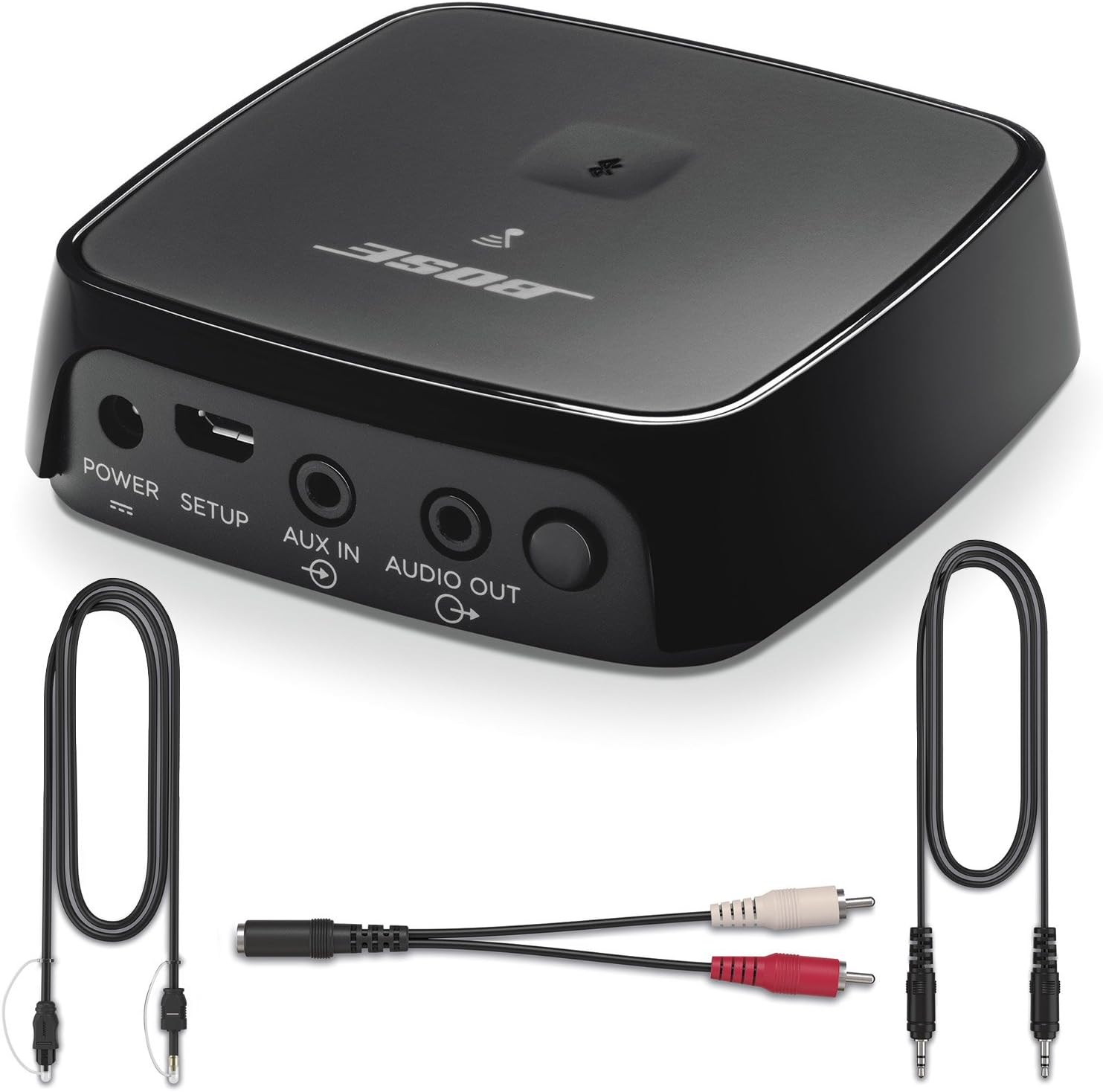
- Bose SoundTouch Wireless Link Adapter
- 3.5mm mini-stereo cable
- RCA digital optical cable
Setup
Setting up your SoundTouch Wireless Link Adapter is a straightforward process. Simply connect the adapter to your stereo or home theater system using one of the provided cables (3.5mm mini-stereo, RCA, or digital optical). Once connected, download the SoundTouch app on your smartphone or tablet and follow the on-screen instructions for network configuration and device pairing. You will be able to enjoy your music wirelessly in minutes.

Setup Video Guide
Watch this official video for a visual guide on setting up and using your Bose SoundTouch Wireless Link Adapter, demonstrating its features and connectivity options.
Operating Instructions
Once set up, the SoundTouch Wireless Link Adapter provides versatile music playback options:
- Wi-Fi Streaming: Use the SoundTouch app to connect to your home Wi-Fi network and access integrated music services like Spotify, Pandora, and Amazon Music, as well as internet radio stations and your stored music library.
- Bluetooth Streaming: Easily pair your smartphone or tablet via Bluetooth to stream any audio from your device, including podcasts and YouTube.
- Multi-Room Audio: If you have other SoundTouch speakers, you can group them with the adapter to play the same music in multiple rooms simultaneously, or play different music in different rooms, all controlled through the SoundTouch app.
- Voice Control with Alexa: For hands-free control, enable the Bose skill in your Alexa app. You can then use voice commands with any Alexa-enabled device (sold separately) to control music playback on your SoundTouch system. For example: "Alexa, play Niall Horan in the Living Room." or "Alexa, turn up the volume in the Kitchen."

Key Features
- Works with Alexa for voice control (Alexa device sold separately).
- Connects to any existing stereo or home theatre system to stream music wirelessly.
- Uses your home Wi-Fi network or Bluetooth devices for easy access to Spotify, Pandora and Amazon music.
- Easily expands with other Sound Touch speakers to stream music throughout your home, Up to 30' Range.
- Easy setup, and includes cables for 3.5mm mini-stereo, RCA or digital optical interfaces.
- Enjoy hands-free voice access to your music on SoundTouch speakers using any Alexa-enabled device like the Amazon Echo Dot. The Bose SoundTouch Control Skill is compatible with all Bose SoundTouch speakers.
Safety Information
Please read and adhere to the following safety guidelines:
- Avoid placing near other wireless devices to prevent interference.
- Keep batteries out of reach of children and dispose of them according to local regulations.
- Do not expose to extreme temperatures or humidity.
Specifications
| Attribute | Value |
|---|---|
| Product Dimensions | 3.4 x 3.4 x 1 inches |
| Item Weight | 4.8 ounces (0.3 Pounds) |
| Manufacturer | Bose Corporation |
| Model Number | 767397-1110 |
| Connectivity Technology | Wireless (Wi-Fi, Bluetooth) |
| Power Source | Corded Electric |
| First Available Date | September 13, 2016 |
Troubleshooting
If you encounter issues with your SoundTouch Wireless Link Adapter, consider the following common solutions:
- No Power: Ensure the power cable is securely connected to both the adapter and a working power outlet.
- No Audio: Verify that the audio cables (3.5mm, RCA, or optical) are correctly connected between the adapter and your audio system's input. Check your audio system's input selection.
- Wi-Fi Connectivity Issues: Ensure your Wi-Fi network is active and the adapter is within range. Restart your router and the adapter. Re-run the setup process in the SoundTouch app to reconfigure Wi-Fi settings.
- Bluetooth Pairing Problems: Make sure Bluetooth is enabled on your device and the adapter is in pairing mode. Forget the device from your Bluetooth settings and try pairing again.
- App Not Responding: Close and reopen the SoundTouch app. If the issue persists, try reinstalling the app.
For more detailed troubleshooting or persistent issues, refer to the official Bose support website or contact Bose customer service.
Warranty and Support
For information regarding product warranty, technical support, and service options, please visit the official Bose website or contact their customer support directly. Keep your proof of purchase for warranty claims.


