
1. Introduction
This manual provides essential information for the safe and efficient operation, maintenance, and servicing of Massey Ferguson MF 1105, MF 1135, and MF 1155 series tractors. It is crucial to read and understand all instructions before operating or performing any maintenance on the tractor. Adhering to the guidelines in this manual will ensure optimal performance, extend the life of your equipment, and maintain operator safety.
Keep this manual accessible for quick reference. If you have any questions not covered in this document, please consult an authorized Massey Ferguson dealer.

Figure 1: Overview of the manual's contents, including key sections for operation and maintenance.
2. Instruments and Controls
Familiarize yourself with the location and function of all instruments and controls before operating the tractor. This section details the dashboard layout, gauges, switches, and levers.
2.1. Operator's Station Overview
The operator's station is designed for ergonomic control and clear visibility. Identify the steering wheel, pedals (clutch, brake, accelerator), gear shift levers, and hydraulic controls.
2.2. Dashboard Instruments
- Fuel Gauge: Indicates the fuel level in the tank.
- Engine Temperature Gauge: Monitors engine coolant temperature.
- Tachometer/Hour Meter: Displays engine RPM and total operating hours.
- Oil Pressure Warning Light: Illuminates if engine oil pressure is low.
- Battery Charge Indicator: Shows the status of the charging system.
3. Operation
This section covers the procedures for starting, operating, and stopping your Massey Ferguson tractor, including guidance on various transmission settings and implement attachment.
3.1. Pre-Operation Checks
- Check engine oil level.
- Verify coolant level.
- Inspect tire pressure and condition.
- Ensure all safety guards are in place.
- Confirm fuel level.
3.2. Starting the Engine
- Ensure the transmission is in neutral and the parking brake is engaged.
- Turn the ignition key to the 'ON' position.
- Turn the key to 'START' and release once the engine fires. Do not crank for more than 15 seconds.
3.3. Multi-Power Transmission
The Multi-Power transmission allows for on-the-go shifting between high and low ranges within each gear, providing increased versatility and efficiency. Refer to the speed and power charts for optimal gear selection based on load and ground speed.

Figure 2: Speed and power charts for various gears and Multi-Power settings, aiding in efficient operation.
3.4. Attaching Implements
Proper attachment of implements is critical for safety and performance. Always ensure the tractor is on level ground, the engine is off, and the parking brake is engaged before attaching or detaching any equipment.
- Three-Point Linkage: Connect the lower links first, then the top link. Ensure all pins are secured with linchpins.
- Power Take-Off (PTO): Align the PTO shaft carefully and ensure it locks securely. Always use a PTO shield.
- Hydraulic Connections: Connect hydraulic hoses, ensuring they are clean and free from debris.
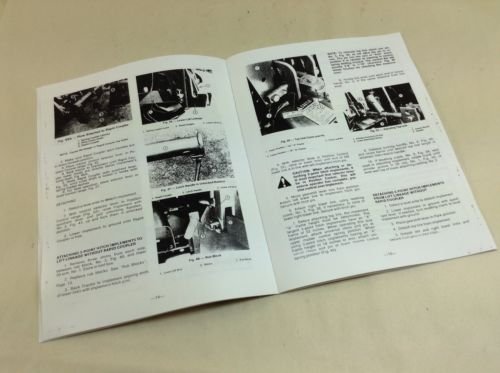
Figure 3: Visual instructions for attaching implements and operating various tractor controls.
4. Lubrication and Periodic Maintenance
Regular maintenance is vital for the longevity and reliability of your tractor. Follow the recommended lubrication and service schedule diligently.
4.1. Maintenance Schedule
Refer to the detailed maintenance schedule provided in the manual for daily, weekly, monthly, and annual service intervals. Key items include:
- Engine oil and filter change.
- Fuel filter replacement.
- Air filter cleaning/replacement.
- Hydraulic fluid and filter service.
- Greasing of pivot points and linkages.
4.2. Torque Value Chart
Always use the specified torque values when tightening fasteners to prevent damage and ensure proper assembly. A comprehensive torque value chart for critical components is included in the manual.
5. Servicing
This section provides detailed instructions for more involved service procedures, which may require specialized tools or expertise. If you are unsure about any procedure, consult a qualified technician.
5.1. Engine Service
Includes procedures for valve adjustments, fuel injector maintenance, and cooling system flushing.
5.2. Electrical System
Guidance on battery maintenance, alternator checks, and troubleshooting electrical faults.
5.3. Air Conditioning System (MF 1155)
For models equipped with air conditioning, this section covers basic maintenance, such as checking refrigerant levels and cleaning condenser coils.
6. Troubleshooting
This section helps diagnose and resolve common operational issues. Consult the table below for symptoms and recommended actions.
| Symptom | Possible Cause | Action |
|---|---|---|
| Engine fails to start | Low fuel, dead battery, clogged fuel filter | Check fuel, charge/replace battery, replace filter |
| Loss of hydraulic power | Low hydraulic fluid, clogged filter, pump malfunction | Check fluid level, replace filter, inspect pump |
| Overheating engine | Low coolant, dirty radiator, faulty thermostat | Check coolant, clean radiator, test thermostat |
7. Specifications
This section provides key technical specifications for the Massey Ferguson MF 1105, 1135, and 1155 tractors.
- Engine Type: Diesel
- Horsepower: Varies by model (e.g., MF 1105, MF 1135, MF 1155)
- Fuel Capacity: Refer to specific model data
- Transmission: Multi-Power (specific configurations vary)
- Weight: Varies by configuration and model
- Tire Pressure: Consult tire pressure chart for recommended values based on load.
8. Warranty and Support
For information regarding your tractor's warranty coverage, please refer to the separate warranty document provided at the time of purchase. For technical assistance, parts, or service, contact your authorized Massey Ferguson dealer. Ensure you have your tractor's model and serial number available when contacting support.
Contact Information:
- Your Authorized Massey Ferguson Dealer
- Massey Ferguson Official Website (for dealer locator and general information)