
1. Introduction
This manual provides instructions for the assembly, operation, maintenance, and troubleshooting of your DEVAISE 55-inch Height Adjustable Standing Desk. Please read this manual thoroughly before assembly and use to ensure proper function and safety. Keep this manual for future reference.
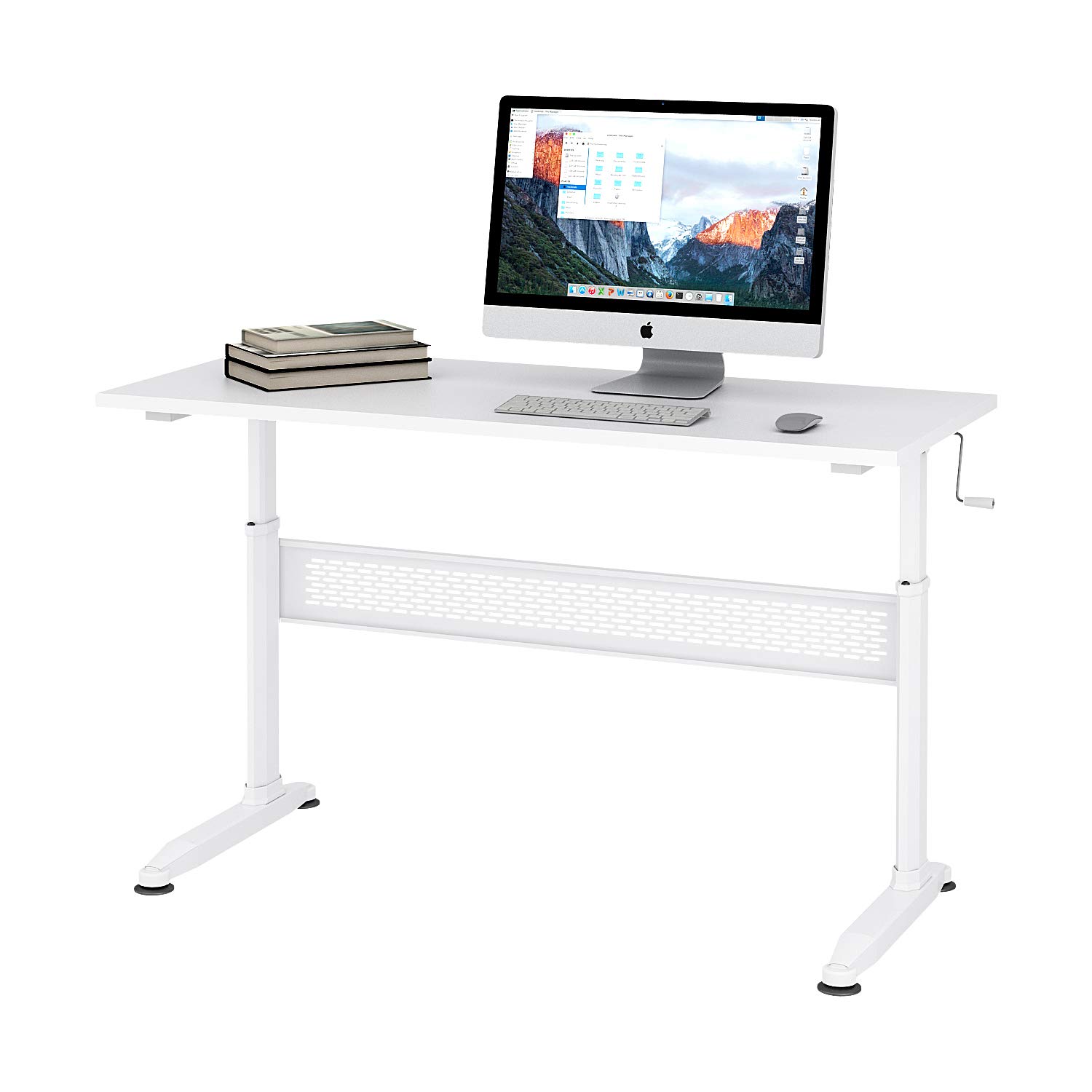
Figure 1: DEVAISE 55-inch Height Adjustable Standing Desk.
2. Safety Information
- Ensure all components are securely fastened before use.
- Do not overload the desk. Refer to the specifications for maximum weight capacity.
- Keep children and pets away from the desk during height adjustment to prevent injury.
- Avoid placing liquids directly on the desk surface without protective coasters.
- Use caution when adjusting the desk height to avoid pinching hands or objects.
- If any parts are damaged or missing, do not attempt to assemble or use the desk. Contact customer support.
3. Package Contents
Verify that all parts are present and undamaged before beginning assembly. If any parts are missing or damaged, please contact customer support.
- Desktop Surface
- Desk Legs (2)
- Crossbar/Support Beam
- Crank Handle
- Adjustable Feet (4)
- Assembly Hardware (screws, bolts, Allen wrench)
4. Setup and Assembly
Assembly typically takes 10-15 minutes. An Allen wrench is provided for convenience.
- Unpack all components and lay them out on a clean, soft surface to prevent scratches.
- Attach the desk legs to the crossbar/support beam using the provided hardware. Ensure all screws are tightened securely.
- Attach the adjustable feet to the bottom of the desk legs. These can be adjusted later to level the desk on uneven floors.
- Carefully place the desktop surface upside down on your soft surface.
- Align the assembled leg frame with the pre-drilled holes on the underside of the desktop.
- Secure the leg frame to the desktop using the remaining hardware. Tighten all screws firmly.
- Insert the crank handle into the designated slot. The crank handle can be installed on either the left or right side of the desk.
- Carefully flip the desk upright. Adjust the feet as needed to ensure stability.
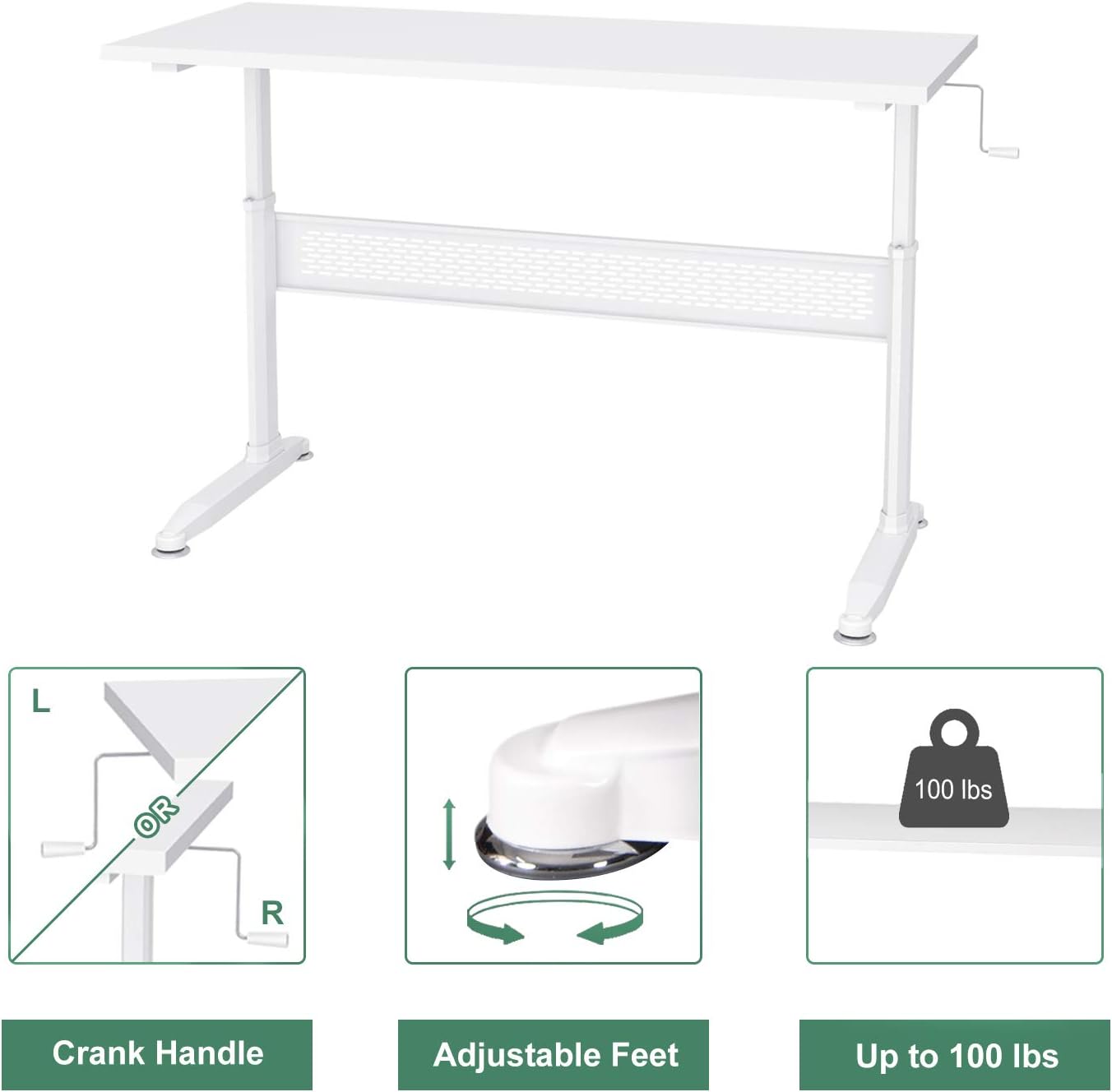
Figure 2: Key components including the crank handle and adjustable feet.

Figure 3: Hand crank installation flexibility.
5. Operating Instructions
Adjusting Desk Height
Your DEVAISE standing desk features a manual crank system for height adjustment.
- Ensure there are no obstructions above or below the desk surface that could interfere with movement.
- Locate the crank handle on either the left or right side of the desk.
- To raise the desk, turn the crank handle clockwise.
- To lower the desk, turn the crank handle counter-clockwise.
- Adjust the desk to your desired sitting or standing height.
- The crank handle is removable. After adjusting the height, you may remove the handle and store it to maintain a clean aesthetic and prevent accidental adjustments.

Figure 4: Desk usage scenarios.
6. Maintenance
- Cleaning: Wipe the desk surface with a soft, damp cloth. Avoid harsh chemicals or abrasive cleaners.
- Hardware Check: Periodically check all screws and bolts to ensure they remain tight. Retighten if necessary.
- Mechanism Inspection: Inspect the crank mechanism for any signs of wear or damage. If issues are found, contact customer support.
7. Troubleshooting
Desk is wobbly:
- Ensure all assembly screws are fully tightened.
- Adjust the leveling feet at the bottom of the desk legs to compensate for uneven floor surfaces.
- Verify that the desk is placed on a stable, flat surface.
Crank handle is difficult to turn:
- Check if the desk is overloaded. Reduce the weight on the desk.
- Ensure the crank mechanism is free of obstructions.
- If the issue persists, contact customer support.
8. Specifications

Figure 5: Desk dimensions.
| Feature | Detail |
|---|---|
| Brand | DEVAISE |
| Model | B01K4H3CHQ |
| Shape | Rectangular |
| Product Dimensions (D x W x H) | 55.12" x 23.62" x 29.1" - 44.9" (Adjustable) |
| Color | White |
| Base Material | Engineered Wood |
| Top Material Type | Engineered Wood |
| Finish Type | Steel |
| Special Feature | Adjustable Height |
| Item Weight | 59.5 Pounds |
| Required Assembly | Yes |
9. Warranty Information
For specific warranty details regarding your DEVAISE Height Adjustable Standing Desk, please refer to the warranty card included with your product or visit the official DEVAISE website. Keep your proof of purchase for warranty claims.
10. Customer Support
If you have any questions, require assistance with assembly, or need to report missing/damaged parts, please contact DEVAISE customer support through their official website or the retailer where the product was purchased. Please have your model number (B01K4H3CHQ) and purchase information ready.
