
1. Introduction
This manual provides instructions for the Kimpex DC Electric Power Cord, Model 001983. This universal power cord kit is designed to provide DC power connectivity, often used in winter kit applications for various electronic devices.
2. Package Contents
Verify that all components listed below are included in your package:
- Universal DC Power Supply RCA connector
- Electric Power cord (RCA male)
- Electric Shield adaptor cords (3)
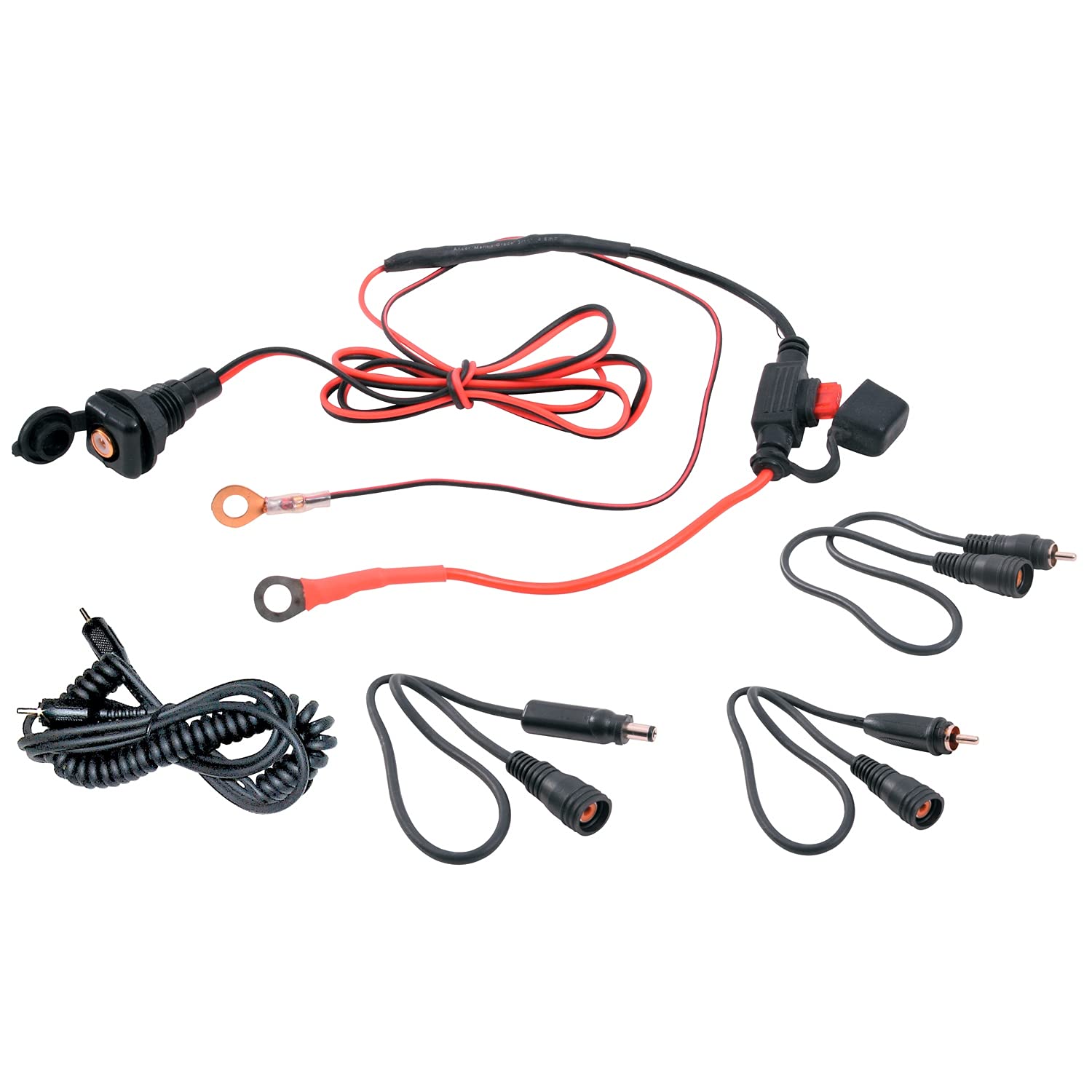
Image 1: The Kimpex DC Electric Power Cord kit, showing the main power cord, RCA connector, and three shield adaptor cords.
3. Setup and Installation
Follow these steps to properly set up and install your Kimpex DC Electric Power Cord:
- Identify Components: Unpack all items and identify the Universal DC Power Supply RCA connector, the Electric Power cord (RCA male), and the three Electric Shield adaptor cords.
- Connect Power Cord: Connect the RCA male end of the Electric Power cord to the Universal DC Power Supply RCA connector. Ensure a secure connection.
- Attach Adaptor Cords: If required for your specific application, attach one of the Electric Shield adaptor cords to the appropriate device.
- Connect to Device: Connect the other end of the power cord assembly to your compatible DC-powered device.
- Connect to Power Source: Plug the Universal DC Power Supply into a suitable DC power source. Refer to your device's manual for specific power requirements.
Important: Always ensure that the power source voltage and current match the requirements of your device to prevent damage.
4. Operating Instructions
Once properly installed, the Kimpex DC Electric Power Cord facilitates power transfer to your connected device. Operation is generally straightforward:
- Ensure all connections are firm and correct.
- Activate your DC power source.
- Power on your connected device as per its own operating instructions.
The power cord acts as a conduit; its primary function is to deliver power. There are no user-adjustable settings on the cord itself.
5. Maintenance
To ensure the longevity and reliable performance of your Kimpex DC Electric Power Cord, follow these maintenance guidelines:
- Cleaning: Wipe the cord and connectors with a dry, soft cloth. Do not use liquid cleaners or solvents.
- Storage: When not in use, store the cord in a dry, cool place, away from direct sunlight and extreme temperatures. Avoid kinking or tightly coiling the cord.
- Inspection: Periodically inspect the cord for any signs of damage, such as cuts, fraying, or bent pins on the connectors. Discontinue use if damage is found.
6. Troubleshooting
If you encounter issues with your Kimpex DC Electric Power Cord, consider the following troubleshooting steps:
- No Power to Device:
- Ensure all connections are secure and fully inserted.
- Verify that the DC power source is active and providing power.
- Check the connected device's power switch and settings.
- Inspect the power cord for visible damage. If damaged, replace it.
- Intermittent Power:
- Check for loose connections at both ends of the cord and at the power supply.
- Ensure the cord is not being bent or stressed at connection points.
- Device Not Charging/Functioning Correctly:
- Confirm that the power cord is compatible with your device's power input specifications (voltage, current, polarity).
- Test the device with another known-good power source or cord if available.
- If problems persist after following these steps, contact Kimpex customer support.
7. Specifications
| Feature | Detail |
|---|---|
| Brand | Kimpex |
| Model Number | 001983 |
| Model Name | DC Electric Power Cord - Complete |
| Product Dimensions | 15 x 10 x 7 cm; 210 g |
| Kit Type | Winter Kit |
| Shell Type | Universal |
| Batteries Required | No |
8. Warranty and Support
Specific warranty information for the Kimpex DC Electric Power Cord, Model 001983, is typically provided at the point of purchase or on the official Kimpex website. Please retain your proof of purchase for warranty claims.
For technical support, replacement parts, or further assistance, please contact Kimpex customer service through their official channels. You can usually find contact information on the Kimpex website or on the product packaging.
Kimpex Official Website: www.kimpex.com