
1. Introduction
This manual provides essential instructions for the safe and effective operation, maintenance, and troubleshooting of your Makita XRM08B Cordless Bluetooth Job Site Speaker. Please read this manual thoroughly before use and retain it for future reference.

Image 1.1: Front view of the Makita XRM08B Cordless Bluetooth Job Site Speaker.
2. Safety Information
Always observe basic safety precautions when using electrical appliances to reduce the risk of fire, electric shock, and personal injury.
General Safety
- Do not expose the speaker to rain or wet conditions.
- Do not disassemble the speaker. Refer servicing to qualified personnel.
- Keep the speaker away from heat sources and direct sunlight.
- Ensure proper ventilation when operating.
Battery Safety
- Use only genuine Makita 18V LXT or 12V max CXT Lithium-Ion batteries.
- Do not use damaged or modified batteries.
- Do not short-circuit battery terminals.
- Dispose of batteries properly according to local regulations.
WARNING: Proposition 65 (California only) - This product may contain chemicals known to the State of California to cause cancer and birth defects or other reproductive harm.

Image 2.1: Important warning regarding the use of non-genuine Makita batteries, which can pose safety risks.
3. Package Contents
Verify that all items are present upon unpacking:
- Makita XRM08B Cordless Bluetooth Job Site Speaker (Tool Only)
- AC Adapter
4. Product Features and Components
Familiarize yourself with the various parts of your speaker:
- Control Panel: Power, Bluetooth pairing, volume, track controls.
- Speaker Grille: Protects the woofer and tweeter.
- Handle: For easy portability.
- Battery Compartment: Located on the side, compatible with 18V LXT and 12V max CXT batteries.
- Auxiliary Input (AUX IN): For connecting external audio devices via a 3.5mm cable.
- USB Charging Port: For charging mobile devices.
- AC Adapter Jack: For powering the speaker via the included AC adapter.
- Storage Compartment: For small items like a mobile phone or AUX cable.
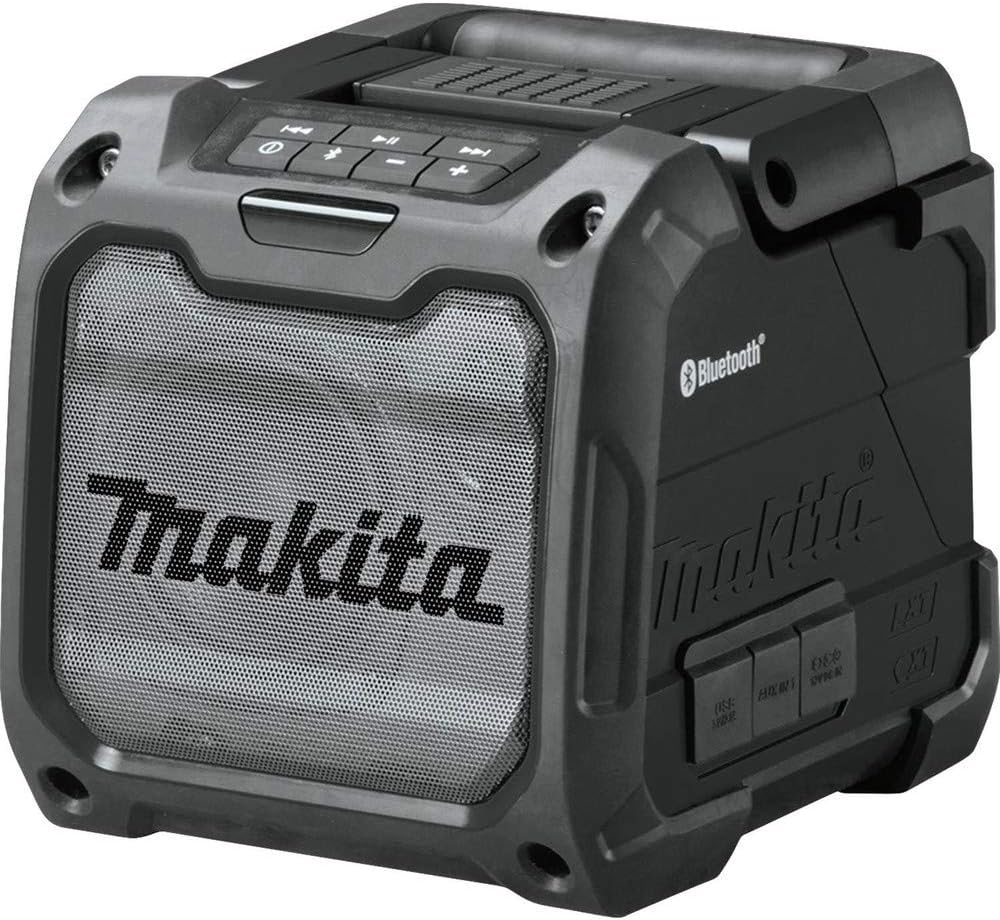
Image 4.1: Side view of the speaker highlighting the control panel and various ports.
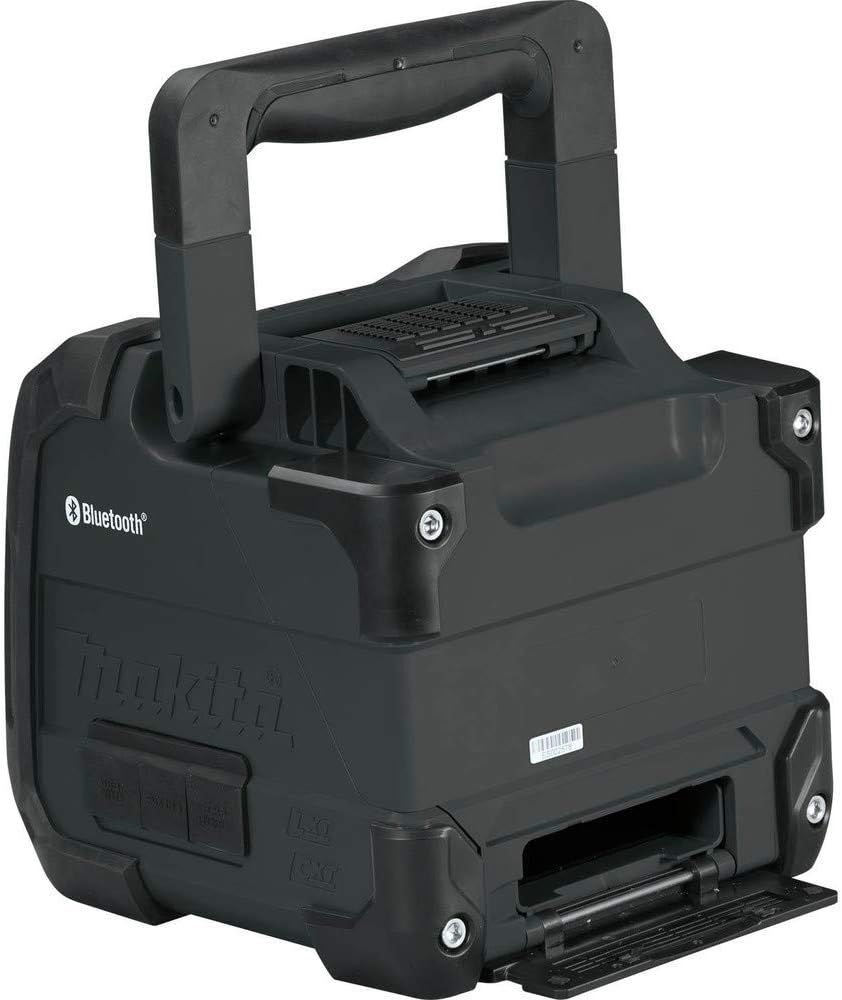
Image 4.2: The speaker's integrated storage compartment, suitable for holding a smartphone.
5. Setup
Powering the Speaker
The speaker can be powered by a Makita 18V LXT Lithium-Ion battery, a Makita 12V max CXT Lithium-Ion battery, or the included AC adapter.
Using a Battery:
- Open the battery compartment cover located on the side of the speaker.
- Align the battery with the battery slot and slide it in until it clicks into place.
- Close the battery compartment cover securely.
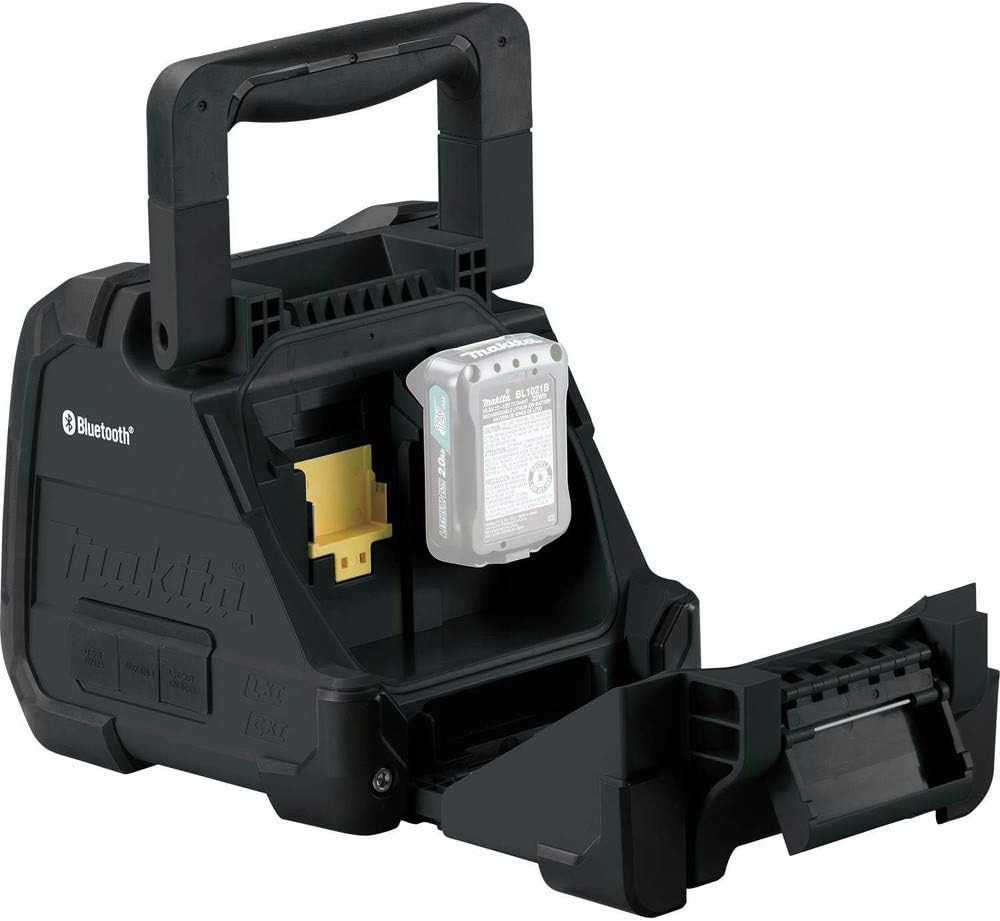
Image 5.1: Insertion of a 12V max CXT Lithium-Ion battery into the speaker's compartment.
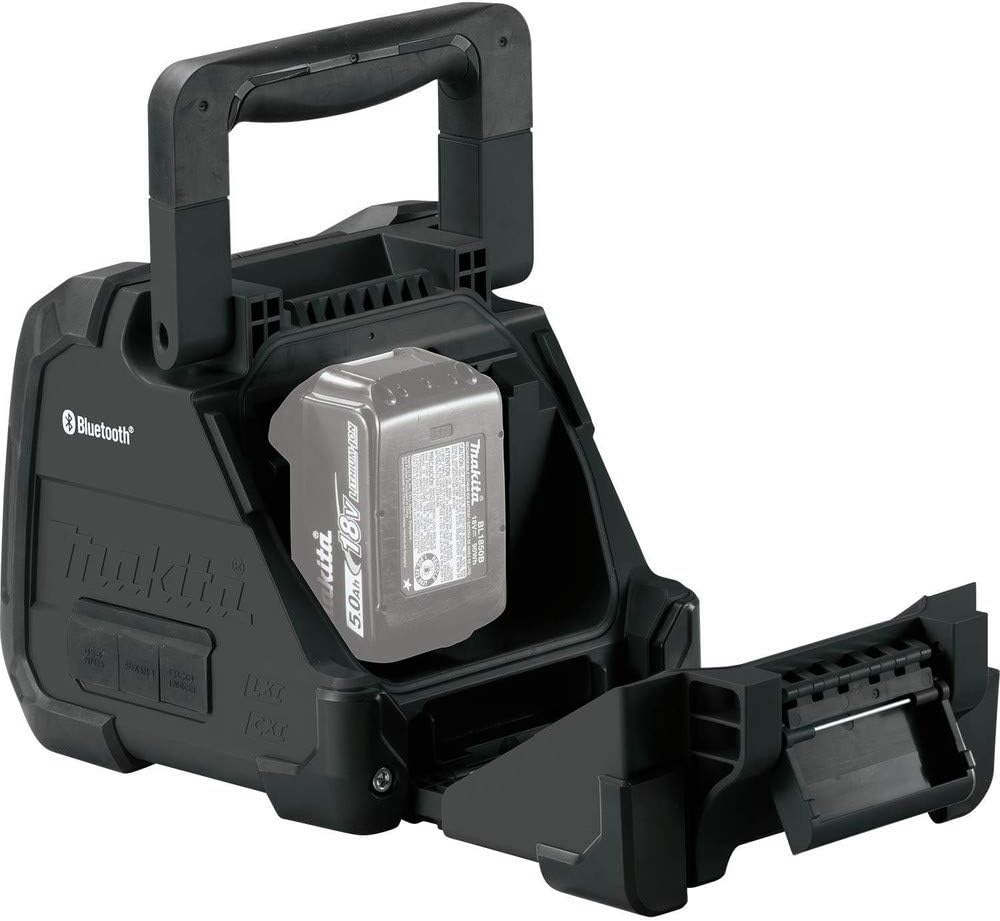
Image 5.2: Insertion of an 18V LXT Lithium-Ion battery into the speaker's compartment.
Using the AC Adapter:
- Locate the AC adapter jack on the side of the speaker.
- Plug the AC adapter into the jack.
- Plug the other end of the AC adapter into a standard electrical outlet.
6. Operating Instructions
Power On/Off
Press the Power button on the control panel to turn the speaker on or off.
Volume Control
Use the Volume Up (+) and Volume Down (-) buttons on the control panel to adjust the audio level.
Bluetooth Pairing
- Turn on the speaker.
- Press and hold the Bluetooth button on the control panel until the Bluetooth indicator light flashes, indicating pairing mode.
- On your mobile device, enable Bluetooth and search for available devices.
- Select "Makita XRM08B" from the list of devices.
- Once paired, the Bluetooth indicator light will remain solid.
Auxiliary Input (AUX IN)
To play audio from a device without Bluetooth:
- Connect one end of a 3.5mm audio cable (not included) to your audio device and the other end to the AUX IN port on the speaker.
- The speaker will automatically switch to AUX mode.
USB Charging Port
The USB port can be used to charge compatible mobile devices:
- Connect your mobile device's USB charging cable to the USB port on the speaker.
- Ensure the speaker is powered on.
Audio Playback Controls
When connected via Bluetooth, use the following buttons on the control panel:
- Play/Pause: Press to play or pause audio.
- Skip Forward: Press to skip to the next track.
- Skip Backward: Press to skip to the previous track.
7. Maintenance
Cleaning
- Wipe the speaker with a soft, damp cloth. Do not use harsh chemicals or abrasive cleaners.
- Ensure the battery compartment and port covers are closed to maintain water and dust resistance.
Storage
- Store the speaker in a cool, dry place away from direct sunlight and extreme temperatures.
- If storing for extended periods, remove the battery.
8. Troubleshooting
| Problem | Possible Cause | Solution |
|---|---|---|
| Speaker does not turn on | Battery is depleted or not inserted correctly; AC adapter not connected or faulty. | Charge battery or insert correctly; check AC adapter connection and power source. |
| No sound | Volume too low; device not connected; incorrect input mode. | Increase volume; ensure Bluetooth is paired or AUX cable is connected; verify correct input mode. |
| Bluetooth connection fails | Speaker not in pairing mode; device too far; interference. | Put speaker in pairing mode; move device closer; restart speaker and device. |
| Mobile device not charging via USB | Speaker not powered on; USB cable faulty; device incompatible. | Ensure speaker is on; try a different USB cable; check device compatibility. |
9. Specifications
| Feature | Detail |
|---|---|
| Model Number | XRM08B |
| Power Source | 18V LXT / 12V max CXT Lithium-Ion Battery or AC Adapter |
| Input Voltage | 12 Volts (DC) |
| Speaker Type | Woofer, Tweeter |
| Woofer Diameter | 4 Inches (101.6 mm) |
| Connectivity | Bluetooth, USB, Auxiliary (3.5mm) |
| Bluetooth Range | Up to 10 meters (33 feet) |
| Special Features | Water and Dust Resistant (IP64 rated) |
| Product Dimensions (L x W x H) | 8.4"D x 8.74"W x 9.25"H (21.3cm x 22.2cm x 23.5cm) |
| Item Weight | 6.59 pounds (2.99 kg) |

Image 9.1: Diagram showing the dimensions of the Makita XRM08B speaker.
10. Warranty and Support
Makita products are manufactured under strict quality control standards. For warranty information, please refer to the warranty card included with your purchase or visit the official Makita website. For technical support or service, please contact Makita customer service or an authorized service center.
Important Note: The use of non-genuine or "knock-off" Makita Lithium-Ion batteries may void your warranty and can pose significant safety risks, including fire, personal injury, or property damage. Always use genuine Makita batteries.
11. Official Product Videos
No official product videos from the seller were provided in the product data for this manual.


