
1. Introduction
This manual provides detailed instructions for the safe and effective use of your COIDEA Disco Ball Light. Please read this manual thoroughly before operating the device and retain it for future reference.
2. What's in the Box
- 1 x Disco Lamp
- 1 x Remote Control
- 1 x Bracket and Screws for Installation
- 1 x User Guide

Figure 2.1: Contents of the COIDEA Disco Ball Light package.
3. Setup
- Unpacking: Carefully remove all components from the packaging.
- Placement: The disco ball light is portable and palm-sized. It can be placed on a table or fixed to a wall using the included bracket and screws. Ensure the placement allows for optimal light projection in your desired area.
- Power Connection: Connect the power cord to the disco ball light and then plug it into a standard electrical outlet. The device is designed for plug-and-play operation.
- Remote Control: Insert 1 CR2 battery (not included) into the remote control. The remote allows for convenient operation of all functions.

Figure 3.1: COIDEA Disco Ball Light ready for plug-and-play setup.
4. Operating Instructions
The COIDEA Disco Ball Light offers various lighting modes and color options, controllable via the included remote.
4.1 Remote Control Functions

Figure 4.1: Remote control layout and functions.
- ON/OFF: Power the device on or off.
- STOP/START: Pause or resume the light rotation.
- FLASH: Activates a flashing light effect.
- MUSIC 1 (Color Changing): Activates sound-activated mode where colors change with music.
- MUSIC 2 (Strobe Lighting): Activates sound-activated mode with strobe effects synchronized to music.
- AUTO: Automatic light up/off mode.
- Color Buttons (R, G, B, RG, RB, GB): Select individual colors (Red, Green, Blue) or color combinations.
- +/- Buttons: Adjust the speed of rotation or flash.
- Mute/Volume Controls: Control the internal speaker volume (if applicable) or mute.
4.2 Sound-Activated Modes
The disco ball light features intelligent sound-activated modes. When music is playing, the lights will change speed and color based on the rhythm and volume of your audio. This transforms any space into an interactive light display.

Figure 4.2: Disco light in sound-activated mode, synchronizing with music.
Video 4.1: Demonstration of the COIDEA Disco Ball Light's sound-activated mode, showing lights changing with sound.
4.3 Color Options and Effects
The device features 7 lighting colors, including red, green, blue, and various multicolor combinations. These can be easily switched using the remote control to create diverse lighting effects.
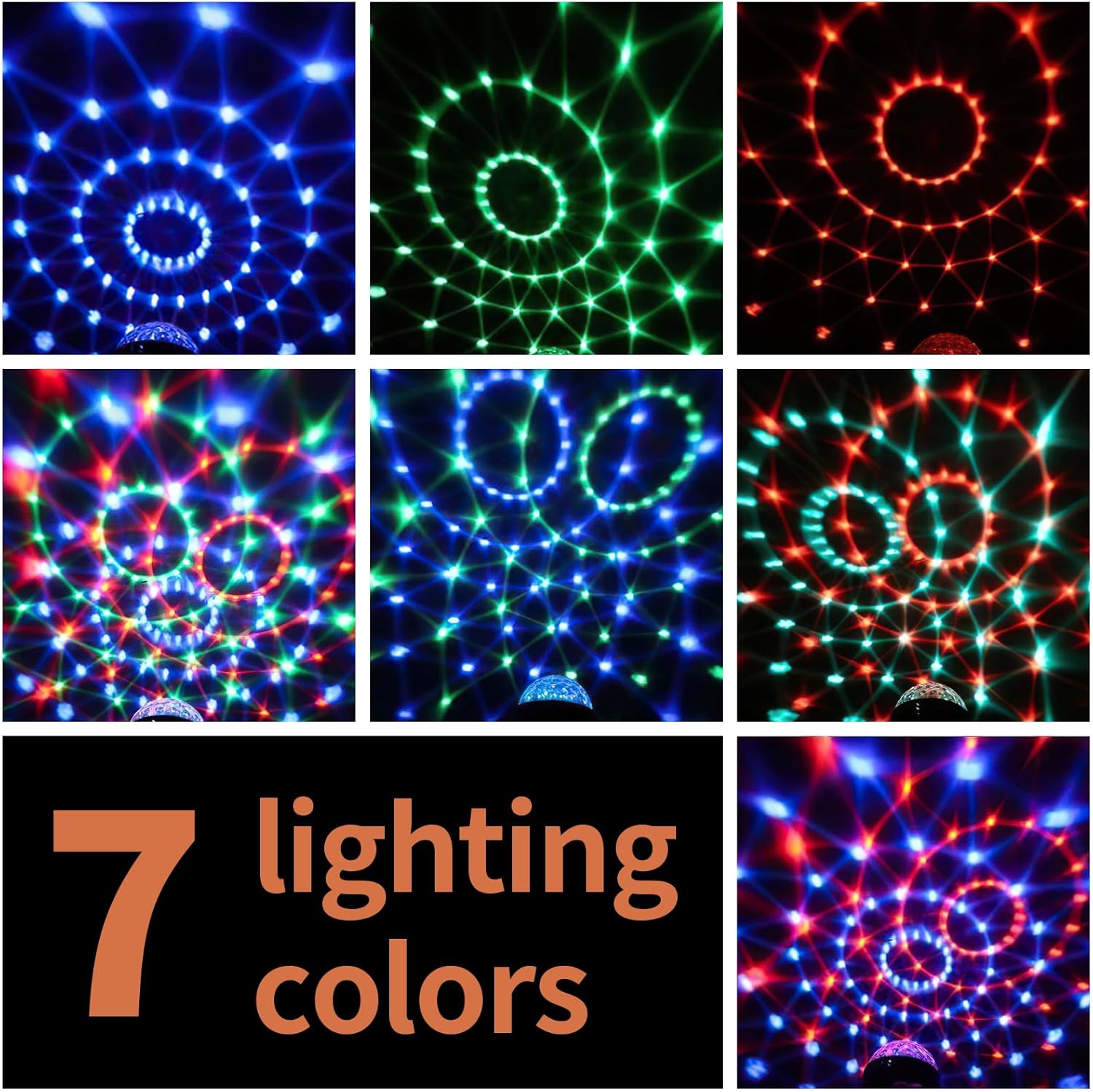
Figure 4.3: Examples of the 7 available lighting colors and patterns.
5. Features
- 7 Lighting Colors: Includes red, green, blue, and multicolor combinations, easily switchable with the remote control for high brightness and colorful lighting.
- Sound-Activated Modes: Changes speed and color based on music, transforming any space into a dynamic dance floor.
- Portable and Compact: Small, palm-sized design for easy placement on tables or wall mounting. Bright enough to illuminate a room of approximately 25 square meters.
- Stable Lighting Performance: Utilizes 3W LED technology for energy efficiency and reliable, durable electronic materials for extended working life.
- 360° Rotation: The light can be adjusted to project in various directions, allowing for flexible lighting setups.

Figure 5.1: Disco light illuminating a room with colorful patterns.
6. Specifications
| Attribute | Value |
|---|---|
| Brand | COIDEA |
| Model Number | Disco Ball Light-Sound Activated |
| Color | Blue / Red / Green |
| Shape | Rectangular Prism |
| Material | Glass, Plastic |
| Light Source Type | LED |
| Power Source | Corded Electric |
| Item Weight | 8.5 ounces |
| Product Dimensions | 3.38"L x 3.38"W x 6.8"H |
| Wattage | 3 Watts |
| Number of Light Sources | 3 |
| Batteries Required | No (for main unit), 1 CR2 battery for remote (not included) |
7. Maintenance
- Cleaning: Use a soft, dry cloth to clean the exterior of the disco ball light. Do not use abrasive cleaners or solvents.
- Storage: When not in use, store the device in a cool, dry place away from direct sunlight and extreme temperatures.
- Battery Replacement: If the remote control stops responding, replace the CR2 battery.
8. Troubleshooting
| Problem | Solution |
|---|---|
| Light does not turn on. |
|
| Remote control is not working. |
|
| Sound-activated mode is not responding. |
|
9. Warranty and Support
For warranty information or technical support, please refer to the contact details provided with your purchase or visit the official COIDEA website. Keep your purchase receipt as proof of purchase.