Introduction
This instruction manual provides essential information for the safe and efficient operation, maintenance, and troubleshooting of your Hitachi UC18YRL 7.2-18V Dual Chemistry Battery Charger. Please read this manual thoroughly before using the charger and retain it for future reference.
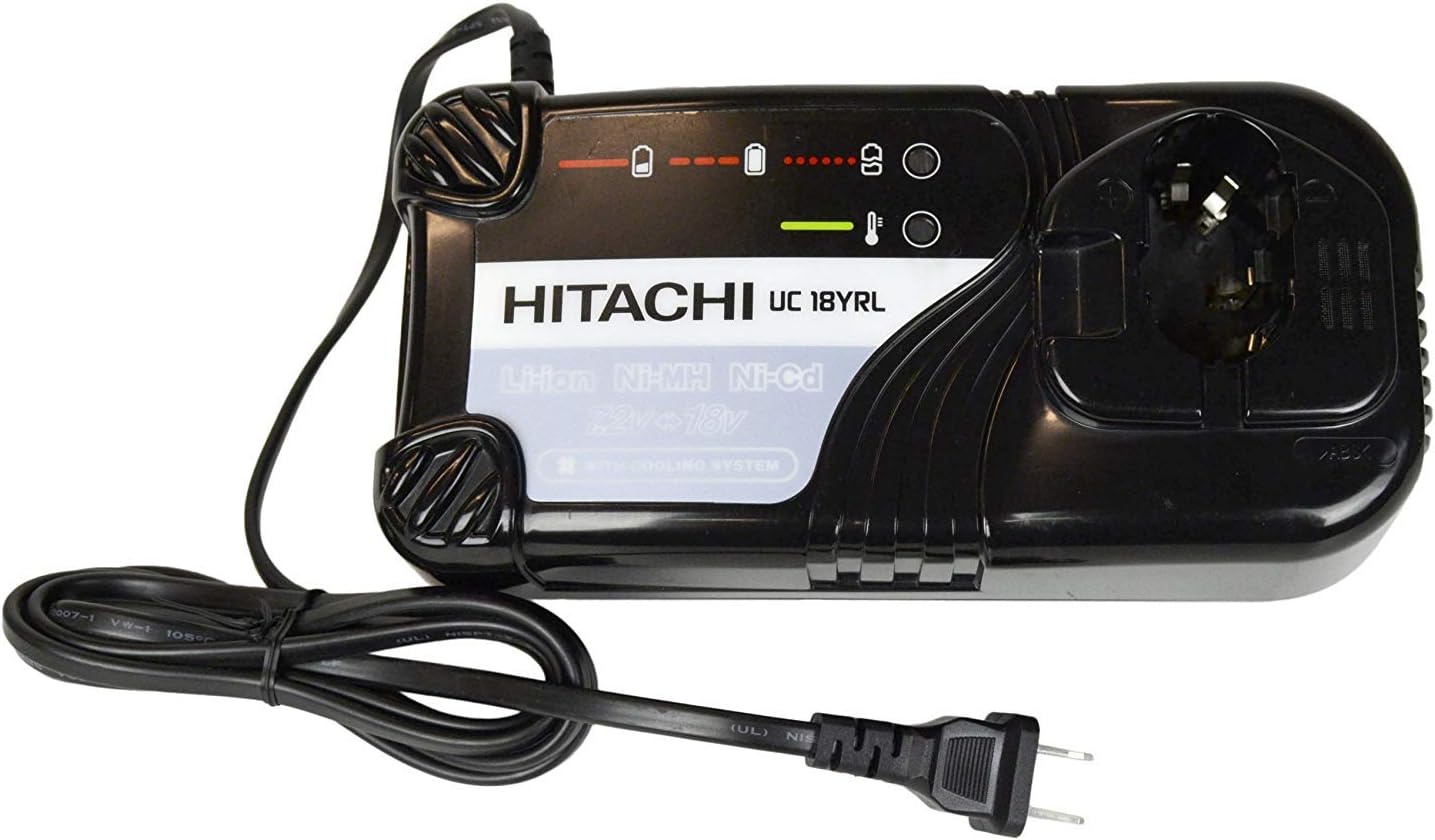
Figure 1: Hitachi UC18YRL Dual Chemistry Battery Charger. This image shows the black charger unit with its power cord and plug, designed to charge various battery types.
Important Safety Information
Always observe basic safety precautions when using electrical appliances to reduce the risk of fire, electric shock, and personal injury. This charger is designed for 120V input. International customers may require a step-down transformer. This product contains chemicals known to the State of California to cause cancer and birth defects or other reproductive harm (Proposition 65 warning).
- Do not expose the charger to rain or wet conditions.
- Use only with specified Hitachi batteries.
- Do not attempt to disassemble the charger.
- Ensure proper ventilation during use.
Setup
- Unpack the Charger: Carefully remove the Hitachi UC18YRL charger from its packaging. Inspect for any signs of damage.
- Choose a Location: Place the charger on a stable, flat surface in a well-ventilated area. Ensure there is sufficient space around the charger for air circulation, as it features a cooling fan.
- Connect to Power: Plug the charger's power cord into a standard 120V AC electrical outlet. The charger is designed for 120V input.
Operation
Charging Procedure
- Insert Battery: Align the battery with the charging port on the charger and slide it in until it clicks securely into place. The charger supports both Li-Ion and Ni-Mh batteries.
- Monitor Charging Indicators: The charger features indicator lights that show the charging status.
- A solid red light typically indicates charging in progress.
- A solid green light indicates the battery is fully charged.
- Flashing lights may indicate an error or temperature issue. Refer to the troubleshooting section for details.
- Charging Time: The charger is a rapid charger and can fully charge a battery in approximately 45 minutes, depending on the battery's capacity and discharge level.
- Cooling Fan: The charger is equipped with a cooling fan that operates during the charging process to maintain optimal temperature for both the charger and the battery. This fan helps ensure efficient and safe charging.
- Remove Battery: Once the battery is fully charged (indicated by a solid green light), carefully slide it out of the charging port.

Figure 2: Close-up view of the Hitachi UC18YRL charger's battery slot and indicator lights. This image highlights the interface where the battery connects and the visual indicators for charging status.
Maintenance
Proper maintenance ensures the longevity and optimal performance of your charger.
- Cleaning: Disconnect the charger from the power outlet before cleaning. Use a soft, dry cloth to wipe down the exterior of the charger. Do not use abrasive cleaners or solvents. Ensure no dust or debris accumulates in the ventilation openings.
- Storage: When not in use, store the charger in a clean, dry place away from direct sunlight, extreme temperatures, and moisture.
- Cord Inspection: Periodically inspect the power cord for any signs of damage, cuts, or fraying. If damaged, do not use the charger and contact customer support.
Troubleshooting
This section addresses common issues you might encounter with your charger.
| Problem | Possible Cause | Solution |
|---|---|---|
| Charger not powering on / No indicator lights. |
|
|
| Battery not charging (red light on, but no charge after extended time). |
|
|
| Cooling fan not operating. |
|
|
| Charger indicator lights flashing. |
|
|
If the problem persists after attempting these solutions, please contact Hitachi customer support for further assistance.
Specifications
| Model | UC18YRL |
| Brand | Hitachi (Manufactured by MetaboHPT) |
| Input Voltage | 120 Volts AC |
| Output Voltage | 7.2-18 Volts DC |
| Compatible Battery Chemistry | Li-Ion, Ni-Mh, Ni-Cd |
| Product Dimensions | 9 x 3 x 10 inches |
| Item Weight | 1.58 pounds |
| Safety Certification | UL Listed |
| Date First Available | August 3, 2016 |
Warranty and Support
For warranty information, technical support, or service inquiries regarding your Hitachi UC18YRL battery charger, please contact the manufacturer, MetaboHPT (formerly Hitachi Power Tools), directly. Refer to the product packaging or the official MetaboHPT website for the most current contact details and warranty terms.
Online Resources: You may find additional support and product information on the official MetaboHPT website.


