
Weber 62010001
Weber Genesis II E-410 Liquid Propane Grill User Manual
Model: 62010001
Product Overview
The Weber Genesis II E-410 Liquid Propane Grill features the innovative GS4 High Performance Grilling System, designed for ease-of-use and exceptional grilling results. This grill is built to provide consistent heat, superior flavor, and simplified maintenance, making it an ideal choice for any grilling enthusiast.

Front view of the Weber Genesis II E-410 Liquid Propane Grill, showcasing its sleek black finish and four control knobs.
Setup and Assembly
Careful assembly is crucial for the safe and proper operation of your grill. Please follow all instructions provided in the assembly guide. It is recommended to have two people for assembly.
Initial Setup
- Unpack all components and verify against the parts list.
- Assemble the grill cart and attach the main grill body.
- Connect the liquid propane tank securely. Ensure all connections are tight and check for leaks using a soapy water solution.
- Perform an initial burn-off to season the grates and remove any manufacturing residues.

View inside the grill cabinet, highlighting the secure connection point for the liquid propane tank.
Operating Your Grill
Your Weber Genesis II E-410 is equipped with the GS4 High Performance Grilling System, designed for optimal grilling. This system includes four key components:
1. Infinity Ignition
The Infinity Ignition system ensures reliable ignition every time. Simply turn the burner control knob to the START/HIGH position and press the ignition button to light the burner. Repeat for additional burners.

A close-up of the ignition knob, part of the Infinity Ignition system, designed for reliable startup.
2. High-Performance Burners
The four high-performance burners provide consistent heat distribution across the entire cooking surface, ensuring evenly cooked food regardless of placement. This design minimizes hot and cold spots for superior results.

An overhead view showing the grill grates and the underlying Flavorizer bars, designed for even heat and flavor.
3. Flavorizer Bars
The porcelain-enameled Flavorizer bars are angled to catch drippings, which then vaporize and infuse your food with that irresistible smoky barbecue flavor. They also protect the burners from grease and debris.
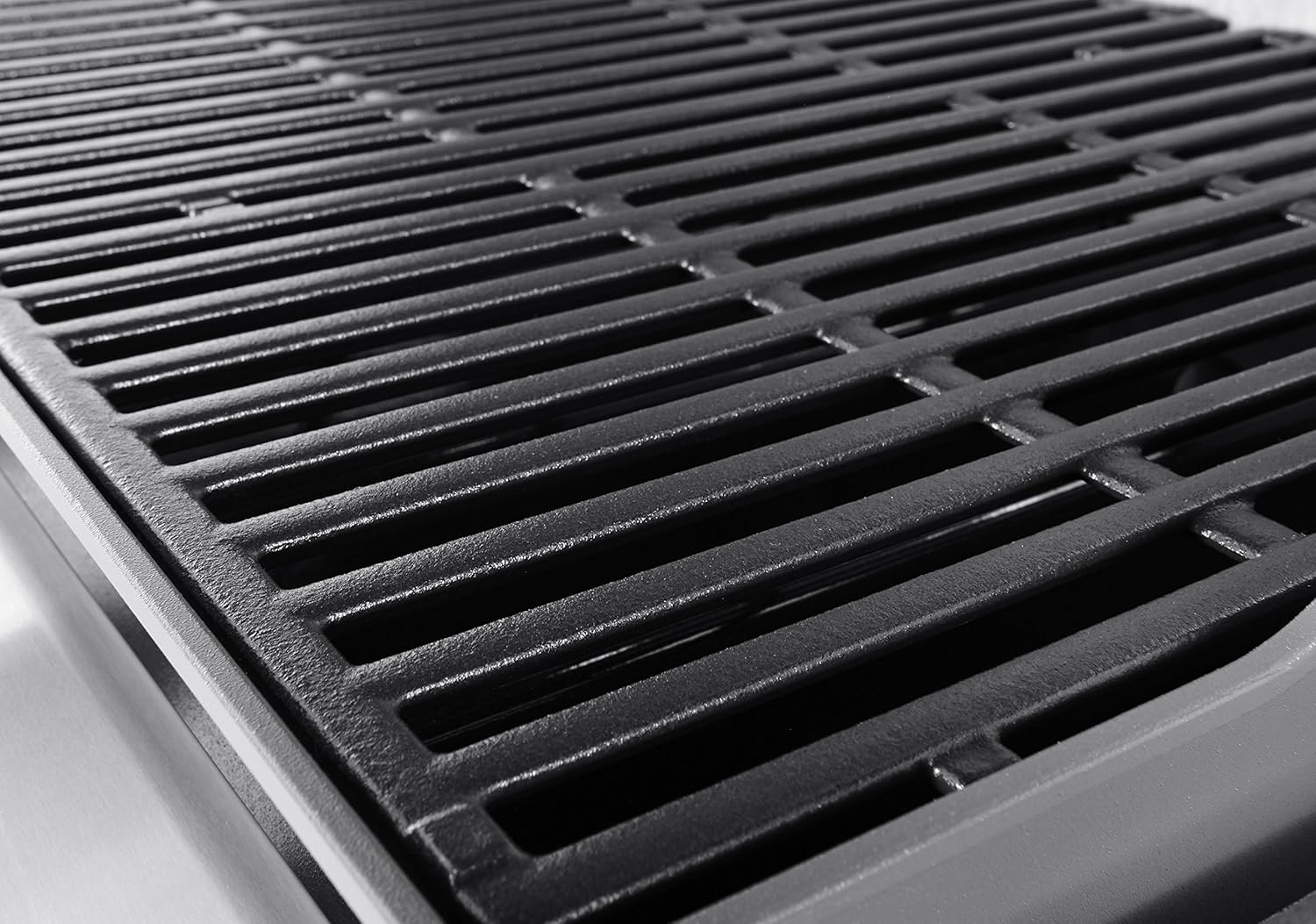
Detailed view of the durable porcelain-enameled cast iron cooking grates.
4. Grease Management System
The improved grease management system funnels grease away from the burners into an easily accessible catch pan located beneath the cookbox. This design significantly reduces the risk of flare-ups and simplifies cleanup.

The integrated grease management system, featuring a removable catch pan for easy cleaning and reduced flare-ups.
iGrill 3 Integration
The Genesis II E-410 is iGrill 3 ready, allowing you to integrate a Bluetooth-enabled thermometer (sold separately) directly into the side table. This enables you to monitor your food's temperature from your smartphone via the iGrill app, taking the guesswork out of grilling.

The iGrill 3 ready port on the side table, allowing for seamless integration of a Bluetooth thermometer.
Maintenance and Care
Regular maintenance ensures the longevity and optimal performance of your Weber grill.
- Grates: Clean cooking grates after each use with a grill brush. For deeper cleaning, remove and wash with warm soapy water.
- Flavorizer Bars: Periodically scrape off any accumulated debris from the Flavorizer bars.
- Grease Management System: Regularly check and empty the disposable drip pan. Clean the catch pan and slide-out tray as needed.
- Exterior: Wipe down exterior surfaces with a damp cloth and mild detergent. For stainless steel parts, use a stainless steel cleaner.
- Burners: Inspect burner tubes for blockages (e.g., spider webs) and clean with a wire brush if necessary.
Troubleshooting
If you encounter issues with your grill, refer to the following common troubleshooting tips:
| Problem | Possible Cause | Solution |
|---|---|---|
| Burner not lighting | Low gas, clogged burner, faulty igniter | Check LP tank level, clean burner ports, inspect igniter electrode. |
| Uneven heating | Clogged burner ports, misaligned Flavorizer bars | Clean burner ports, ensure Flavorizer bars are correctly positioned. |
| Excessive flare-ups | Grease buildup, high heat setting | Clean grease management system, reduce heat, trim excess fat from food. |
For more detailed troubleshooting, please consult the full user manual (PDF link provided in product documents) or contact Weber customer support.
Specifications
- Brand: Weber
- Model Number: 62010001
- Product Dimensions: 31"D x 61"W x 61"H
- Item Weight: 85 Pounds
- Fuel Type: Liquid Propane
- Main Burner Count: 4
- Cooking Surface Area: 646 Square Inches
- Material: Porcelain-enameled, cast iron cooking grates; Stainless Steel frame
- Special Feature: Warming Rack
- UPC: 077924043918

A visual representation of the grill's dimensions: 31 inches deep, 61 inches wide, and 61 inches high.
Warranty and Support
Weber stands behind the quality of its products. The Weber Genesis II E-410 Liquid Propane Grill comes with a generous warranty, ensuring peace of mind for your investment.
- Warranty: This product is backed by a 10-year guarantee. Specific warranty details can be found in the official user manual.
- Customer Support: For any questions, assistance, or warranty claims, please visit the official Weber website or contact their customer support directly.
Official User Manual (PDF): Download Here
Related documents62010001


Ask a question about this manual
Ask about setup, troubleshooting, compatibility, parts, safety, or missing instructions. Manuals+ will review the question and use this page’s manual context to help answer it.