1. Introduction
The RadioShack Cassette Adapter allows you to play audio from a portable device, such as an MP3 player or smartphone, through your vehicle's existing cassette player. This adapter provides a simple solution for integrating modern audio sources with older car audio systems.
2. Product Overview
The RadioShack Cassette Adapter is designed to resemble a standard audio cassette tape, allowing it to be inserted directly into a cassette player. It features an integrated audio cable with a 3.5mm (1/8") gold-plated plug for connecting to your audio device.
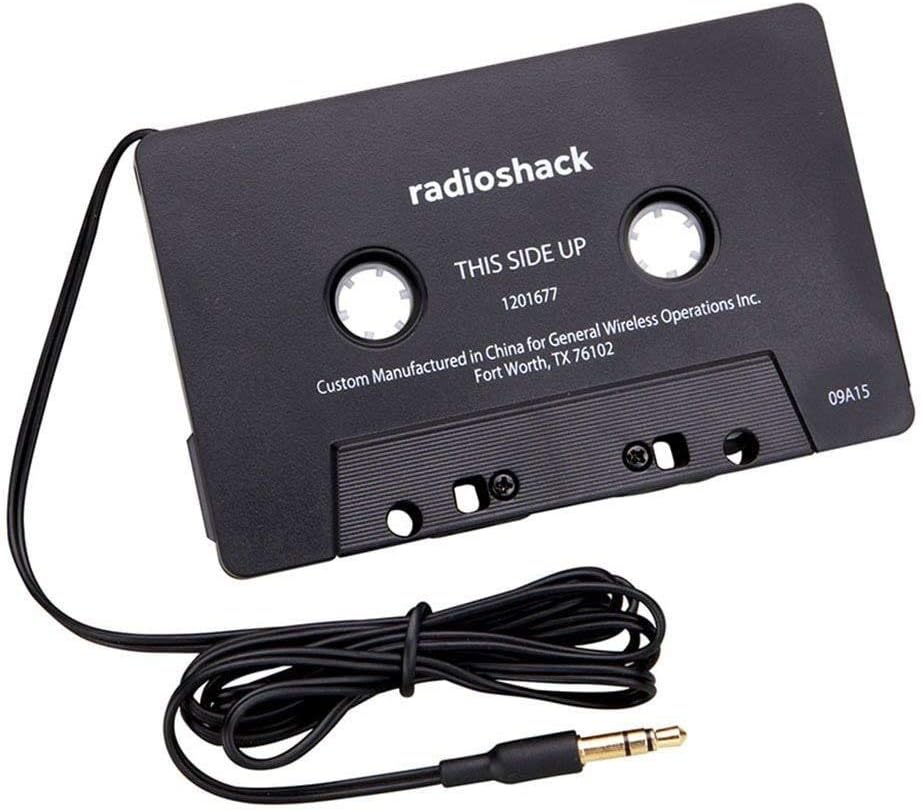
This image shows the black RadioShack Cassette Adapter. The adapter resembles a standard audio cassette tape with the brand name 'radioshack' and 'THIS SIDE UP' printed on it. An integrated black audio cable with a gold-plated 3.5mm jack extends from one side of the adapter.
Key Features:
- Cassette-shaped design: Fits into standard car cassette players.
- 3.5mm (1/8") audio plug: Compatible with most portable audio devices.
- Gold-plated plug: Helps maximize signal transfer and reduce interference.
- No installation required: Operates like a regular cassette tape.
3. Setup Instructions
- Insert the Adapter: With the side labeled "THIS SIDE UP" facing upwards, gently insert the RadioShack Cassette Adapter into your vehicle's cassette player. Ensure it is fully seated.
- Connect Audio Device: Plug the 3.5mm audio cable from the adapter into the headphone jack of your portable audio device (e.g., smartphone, MP3 player).
- Power On: Turn on your car's audio system and select the cassette player function.
- Adjust Volume: Start playing audio on your portable device and adjust the volume on both your device and your car stereo to a comfortable listening level.
Note: If your car's cassette player has an auto-reverse function, it is recommended to set it to play only side A to prevent unexpected tape direction changes during playback.
4. Operating Instructions
Once the adapter is set up, operating it is straightforward:
- Play/Pause: Control playback directly from your connected audio device.
- Track Selection: Change tracks using your connected audio device.
- Volume Control: Adjust the volume using both your audio device and your car stereo's volume controls. It is often best to set the audio device volume to about 75-80% and then use the car stereo for primary volume adjustments.
- Removing the Adapter: When finished, simply eject the adapter from the cassette player as you would a regular cassette tape. Disconnect the audio cable from your portable device.
5. Maintenance
To ensure optimal performance and longevity of your RadioShack Cassette Adapter, follow these simple maintenance guidelines:
- Storage: Store the adapter in a clean, dry place away from extreme temperatures and direct sunlight when not in use.
- Cleaning: Wipe the adapter's exterior with a soft, dry cloth if it becomes dusty. Avoid using liquid cleaners or solvents.
- Cable Care: Avoid sharply bending or pulling the audio cable. Coil it loosely for storage to prevent damage.
- Connector Care: Keep the 3.5mm audio plug clean and free of debris to ensure a good connection.
6. Troubleshooting
If you encounter issues with your cassette adapter, refer to the following troubleshooting steps:
| Problem | Possible Cause | Solution |
|---|---|---|
| No audio or very low volume |
|
|
| Static or distorted sound |
|
|
| Cassette adapter ejects or stops playing |
|
|
7. Specifications
| Feature | Detail |
|---|---|
| Model Number | 2302487 |
| Connector Type | 3.5mm (1/8") Auxiliary |
| Compatible Devices | MP3 Players, Smartphones, Tablets, and other devices with a standard 3.5mm headphone jack |
| Item Weight | 2.08 ounces |
| Package Dimensions | 5.63 x 4.76 x 0.63 inches |
| Manufacturer | RadioShack |
8. Safety Information
- Do not attempt to disassemble or modify the adapter.
- Keep the adapter away from water, moisture, and extreme temperatures.
- Ensure cables are routed safely to avoid obstructing driving controls or creating trip hazards.
- Always prioritize safe driving. Adjust audio settings only when it is safe to do so.
9. Warranty and Support
For warranty information or technical support regarding your RadioShack Cassette Adapter, please refer to the original product packaging or contact RadioShack customer service directly. Keep your purchase receipt for warranty claims.


