
1. Safety Information
WARNING: Before installing, operating, or performing maintenance on this equipment, read and understand this manual and all applicable safety instructions. Failure to follow these instructions can result in death, serious injury, or equipment damage.
- Ensure all power is disconnected before working on the drive.
- Only qualified personnel should install, adjust, operate, or maintain this equipment.
- Protect against electric shock. The drive contains high voltage even after power is disconnected. Wait for capacitors to discharge.
- Proper grounding is essential.
- Do not operate the drive with covers removed.
2. Product Overview
The Schneider Electric ATV630D30N4 ATV630 Type 1 Variable Speed Drive is designed for fluid management applications such as pumps, fans, and compressors in industrial processes. It offers integrated services, connectivity, and application functions, making it suitable for water & wastewater treatment, marine, and industrial climate facilities.
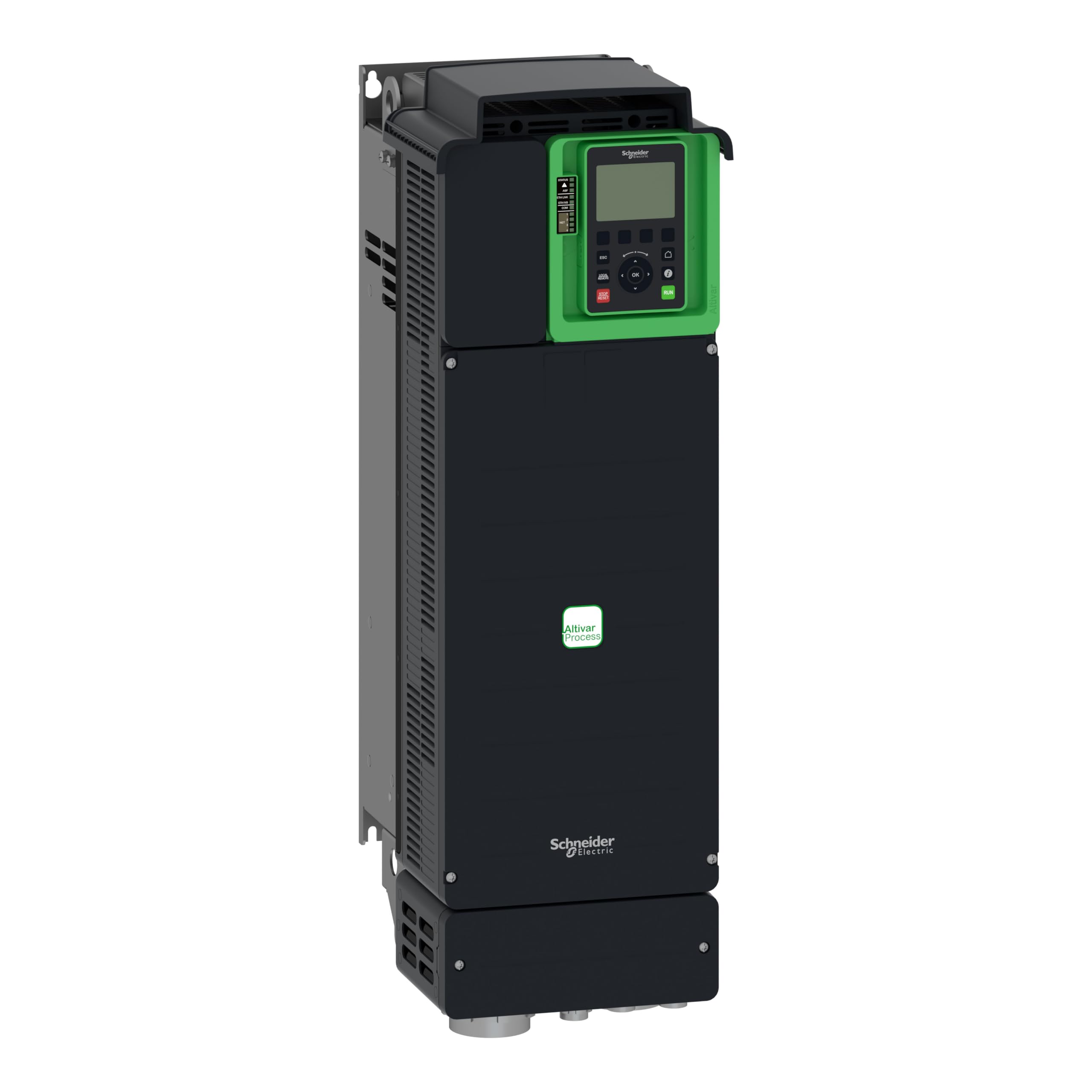
Figure 1: Front view of the Schneider Electric ATV630D30N4 Variable Speed Drive. This image shows the compact design and primary interface area of the industrial drive.
Key Features:
- Type of refrigeration: Forced convection
- Power frequency: 50...60 Hz (±5%)
- Network number of phases: 3 phases
- Assigned supply voltage: 380...480 V (±15% to ±10%)
- Network short circuit current: 50 kA
- Power: 30kW / 40HP
3. Setup and Installation
Proper installation is crucial for the safe and efficient operation of the ATV630D30N4 drive. Refer to the detailed installation guide provided with the product for specific wiring diagrams and mounting instructions.
3.1. Mounting
- Mount the drive vertically on a flat, non-flammable surface.
- Ensure adequate clearance for cooling air circulation (forced convection).
- Avoid mounting in direct sunlight or near heat sources.
- The drive dimensions are 226 mm x 673 mm x 271 mm.
3.2. Electrical Connections
- Power Supply: Connect the 3-phase 380-480V AC supply to the designated input terminals (R/L1, S/L2, T/L3).
- Motor Connection: Connect the motor to the output terminals (U/T1, V/T2, W/T3).
- Grounding: Ensure proper grounding of the drive and motor according to local electrical codes.
- Control Wiring: Connect control signals (e.g., start/stop, speed reference) to the appropriate control terminals.
- Network Communication: If applicable, connect network cables for communication protocols.
Refer to the wiring diagrams in the full product manual for detailed connection instructions.
4. Operating Instructions
Once the drive is correctly installed and wired, it can be powered on and configured for operation.
4.1. Initial Power-Up
- Verify all connections are secure and correct.
- Apply main power to the drive.
- Observe the display for initial boot-up sequence and any error messages.
- The drive may prompt for initial setup parameters. Follow the on-screen instructions or refer to the programming manual.
4.2. Basic Operation
- Start/Stop: Use the designated control input (e.g., digital input, HMI button) to start and stop the motor.
- Speed Control: Adjust the motor speed using the configured speed reference (e.g., analog input, keypad, communication network).
- Monitoring: The drive's display or connected HMI provides real-time information on motor speed, current, voltage, and status.
For advanced programming and specific application settings, consult the comprehensive programming manual.
5. Maintenance
Regular maintenance ensures the longevity and reliable operation of your variable speed drive.
5.1. Routine Checks
- Visual Inspection: Periodically check for dust accumulation, loose connections, or signs of overheating (discoloration).
- Cooling System: Ensure cooling fans are operating correctly and air vents are clear of obstructions. Clean dust from heatsinks if necessary.
- Connections: Verify that all electrical connections remain tight.
- Environmental Conditions: Ensure the operating environment remains within specified temperature and humidity ranges.
5.2. Cleaning
- Disconnect all power before cleaning.
- Use a soft, dry cloth or a vacuum cleaner with a non-conductive nozzle to remove dust from the exterior and cooling fins.
- Do not use liquid cleaners or solvents.
6. Troubleshooting
This section provides guidance for common issues. For detailed error codes and advanced diagnostics, refer to the full product manual.
| Problem | Possible Cause | Solution |
|---|---|---|
| Drive does not power on | No input power; Blown fuse; Incorrect wiring | Check main power supply; Inspect fuses; Verify wiring connections. |
| Motor does not start | Stop command active; Fault condition; Incorrect parameters | Check control inputs; Clear any active faults; Verify motor parameters. |
| Overcurrent fault | Motor overload; Short circuit in motor/cables; Rapid acceleration | Reduce load; Check motor and cables for damage; Adjust acceleration ramp time. |
| Overvoltage fault | High input voltage; Rapid deceleration; Regenerative load | Check input voltage; Increase deceleration ramp time; Consider braking resistor. |
If the problem persists, contact Schneider Electric technical support.
7. Technical Specifications
| Parameter | Value |
|---|---|
| Model | ATV630D30N4 |
| Brand | Schneider Electric |
| Power (kW/HP) | 30kW / 40HP |
| Assigned Supply Voltage | 380...480 V (-15% to +10%) |
| Network Number of Phases | 3 phases |
| Power Frequency | 50...60 Hz (±5%) |
| Network Short Circuit Current | 50 kA |
| Type of Refrigeration | Forced convection |
| Protection Rating | IP21/UL |
| Dimensions (W x H x D) | 226 mm x 673 mm x 271 mm |
| Item Weight | 0.7 kg (Note: This weight seems unusually low for a 30kW drive. Please verify with official product documentation.) |
| Material | Copper (internal components) |
| Included Components | Device |
| GTIN | 03606480701412 |
8. Warranty and Support
Specific warranty details for the Schneider Electric ATV630D30N4 Variable Speed Drive are not provided in this document. For warranty information, technical support, or service, please contact Schneider Electric directly or visit their official website.
Schneider Electric Official Website: www.se.com


