
Product Overview
The Makita XRM06B 18V LXT Lithium-Ion Bluetooth Job Site Radio is designed to provide rich sound and increased compatibility in demanding work environments. It integrates seamlessly with Makita's extensive 18V Lithium-Ion battery system, offering portability and durability.
Key Features:
- Equipped with Bluetooth for wireless mobile device connectivity.
- Menu Controls for FM Mono/stereo settings, clock, volume, and snooze.
- Extended run time: Up to 35 hours with an 18V LXT Lithium-Ion 5.0Ah battery and 14 hours with an 18V compact Lithium-Ion 2.0Ah battery (batteries sold separately).
- Broad compatibility with Makita 7.2V, 12V max, 12V max CXT, 14.4V, and 18V LXT Lithium-Ion batteries.
- Engineered with protective bumpers and dust/water resistant construction for enhanced durability in harsh job site conditions.
- Features two powerful 3" side-firing speakers for rich stereo sound.
- Includes one auxiliary port for MP3 compatibility and a USB port for charging mobile devices.
Setup
Powering the Radio:
The Makita XRM06B radio can be powered by compatible Makita Lithium-Ion batteries or via the included AC power adapter.
Battery Installation:
To install a battery, open the battery compartment located on the side of the radio. Slide a compatible Makita 7.2V, 12V max, 12V max CXT, 14.4V, or 18V LXT Lithium-Ion battery into the slot until it clicks securely into place. Close the compartment cover firmly to ensure dust and water resistance.

Figure 1: Open battery compartment for installation.
AC Power Connection:
For continuous operation without batteries, connect the included AC power adapter to the power input port on the front of the radio. Plug the adapter into a standard electrical outlet.
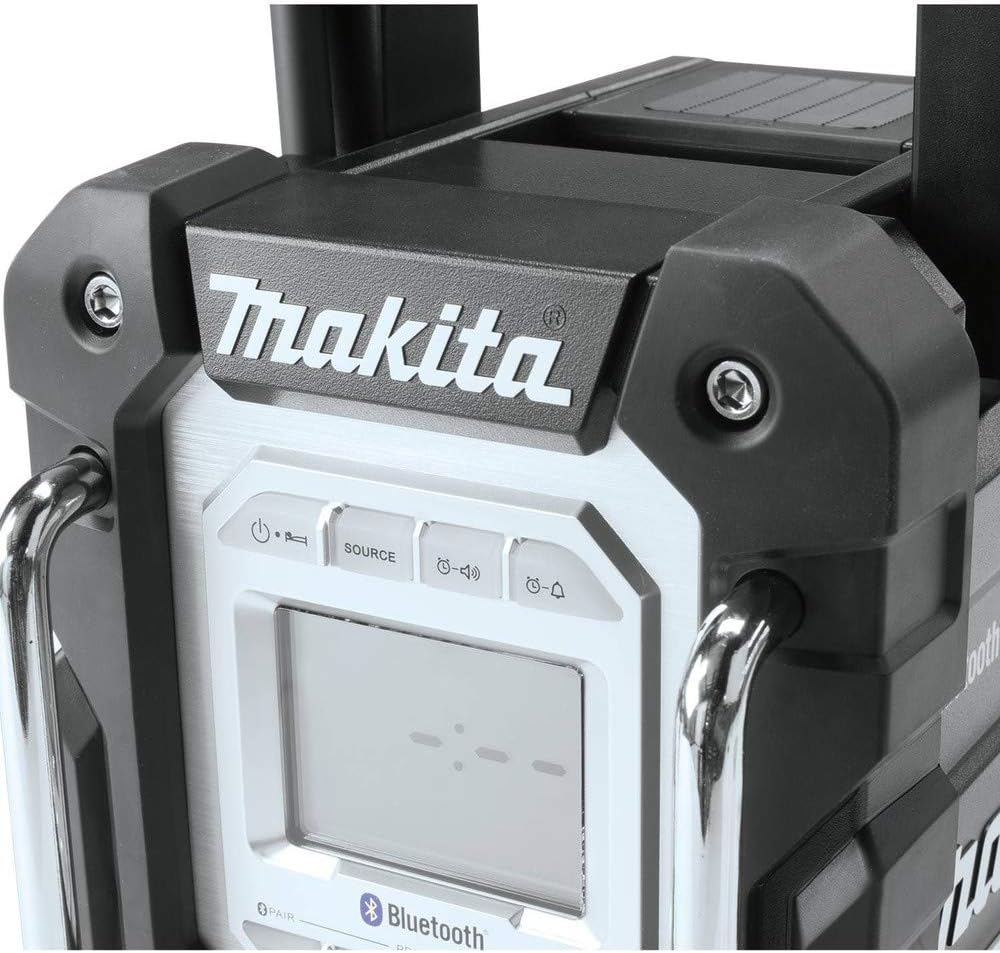
Figure 2: Auxiliary and USB ports located at the bottom front of the radio.
Operating Instructions
Controls Overview:
The radio features intuitive controls for easy operation. The main display shows time, station, and connection status. Buttons for power, source, band, advanced settings, and information are located above the display. Volume and tuning are controlled by a central knob.

Figure 3: Detailed view of the radio's front panel controls and display.
Bluetooth Pairing:
To connect your mobile device via Bluetooth, press the 'Source' button until 'Bluetooth' is selected on the display. The radio will enter pairing mode. On your mobile device, search for available Bluetooth devices and select 'Makita XRM06B'. Once connected, you can stream audio wirelessly.
Radio Tuning:
Press the 'Source' button to select FM radio. Use the central knob to tune to your desired frequency. You can save up to 5 preset stations by pressing and holding one of the numbered preset buttons (1-5) after tuning to a station.
Auxiliary and USB Ports:
The radio includes an auxiliary input port (AUX IN) for connecting external audio devices via a 3.5mm audio cable. A USB port is also available for charging compatible mobile devices while the radio is powered on.
Video 1: Overview of Makita XRM06B features, including durability, controls, and power options. This video demonstrates the physical aspects and basic functionality of the radio.
Maintenance
Cleaning:
Regularly wipe down the radio with a soft, damp cloth to remove dust and debris. Avoid using harsh chemicals or abrasive cleaners. Ensure all port covers are securely closed to maintain dust and water resistance.
Battery Care:
For optimal battery life, store batteries in a cool, dry place when not in use. Avoid fully discharging Lithium-Ion batteries. Charge batteries using a compatible Makita charger. The radio can run for extended periods on a single charge, up to 35 hours with a 5.0Ah 18V LXT battery.
Troubleshooting
| Problem | Possible Cause | Solution |
|---|---|---|
| No power/Radio does not turn on. | Battery is depleted or not properly installed. AC adapter is not connected or faulty. | Ensure battery is fully charged and correctly inserted. Check AC adapter connection and try a different outlet. |
| No sound or distorted sound. | Volume is too low. Bluetooth device not properly paired. Radio station signal is weak. | Increase volume. Re-pair Bluetooth device. Adjust antenna or move to an area with better reception. |
| Bluetooth connectivity issues. | Device is out of range. Interference from other devices. | Move device closer to the radio. Turn off other Bluetooth devices nearby. |
| Antenna breakage. | Physical impact or improper handling. | The antenna is designed to be durable and flexible. Ensure it is tucked away when moving the unit to prevent damage. If broken, contact Makita support for replacement. |
Specifications
- Manufacturer: Makita
- Model Number: XRM06B
- Item Weight: 10.8 pounds
- Product Dimensions: 7 x 11.5 x 12.9 inches
- Power Source: Battery Powered (compatible with 7.2V, 12V max, 12V max CXT, 14.4V, and 18V LXT Lithium-Ion batteries) or AC Adapter
- Voltage: 18 Volts (when using 18V LXT battery)
- Material: Plastic
- Color: Factory (Black/Silver)
- Display Style: LCD Display, LED
- Special Features: Rechargeable, Dust and Water Resistant Construction
- Connectivity Technology: Bluetooth
- Radio Bands Supported: FM
- Included Components: Radio Only (batteries and charger sold separately)
Warranty and Support
The Makita XRM06B radio comes with a 3-year limited warranty. For warranty claims, technical support, or service inquiries, please refer to the official Makita website or contact their customer service directly. Ensure you have your product model number and purchase details available.
For additional resources, you may refer to the User Guide (PDF) or User Manual (PDF) provided by Makita.


