
1. Introduction and Overview
The Sunforce 82153 150-LED Triple Head Solar Motion Light provides efficient and reliable outdoor lighting using solar power. This unit features three adjustable lamp heads for broad lighting coverage and a motion sensor for enhanced security. It is designed to be fully weather-resistant and can be mounted in various outdoor locations without requiring main power or complex wiring.
Key Features:
- Adjustable Side Lamp Heads: Move upwards, downwards, and horizontally for maximum lighting coverage.
- Versatile Placement: Ideal for entryways, garages, pathways, sheds, and remote areas.
- Amorphous Solar Panel: Charges effectively in all daylight conditions, even without direct sunlight.
- Automatic Operation: Charges during the day and activates at night when motion is detected.
- Customizable Settings: Two adjustable settings for detection distance and light duration.
- Weather Resistant: Durable construction for outdoor use in various weather conditions.
- No Wiring Required: Simple installation without the need for electrical wiring.
2. Setup and Installation
This section guides you through the installation of your Sunforce 82153 Solar Motion Light. Ensure all components are present before beginning installation.
Components Included:
- 150 LED Triple Head Motion Light
- Solar Panel with 15 ft. (4.5m) of wire
- 3 x AA Rechargeable Batteries (pre-installed or included)
- Mounting Hardware (screws, anchors)
Installation Steps:
- Choose a Location: Select a mounting location for the motion light that provides the desired illumination area. The solar panel should be placed where it receives maximum direct sunlight throughout the day for optimal charging. The 15 ft. (4.5m) wire allows for flexible placement of the solar panel relative to the light unit.
- Mount the Light Unit: Use the provided mounting hardware to securely attach the 150 LED motion light to a wall or other suitable surface. Ensure it is mounted at a height that allows the motion sensor to effectively detect movement in the desired area.
- Mount the Solar Panel: Install the solar panel in a location that receives ample sunlight. Connect the solar panel's wire to the motion light unit.
- Adjust Lamp Heads: Once mounted, adjust the three lamp heads to direct light precisely where needed. The heads can be moved independently upwards, downwards, and horizontally.

Figure 2.1: Front view of the Sunforce 82153 Triple Head Solar Motion Light.
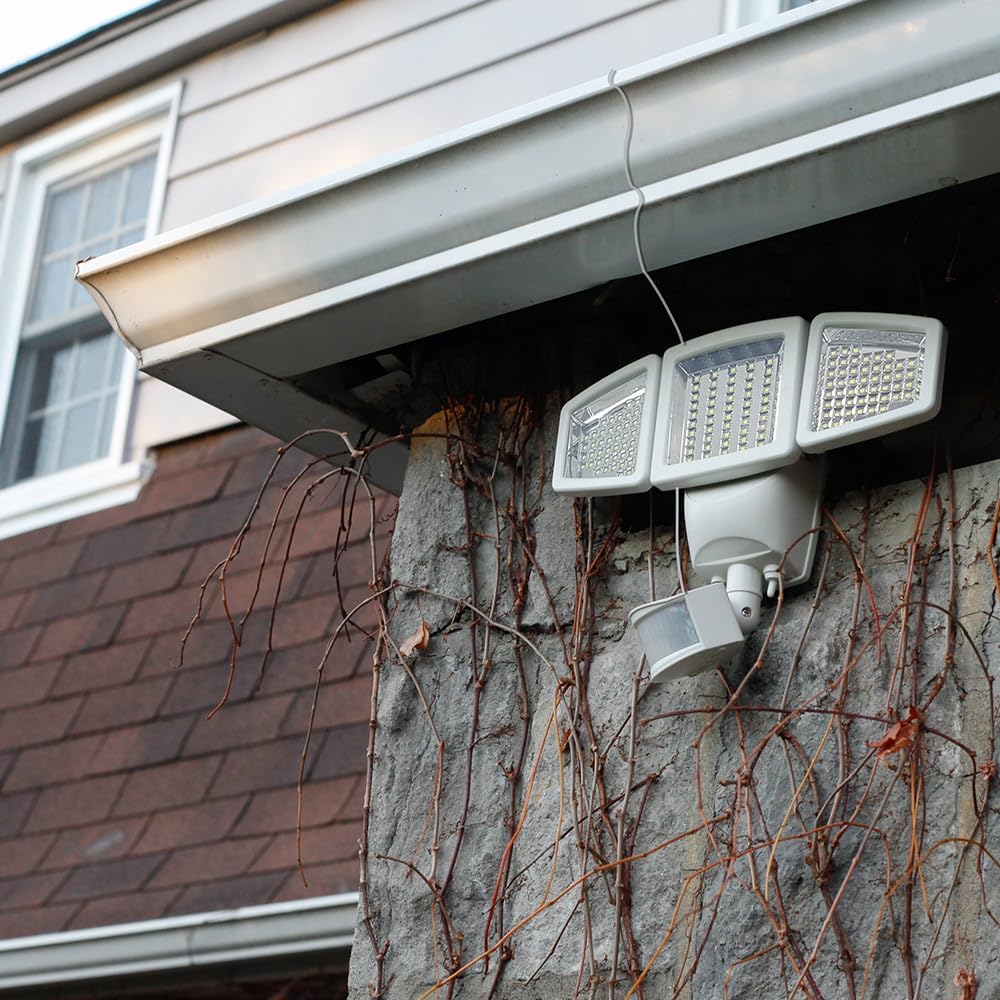
Figure 2.2: The adjustable lamp heads allow for customized light direction.
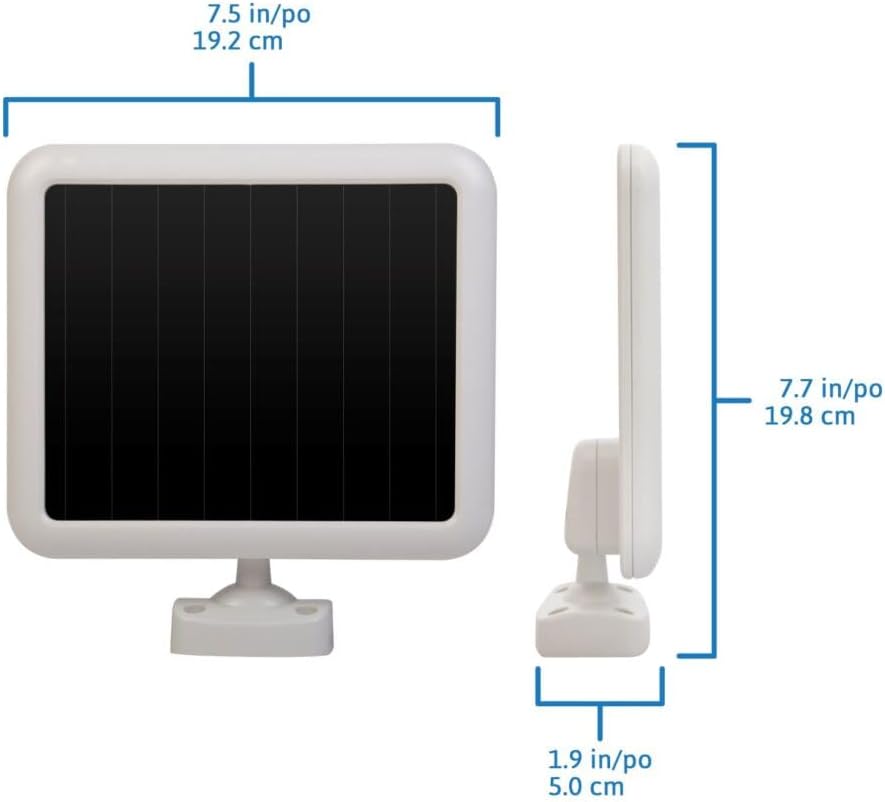
Figure 2.3: The amorphous solar panel for charging the light unit.
3. Operating Instructions
The Sunforce 82153 light is designed for automatic operation, turning on when motion is detected in low-light conditions. You can customize its behavior using the control settings located on the motion sensor unit.
Control Settings:
The motion sensor features two adjustable dials or switches:
- TIME: Adjusts how long the light remains on after motion is detected. Common settings include 30 seconds, 60 seconds, or 120 seconds. A 'TEST' mode may also be available for initial setup.
- DISTANCE: Controls the sensitivity and range of the motion sensor. Settings typically range from Low (L) to High (H), affecting the detection distance up to 30 ft. (9.1m).
Additionally, there may be a switch for operating modes:
- AUTO: The light will turn on automatically when motion is detected in dark conditions.
- OFF: The light remains off.
- ON: The light remains continuously on (may drain battery faster).
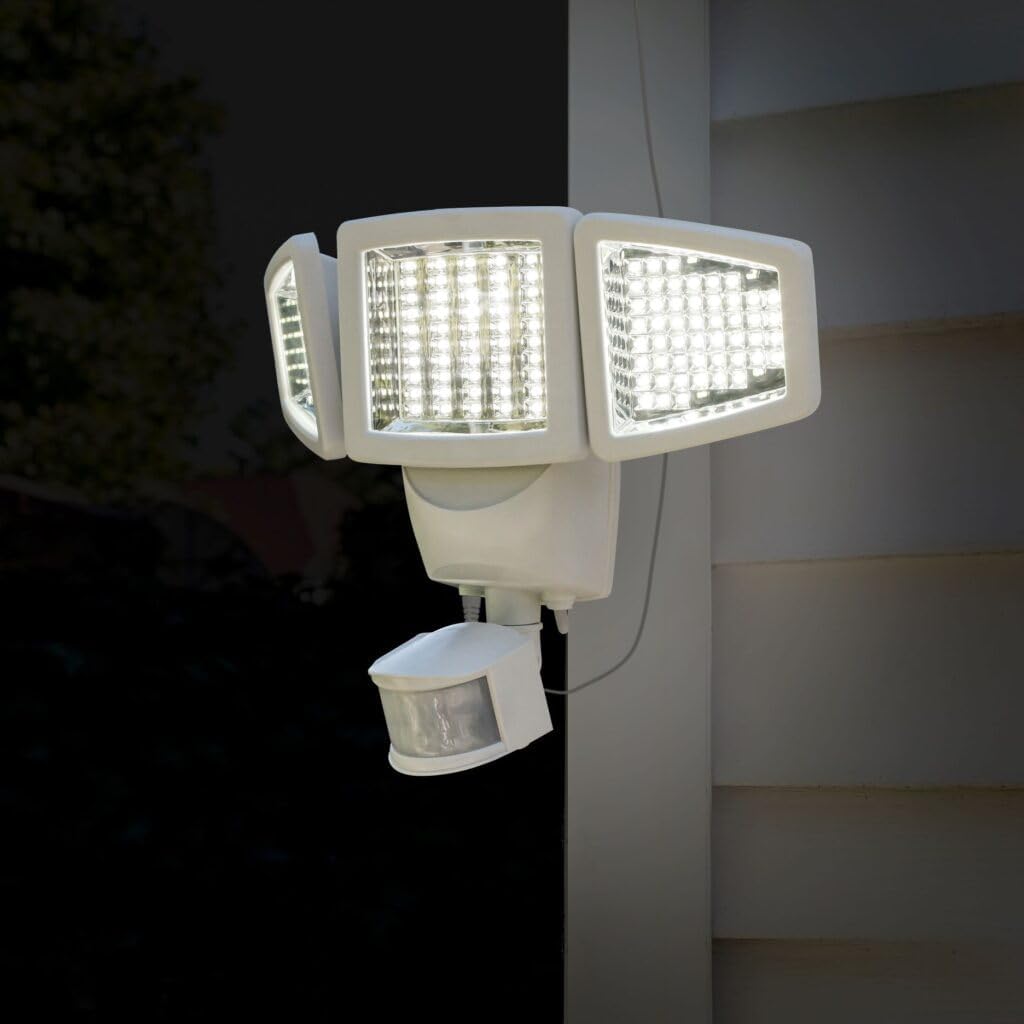
Figure 3.1: Close-up of the motion sensor with TIME and DISTANCE adjustment controls.
4. Maintenance
The Sunforce 82153 Solar Motion Light is designed for low maintenance. Regular cleaning and occasional battery checks will ensure optimal performance.
Cleaning:
- Solar Panel: Periodically wipe the solar panel with a soft, damp cloth to remove dust, dirt, or debris. A clean panel ensures maximum sunlight absorption and efficient battery charging.
- Light Heads and Sensor: Gently clean the LED light heads and the motion sensor lens to ensure clear light output and accurate motion detection.
Battery Care:
- The unit uses 3 x AA rechargeable batteries. These batteries are designed to be charged by the solar panel.
- If the light's performance significantly diminishes over time, even with adequate sunlight, the rechargeable batteries may need replacement. Use only specified rechargeable AA batteries.
5. Troubleshooting
If your Sunforce 82153 Solar Motion Light is not functioning as expected, refer to the following common issues and solutions:
| Problem | Possible Cause | Solution |
|---|---|---|
| Light does not turn on at night. | Insufficient solar panel charging. | Ensure the solar panel is placed in a location receiving maximum direct sunlight. Clean the solar panel surface. Allow 1-2 full days of charging before first use. |
| Light is dim or stays on for a short duration. | Low battery charge or aging batteries. | Allow the solar panel to charge for a full day. If the issue persists, consider replacing the 3 x AA rechargeable batteries. |
| Motion sensor is not detecting movement effectively. | Incorrect sensor angle or sensitivity setting. | Adjust the motion sensor's angle to cover the desired area. Increase the 'DISTANCE' setting on the sensor. Ensure no obstructions are blocking the sensor's view. |
| Light turns on during the day. | Sensor detecting motion in bright conditions or 'ON' mode selected. | Ensure the operating mode switch is set to 'AUTO'. The light is designed to only activate in low-light conditions when in 'AUTO' mode. |
6. Specifications
Detailed technical specifications for the Sunforce 82153 Solar Motion Light:
- Model: 82153
- LED Technology: SMD (Surface-Mount-Device)
- Number of Light Sources: 150 LEDs
- Lumen Output: 1,000 Lumens
- Detection Distance: 30 ft. (9.1m)
- Detection Range: 180 degrees
- Solar Panel Technology: Amorphous
- Power Source: Solar Powered
- Batteries: 3 x AA Rechargeable Batteries (included)
- Material: Metal / Plastic
- Color: White
- Product Dimensions (L x W x H): 12.9" x 6.7" x 9.0" (33.0 x 17.2 x 23.0cm)
- Item Weight: 2.80 lbs (1.27 kg)
- Installation Type: Wall Mount
- Water Resistance Level: Water Resistant
7. Warranty and Support
The Sunforce 82153 Triple Head Solar Motion Light comes with a limited warranty covering parts. For specific warranty terms, duration, and to initiate a warranty claim, please refer to the documentation included with your product or contact Sunforce customer support directly.
Customer Support:
For technical assistance, troubleshooting beyond this manual, or inquiries regarding your product, please visit the official Sunforce website or contact their customer service department. Contact information can typically be found on the product packaging or the manufacturer's website.


