
1. Introduction
This manual provides essential information for the safe and efficient use of your Sauter SPI6467B Induction Hob. Please read these instructions carefully before installation and use, and keep them for future reference. Proper installation, operation, and maintenance are crucial for optimal performance and safety.
2. Safety Information
Your safety and the safety of others are paramount. Please observe all safety warnings and precautions.
General Safety
- Ensure the appliance is installed by a qualified technician in accordance with local regulations.
- Do not operate the hob if the glass ceramic surface is cracked or broken. Disconnect it from the power supply immediately.
- Keep children away from the appliance during operation and when it is cooling down.
- Do not store flammable materials on or near the hob.
- Use only induction-compatible cookware.
- Avoid placing metallic objects such as knives, forks, spoons, and lids on the hob surface, as they can become hot.
- Do not touch hot surfaces. Use oven mitts or pot holders.
- Always turn off the cooking zones after use.
Electrical Safety
- The appliance must be connected to a suitable electrical supply (240 Volt, 32A circuit recommended).
- Ensure the electrical connection is easily accessible after installation.
- If the power cord is damaged, it must be replaced by the manufacturer, its service agent, or similarly qualified persons to avoid a hazard.
3. Product Overview
The Sauter SPI6467B is a 3-zone induction hob designed for efficient and flexible cooking. It features a black glass ceramic surface with touch controls.
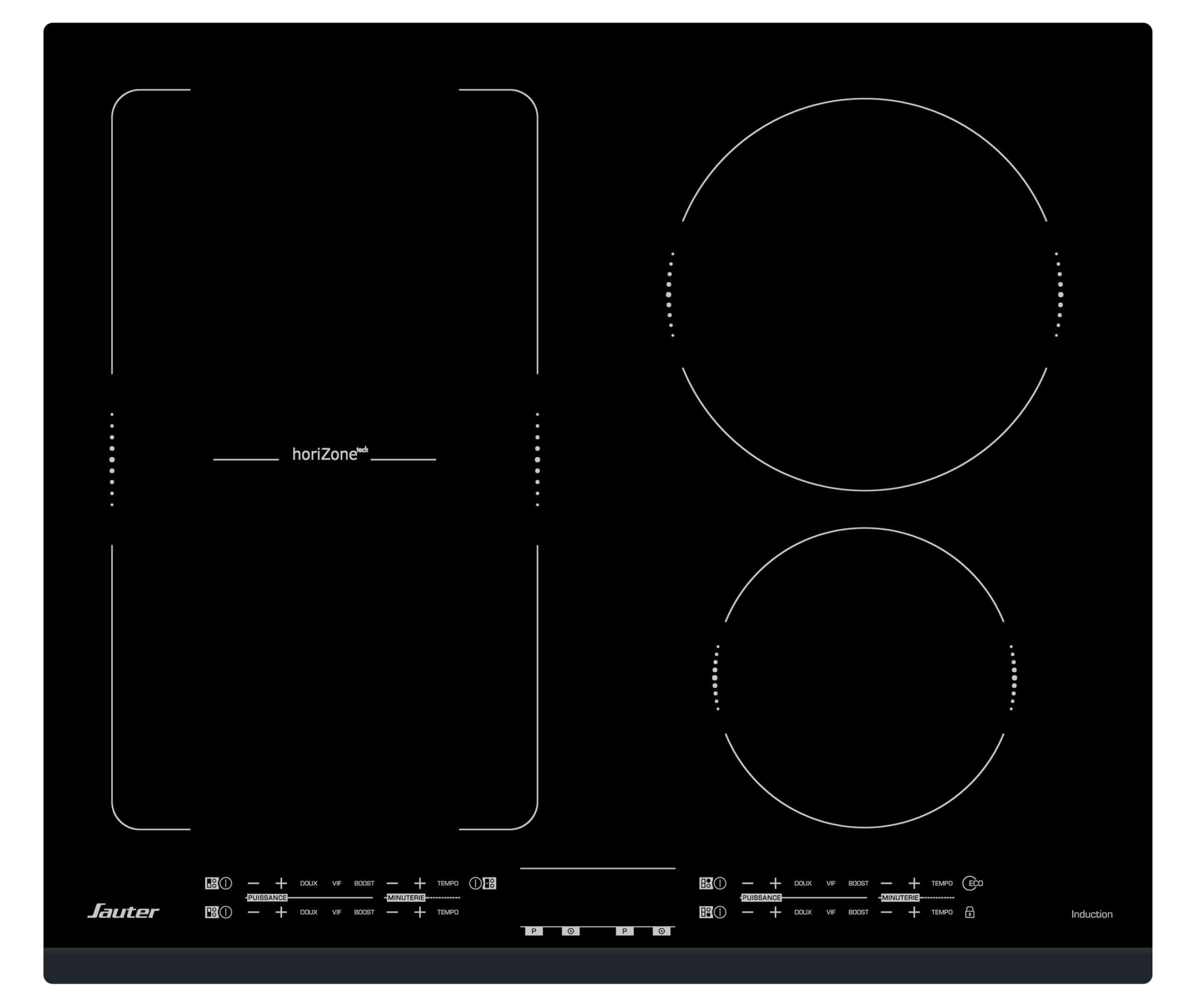
Figure 3.1: Top view of the Sauter SPI6467B Induction Hob.
Control Panel
The hob features a touch control panel for each cooking zone, allowing precise power adjustments and timer settings.

Figure 3.2: Detailed view of the touch control panel for the induction hob. Each zone has independent power and timer controls, along with boost and flexible zone options.
Cooking Zones
- Total Zones: 3 induction cooking zones.
- Flexible Zone (Horizone): One large flexible zone (4000 W) that can accommodate various cookware sizes, including fish kettles or multiple smaller pots. This zone can be used as two independent cooking areas.
- Standard Zones: Two additional zones, 16 cm and 21 cm in diameter.

Figure 3.3: The induction hob in use, showcasing the flexible cooking zone accommodating a large rectangular pot and a round pot.
4. Setup and Installation
The Sauter SPI6467B is a drop-in induction hob designed for seamless integration into your kitchen countertop. Professional installation is highly recommended.
Installation Dimensions
- Cut-out dimensions: 56 cm (width) x 49 cm (depth).
- Overall hob dimensions: 60 cm (width) x 51 cm (depth).
- Product Dimensions (D x W x H): 5.2D x 60W x 55H centimeters.
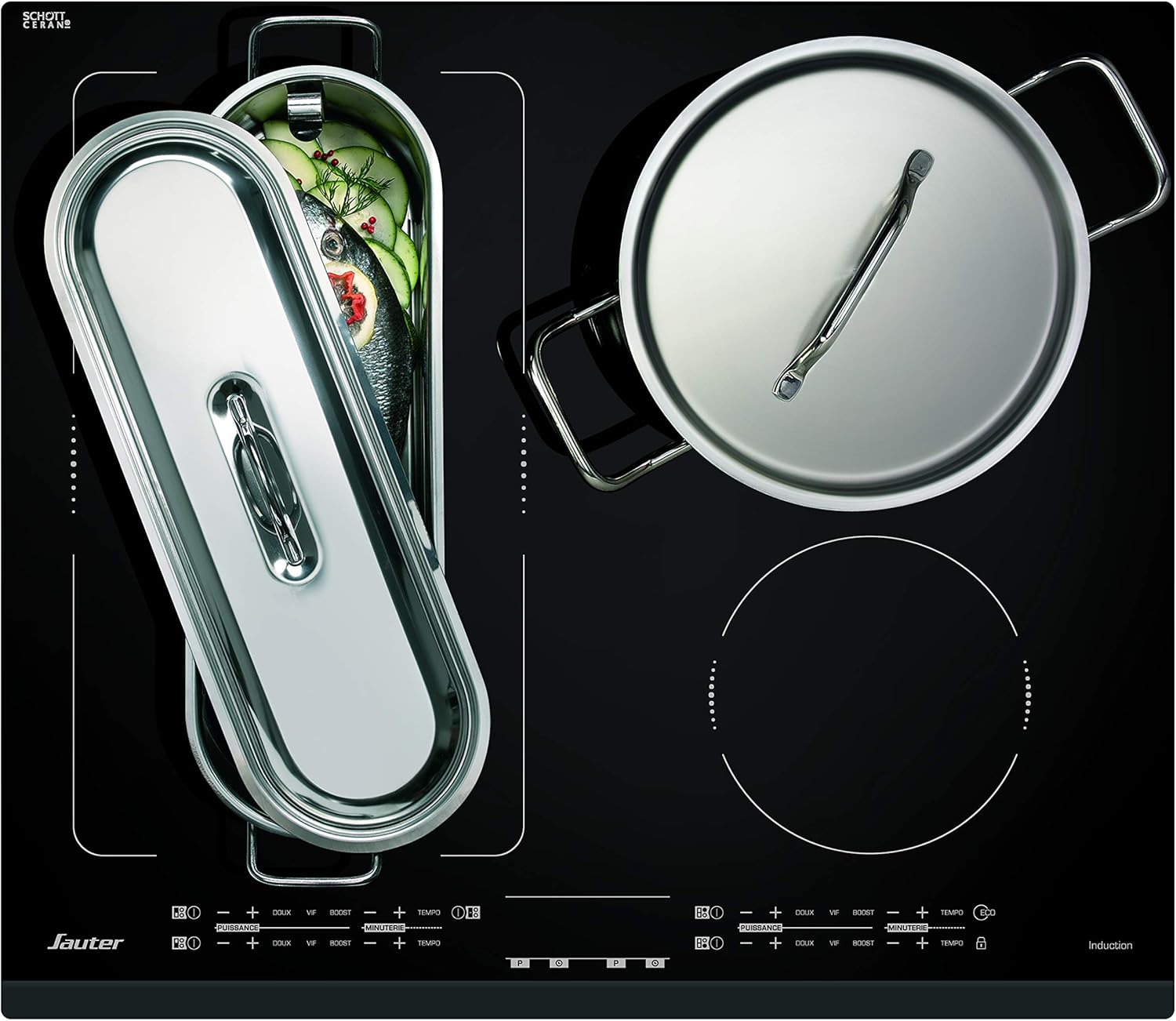
Figure 4.1: Technical diagram illustrating the required cut-out dimensions (560x490 mm) for countertop installation and overall hob dimensions (580x510 mm).
Electrical Connection
- The hob requires a wired electrical connection.
- A dedicated 32A circuit is necessary for proper operation. A 16A circuit will not be sufficient.
- Ensure the electrical connection point is accessible for maintenance.
Ventilation
Adequate ventilation is crucial for the induction hob's performance and longevity. Ensure there is sufficient space between the hob and any underlying oven or cabinetry. Do not obstruct the air outlet at the front of the hob.
5. Operating Instructions
The Sauter SPI6467B Induction Hob offers intuitive touch controls for precise cooking.
Turning On/Off
- To turn on: Touch the main power symbol.
- To turn off: Touch and hold the main power symbol until the hob switches off.
Selecting a Cooking Zone and Adjusting Power
- Place induction-compatible cookware on the desired cooking zone.
- Select the zone by touching its corresponding control.
- Adjust the power level using the '+' and '-' touch controls. The hob offers 14 power positions.
Boost Function
For rapid heating, activate the Boost function for a selected zone. This provides maximum power for a short period. Touch the 'BOOST' control for the desired zone.
Timer Function
Each cooking zone has an independent timer. To set the timer:
- Select the cooking zone.
- Touch the 'TIMER' control.
- Adjust the desired cooking time using the '+' and '-' controls.
- The zone will automatically switch off once the set time has elapsed.
Flexible Zone (Horizone)
The large flexible zone offers modularity, allowing you to combine two heating elements into one large cooking area. This is ideal for oversized pots or multiple smaller dishes. The system ensures optimal heat distribution across the entire area.
6. Maintenance and Cleaning
Regular cleaning and maintenance will ensure the longevity and optimal performance of your induction hob.
Daily Cleaning
- After each use, allow the hob to cool down.
- Wipe the glass ceramic surface with a damp cloth and a small amount of mild dish soap.
- Rinse thoroughly and dry with a clean, soft cloth to prevent water spots.
Removing Stubborn Stains
- For burnt-on food or stubborn stains, use a specialized ceramic hob scraper.
- Apply a ceramic hob cleaner and rub gently with a non-abrasive sponge.
- Never use abrasive cleaners, scouring pads, or harsh chemicals, as these can scratch or damage the surface.
General Care
- Avoid dropping heavy or sharp objects on the hob surface.
- Do not slide rough-bottomed cookware across the surface, as this can cause scratches.
7. Troubleshooting
Before contacting customer support, please refer to the following common issues and solutions.
Hob Not Turning On
- Check power supply: Ensure the hob is properly connected to the electrical outlet and the circuit breaker has not tripped.
- Control panel locked: Some models have a child lock feature. Refer to the operating instructions to unlock the control panel.
Cooking Zone Not Heating
- Cookware compatibility: Ensure you are using induction-compatible cookware with a magnetic base.
- Cookware size: The base of the cookware must cover a sufficient portion of the cooking zone.
- Overheat protection: The zone may have temporarily shut off due to overheating. Allow it to cool down.
Unusual Noises During Operation
- Humming/Buzzing: This is normal for induction hobs and is caused by the vibration of the cookware base.
- Clicking: This can occur when the hob is regulating power levels.
Error Codes
If an error code appears on the display, consult the full product manual or contact customer support with the specific code.
8. Specifications
| Brand | Sauter |
| Model Number | SPI6467B |
| Type | Induction Hob, Drop-In |
| Color | Black |
| Heating Elements | 3 (4 heating elements internally for flexible zone) |
| Power Source | Wired Electric |
| Fuel Type | Induction |
| Control Type | Touch Control |
| Special Features | Timer, Flexible Zone (Horizone), Boost Function |
| Voltage | 240 Volt |
| Electric Power | 7200 W (Product Title), 2200 W (Specification - likely per zone or average) |
| Product Dimensions (D x W x H) | 5.2D x 60W x 55H centimeters |
| Product Weight | 11 Kilograms |
| Heating Surface Material | Glass Ceramic |
| Compliance | CE certified |
9. Warranty and Support
Sauter is committed to quality and customer satisfaction.
Manufacturing and Origin
The Sauter SPI6467B Induction Hob is manufactured in France, reflecting a commitment to quality and European standards. Sauter has been producing appliances since 2011, with factories located in Orleans and Vendôme.

Figure 9.1: Illustration highlighting the product's origin in France, with a commitment to 15 years of spare parts availability and repairability.
Repairability and Parts Availability
Sauter ensures the availability of spare parts for 15 years, supporting the long-term repairability of your appliance.
Customer Support
For technical assistance, warranty claims, or to inquire about spare parts, please contact your local Sauter service center or authorized dealer. Refer to the official Sauter website for contact information.


