
TBS 6290 SE
Contents
TBS6290se DVB-T2/T/C Dual PCI Express Terrestrial Cable TV Tuner Card User Manual
Model: TBS6290se
Introduction
The TBS6290se is a high-performance DVB-T2/T/C Dual PCI Express TV Tuner Card designed for receiving terrestrial and cable digital television signals. It features dual CI (Common Interface) slots, allowing for the decryption of encrypted TV channels in addition to Free-to-Air (FTA) channels. This manual provides comprehensive instructions for the installation, operation, and maintenance of your TBS6290se tuner card.
Package Contents
Please verify that all items are present in your package:
- 1 x TBS Dual Tuner Dual CI PCIe Card (TBS6290se)
- 1 x F connector

Image: The TBS6290se tuner card and the included F connector, displayed alongside the product packaging.
System Requirements
Ensure your system meets the following minimum requirements for optimal performance:
- Operating System: Windows XP / Vista / 7 / 8 / 10, Linux
- PCI Express Slot: Available PCI Express x1, x4, x8, or x16 slot
- Optical Drive: CD/DVD drive for software installation (drivers and utility software)
Setup and Installation
1. Physical Installation of the Tuner Card
- Power Off: Completely shut down your computer and disconnect the power cable from the wall outlet.
- Open Case: Open your computer case to access the motherboard and PCI Express slots.
- Locate Slot: Identify an available PCI Express x1, x4, x8, or x16 slot.
- Insert Card: Carefully align the TBS6290se card with the chosen PCI Express slot and press firmly until it is securely seated. Ensure the metal bracket is aligned with the case opening.

Image: An angled view of the TBS6290se card, highlighting the PCI Express connector designed for motherboard insertion.
2. Connecting Antenna/Cable
Connect your DVB-T2/T terrestrial antenna or DVB-C cable TV signal to the "RF IN" port on the metal bracket of the TBS6290se card. Use the provided F connector if necessary for your cable type.

Image: A close-up view of the "RF IN" port on the TBS6290se card's metal bracket, where the antenna or cable signal is connected.
3. Driver and Software Installation
- Reassemble and Power On: Close your computer case and reconnect the power cable. Power on your computer.
- Insert CD/DVD: Insert the driver and software CD/DVD that came with your TBS6290se card into your optical drive.
- Follow On-Screen Instructions: Follow the on-screen prompts to install the necessary drivers and any bundled utility software. It is recommended to install all components for full functionality.
- Restart: Restart your computer after the installation is complete to ensure all drivers are properly loaded.
4. CI Module Installation (for Encrypted Channels)
The TBS6290se features dual CI slots for decrypting pay TV channels. To use this feature:
- Insert CAM: Carefully insert your Conditional Access Module (CAM) into one of the CI slots on the card. Ensure it is oriented correctly.
- Insert Smart Card: Insert your smart card (provided by your pay TV operator) into the CAM.
- Repeat for Second Slot (Optional): If you have a second CAM and smart card, repeat the process for the second CI slot.
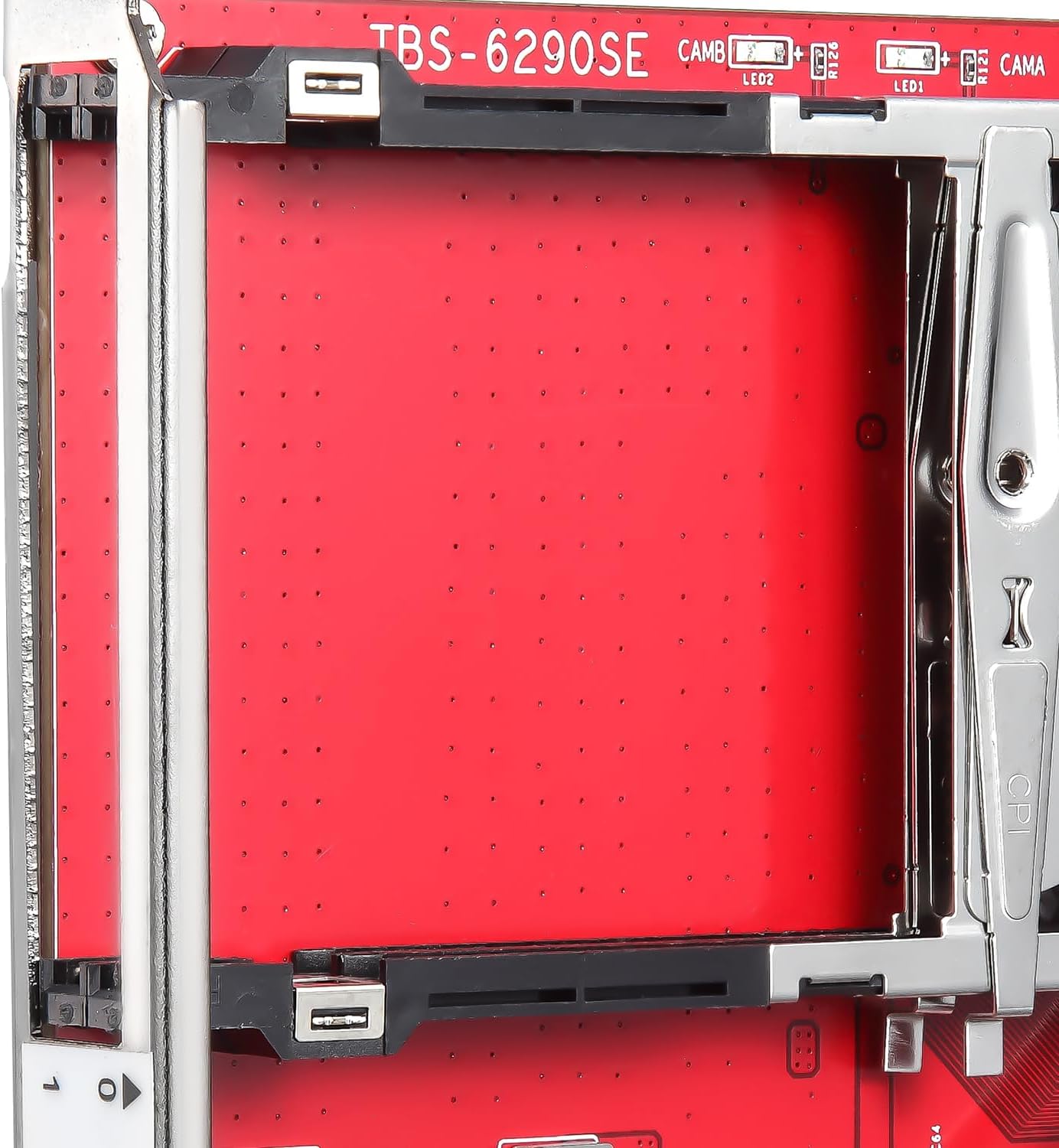
Image: A detailed view of the two Common Interface (CI) slots on the TBS6290se card, designed for inserting CAMs to decrypt encrypted channels.
Operating Instructions
1. Channel Scanning and Viewing
After driver installation, you will need to use compatible DVB software to scan for and view channels. Popular options include:
- Windows: DVBViewer, ProgDVB, MediaPortal, Windows Media Center (with appropriate plugins).
- Linux: TVHeadend, VDR, MythTV, Kaffeine.
Refer to the specific software's documentation for detailed instructions on channel scanning and viewing. Generally, you will select the TBS6290se tuner, choose your region/country, and initiate a scan for DVB-T2/T or DVB-C channels.
2. Decrypting Encrypted Channels
If you have installed a CAM and smart card, the DVB software should automatically detect them. When tuning to an encrypted channel, the CAM will attempt to decrypt the signal using your smart card. Ensure your smart card is active and authorized for the channels you wish to view.
3. TBS Remux Software and DVB-IP Gateway
The TBS6290se supports advanced functionalities for network streaming and integration:
- TBS Remux Software: This software allows you to receive MPEG Transport Streams (TS) from multicast (UDP/RTP) or HTTP sources and combine them into a single multiple program stream. This stream can then be outputted as a DVB device (`/dev/dvb/adapterx/secy` on Linux) for further processing by DVB tools like DVBLAST, TVHEADEND, or ASTRA.
- DVB-IP Gateway: The card can function as a DVB-IP gateway. It can receive signals from IP (UDP/RTP/HTTP), decrypt and remux them, and then output Free-to-Air (FTA) channels back to IP (UDP/RTP/HTTP). This feature is compatible with other TBS tuner cards and servers, enabling a comprehensive DVB standard or server integration.
Maintenance
The TBS6290se is designed for reliable operation with minimal maintenance. Follow these guidelines:
- Keep Clean: Ensure your computer case is clean and free of dust to prevent overheating of internal components, including the tuner card.
- Driver Updates: Periodically check the TBS website for updated drivers and software to ensure optimal performance and compatibility.
- Physical Handling: When handling the card, always hold it by its edges and avoid touching the electronic components or gold connectors.
Troubleshooting
If you encounter issues with your TBS6290se tuner card, refer to the following common problems and solutions:
| Problem | Possible Cause / Solution |
|---|---|
| Card not detected by OS/Software |
|
| No signal / Poor signal quality |
|
| Encrypted channels not decoding |
|
| Software crashes or freezes |
|
Specifications
Detailed technical specifications for the TBS6290se tuner card:
DVB-T2/T2 Lite/T
- Receiving Channel: VHF band and UHF band
- Channel Bandwidth: 6, 7, 8 MHz
- Modulation Type: QPSK, 16QAM, 64QAM, 256QAM
- FFT Mode: 1K, 2K, 4K, 8K, 16K, 32K
- Code Rate: 1/2, 3/5, 2/3, 3/4, 4/5, 5/6, 7/8
- Guard Interval: 1/4, 1/8, 1/16, 1/32, 1/64, 1/128, 19/128, 19/256
- Intermediate Frequency (IF): Low IF, Center IF Frequency: 3 ~ 5 MHz (default 4MHz)
- RF-Input Impedance: 75Ω (IEC-DIN female)
- RF-Output Impedance: 75Ω (IEC-DIN male)
DVB-C
- Compliance: Fully compliant with DVB-C and ITU J83 A/B/C specifications
- Receiving Frequency: 47~862 MHz Tuning Range
- Input Level: -65~-10dBm
- Modulation Support: 16QAM, 32QAM, 64QAM, 128QAM and 256QAM Support
- Symbol Rate: 0.87 to 9Mbaud
General Specifications
- Brand: TBS
- Model Number: 6290 SE
- Hardware Interface: PCI Express x1
- Item Weight: 4.6 ounces
- Product Dimensions: 5.71 x 3.54 x 0.79 inches
- Manufacturer: TBS Technologies International LTD
- Country of Origin: China
- Date First Available: March 13, 2018
Warranty and Support
For warranty information and technical support, please refer to the official TBS Technologies International LTD website or contact their customer service directly. Keep your purchase receipt as proof of purchase for warranty claims.
Manufacturer: TBS Technologies International LTD
Website: www.tbsiptv.com (as seen on product image)
Ask a question about this manual
Ask about setup, troubleshooting, compatibility, parts, safety, or missing instructions. Manuals+ will review the question and use this page’s manual context to help answer it.