
1. Introduction
The APC Smart-UPS SRT 3000VA RM (SRT3000RMXLW-IEC) is a high-performance Uninterruptible Power Supply (UPS) designed to provide reliable power protection for critical electronic equipment. This rack-mountable unit delivers clean, uninterrupted power to connected devices, safeguarding them from power outages, surges, and fluctuations. It features a 3000VA capacity with 2700 Watts of output power, making it suitable for servers, networking equipment, and other sensitive electronics in data centers and IT environments. This manual provides essential information for the safe and efficient installation, operation, and maintenance of your UPS.
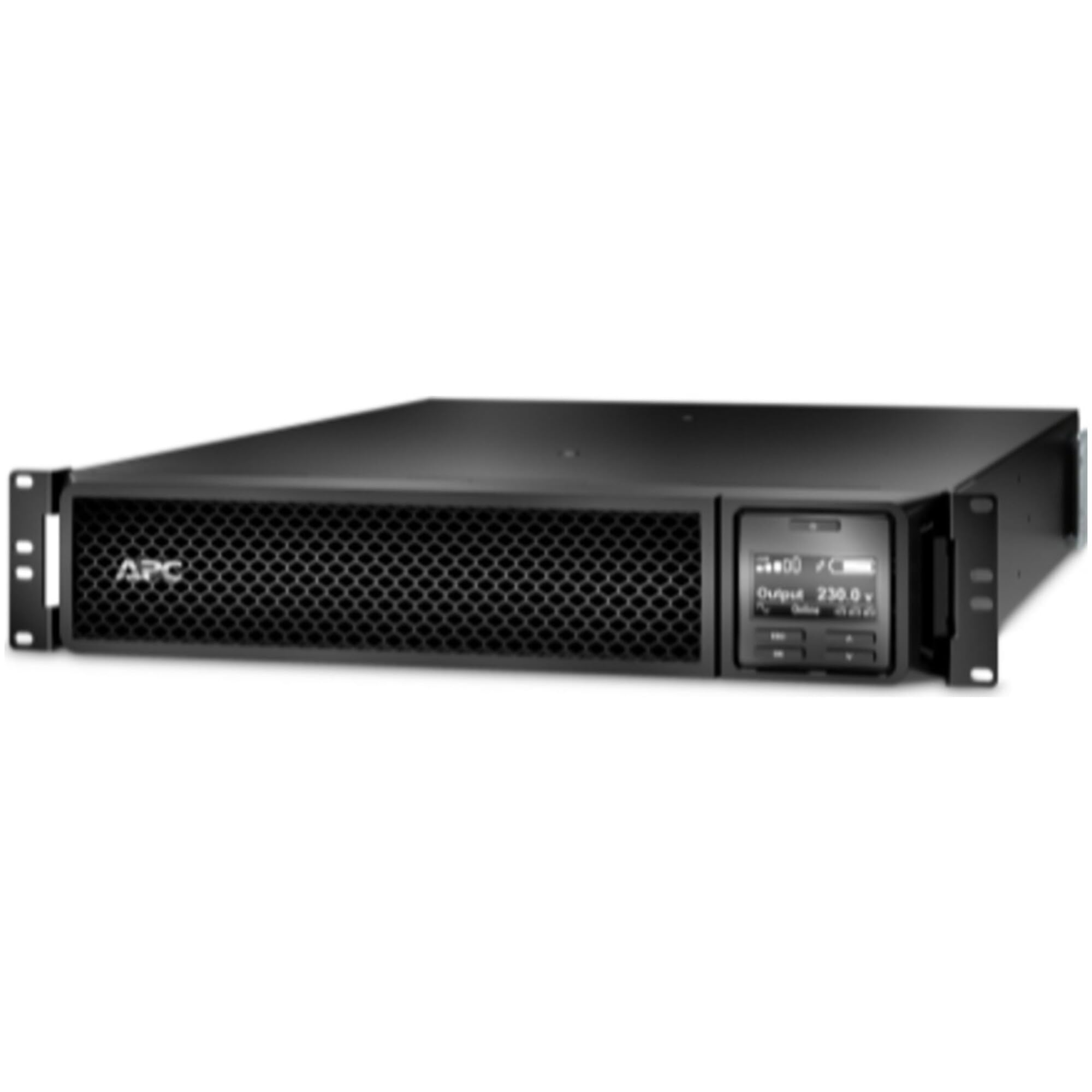
Figure 1: Front view of the APC Smart-UPS SRT 3000VA RM unit. This image shows the front panel with its display, control buttons, and ventilation grilles.
2. Safety Information
Read these instructions carefully before attempting to install, operate, service, or maintain this equipment. Adhere to all safety warnings and instructions to prevent injury or equipment damage.
- Electrical Safety: This UPS contains hazardous voltages. Do not open the unit. Servicing should only be performed by qualified personnel.
- Battery Safety: The UPS contains sealed, maintenance-free lead-acid batteries. Do not dispose of batteries in a fire; they may explode. Do not open or mutilate batteries. Released electrolyte is harmful to the skin and eyes.
- Weight: The UPS unit is heavy. Use proper lifting techniques and ensure adequate support when installing or moving the unit.
- Environment: Install the UPS indoors in a controlled environment, free from excessive dust, moisture, and extreme temperatures.
- Grounding: Always connect the UPS to a grounded power outlet.
3. Package Contents
Carefully unpack the UPS and inspect for shipping damage. The package should contain the following items:
- APC Smart-UPS SRT 3000VA RM UPS Unit
- Rack-mounting hardware
- USB cable
- Serial communication cable
- Documentation CD
- User Manual (this document)
If any items are missing or damaged, contact your dealer or APC customer service immediately.
4. Setup
4.1. Initial Battery Connection
The UPS is shipped with the internal battery disconnected for safety. Before use, the battery must be connected.
- Remove the front bezel or access panel to expose the battery compartment.
- Connect the internal battery cables as indicated by the labels or instructions inside the compartment. Ensure a secure connection.
- Replace the front bezel or access panel.
4.2. Rack Mounting
The SRT3000RMXLW-IEC is a 2U rack-mountable unit. Use the provided rack-mounting hardware to secure the UPS in a standard 19-inch equipment rack.
- Install the rack-mounting rails into the rack according to the instructions provided with the rail kit.
- Carefully slide the UPS unit onto the installed rails. Due to the weight, it is recommended to have at least two people for this step.
- Secure the UPS to the front of the rack using the screws provided with the rack-mounting hardware.
4.3. Connecting to Utility Power
Connect the UPS input power cord to a grounded 208V/230V AC outlet. Ensure the outlet is properly rated for the UPS capacity.
4.4. Connecting Equipment
Connect your critical equipment to the output receptacles on the rear panel of the UPS. The unit provides 8 output connectors. Do not overload the UPS beyond its rated capacity (2700 Watts).
- Connect servers, network switches, and other sensitive devices to the UPS output receptacles.
- Avoid connecting laser printers or other high-surge load devices to the battery-backed outlets, as this can cause an overload.
5. Operating
5.1. Turning On the UPS
After connecting the battery and utility power, press the power button on the front panel. The UPS will perform a self-test and then switch to Online mode, providing power to connected equipment.
5.2. Turning Off the UPS
To turn off the UPS and remove power from connected equipment, press and hold the power button until the unit shuts down. Ensure all connected equipment is properly shut down before turning off the UPS.
5.3. Front Panel Display and Controls
The front panel features an LCD display and control buttons for monitoring UPS status, configuring settings, and performing tests.
- LCD Display: Shows real-time information such as input/output voltage, battery charge level, load percentage, and operational status.
- Power Button: Turns the UPS on or off.
- Menu/Enter Buttons: Navigate through the display menu and confirm selections.
- Escape Button: Returns to the previous menu or exits a setting.
5.4. Communication Ports
The UPS includes USB and serial (DB-9) communication ports for connecting to a computer or network management card. Use these ports with APC's PowerChute software for advanced monitoring, graceful shutdown of connected systems, and remote management.
6. Maintenance
6.1. Battery Replacement
The UPS batteries are user-replaceable. The typical battery life is 3-5 years, depending on usage and environmental conditions. When the UPS indicates a battery fault or low battery runtime, replace the battery module. Refer to the specific battery replacement instructions provided with the replacement battery kit.
- Always power off the UPS and disconnect it from utility power before replacing batteries.
- Use only APC-approved replacement battery modules.
- Recycle old batteries responsibly.
6.2. Cleaning
Keep the UPS free from dust and debris. Periodically clean the exterior with a soft, dry cloth. Ensure ventilation openings are clear to prevent overheating.
7. Troubleshooting
This section provides solutions to common issues you may encounter with your UPS. If the problem persists after attempting these steps, contact APC technical support.
| Problem | Possible Cause | Solution |
|---|---|---|
| UPS does not turn on | Battery not connected; No utility power; UPS fault | Ensure battery is connected. Check utility power connection. Contact support if fault persists. |
| UPS beeps continuously / Overload alarm | Connected equipment exceeds UPS capacity | Disconnect non-critical equipment to reduce load. |
| UPS on battery power frequently | Poor utility power quality; Sensitivity setting too high | Check utility power. Adjust UPS sensitivity setting via the display or PowerChute software. |
| Battery will not charge / Low runtime | Battery fault; Battery at end of life | Perform a battery self-test. Replace battery if fault persists or runtime is significantly reduced. |
8. Specifications
Key technical specifications for the APC Smart-UPS SRT 3000VA RM (SRT3000RMXLW-IEC):
| Feature | Detail |
|---|---|
| Brand | APC |
| Model Number | SRT3000RMXLW-IEC |
| Form Factor | Rack (2U) |
| Output Power Capacity | 3000 VA / 2700 Watts |
| Input Voltage | 230 Volts (AC) |
| Output Voltage | 208 Volts (AC) |
| Number of Outlets | 8 |
| Color | Black |
| Item Dimensions (L x W x H) | 25 x 17 x 3 inches |
9. Warranty and Support
APC provides a standard warranty for this product. For detailed warranty information, please refer to the warranty card included with your product or visit the official APC website. Technical support is available to assist with any questions or issues not covered in this manual.
- Online Support: Visit the APC website for FAQs, documentation, and software downloads.
- Contact Support: Refer to the contact information provided on the APC website for phone or email support in your region.