
1. Introduction
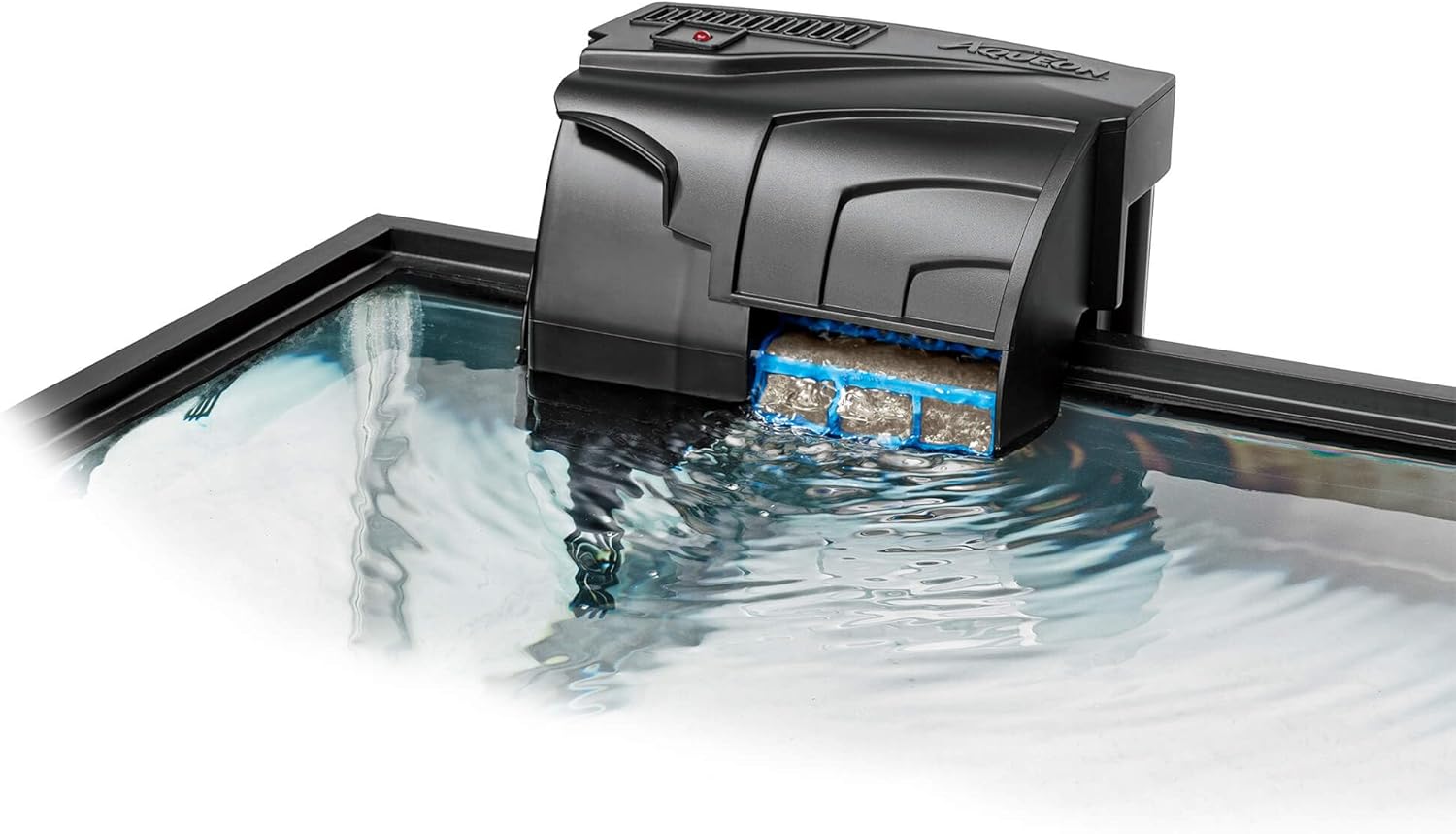
The Aqueon QuietFlow 10 Power Filter features a patented design engineered to enhance water quality and clarity. It effectively increases oxygen levels and operates quietly, contributing to a healthier aquatic environment. This filter employs a comprehensive four-stage filtration system: mechanical, chemical, biological, and wet/dry, ensuring thorough water purification for aquariums between 10 and 20 gallons.
Key Features:
- Increases oxygen levels for healthier fish.
- Four-stage filtration for superior water clarity.
- Suitable for 10 to 20-gallon aquariums.
- Reduces operational noise for a quieter environment.
2. Safety Information
Please read and understand all safety instructions before operating this product. Failure to follow these instructions may result in product damage, injury, or death.
- Always unplug the filter from the power outlet before performing any maintenance, cleaning, or when handling the filter.
- Ensure your hands are dry when plugging or unplugging the unit.
- Do not operate the filter if the power cord or plug is damaged.
- This product is for indoor use only and intended for use with aquariums.
- Keep out of reach of children.
- Ensure the filter is securely mounted on the aquarium rim before operation.
3. Package Contents
Verify that all items are present in the package:
- Aqueon QuietFlow 10 Power Filter unit
- Aqueon QuietFlow Filter Cartridge (Medium)
- Intake Tube and Strainer
4. Setup Instructions
- Unpack the Filter: Carefully remove all components from the packaging.
- Assemble Intake Tube: Attach the intake tube and strainer to the bottom of the filter unit.
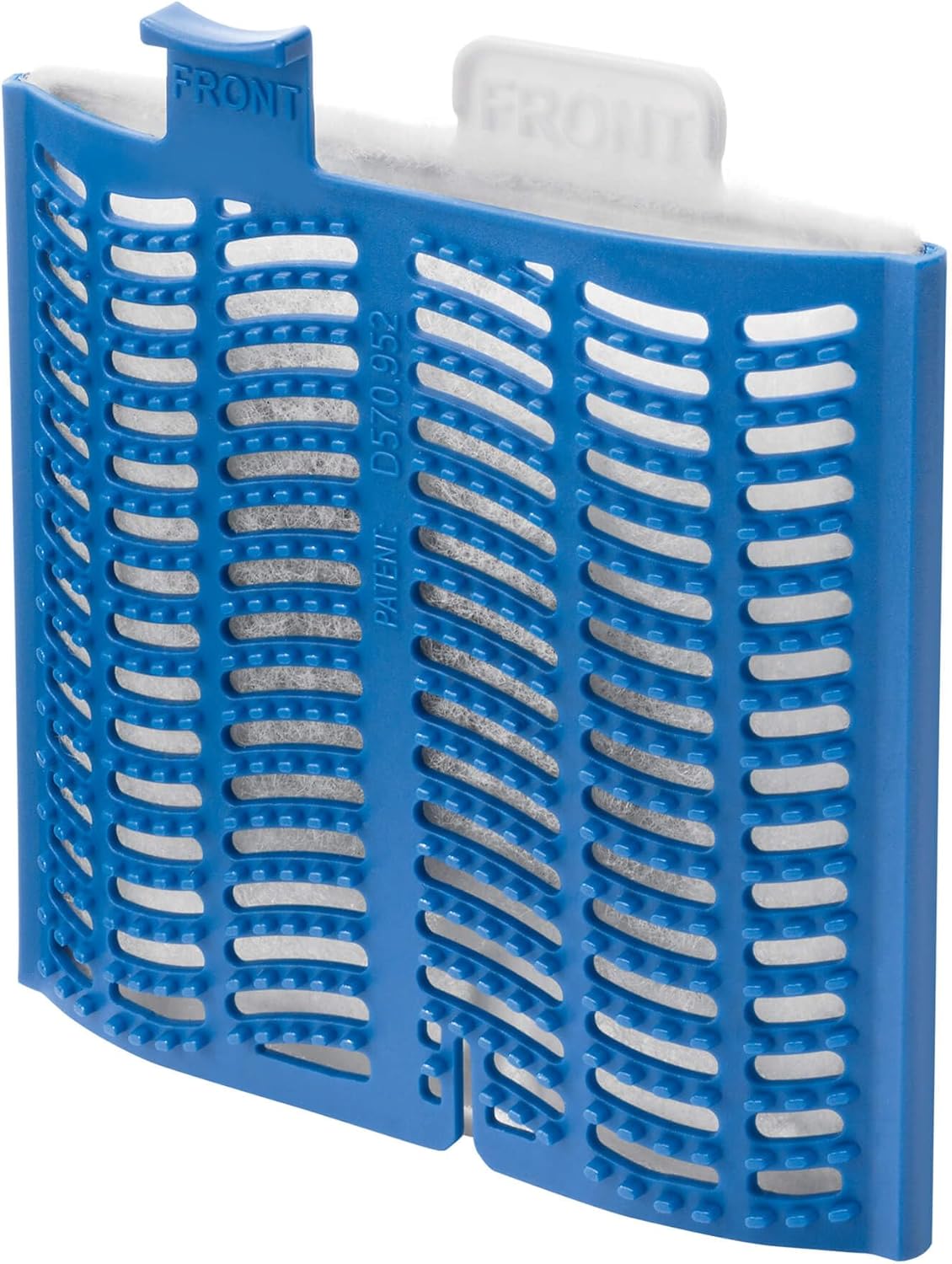
- Install Filter Cartridge: Open the filter lid. Insert the Aqueon QuietFlow Filter Cartridge into the bio-holster, ensuring the "FRONT" tab faces the front of the filter. Close the lid.
- Mount on Aquarium: Hang the filter securely on the back rim of your aquarium. Ensure the intake tube is fully submerged in the water.
- Fill with Water: Before plugging in, fill the filter reservoir with aquarium water. This primes the pump and prevents dry running.
- Connect Power: Plug the filter into a grounded electrical outlet. The filter should start operating immediately, drawing water from the aquarium and returning filtered water.

5. Operating Instructions
Once properly set up and plugged in, the Aqueon QuietFlow 10 filter will operate continuously. It is designed for 24/7 operation to maintain consistent water quality. Ensure the water level in your aquarium is always above the minimum line for the filter to function correctly.
6. Maintenance
Regular maintenance is crucial for the optimal performance of your Aqueon QuietFlow 10 filter and the health of your aquarium. The filter cartridge should be replaced approximately every 30 days, or sooner depending on the biological load of your aquarium.
When to Change the Filter Cartridge:
A good indicator that your filter cartridge needs changing is when the water level in the filter itself rises high enough to bypass the cartridge. This means the cartridge is clogged and no longer filtering effectively.
Filter Cartridge Replacement Steps:
- Unplug the Filter: Always unplug the filter from the power source before beginning maintenance.
- Remove Filter Lid: Lift the filter lid to access the cartridge.
- Remove Old Cartridge: Gently lift the bio-holster tab to remove both the old cartridge and its holster from the filter unit.
- Discard Old Cartridge: Dispose of the used filter cartridge.
- Prepare New Cartridge: Remove a new Aqueon QuietFlow Filter Cartridge from its packaging. Briefly rinse the new cartridge under room temperature tap water to remove any excess carbon dust.
- Insert New Cartridge: Place the new cartridge into the bio-holster. Ensure the side marked "FRONT" on the cartridge faces the front of the filter.
- Reinstall Holster: Place the bio-holster with the new cartridge back into the filter unit.
- Replace Lid: Securely replace the filter lid.
- Restore Power: Plug the filter back into the electrical outlet.
Video: Aqueon QuietFlow Power Filter Monthly Maintenance
This video demonstrates the monthly maintenance process for the Aqueon QuietFlow Power Filter, including how to change the filter cartridge.
7. Troubleshooting
If your Aqueon QuietFlow 10 filter is not operating as expected, try the following:
- Filter Not Starting: Ensure the filter is properly plugged into a working electrical outlet. Check if the power cord is damaged.
- Reduced Water Flow: Check the water level in the aquarium; it must be high enough for the intake tube to be fully submerged. The filter cartridge may be clogged and require replacement. The impeller might be dirty or obstructed; unplug the filter, remove the motor unit, and clean the impeller with a small brush.
- Excessive Noise: Ensure the filter is properly seated on the aquarium rim and not vibrating against other objects. Check for air trapped in the impeller housing; gently shake the filter to release air bubbles. Clean the impeller as described above.
- Water Bypassing Cartridge: This indicates a clogged filter cartridge. Replace the cartridge immediately.
8. Specifications
| Specification | Detail |
|---|---|
| Model Number | 100106080 |
| Manufacturer | AQUEON |
| Product Dimensions | 17.78 x 15.24 x 10.16 cm (7 x 6 x 4 inches) |
| Product Weight | 340.19 g (0.75 lbs) |
| Aquarium Capacity | 10-20 Gallons |
| UPC | 015905060806 |
| Batteries Required | No |
9. Warranty and Support
Aqueon products are manufactured to high-quality standards. For specific warranty information or technical support, please refer to the warranty card included with your product or visit the official Aqueon website. Keep your purchase receipt as proof of purchase for any warranty claims.
For further assistance, please contact Aqueon customer service through their official website: www.aqueon.com


