
1. Introduction
This manual provides detailed instructions for the safe and efficient use of your Altec Lansing IMW576 Boomjacket Portable Bluetooth Speaker. Please read this manual thoroughly before operating the device and retain it for future reference. The Boomjacket speaker is designed for robust outdoor use, featuring IP67 water, sand, shock, and snow resistance, Bluetooth connectivity, and an extended battery life with power bank functionality.
2. Package Contents
Verify that all items listed below are present in your package:
- Altec Lansing IMW576 Boomjacket Portable Bluetooth Speaker
- Universal Mount
- Charging Cable (USB)
- User Manual (this document)
3. Product Overview
Familiarize yourself with the various components and controls of your Boomjacket speaker.

Figure 3.1: Front View. This image displays the front of the Altec Lansing IMW576 Boomjacket speaker, highlighting its robust grille and the Altec Lansing logo. The speaker features a durable, black, ruggedized exterior designed for outdoor use.
3.1 Top Panel Controls
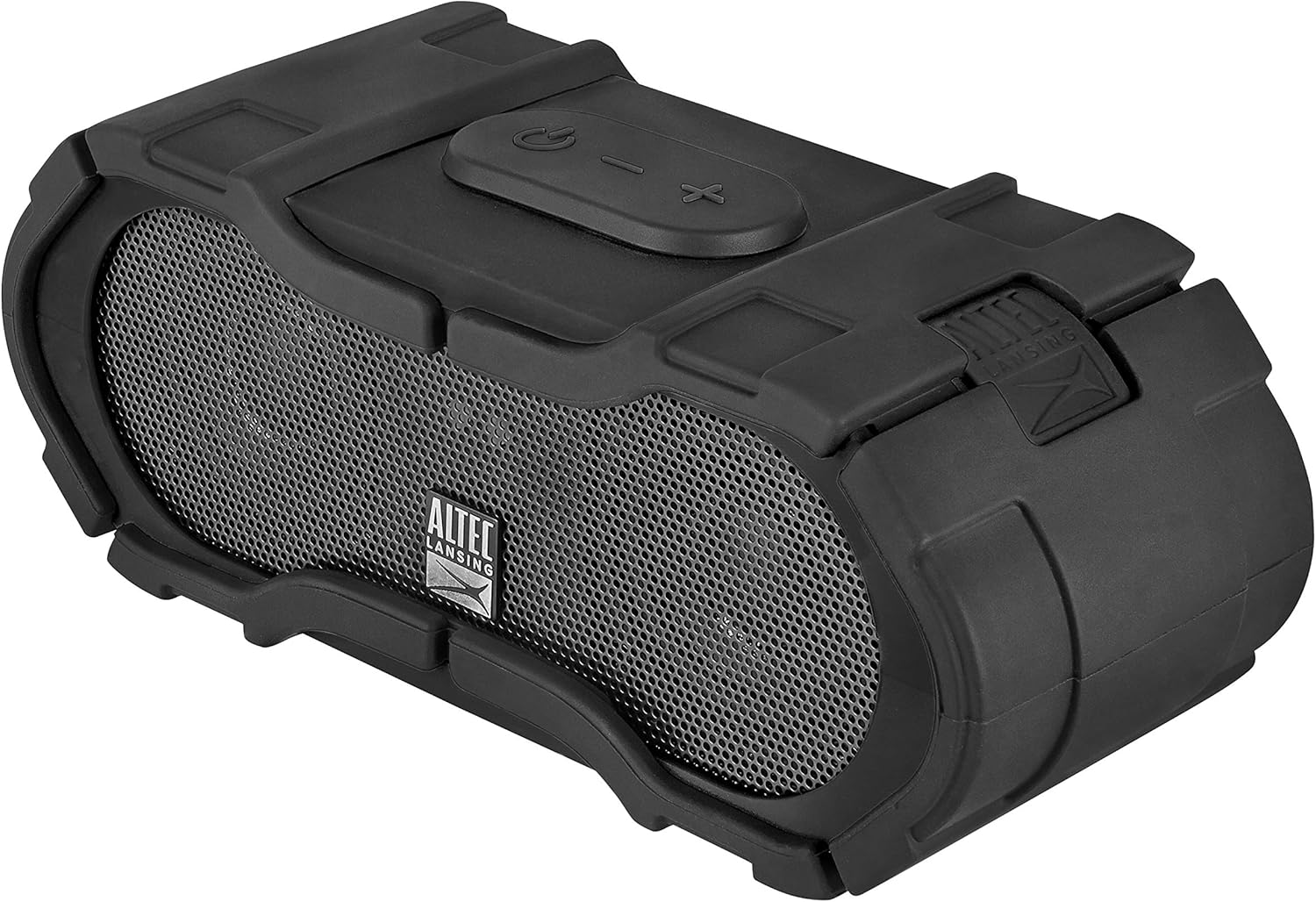
Figure 3.2: Top Controls. This image shows the top panel of the speaker, featuring the power button, volume up/next track button, volume down/previous track button, and the multi-function button for play/pause/call management.
- Power Button: Press and hold to power on/off.
- Volume Up / Next Track Button: Press to increase volume. Press and hold to skip to the next track.
- Volume Down / Previous Track Button: Press to decrease volume. Press and hold to go to the previous track.
- Multi-function Button: Press to play/pause music or answer/end calls. Press and hold to activate voice assistant.
3.2 Rear Panel Ports

Figure 3.3: Rear Ports. This image illustrates the rear panel of the speaker, revealing the DC IN 5V charging port, AUX IN port, and USB 5V 500mA output port, all protected by a waterproof cover. A warning label emphasizes keeping the cover completely closed for water resistance.
- DC IN 5V Port: For charging the speaker's internal battery.
- AUX IN Port: For connecting devices via a 3.5mm audio cable.
- USB 5V 500mA Port: Functions as a power bank to charge external devices.
- Waterproof Cover: Ensures water and dust resistance when securely closed.
Important: Always ensure the waterproof cover for the ports is completely closed and sealed before exposing the speaker to water or moisture to maintain its IP67 rating.
4. Setup
4.1 Charging the Speaker
- Open the waterproof cover on the rear panel.
- Connect the small end of the USB charging cable to the DC IN 5V port on the speaker.
- Connect the large end of the USB charging cable to a USB power adapter (not included) or a computer's USB port.
- The charging indicator light will illuminate. Allow approximately 4-5 hours for a full charge.
- Once fully charged, disconnect the cable and securely close the waterproof cover.
A full charge provides up to 40 hours of audio playback, depending on usage and volume levels.
4.2 Powering On/Off
- To Power On: Press and hold the Power Button on the top panel for approximately 3 seconds. You will hear a power-on tone and a voice confirmation.
- To Power Off: Press and hold the Power Button for approximately 3 seconds. You will hear a power-off tone and a voice confirmation.
4.3 Bluetooth Pairing
- Ensure the speaker is powered on and within 10 meters (33 feet) of your Bluetooth device.
- The speaker will automatically enter pairing mode upon powering on if no device is connected. The Bluetooth indicator light will flash.
- On your Bluetooth-enabled device (smartphone, tablet, computer), navigate to the Bluetooth settings.
- Search for available devices and select "IMW576" from the list.
- Once paired, you will hear a voice confirmation, and the Bluetooth indicator light will turn solid.
- If prompted for a password, enter "0000".
The speaker will automatically attempt to reconnect to the last paired device when powered on.
4.4 Auxiliary (AUX) Connection
- Open the waterproof cover on the rear panel.
- Connect a 3.5mm audio cable (not included) from your audio device's headphone jack to the AUX IN port on the speaker.
- The speaker will automatically switch to AUX mode.
- Adjust volume on both your audio device and the speaker.
- After use, disconnect the cable and securely close the waterproof cover.
5. Operating Instructions
5.1 Music Playback (Bluetooth Mode)
- Play/Pause: Press the Multi-function Button.
- Volume Up: Press the Volume Up Button.
- Volume Down: Press the Volume Down Button.
- Next Track: Press and hold the Volume Up Button.
- Previous Track: Press and hold the Volume Down Button.
5.2 Call Management
- Answer Call: Press the Multi-function Button when a call comes in.
- End Call: Press the Multi-function Button during a call.
- Reject Call: Press and hold the Multi-function Button when a call comes in.
- Activate Voice Assistant: Press and hold the Multi-function Button (e.g., Siri, Google Assistant).
The integrated microphone allows for hands-free communication.
5.3 Power Bank Functionality
The Boomjacket speaker can be used to charge other devices:
- Open the waterproof cover on the rear panel.
- Connect your device's charging cable to the USB 5V 500mA output port on the speaker.
- The speaker's internal battery will begin charging your connected device.
- Monitor your device's charging status.
- After charging, disconnect the cable and securely close the waterproof cover.
Using the power bank feature will reduce the speaker's playback time.
6. Maintenance and Care
6.1 Cleaning
- Wipe the speaker with a soft, damp cloth.
- Do not use abrasive cleaners, solvents, or harsh chemicals.
- Ensure all ports are closed before cleaning with water.
6.2 Water and Dust Resistance (IP67)
The IMW576 Boomjacket is rated IP67, meaning it is protected from dust ingress and can withstand immersion in water up to 1 meter for 30 minutes. To maintain this rating:
- Always ensure the waterproof cover for the charging, AUX, and USB ports is completely closed and securely sealed.
- Do not expose the speaker to saltwater or other chemicals, as this may degrade the seals over time.
- If the speaker gets wet, dry it thoroughly before opening any port covers or charging.
6.3 Storage
- Store the speaker in a cool, dry place away from direct sunlight and extreme temperatures.
- If storing for an extended period, charge the battery to approximately 50% every few months to prolong battery life.
7. Troubleshooting
| Problem | Possible Cause | Solution |
|---|---|---|
| Speaker does not power on. | Low battery. | Charge the speaker for at least 30 minutes. |
| Cannot pair via Bluetooth. | Speaker not in pairing mode; device Bluetooth off; too far from speaker. | Ensure speaker is on and Bluetooth indicator is flashing. Turn Bluetooth on your device. Move device closer to speaker. Forget "IMW576" on your device and re-pair. |
| No sound from speaker. | Volume too low; incorrect input source; device not playing. | Increase volume on speaker and connected device. Ensure correct mode (Bluetooth/AUX). Check if audio is playing on the source device. |
| Poor audio quality. | Bluetooth interference; low battery; source audio quality. | Move speaker closer to device. Charge speaker. Try a different audio source. |
| Power bank not charging device. | Speaker battery low; cable issue; device not compatible. | Ensure speaker is sufficiently charged. Try a different USB cable. Verify device compatibility with 5V 500mA output. |
8. Specifications
| Feature | Detail |
|---|---|
| Model Name | BOOM JACKET (IMW576) |
| Connectivity Technology | Bluetooth |
| Wireless Communication | Bluetooth |
| Audio Output Mode | Stereo |
| Max Speaker Output Power | 40 Watts |
| Power Source | Battery Powered (1 Lithium-ion battery) |
| Battery Life | Up to 40 hours |
| Waterproof Rating | IP67 (Waterproof, Sand-resistant, Shock-resistant, Snow-resistant) |
| Integrated Microphone | Yes |
| Control Method | Voice, Buttons |
| USB Output (Power Bank) | 5V 500mA |
| Dimensions (L x W x H) | 7.6 x 7.6 x 17.8 cm |
| Weight | 911 grams |
| Compatible Devices | All Bluetooth-enabled devices, devices with 3.5mm audio output |
| Included Components | Universal Mount, Power Bank (integrated) |
9. Warranty and Support
For warranty information or technical support, please refer to the documentation included with your purchase or visit the official Altec Lansing website. Keep your proof of purchase for warranty claims.
Manufacturer: Altec Lansing Technologies


