Introduction
The Vivitar Smartphone Clip-On LED Light is designed to enhance the lighting for your smartphone photography and videography. Featuring 21 high-powered LED lights, this compact accessory provides additional illumination to improve the quality of your images and videos in low-light conditions. Its clip-on design ensures easy attachment and portability.
Package Contents
Please verify that all items are present in your package:
- Vivitar Smartphone Clip-On LED Light (Model VIV-SP-412-TWD)
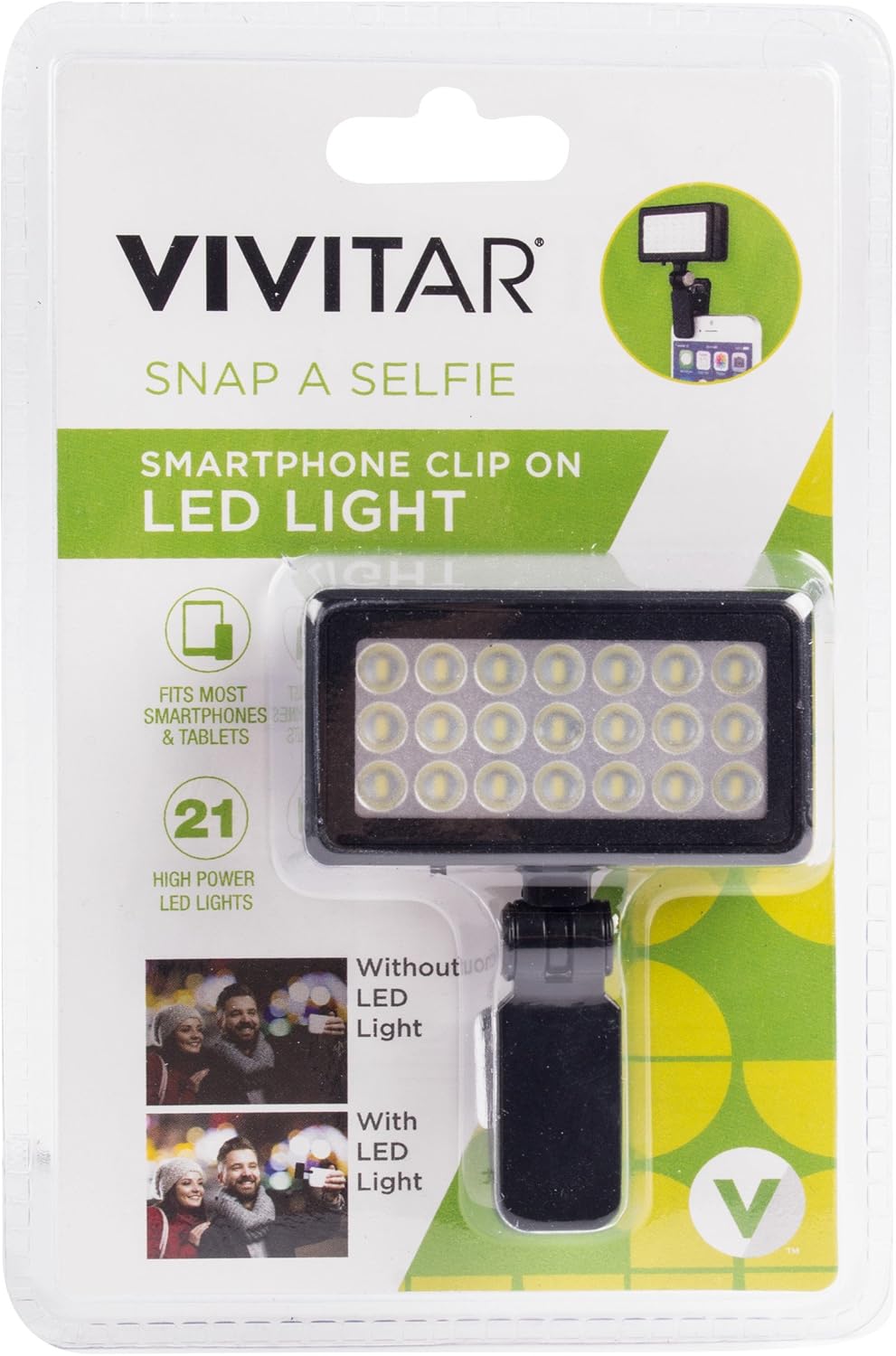
Image: The retail packaging for the Vivitar Smartphone Clip-On LED Light, showing the device and its key features.
Setup
- Unpack the Device: Carefully remove the Vivitar Smartphone Clip-On LED Light from its packaging.
- Check Battery: Ensure the device has sufficient battery charge. If not, charge it according to the charging instructions (if applicable, though not specified in product data, assume internal battery or user-replaceable).
- Attach to Smartphone: Open the clip mechanism and securely attach the LED light to the top edge of your smartphone, ensuring it does not obstruct the camera lens or flash. The clip is designed for a firm grip.

Image: The Vivitar Smartphone Clip-On LED Light securely attached to a smartphone, demonstrating its intended use for illuminating subjects during photography.
Operating Instructions
- Power On/Off: Locate the power switch on the device. Slide the switch to the 'ON' position to activate the LED lights. Slide it to the 'OFF' position when not in use to conserve battery life.
- Positioning: Adjust the angle of the LED light as needed to direct illumination towards your subject. The light is designed to provide frontal lighting for selfies or general photography.
- Photography/Videography: Once the light is on and positioned, open your smartphone's camera application and begin taking photos or recording videos.

Image: A close-up view of the Vivitar Smartphone Clip-On LED Light, highlighting its 21 individual LED bulbs and the adjustable clip mechanism.
Maintenance
- Cleaning: Use a soft, dry cloth to gently wipe the surface of the LED light. Avoid using abrasive cleaners or solvents.
- Storage: Store the device in a cool, dry place away from direct sunlight and extreme temperatures when not in use.
- Battery Care: If the device has a rechargeable battery, ensure it is charged periodically even when not in use to maintain battery health.
Troubleshooting
- Light does not turn on:
- Ensure the power switch is in the 'ON' position. Check if the battery needs charging or replacement.
- Light is too bright:
- This model features a fixed brightness setting. To reduce intensity, try increasing the distance between the light and your subject, or use it in environments where less intense fill light is needed.
- Light falls off smartphone:
- Ensure the clip is securely attached to the smartphone. Avoid sudden movements that could dislodge the device. Verify compatibility with your phone's thickness to ensure a proper grip.
Specifications
| Feature | Detail |
|---|---|
| Model Number | VIV-SP-412-TWD |
| Light Source | 21 High-Powered LED Lights |
| Dimensions | 3.75 x 1.5 x 6 inches |
| Weight | 0.16 ounces |
| Color | Black |
| UPC | 681066956762 |
| Manufacturer | Sakar International, Inc. |
Warranty Information
This Vivitar product is backed by a one-year limited warranty from the date of purchase. This warranty covers manufacturing defects in materials and workmanship. It does not cover damage caused by misuse, accident, unauthorized modification, or normal wear and tear. Please retain your proof of purchase for warranty claims.
Support
For technical support, warranty inquiries, or further assistance, please contact Vivitar customer service. Refer to the Vivitar official website or product packaging for the most current contact information.
Vivitar Official Website: www.vivitar.com


