
1. Introduction
Thank you for choosing the KWANWA Digital Alarm Clock. This battery-operated clock features a large 1.2-inch LED display, auto night-mode, three-level LED brightness adjustment, and a convenient snooze function. Designed for simplicity and readability, it is suitable for various settings including bedrooms, offices, and travel. Please read this manual carefully to ensure proper setup and operation.

Front view of the KWANWA Digital Alarm Clock with a red LED display, showing the time 10:30.
2. Product Overview
The KWANWA Digital Alarm Clock is designed for ease of use and clear visibility. Its compact size allows for versatile placement, either on a tabletop or wall-mounted.

KWANWA Digital Alarm Clock with dimensions: 5.12 inches wide, 2.56 inches high, and 1.5 inches deep.
Key Components:
- LED Display: Large 1.2-inch digits for clear time viewing.
- Snooze/AL Stop Button: Located on top for easy access.
- Control Buttons (Rear): Time Set, AL Set, Hour (12/24), Min (AL ON/OFF), Reset.
- Dimmer Switch: High (H), Medium (M), Low (L) settings.
- Battery Compartment: Holds 4 x AA batteries (not included).
- Wall Mount Hole: For optional wall installation.
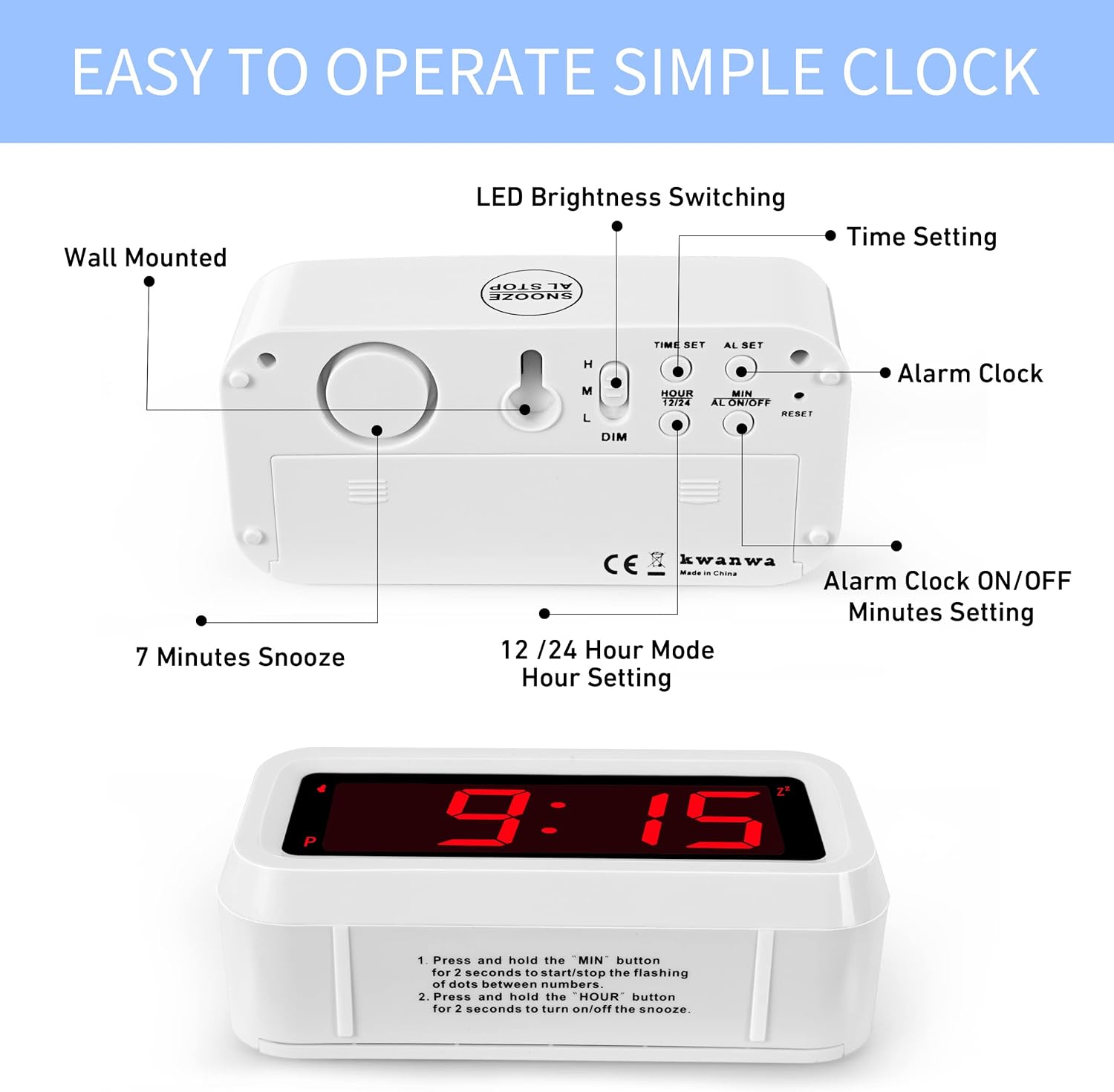
Detailed view of the KWANWA Digital Alarm Clock's back panel, highlighting control buttons for time setting, alarm setting, 12/24 hour mode, and brightness adjustment.
3. Setup
3.1 Battery Installation
- Open the battery compartment cover on the back of the clock.
- Insert 4 new AA alkaline batteries (not included), ensuring correct polarity (+/-).
- Close the battery compartment cover securely.
The clock is designed to operate for over 12 months on a single set of batteries with constant display.

Rear view of the KWANWA Digital Alarm Clock with the battery compartment open, showing space for four AA batteries.
3.2 Initial Time Setting
- Press the "TIME SET" button. The time digits will flash.
- Press "HOUR" to adjust the hour.
- Press "MIN" to adjust the minutes.
- Press "TIME SET" again to save the time. If no button is pressed for 30 seconds, the setting will save automatically.
4. Operating Instructions
4.1 Setting the Alarm
- Press the "AL SET" button. The alarm time digits will flash.
- Press "HOUR" to adjust the alarm hour.
- Press "MIN" to adjust the alarm minutes.
- Press "AL SET" again to save the alarm time.
4.2 Activating/Deactivating the Alarm
- To activate the alarm, press the "AL ON/OFF" button. An alarm icon will appear on the display.
- To deactivate the alarm, press the "AL ON/OFF" button again. The alarm icon will disappear.
4.3 Snooze Function
- When the alarm sounds, press the large "SNOOZE AL STOP" button on top of the clock to activate snooze. The alarm will pause for 7 minutes.
- You can repeat the snooze function up to 3 times.
- To stop the alarm for the day, press any other button on the back of the clock. The alarm will still sound the next day at the set time.
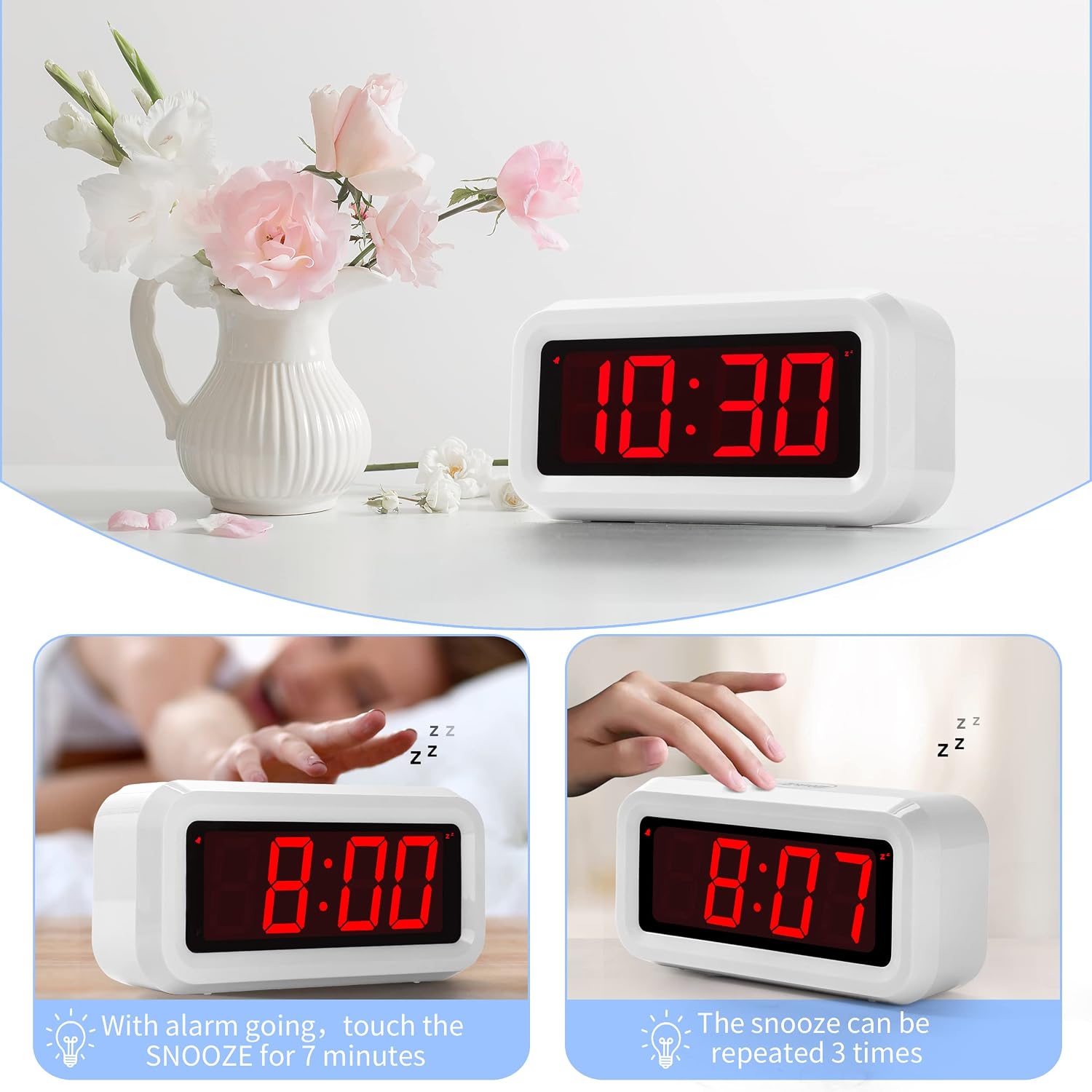
KWANWA Digital Alarm Clock demonstrating the snooze function, showing the time before and after a 7-minute snooze.
4.4 12/24 Hour Mode
- Press the "HOUR 12/24" button to switch between 12-hour and 24-hour time formats.
4.5 Adjusting Display Brightness
- Use the "DIM" slider switch on the back of the clock to select High (H), Medium (M), or Low (L) brightness for the LED display.

KWANWA Digital Alarm Clock displaying three brightness levels: High, Medium, and Dim.
4.6 Auto Night-Mode
- The clock automatically dims the display between 8:00 PM and 6:00 AM to conserve battery life and reduce light disturbance during sleep.
5. Versatile Placement
The KWANWA Digital Alarm Clock is designed for flexible placement options:
- Tabletop: Its compact design makes it ideal for bedside tables, desks, or shelves.
- Wall Mount: A keyhole slot on the back allows for easy wall mounting.
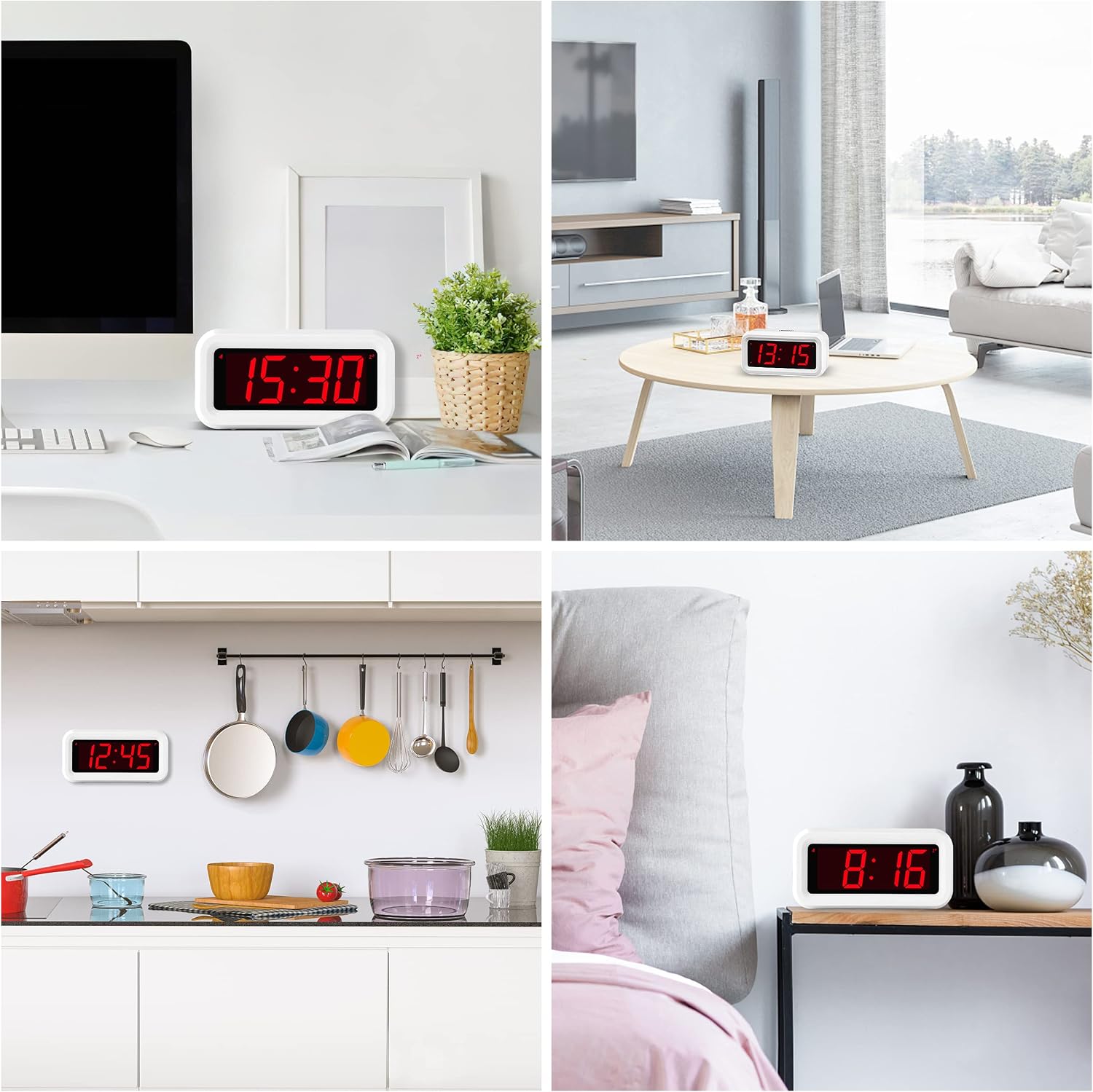
Various usage scenarios for the KWANWA Digital Alarm Clock, including a desk, kitchen, bathroom, tool house, office, office, travel, and living room.
6. Maintenance
6.1 Battery Replacement
- Replace all four AA batteries when the display starts to dim significantly or the clock stops functioning.
- Always use new AA alkaline batteries for optimal performance and battery life.
6.2 Cleaning
- Wipe the clock with a soft, dry cloth. Do not use abrasive cleaners or solvents.
7. Troubleshooting
- Display is dim or blank: Check battery installation and replace with new batteries if necessary. Ensure the dimmer switch is not set to 'Low' in bright conditions.
- Alarm does not sound: Verify that the alarm is activated (alarm icon visible) and the alarm time is set correctly.
- Incorrect time display: Reset the time using the "TIME SET" and "HOUR"/"MIN" buttons. If the time accuracy is consistently off, consider replacing batteries.
- Clock is unresponsive: Press the "RESET" button on the back of the clock using a pointed object (e.g., a paperclip). This will reset all settings.
8. Specifications
| Brand | KWANWA |
| Model Number | KW618W |
| Color | White Case-red Led |
| Display Type | Digital |
| Power Source | Battery Powered (4 x AA batteries required, not included) |
| Product Dimensions | 5.12"W x 2.56"H |
| Special Features | Adjustable Brightness, Alarm, Auto Dimmable, Cordless, Night Mode, Large Display, Snooze, 12/24Hr, Portable Size, Wall Mount |
| Material | Plastic |
9. Official Product Video
Watch a demonstration of the KWANWA Battery Operated Digital Desktop Clock, highlighting its features and ease of use.
10. Warranty and Support
This product comes with a limited warranty. For customer service or support, please contact KWANWA at kwanwa@shenzhenkwanwa.com.