
Introduction
Thank you for choosing the HOMCOM B00-007 Drawer Safe. This manual provides essential information for the proper setup, operation, and maintenance of your electronic combination lock safe. Please read these instructions carefully before use and retain them for future reference.
This safe is designed to provide secure storage for valuables, documents, and other important items. It features an electronic keypad for quick access and an override key for emergency entry.
Safety Information
- Do not store the override keys inside the safe. Keep them in a secure, separate location.
- Ensure the safe is mounted securely to prevent unauthorized removal.
- Keep the safe away from moisture and extreme temperatures. This safe is not water resistant.
- Do not attempt to force the safe open if the electronic lock malfunctions. Use the override key.
- Replace batteries promptly when the low battery indicator appears to avoid being locked out.
Package Contents
Please check the package to ensure all components are present:
- HOMCOM B00-007 Drawer Safe Unit
- Override Keys (2)
- Mounting Hardware (Screws, Anchors, Washers)
- User Manual (This document)

Image: Included mounting hardware for securing the safe.
Setup and Installation
1. Battery Installation
- Locate the battery compartment on the inside of the safe door.
- Remove the battery compartment cover.
- Insert 4 "AA" batteries (not included) according to the polarity markings (+/-).
- Replace the battery compartment cover.

Image: Battery compartment cover located on the inside of the safe door.

Image: Battery compartment with cover removed, ready for battery insertion.
2. Initial Opening (First Use)
For the first opening, you will use the override key:
- Locate the override keyhole on the electronic keypad panel.
- Insert one of the provided override keys into the keyhole.
- Turn the key clockwise while simultaneously turning the knob clockwise to open the safe door.
- Once open, remove the key.

Image: Electronic keypad with the override keyhole visible.
3. Setting Your Personal Code
With the safe door open:
- Press the red reset button located on the inside of the safe door, near the hinge. You will hear a beep.
- On the keypad, enter a new personal code (3-8 digits).
- Press the "#" button to confirm. The safe will beep twice, indicating the new code is set.
- Test the new code with the door open before closing it. Enter your new code, then press "#". The green light should illuminate, and you should be able to turn the knob to simulate opening.
4. Mounting the Safe
The safe can be mounted to a flat surface (e.g., inside a drawer, cabinet, or to a wall) using the provided hardware.
- Choose a suitable location for mounting. Ensure the surface is strong enough to support the safe's weight and contents.
- Mark the desired drilling points through the pre-drilled holes in the back or bottom of the safe.
- Drill pilot holes into the mounting surface.
- Align the safe with the drilled holes and secure it using the provided screws and anchors.
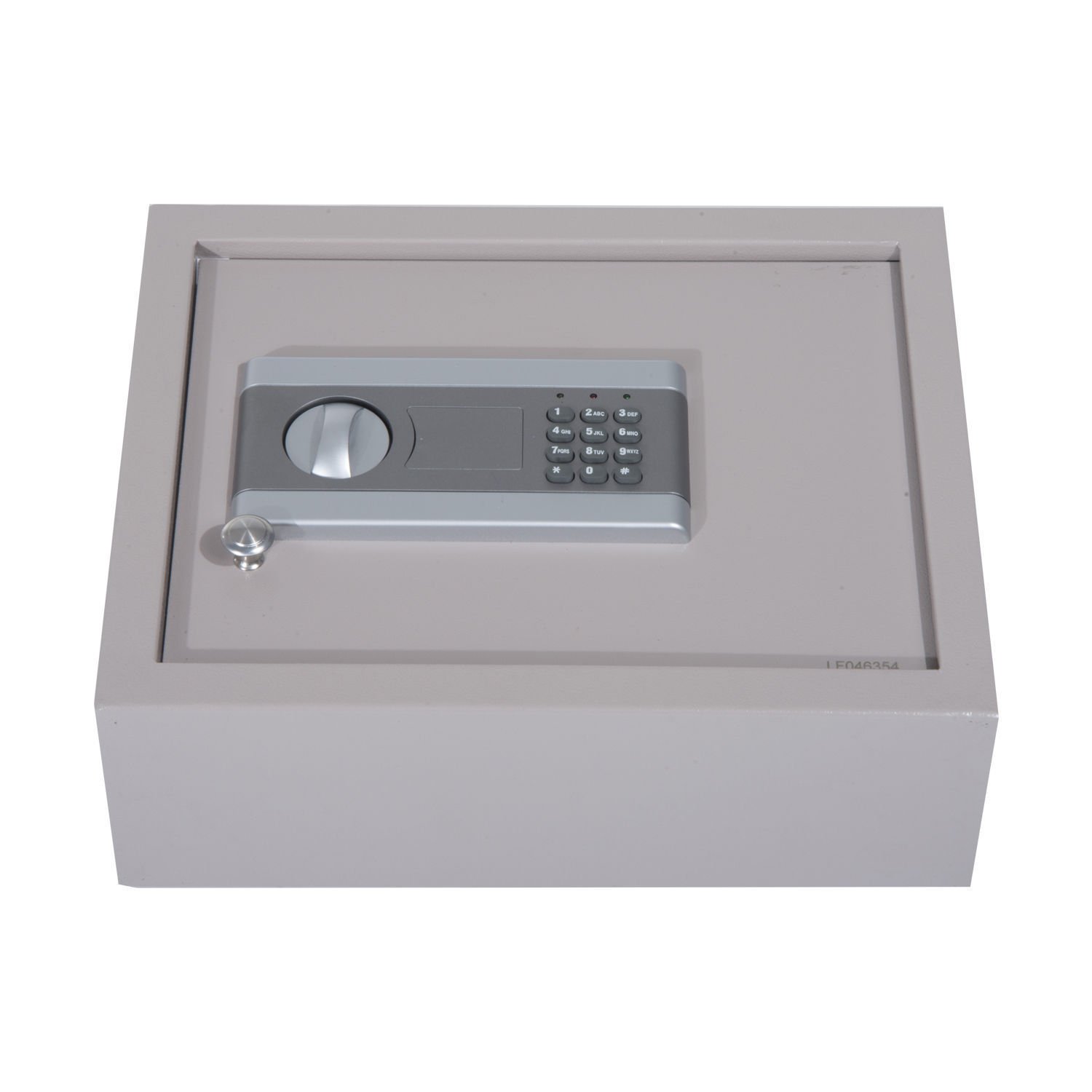
Image: Example of the safe installed within a drawer.
Operating the Safe
Opening with Electronic Code
- Enter your personal 3-8 digit code on the keypad.
- Press the "#" button.
- If the code is correct, a green light will illuminate, and you will hear a beep. Within 5 seconds, turn the knob clockwise to open the safe door.
- If an incorrect code is entered, a red light will flash, and you will hear a beep.
Note: After 3 consecutive incorrect entries, the system will lock for 20 seconds. After 5 consecutive incorrect entries, it will lock for 5 minutes.
Closing and Locking the Safe
Close the safe door and turn the knob counter-clockwise until it is fully engaged. The safe is now locked.
Emergency Opening (Override Key)
In case of forgotten code, dead batteries, or electronic malfunction:
- Locate the override keyhole on the electronic keypad panel.
- Insert one of the provided override keys into the keyhole.
- Turn the key clockwise while simultaneously turning the knob clockwise to open the safe door.
Maintenance
- Battery Replacement: When the batteries are low, the red light will flash continuously during operation. Replace all four "AA" batteries promptly.
- Cleaning: Wipe the safe exterior with a soft, damp cloth. Do not use abrasive cleaners or solvents.
- Key Storage: Always keep the override keys in a secure location outside the safe.
Troubleshooting
| Problem | Possible Cause | Solution |
|---|---|---|
| Safe does not open with code. | Incorrect code entered. Batteries are low or dead. System is locked out. | Re-enter the correct code. Replace batteries. Wait for the lockout period to expire (20 seconds or 5 minutes). Use override key if urgent. |
| Keypad does not respond. | Dead batteries. Loose battery connection. | Replace batteries. Ensure batteries are correctly inserted and the compartment cover is secure. |
| Cannot set new code. | Red reset button not pressed correctly. Code not confirmed with "#" button. Door not fully open. | Ensure the red reset button is pressed until a beep is heard. Always press "#" after entering the new code. Ensure the safe door is fully open when attempting to reset the code. |
Specifications
- Model: B00-007
- Dimensions: Approximately 15" (L) x 11.8" (W) x 5.12" (H)
- Material: Alloy Steel
- Lock Type: Electronic Combination Lock, Key Override
- Power: 4 x "AA" Batteries (not included)
- Mounting Type: Freestanding, Tabletop (Mountable)
- Water Resistance: Not Water Resistant

Image: Product dimensions of the safe.
Warranty and Support
For warranty information or technical support, please refer to the manufacturer's official website or contact your retailer. Keep your purchase receipt as proof of purchase.
Manufacturer: Aosom LLC
Brand: HOMCOM