
Introduction
This manual provides essential information for the proper setup, operation, and maintenance of your Trimble GeoXT GeoExplorer Series Pocket PC, model 50950-20. Please read this manual thoroughly before using the device to ensure optimal performance and longevity.
What's in the Box
Upon unboxing your Trimble GeoXT GeoExplorer Series Pocket PC, please verify that all the following components are present:
- 1 x Trimble GeoXT GeoExplorer Series Terminal
- 1 x Car Charger
- 1 x Battery Charger
- 1 x Hard Case (for storage and transport)
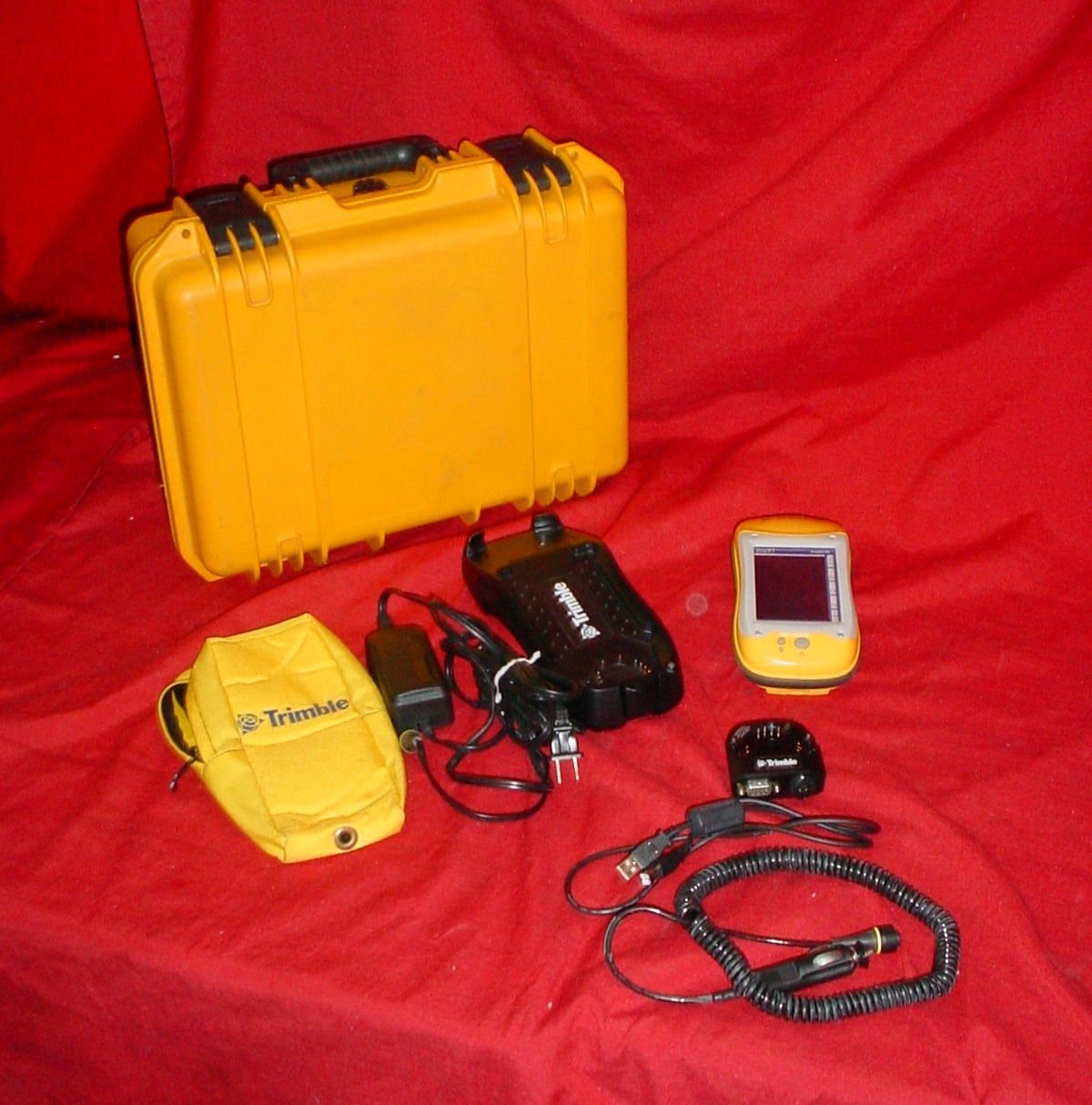
Image: The complete package contents of the Trimble GeoXT GeoExplorer Series Pocket PC, showing the yellow hard case, the black handheld device, a yellow soft pouch, various charging cables, and the yellow-cased display unit.
Setup
1. Initial Charging
Before first use, fully charge the device's battery. Connect the battery charger to a power outlet and then to the Trimble GeoXT terminal. The charging indicator will typically show the charging status. A full charge ensures optimal battery life and performance.
2. Device Power On/Off
To power on the device, press and hold the power button located on the side or top of the unit until the screen illuminates. To power off, press and hold the power button again and follow the on-screen prompts to shut down.
3. Connecting to a Computer (USB)
Use the provided USB cable to connect the Trimble GeoXT to a computer for data transfer or software updates. Ensure the necessary drivers are installed on your computer for proper recognition of the device.
Operating the Device
1. Navigation and Interface
The Trimble GeoXT features a touch-sensitive screen and physical buttons for navigation. Familiarize yourself with the main menu and application icons. Use the stylus or your finger for precise input on the screen.
2. GPS Functionality
For accurate GPS readings, ensure the device has a clear view of the sky. Navigate to the GPS application to view satellite status and acquire position fixes. Refer to the specific software documentation for detailed instructions on data collection and mapping.
3. Data Management
Data collected on the device can be stored internally or on an external memory card (if supported). Regularly back up your data to a computer to prevent loss. Use the USB connection for efficient data transfer.
Maintenance
1. Cleaning
Wipe the device's screen and body with a soft, damp, lint-free cloth. Avoid using harsh chemicals or abrasive materials, which can damage the screen or casing. Ensure all ports are free of dust and debris.
2. Battery Care
To prolong battery life, avoid exposing the device to extreme temperatures. If the device will not be used for an extended period, store it with a partial charge (around 50%) and recharge it periodically.
3. Storage
When not in use, store the Trimble GeoXT in its hard case to protect it from physical damage, dust, and moisture. Keep it in a cool, dry place.
Troubleshooting
Device Not Powering On
- Ensure the battery is fully charged. Connect to the charger and wait a few minutes before attempting to power on.
- Check the power button for any physical damage or obstruction.
GPS Signal Issues
- Move to an open area with a clear view of the sky, away from tall buildings or dense foliage.
- Ensure the GPS antenna (if external) is properly connected.
Connectivity Problems (USB)
- Try a different USB port on your computer.
- Ensure the USB cable is not damaged.
- Verify that the necessary device drivers are installed on your computer.
Specifications
| Feature | Detail |
|---|---|
| Model Number | 50950-20 |
| Brand | TRIMBLE |
| Connectivity Technology | USB |
| Connector Type | USB Type A |
| Compatible Devices | Trimble GeoExplorer series devices |
| Compatible Phone Models | Trimble GeoXT, GeoExplorer series |
| Included Components | 1 x TERMINAL, 1 x CAR CHARGER, 1 x BATTERY CHARGER |
| Power Source | Battery Powered |
| Frequency Range | 50-60 Hz |
| Portable | Yes |
Warranty and Support
For detailed warranty information and technical support, please refer to the official Trimble website or contact Trimble customer service directly. Keep your purchase receipt as proof of purchase for warranty claims.
Manufacturer: Trimble
First Available: July 1, 2016
