
Vitalograph Micro
Vitalograph Micro Spirometer User Manual
Model: Micro
1. Introduction
The Vitalograph Micro Spirometer is a reliable, simple, and easy-to-use device designed for general and occupational medicine. It leverages over 50 years of spirometry experience to provide accurate and consistent measurements.
This manual provides essential information for the safe and effective operation, maintenance, and troubleshooting of your Vitalograph Micro Spirometer. Please read it thoroughly before using the device.
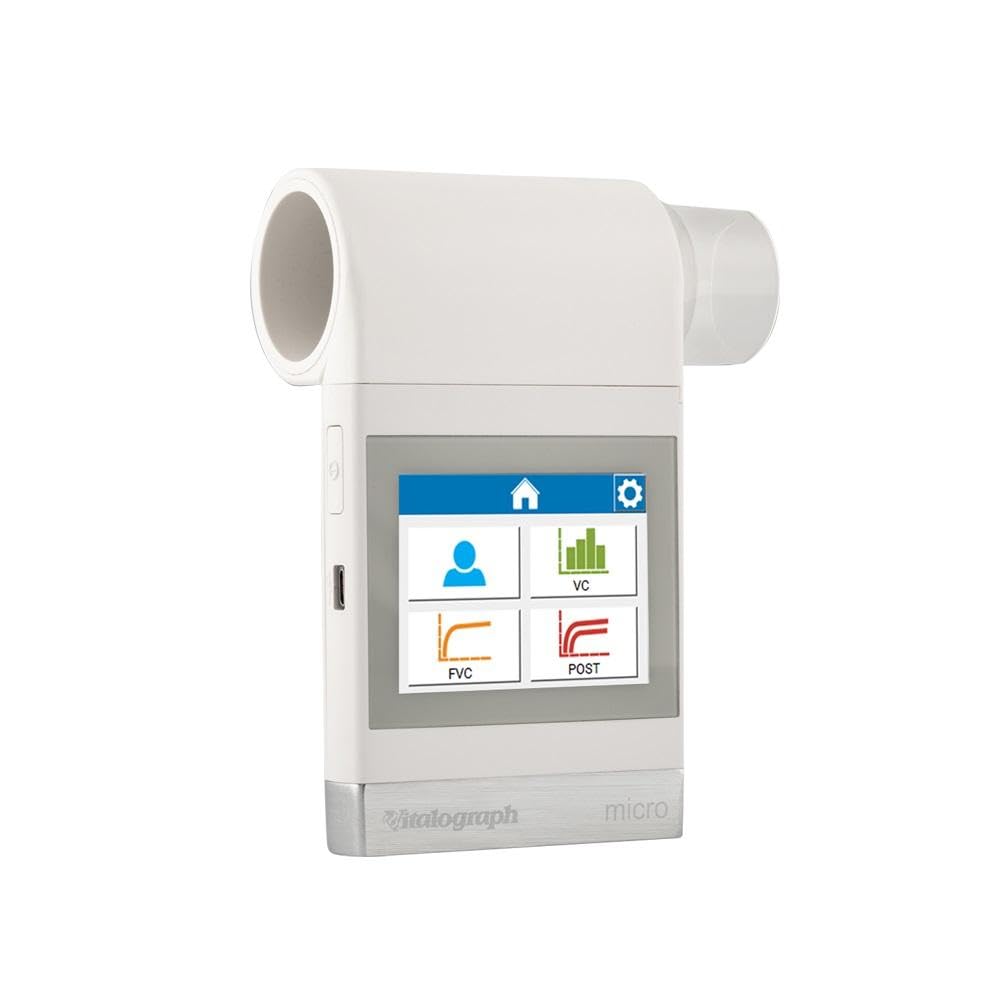
Figure 1.1: Vitalograph Micro Spirometer. This image shows the compact device with its color touchscreen interface, displaying icons for patient data, VC, FVC, and POST measurements.
2. Safety Information
Always adhere to the following safety guidelines to ensure safe operation and prevent damage to the device or injury to the user or patient.
- Use the device only as described in this manual.
- Ensure the device is clean and free from damage before each use.
- Do not immerse the device in liquid.
- Keep the device away from strong electromagnetic fields.
- Only use Vitalograph-approved accessories and consumables.
- Consult a medical professional for interpretation of spirometry results.
3. Setup
3.1 Unpacking and Inspection
Carefully remove the spirometer and all accessories from the packaging. Inspect all components for any signs of damage. If any damage is found, do not use the device and contact your supplier immediately.
3.2 Powering the Device
The Vitalograph Micro can be powered via USB (5V) or 4 x 1.5V AAA batteries.
- Battery Installation: Open the battery compartment on the back of the device. Insert 4 AAA batteries, ensuring correct polarity. Close the compartment securely.
- USB Connection: Connect the supplied USB cable to the device's USB port and to a compatible USB power adapter or computer.
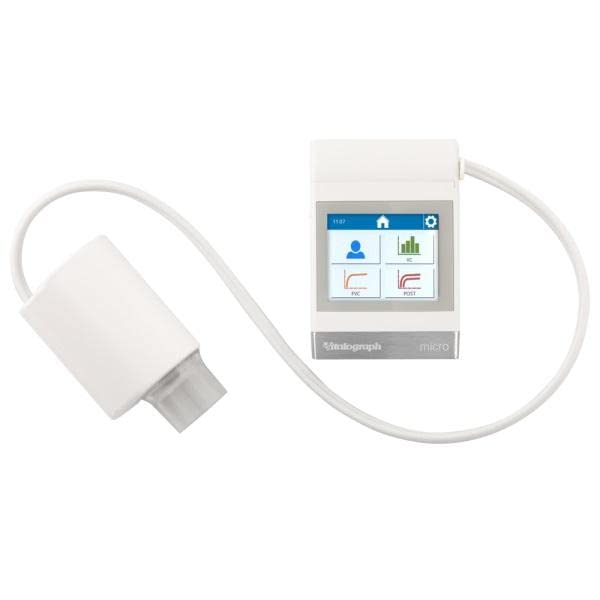
Figure 3.1: Vitalograph Micro Spirometer with connected sensor. This image illustrates the device connected to its measurement sensor via a white cable, ready for use.
3.3 Initial Power On
Press the power button to turn on the device. The color touchscreen will illuminate, and the device will perform a self-test. Follow any on-screen prompts for initial setup, such as language selection or date/time settings.
4. Operating Instructions
4.1 User Interface Overview
The Vitalograph Micro features an intuitive touchscreen interface. The main screen typically displays options for patient management, test types (e.g., VC, FVC), and settings.
4.2 Performing a Spirometry Test
- Patient Data Entry: Select the patient icon on the touchscreen to enter or select patient details.
- Test Selection: Choose the desired spirometry test (e.g., FVC, VC) from the main menu.
- Preparation: Instruct the patient to sit upright and comfortably. Ensure they understand the breathing maneuver required for the test.
- Mouthpiece Attachment: Attach a new, disposable mouthpiece to the spirometer's measurement head.
- Performing the Maneuver: Follow the on-screen prompts and audio cues to guide the patient through the breathing maneuver.
- Review Results: After the test, results and curves will be displayed on the screen. You can review multiple parameters and select up to 8 simultaneously.
- Saving/Printing Results: Results can be saved internally, or exported as a PDF via PC for printing or archiving in practice software.
4.3 Key Measurement Parameters
The device measures and displays various spirometry parameters, including but not limited to:
- VC: Vital Capacity
- FVC: Forced Vital Capacity
- FEV1: Forced Expiratory Volume in 1 second
- FEV1/VC: Ratio of FEV1 to Vital Capacity
- PEF: Peak Expiratory Flow
- FEF25-75: Forced Expiratory Flow between 25% and 75% of FVC
- FEF25, FEF50, FEF75: Forced Expiratory Flow at 25%, 50%, and 75% of FVC
- And over 30 other selectable parameters.
5. Maintenance
Regular maintenance ensures the longevity and accuracy of your Vitalograph Micro Spirometer.
5.1 Cleaning
- Exterior Cleaning: Wipe the exterior of the device with a soft cloth dampened with a mild, non-abrasive disinfectant. Do not use harsh chemicals or immerse the device.
- Measurement Head: The pneumotachograph measurement technology is robust and does not require sensitive moving parts like turbines, reducing the need for complex cleaning. Refer to the specific cleaning instructions for the measurement head in the detailed product manual or contact Vitalograph support.
- Consumables: Always use new, disposable mouthpieces for each patient to prevent cross-contamination.
5.2 Storage
Store the device in a clean, dry place within the recommended temperature range (17 – 37 °C). Protect it from direct sunlight, dust, and extreme temperatures.
5.3 Calibration
While the pneumotachograph technology offers high precision and durability, regular calibration checks are recommended to ensure continued accuracy. Refer to the detailed product manual for calibration procedures or contact Vitalograph for service.
6. Troubleshooting
This section addresses common issues you might encounter with your Vitalograph Micro Spirometer.
| Problem | Possible Cause | Solution |
|---|---|---|
| Device does not power on. | Low or dead batteries; USB cable not connected properly. | Replace batteries; ensure USB cable is securely connected to a power source. |
| Inaccurate readings. | Improper patient technique; device needs calibration; dirty measurement head. | Re-instruct patient on maneuver; perform calibration check; clean measurement head as per manual. |
| Screen is unresponsive. | Temporary software glitch. | Restart the device. If issue persists, contact support. |
If you encounter an issue not listed here, or if the suggested solutions do not resolve the problem, please contact Vitalograph customer support.
7. Specifications
Detailed technical specifications for the Vitalograph Micro Spirometer:
- Measured Values: VC, FVC, FEV1, FEV1/VC, PEF, FEF25-75, FEF25, FEF50, FEF75, and over 30 other selectable parameters.
- Operating Temperature Range: 17 – 37 °C
- Voltage: 5V USB / 6V battery (4 x 1.5V AAA batteries)
- Flow Measurement Technology: Fleisch pneumotachograph
- Volume Integration: At 100 Hz
- Accuracy (within operating temperature range):
- Volume: Better than +/-3% (or 0.05L)
- Max Volume: 9.99L
- Min Volume: 0.01L
- Flow: +/-10%
- Max Flow: +/-16L/S
- Min Flow: +/-0.02L/S
- Maximum Volume Display: 10 liters
- Maximum Test Duration: 90 seconds
- Respiratory Flow Impedance: <0.1 kPa/L/S at 14 L/S
- Dimensions: 8.3 x 3.2 x 9.1 cm
- Weight: 250 grams
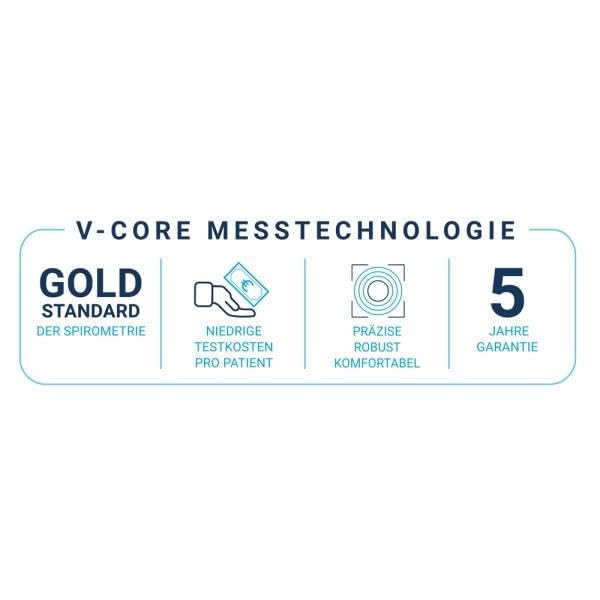
Figure 7.1: V-CORE Measurement Technology. This graphic highlights key benefits of the V-CORE technology: Gold Standard of Spirometry, Low Test Costs per Patient, Precise, Robust, Comfortable, and 5-Year Guarantee.
8. Warranty and Support
8.1 Warranty Information
The Vitalograph Micro Spirometer comes with a manufacturer's warranty. Please refer to the warranty card included with your product or visit the official Vitalograph website for detailed terms and conditions. The V-CORE measurement technology is highlighted with a 5-year guarantee.
8.2 Customer Support
For technical assistance, service, or to order accessories and consumables, please contact Vitalograph customer support:
- Website: www.vitalograph.com
- Email: Refer to Vitalograph website for regional contact information.
- Phone: Refer to Vitalograph website for regional contact information.
When contacting support, please have your device model (Vitalograph Micro) and serial number ready.
Related documentsMicro


Ask a question about this manual
Ask about setup, troubleshooting, compatibility, parts, safety, or missing instructions. Manuals+ will review the question and use this page’s manual context to help answer it.