1. Introduction
The Orange Crush Bass 50W Bass Guitar Combo Amp is designed to provide a versatile and powerful bass amplification solution. It integrates essential features for practice and performance, drawing inspiration from Orange's professional-grade OB1 and 4 Stroke amplifiers. This 50-watt model delivers robust low-end frequencies through its analog circuitry and ported cabinet design. Key features include an active EQ section with a sweepable parametric mid-band, interactive Gain and Blend controls for bi-amped style tones, a buffered effects loop, an integrated chromatic tuner, an auxiliary input, and a headphone output with Cabsim circuitry.
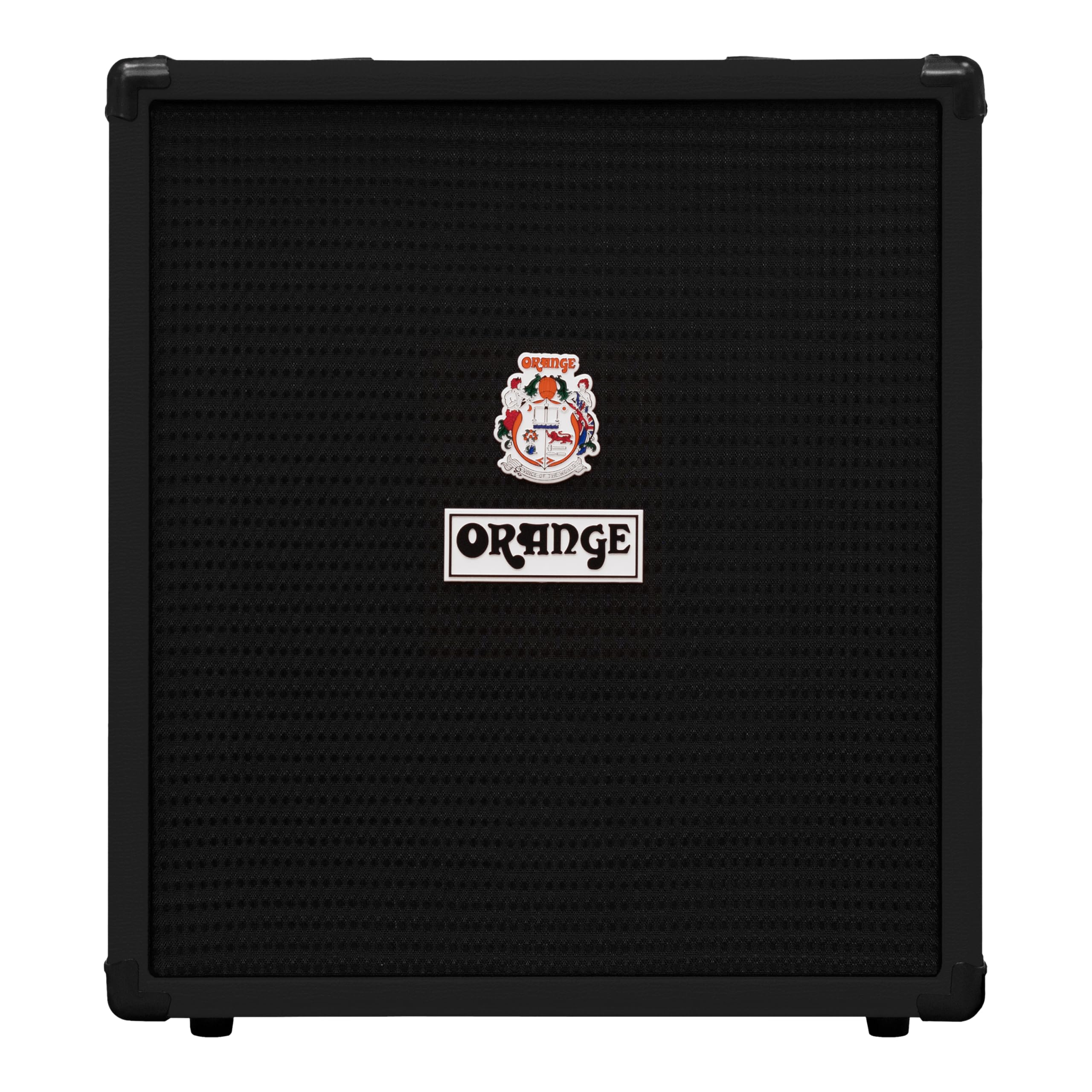
Figure 1: Orange Crush Bass 50W Bass Guitar Combo Amp.
2. Safety Instructions
- Power Supply: Ensure the amplifier is connected to a power source with the correct voltage as indicated on the unit. Always use the provided power cable.
- Ventilation: Do not block ventilation openings. Ensure adequate airflow around the amplifier to prevent overheating.
- Moisture: Keep the amplifier away from water or excessive moisture. Do not operate in damp conditions.
- Cleaning: Disconnect from power before cleaning. Use a dry cloth; avoid liquid cleaners.
- Servicing: Refer all servicing to qualified service personnel. Do not attempt to open or repair the unit yourself.
- Placement: Place the amplifier on a stable, level surface. Avoid placing heavy objects on top of the unit.
3. What's in the Box
- Orange Crush Bass 50 50W Bass Guitar Amplifier and Speaker (Black)
- Power Cable
- Orange 1 Year Limited Warranty Information
4. Controls and Features
4.1 Front Panel Overview
The front panel provides access to all primary controls for shaping your bass tone and connecting your instrument and accessories.

Figure 2: Front Panel Controls of the Orange Crush Bass 50.
- Input: Connect your bass guitar here.
- PAD Switch: Engages a -6dB pad for instruments with high output, preventing input clipping.
- Gain: Controls the amount of pre-amp gain. Higher settings introduce more overdrive and harmonic content.
- Blend: Mixes the clean bass signal with the gained signal, allowing for bi-amped style tones.
- Bass: Adjusts the low-frequency response.
- Freq (Frequency Control): Selects the center frequency for the Middle EQ band.
- Middle: Boosts or cuts the mid-range frequencies at the selected Freq point.
- Treble: Adjusts the high-frequency response.
- Volume: Controls the overall output volume of the amplifier.
- AUX Input: Connect external audio devices (e.g., MP3 player, phone) for practice.
- Headphone Output: Connect headphones for silent practice. Features Cabsim circuitry for a simulated cabinet sound.
- Tuner: Integrated chromatic tuner for accurate instrument tuning.
4.2 Rear Panel Connections
The rear panel provides connections for external effects and direct output.

Figure 3: Rear Panel Connections of the Orange Crush Bass 50.
- Power Input: Connect the supplied power cable here.
- Power Switch: Turns the amplifier on or off.
- Effects Loop (Send/Return): Allows connection of external effects pedals. The buffered loop ensures signal integrity.
- Blend Footswitch Input: Connect an optional footswitch to remotely engage/disengage the Blend function.
- Balanced D.I. Output (XLR): Provides a balanced output for connecting to a mixing console or audio interface (Note: This feature is typically found on the Crush Bass 100 model, not the Crush Bass 50).
4.3 Visual Demonstration of Features
The following video demonstrates some of the key features and tonal capabilities of the Orange Crush Bass series. While the video features the Crush Bass 25, many of the control functions and sound characteristics are similar to the Crush Bass 50.
Video 1: Overview of Orange Crush Bass Amplifier Features (demonstrated with Crush Bass 25).
5. Setup
- Unpacking: Carefully remove the amplifier from its packaging. Retain all packaging materials for future transport or storage.
- Placement: Place the amplifier on a stable, flat surface. Ensure there is adequate space for ventilation around the unit.
- Power Connection: Connect the supplied power cable to the amplifier's power input and then to a suitable electrical outlet. Ensure the power switch is in the OFF position before connecting.
- Instrument Connection: Plug your bass guitar into the "Input" jack on the front panel using a standard instrument cable.
- Initial Settings: Before powering on, set all EQ knobs (Bass, Middle, Treble) to the 12 o'clock position. Set the Gain and Volume knobs to their minimum (fully counter-clockwise) positions.
6. Operating Instructions
- Power On: Flip the power switch to the ON position. The power indicator light will illuminate.
- Adjusting Volume: Slowly increase the "Volume" knob to your desired listening level.
- Tonal Shaping with EQ:
- Bass: Adjust for low-end presence and depth.
- Middle & Freq: Use the "Freq" knob to select the specific mid-range frequency you wish to adjust, then use the "Middle" knob to boost or cut that frequency. This allows for precise tonal sculpting.
- Treble: Adjust for high-end clarity and brightness.
- Gain and Blend Controls:
- Gain: Increase the "Gain" knob to add overdrive and harmonic richness to your sound.
- Blend: The "Blend" knob mixes your clean signal with the gained signal. Turn it clockwise to introduce more of the overdriven tone, while retaining the clarity and punch of your clean bass.
- PAD Switch: If your bass has a very high output and causes distortion even at low Gain settings, engage the "PAD" switch to reduce the input signal level.
- Using the Tuner: Press the "Tuner" button to activate the integrated chromatic tuner. Play each string individually; the LEDs will indicate if the note is flat, sharp, or in tune. The "OK" LED will light up when the note is in tune.
- Auxiliary Input: Connect an external audio source (e.g., smartphone, tablet) to the "AUX In" jack using a 3.5mm stereo cable. The volume of the auxiliary input is controlled by the external device.
- Headphone Output: For silent practice, plug headphones into the "Phones" jack. This will mute the amplifier's speaker. The headphone output includes Cabsim circuitry for a realistic cabinet emulation.
- Effects Loop: To use external effects, connect the "Send" jack to the input of your effects pedal and the output of your effects pedal to the "Return" jack.
- Power Off: When finished, turn the "Volume" knob down, then flip the power switch to the OFF position.
7. Maintenance
- Cleaning: Use a soft, dry cloth to clean the exterior of the amplifier. Avoid abrasive cleaners or solvents.
- Storage: Store the amplifier in a dry, temperature-controlled environment. If storing for extended periods, cover the unit to protect it from dust.
- Transportation: When transporting the amplifier, ensure it is securely packed to prevent damage from impacts.
8. Troubleshooting
- No Sound:
- Check if the amplifier is powered on and the power indicator light is illuminated.
- Ensure the instrument cable is securely connected to both the bass and the amplifier's input.
- Verify that the "Volume" knob is not set to minimum.
- If headphones are plugged in, unplug them to enable the speaker output.
- Test with a different instrument cable or bass guitar to rule out faulty equipment.
- Distorted Sound:
- Reduce the "Gain" knob setting.
- Engage the "PAD" switch if your instrument has a high output.
- Check for damaged cables or connections.
- Tuner Not Responding:
- Ensure the "Tuner" button is pressed and its indicator light is on.
- Play notes clearly and individually.
9. Specifications
| Feature | Specification |
|---|---|
| Output Wattage | 50 Watts |
| Item Weight | 35.5 pounds |
| Product Dimensions | 22 x 14 x 21 inches |
| Model Number | CRUSHBA50 BLK |
| Material Type | Wood |
| Compatible Devices | Guitar (Bass Guitar) |
| Connector Type | 3.5mm Jack or 6.35mm Jack |
| Power Source | Corded Electric |
| EQ | Active 3 Band EQ with Parametric Mid Control |
| Additional Features | Bi-Amp Inspired Blend & Gain Controls (Footswitchable), Buffered Effects Loop, Chromatic Tuner, Cabsim-Loaded Headphone Output & Aux In |
10. Warranty and Support
The Orange Crush Bass 50W Bass Guitar Combo Amp comes with a 1 Year Limited Warranty from Orange. For warranty claims, technical support, or service inquiries, please contact Orange customer support directly or refer to their official website for detailed contact information.
Always ensure you have your product model number (CRUSHBA50) and proof of purchase available when contacting support.