
1. Introduction
This manual provides detailed instructions for the safe and efficient use of your JACKYLED Power Strip Tower Surge Protector, Model JK146-MS6+4. This device is designed to provide multiple AC outlets and USB charging ports with surge protection, suitable for various environments such as home, office, or dorm rooms.
2. Safety Information
Please read all safety instructions carefully before using the product. Failure to follow these instructions may result in electric shock, fire, or damage to the product.
- Indoor Use Only: This power strip is designed for indoor use in dry locations. Do not use it outdoors or in wet environments.
- Avoid Overloading: Do not exceed the maximum power rating of 3000W or 13A. Overloading can cause the surge protector to trip or lead to fire hazards.
- Surge Protection: The unit features 900 Joules of surge protection to safeguard connected devices from power surges.
- Fire Resistance: Constructed with UL94 V-0 fire-resistant material for enhanced safety.
- Keep Away from Children: Store the device out of reach of children.
- Proper Ventilation: Ensure adequate ventilation around the power strip. Do not cover it with cloth or other materials.
- Do Not Disassemble: Do not attempt to disassemble, repair, or modify the unit. Contact customer support for assistance.

Image: The JACKYLED Power Strip Tower features 900 Joules of surge protection.
3. Product Features
The JACKYLED Power Strip Tower is equipped with several features designed for convenience and safety:
- Multiple Outlets: Features 6 AC outlets and 4 USB ports (5V/2.1A Max/Port) for charging up to 10 devices simultaneously.
- Spacious Design: 2.5-inch wide spacing between AC outlets accommodates larger power adapters without blocking adjacent ports.
- Independent Switches: Two On/Off switches allow you to control power to different sections of the tower, conserving energy when not in use. Each switch has an LED indicator.
- Retractable Cord: A 6.5-foot (13A/16 AWG) pure copper extension cord can be retracted by rotating the top handle, allowing for adjustable cord length and neat storage.
- Compact Vertical Design: The tower shape occupies minimal desk space compared to traditional power strips.
- Overload Protection: An overload protector button automatically trips to protect devices from overcurrent or short circuits.
- Worldwide Voltage Support: Designed to support 110V-240V, making it suitable for international travel (with appropriate plug adapters).
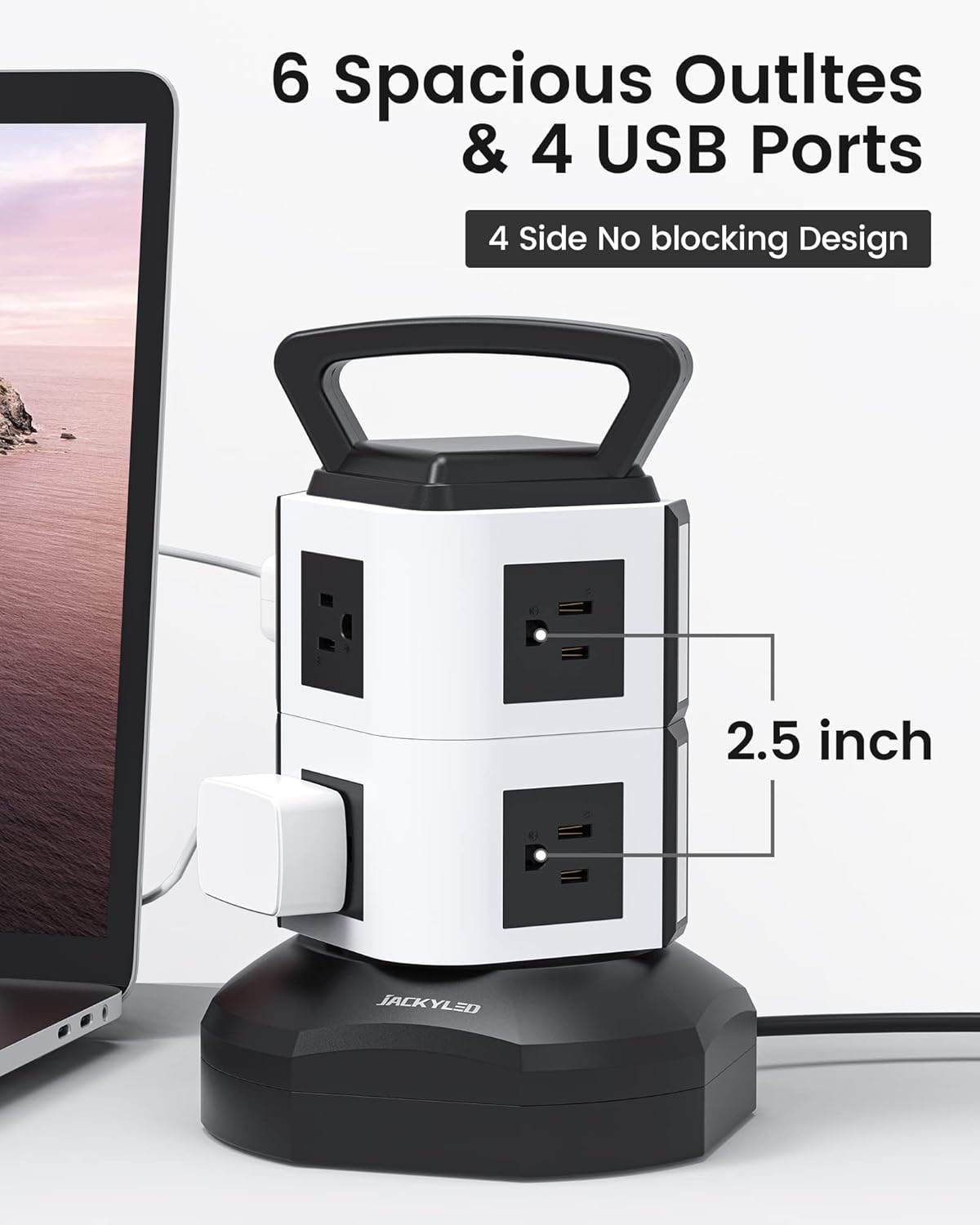
Image: The power strip tower offers 6 AC outlets and 4 USB ports.
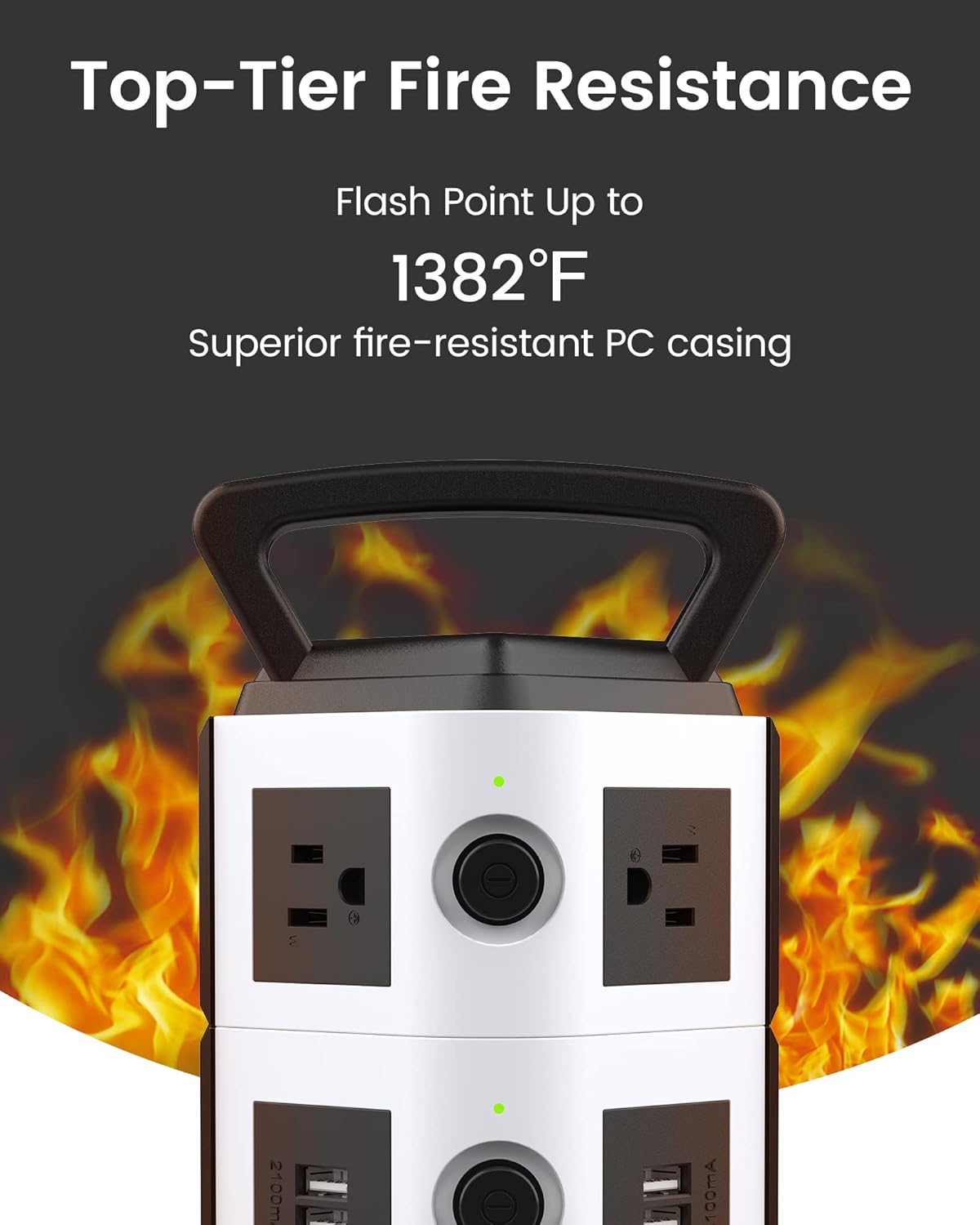
Image: Independent switches with LED indicators for energy saving.

Image: The retractable cord feature allows for adjustable length and neat storage.

Image: The compact vertical design saves desk space.
4. Setup Instructions
Follow these steps to set up your power strip tower:
- Unpack: Carefully remove the power strip from its packaging.
- Placement: Place the power strip tower on a stable, flat, and dry surface, away from heat sources or direct sunlight.
- Extend Cord: Gently rotate the top handle of the tower to extend the 6.5ft power cord to your desired length. Ensure the cord is not kinked or obstructed.
- Plug In: Insert the power strip's plug into a grounded wall outlet.
Video: Demonstrates the features and setup of the JACKYLED Desktop Power Strip Tower Surge Protector.
5. Operating Instructions
Using your JACKYLED Power Strip Tower is straightforward:
- Connecting Devices: Plug your AC-powered devices into the 6 AC outlets. The wide spacing allows for various plug sizes.
- USB Charging: Connect your USB-powered devices (e.g., smartphones, tablets, MP3 players) to the 4 USB ports. Each port provides up to 5V/2.1A. Note: USB charging may not work if the total current exceeds 2.1A per port.
- Using Independent Switches: Press the On/Off switch for the desired section (top or bottom) to activate or deactivate the outlets and USB ports on that level. The LED indicator will illuminate when power is on.
- Retracting Cord: To shorten the cord, gently rotate the top handle in the opposite direction until the cord is stored to your preferred length.
6. Maintenance
To ensure the longevity and optimal performance of your power strip tower:
- Cleaning: Disconnect the power strip from the wall outlet before cleaning. Use a dry, soft cloth to wipe the exterior. Do not use liquid cleaners or abrasive materials.
- Inspection: Periodically inspect the power cord and the unit for any signs of damage, such as frayed wires or cracks. If damage is found, discontinue use and contact customer support.
- Storage: When not in use for extended periods, retract the cord fully and store the unit in a cool, dry place.
7. Troubleshooting
If you encounter issues with your power strip tower, refer to the following common problems and solutions:
- No Power to Outlets/USB Ports:
- Ensure the power strip is securely plugged into a working wall outlet.
- Check if the independent On/Off switch for the affected section is pressed to the 'On' position (LED indicator should be lit).
- The overload protector may have tripped. See the next point.
- Overload Protector Tripped (No Power, Red Button Popped Out):
- The power strip has detected an overload or short circuit. Unplug all devices from the power strip.
- Press the red reset button located on the bottom of the unit to restore power.
- Reconnect devices one by one to identify the faulty device or to ensure the total load does not exceed 3000W/13A.
- USB Devices Not Charging:
- Verify that the USB cable is properly connected to both the device and the power strip.
- Ensure the power strip is receiving power and the relevant section's switch is on.
- The total current draw from the USB ports may exceed 2.1A. Try charging fewer devices or one high-power device at a time.

Image: The red reset button for the overload protector is located at the base of the unit.
8. Specifications
| Model Number | JK146-MS6+4 |
| Brand | JACKYLED |
| Color | White and Black |
| AC Outlets | 6 |
| USB Ports | 4 (5V/2.1A Max/Port) |
| Maximum Current | 13 Amps |
| Maximum Power | 3000 Watts |
| Voltage | 110V-240V (Worldwide Support) |
| Surge Protection Rating | 900 Joules |
| Cord Length | 6.5 feet (Retractable) |
| Cord Gauge | 16 AWG Pure Copper |
| Enclosure Material | UL94 V-0 Fire-Resistant Plastic |
| Item Weight | 860 Grams |
| Dimensions (Approx.) | 8.9in (Height) x 5.67in (Base Width) |
9. Warranty and Support
This JACKYLED Power Strip Tower Surge Protector (Model JK146-MS6+4) comes with a 1-year warranty from the date of purchase.
For technical support, warranty claims, or any questions regarding your product, please contact JACKYLED customer service through the retailer where the product was purchased or visit the official JACKYLED website for contact information.