
Introduction
Thank you for choosing the LogiLink PA0132 Universal Solar Power Bank. This device is designed to provide portable power for your electronic devices, featuring a built-in 5000 mAh battery and solar charging capabilities. Please read this manual carefully before using the product to ensure proper operation and longevity.
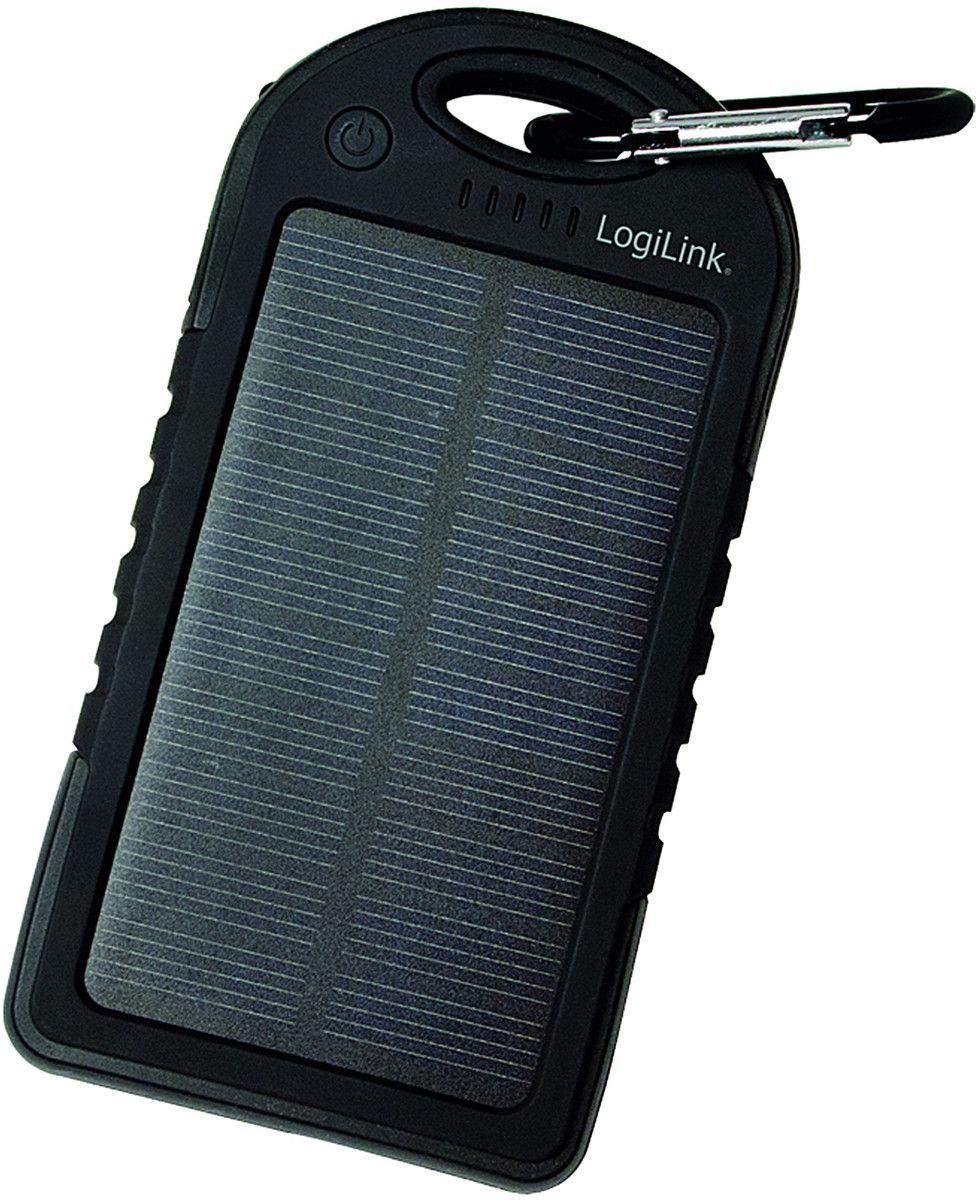
Image: LogiLink PA0132 Universal Solar Power Bank, black, showing its front with solar panel and ports.
Safety Instructions
- Do not expose the power bank to extreme temperatures (above 45°C or below -10°C).
- Avoid dropping or subjecting the device to strong impacts.
- Do not disassemble, repair, or modify the power bank yourself. Contact qualified service personnel.
- Keep away from water and high humidity. Although splash-resistant, it is not waterproof.
- Do not use the power bank if it is damaged or swollen.
- Keep out of reach of children.
Package Contents
- 1 x LogiLink PA0132 Solar Power Bank
- 1 x USB Charging Cable (for charging the power bank)
- 1 x User Manual
Product Overview
The LogiLink PA0132 features a robust design suitable for outdoor use. It includes a solar panel for emergency charging and multiple ports for connecting devices.
- Solar Panel: For supplementary charging under direct sunlight.
- USB Output Ports (x2): To charge your electronic devices.
- Micro USB Input Port: To charge the power bank via a wall adapter or computer.
- LED Indicators (x5): To display battery charge status and charging activity.
- Power Button: To check battery status or initiate charging.
Setup
Initial Charging of the Power Bank
Before first use, fully charge the power bank using the included USB cable and a wall adapter (not included) or a computer USB port. Solar charging is primarily for emergency use and is significantly slower than wall charging.
- Connect the micro USB end of the charging cable to the power bank's input port.
- Connect the standard USB end to a USB wall charger or a computer's USB port.
- The LED indicators will light up, showing the charging progress. When all 5 LEDs are solid, the power bank is fully charged.
Solar Charging
Place the power bank with the solar panel facing direct sunlight. The LED indicators will show charging activity. Note that solar charging is slow and intended for emergency power replenishment, not as a primary charging method.
Operating
Charging External Devices
The LogiLink PA0132 can charge two devices simultaneously.
- Connect your device's charging cable to one of the USB output ports on the power bank.
- Connect the other end of the cable to your device.
- The power bank should automatically begin charging your device. If not, press the power button once to initiate charging.
- The LED indicators will show the remaining battery level of the power bank.
- Disconnect your device once it is fully charged.
Checking Battery Status
Press the power button once to check the remaining battery capacity. The 5 LED indicators will light up to show the charge level:
- 1 LED: 0-20% charge
- 2 LEDs: 20-40% charge
- 3 LEDs: 40-60% charge
- 4 LEDs: 60-80% charge
- 5 LEDs: 80-100% charge
Maintenance
- Clean the power bank with a soft, dry cloth. Do not use harsh chemicals or abrasive cleaners.
- Store the power bank in a cool, dry place away from direct sunlight when not in use.
- For optimal battery life, fully charge the power bank at least once every three months if not used regularly.
Troubleshooting
- Problem: Power bank is not charging.
-
- Ensure the charging cable is securely connected to both the power bank and the power source.
- Try a different USB cable or wall adapter.
- If using solar charging, ensure the solar panel is exposed to direct, strong sunlight. Note that solar charging is very slow.
- Problem: Device is not charging from the power bank.
-
- Ensure the power bank has sufficient charge (check LED indicators).
- Press the power button on the power bank to activate charging.
- Try a different USB output port on the power bank.
- Try a different charging cable for your device.
- Ensure your device is compatible with 5V USB charging.
- Problem: Solar charging seems ineffective.
-
- Solar charging is a supplementary feature and is significantly slower than wall charging. It is designed for emergency use.
- Ensure the solar panel is clean and directly exposed to strong sunlight without obstructions.
Specifications
| Feature | Specification |
|---|---|
| Model | PA0132 |
| Brand | LogiLink |
| Battery Type | Lithium Polymer (LiPo) |
| Battery Capacity | 5000 mAh (3.7 V, 18.5 Wh) |
| Power Source | Solar powered, USB input |
| Input Voltage | 5 V |
| Output Ports | 2 x USB |
| Compatible Devices | Universal (smartphones, tablets, GPS, cameras, etc.) |
| Dimensions (L x W x H) | 14.5 x 7.5 x 1.5 cm |
| Weight | 190 g |
| Features | Splash-proof, shock-resistant, 5 LED status indicators |
Warranty and Support
For warranty information and technical support, please refer to the documentation provided with your purchase or contact your retailer. LogiLink products typically come with a manufacturer's warranty against defects in materials and workmanship.
You may also visit the official LogiLink website for further assistance or to find contact information for customer support.


