
Introduction
Thank you for choosing the XIAOKOA 2.4G Wireless Microphone Headset. This manual provides detailed instructions for setting up, operating, and maintaining your wireless microphone system to ensure optimal performance. This system is designed for use with PA equipment that has a MIC input jack, such as voice amplifiers, large power speakers, portable PA systems, mixers, and karaoke microphone speaker systems.
Package Contents
Please verify that all items listed below are included in your package:
- 1 x Wireless Microphone Transmitter (Headset)
- 1 x Wireless Receiver
- 1 x Dual Micro USB Charging Cable
- 1 x 3.5mm to 6.35mm Adapter
- 1 x User Manual

Product Overview
The XIAOKOA 2.4G Wireless Microphone system consists of a headset transmitter and a compact receiver. The headset features a flexible boom microphone for optimal voice pickup, while the receiver plugs directly into your audio equipment.


Setup Instructions
1. Charging the Devices
Before first use, fully charge both the wireless transmitter (headset) and the receiver. Use the provided dual Micro USB cable to charge both units simultaneously. A full charge typically takes about 2-3 hours and provides over 6 hours of working time.

2. Connecting to Audio Equipment
The receiver is compatible with PA equipment that has a MIC input jack. It supports both 3.5mm and 6.35mm input jacks. Use the included 3.5mm to 6.35mm adapter if your equipment requires a 6.35mm connection.
Important Note:
- This microphone system does not support mobile phones, Macbooks, or computers.
- It does not support Aux or digital audio systems.
- It does not have Bluetooth capability.
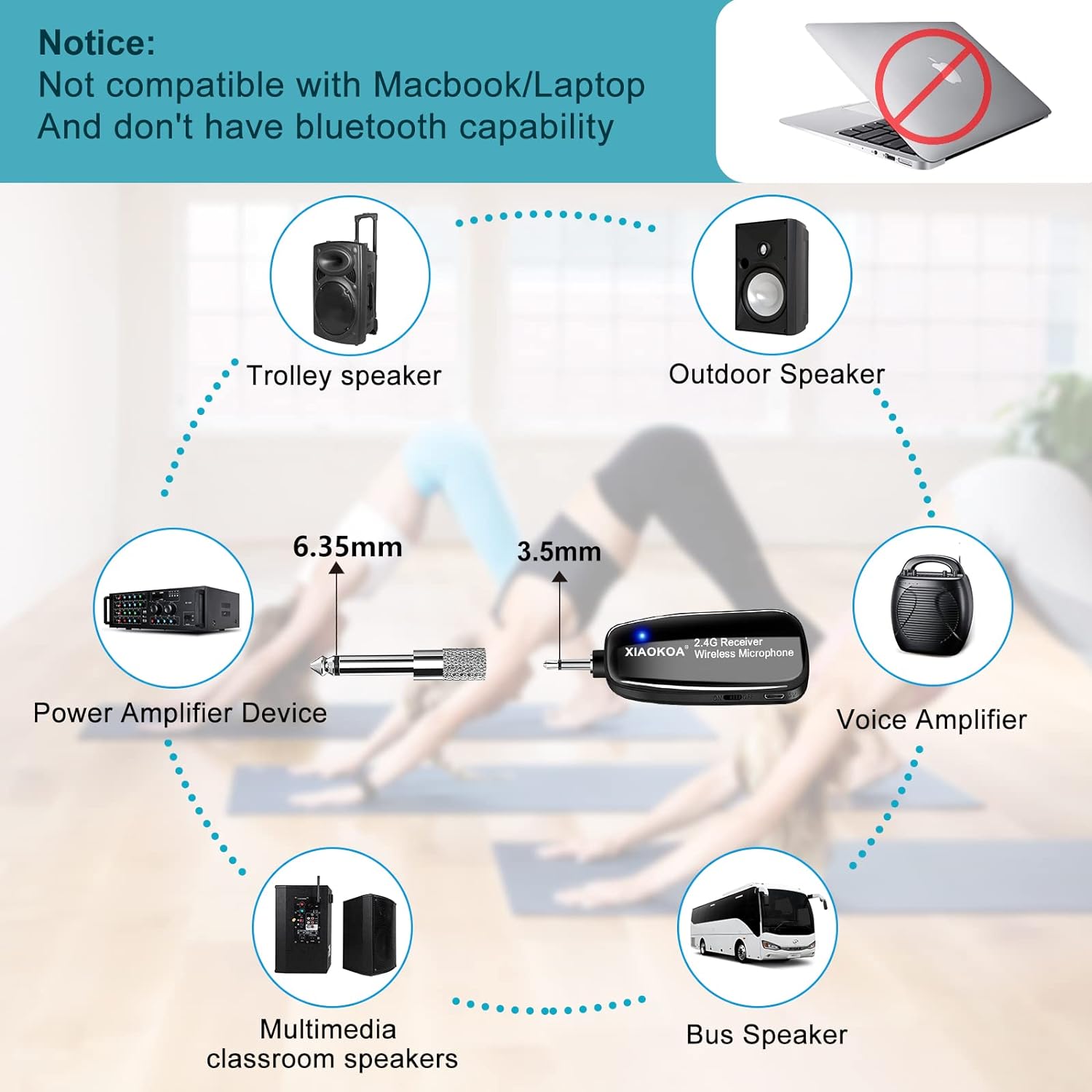
3. Pairing the Receiver and Transmitter (Plug & Play)
The receiver and transmitter are designed for easy pairing:
- Turn on the receiver and short press its signal button.
- Power on the wireless microphone (transmitter) and long press its signal button.
- The devices will connect automatically. A blue indicator light on both units confirms a successful connection.
Operating Instructions
Using the Microphone
Once paired, the microphone is ready for use. The headset design allows for hands-free operation, ideal for presentations, teaching, fitness instruction, and more. The microphone can also be used as a handheld device by detaching it from the headset frame.

Transmission Range
The 2.4G wireless technology provides a stable transmission distance of up to 165 feet (50 meters) in an open area, allowing for freedom of movement during your activities.

Maintenance
Cleaning
Wipe the microphone and receiver with a soft, dry cloth. Avoid using harsh chemicals or abrasive materials. Ensure the microphone foam cover is clean and free of debris for optimal sound quality.
Battery Care
To prolong battery life, avoid completely draining the battery frequently. Recharge the devices when the low battery indicator appears. Store the devices in a cool, dry place when not in use for extended periods.
Storage
When not in use, store the microphone system in a protective case or a clean, dry environment to prevent damage from dust, moisture, or physical impact.
Troubleshooting
| Problem | Possible Cause | Solution |
|---|---|---|
| No Sound / Low Volume | Microphone or receiver not powered on; low battery; incorrect connection; volume too low on PA system. | Ensure both units are powered on and charged. Check all cable connections. Increase volume on your PA system. |
| Intermittent Connection / Static | Out of range; interference; loose connection. | Move closer to the receiver. Avoid obstacles. Ensure the receiver is securely plugged into the audio input. Re-pair the devices if necessary. |
| Echo or Feedback | Microphone too close to speaker; volume too high. | Move the microphone further from the speaker. Reduce the microphone volume on your PA system. |
| Cannot connect to computer/phone | Incompatible device. | This microphone system is designed for PA equipment with MIC input jacks only and is not compatible with mobile phones, Macbooks, or computers. |
Specifications
| Feature | Specification |
|---|---|
| Model Number | N-80 |
| Connectivity Technology | 2.4G Wireless |
| Microphone Form Factor | Headset |
| Audio Sensitivity | 106 dB |
| Signal-to-Noise Ratio | 65 dB |
| Frequency Response | 2400 MHz |
| Power Source | Battery Powered (1 Lithium Metal battery included) |
| Working Time | More than 6 hours (on a full charge) |
| Charging Time | Approx. 2-3 hours |
| Transmission Distance | Up to 165 feet (50 meters) |
| Material | Plastic |
| Item Weight | 4.6 ounces |
| Package Dimensions | 6.97 x 5.59 x 1.54 inches |
Warranty and Support
XIAOKOA products are designed for reliability and performance. For any issues or questions regarding your wireless microphone headset, please refer to the official product page or contact XIAOKOA customer support. Keep your purchase receipt for warranty claims.


