
Intex B01HMXBDGM
Intex 29001E PureSpa Type S1 Filter Cartridge Instruction Manual
Model: 29001E
Product Overview
The Intex 29001E PureSpa Type S1 Filter Cartridges are designed to maintain the cleanliness and freshness of your Intex PureSpa Jet Massage water. These cartridges are made from durable Dacron paper, ensuring effective filtration for your spa.

Image: Two Intex Type S1 filter cartridges, showing their pleated design and blue end caps.
Compatibility
These Type S1 filter cartridges are compatible with all Intex PureSpa models, including but not limited to:
- 28403E
- 28407E
- 28443E
- 28453E
- 28421E
- 28423E
- 28413E
- 28453E
Setup and Installation
Installing the Intex Type S1 filter cartridges is a straightforward process. Refer to your specific Intex PureSpa manual for detailed instructions on accessing the filter housing.
- Ensure your PureSpa system is turned off and unplugged from the power source before beginning installation.
- Locate and open the filter housing cover on your PureSpa unit.
- Remove any old or used filter cartridges.
- Insert the new Intex Type S1 filter cartridges into the designated slots within the filter housing. Ensure they are seated correctly.
- Close the filter housing cover securely.
- Plug in and restart your PureSpa system.
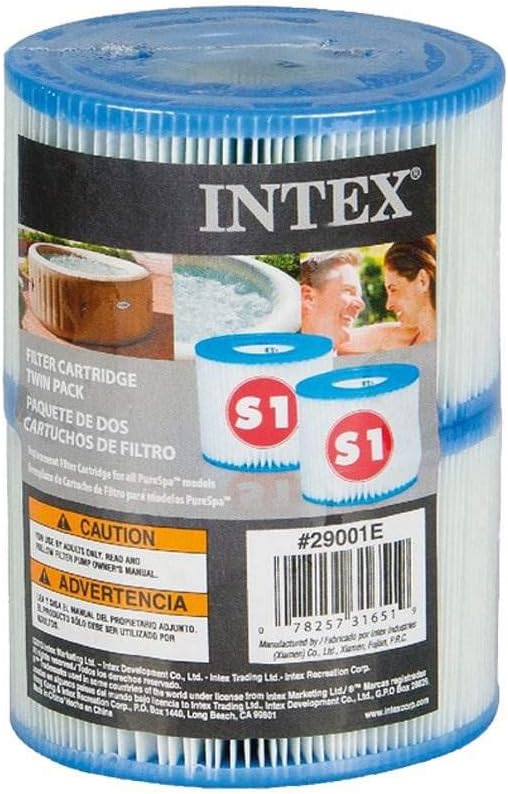
Image: Packaging for Intex Type S1 filter cartridges, showing product details and warnings.
Operating Instructions
Once installed, the filter cartridges will work automatically with your PureSpa system to filter the water. No specific operating steps are required for the cartridges themselves beyond proper installation.
Maintenance
Regular maintenance of your filter cartridges is crucial for optimal PureSpa performance and water quality.
- Weekly Cleaning: For maximum efficiency, clean the filter cartridges each week. Remove the cartridges from the housing and rinse them thoroughly with a garden hose to remove debris.
- Monthly Replacement: Replace the filter cartridges once a month or sooner, depending on usage and water conditions. Heavily used spas or those with more debris may require more frequent replacement.

Image: A close-up view of the top of an Intex Type S1 filter cartridge, showing the blue plastic cap and internal structure.
Troubleshooting
If your PureSpa water quality deteriorates or the system displays a filter-related error, consider the following:
- Reduced Water Flow: This often indicates a clogged filter. Remove and thoroughly clean the cartridges. If flow does not improve, replace them.
- Cloudy Water: Insufficient filtration can lead to cloudy water. Ensure cartridges are clean and replaced regularly. Check water chemistry.
- Error Codes: Refer to your Intex PureSpa main unit manual for specific error codes related to filtration.
Specifications
| Model Number | 29001E |
| Type | S1 |
| Material | Dacron |
| Filter Cartridge Dimensions (Diameter x Height) | 4.2 inches x 2.8 inches |
| Item Weight (per cartridge) | 7.1 ounces (approx. 200 grams) |
| Unit Count | 4.0 Count (in this package) |
| Manufacturer | Intex |

Image: An Intex Type S1 filter cartridge displaying its approximate dimensions: 2.8 inches in height and 4.2 inches in diameter.
Warranty Information
Warranty information for this product is not available in the provided data. Please refer to the product packaging or contact Intex customer support for details regarding warranty coverage.
Support
For further assistance or inquiries, please visit the official Intex website or consult your Intex PureSpa user manual. Contact information for Intex customer support can typically be found on their website or product packaging.
Related documentsB01HMXBDGM


Ask a question about this manual
Ask about setup, troubleshooting, compatibility, parts, safety, or missing instructions. Manuals+ will review the question and use this page’s manual context to help answer it.