
1. Introduction
The Benro SystemGo Plus Carbon Fiber Tripod (FGP18C) is a versatile and compact camera support system designed for photographers requiring flexibility and stability. This tripod features a unique 180-degree versatile center column, allowing for various shooting angles, including horizontal and inverted positions. It also includes a monopod conversion feature and quick leg lock systems for efficient setup and portability. Constructed from carbon fiber, it offers a balance of strength and lightweight design, making it suitable for both studio and outdoor use.

Figure 1.1: The Benro SystemGo Plus Carbon Fiber Tripod (FGP18C) in its standard upright configuration.
2. Safety Information
- Always ensure all locks are securely tightened before mounting equipment or leaving the tripod unattended.
- Do not exceed the maximum load capacity of 30 pounds (13.6 kg) to prevent damage to the tripod or attached equipment.
- Avoid placing the tripod on unstable or slippery surfaces without proper precautions (e.g., using spiked feet on soft ground).
- When adjusting the center column or legs, keep hands clear of moving parts to prevent pinching.
- Do not expose the tripod to extreme temperatures or corrosive substances.
- When carrying the tripod, ensure it is folded compactly and all components are secured.
- Be aware of your surroundings when operating the tripod, especially in crowded areas or near obstacles.
3. Package Contents
The Benro SystemGo Plus Carbon Fiber Tripod (FGP18C) package includes the following items:
- Benro SystemGo Plus Carbon Fiber Tripod with 180° center column
- Padded carrying case
- Spiked feet (for varied terrain)
- Adjustment tools
4. Product Features
- Versatile 180-Degree Center Column: Allows for vertical, horizontal, and inverted camera positioning without additional tools.
- Monopod Conversion: One of the tripod legs can be detached and combined with the center column to form a full-size monopod.
- Quick Leg Lock System: Twist locks provide improved stability, faster deployment, and enhanced dust resistance.
- Three-Position Leg Angle Settings: Independently adjustable leg angles for stability on uneven terrain and low-level shooting.
- Interchangeable Feet: Includes both rubber and stainless steel spiked feet for optimal grip on various surfaces.
- Center Column Weight Hook: Provides an attachment point for adding weight to increase stability.
- Carbon Fiber Construction: Lightweight yet durable material for enhanced portability and vibration reduction.
- Foldable Travel Design: Legs reverse-fold around the center column for a compact transport size.
5. Setup
5.1 Unfolding the Tripod
- Remove the tripod from its carrying case.
- Unlock the legs by rotating the leg locks.
- Extend the legs downwards and outwards.
- Reverse-fold the legs by swinging them 180 degrees until they are in the standard upright position.
- Extend each leg section to the desired height by twisting the leg locks counter-clockwise to loosen, extending the section, and then twisting clockwise to tighten.
- Adjust the leg angles by pressing the leg angle adjustment tabs at the top of each leg and setting them to one of the three available positions.
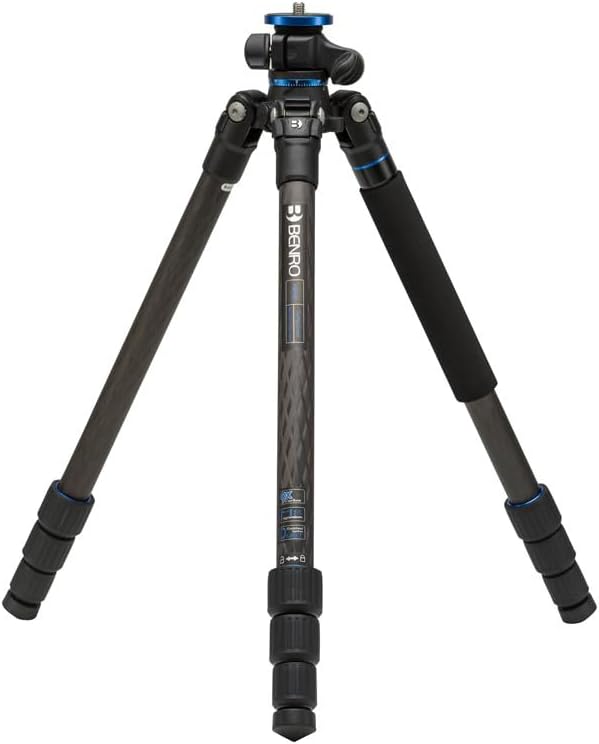
Figure 5.1: The tripod in its compact, folded state, ready for unfolding.
5.2 Attaching a Camera Head
The tripod features a standard 3/8"-16 mounting screw for attaching a camera head (not included). Ensure the head is securely tightened onto the center column platform.
5.3 Adjusting Feet for Terrain
The tripod comes with interchangeable rubber and spiked feet. For hard, smooth surfaces, use the rubber feet. For soft ground, sand, or ice, unscrew the rubber feet and replace them with the provided stainless steel spiked feet for enhanced stability.

Figure 5.2: The interchangeable rubber and spiked feet provide stability on various terrains.
6. Operating Instructions
6.1 Standard Tripod Operation
Once set up, ensure your camera and head are securely mounted. Use the leg locks and center column lock to maintain desired height and stability. The independent leg angles allow for precise leveling on uneven surfaces.
6.2 Monopod Conversion
- Identify the tripod leg with the foam grip.
- Unscrew this leg from the tripod chassis.
- Unscrew the center column from the tripod chassis.
- Attach the detached leg to the bottom of the center column. The camera head can remain attached to the top of the center column.
- Tighten all connections securely to form a stable monopod.

Figure 6.1: Detaching the leg with the foam grip for monopod conversion.

Figure 6.2: The detached leg, ready to be combined with the center column to form a monopod.
6.3 Using the 180-Degree Versatile Center Column
The center column can be quickly repositioned from vertical to horizontal, or even inverted, to achieve unique shooting perspectives, such as overhead shots, macro photography, or low-angle compositions.
- Loosen the center column locking knob.
- Pull the center column upwards until it clears the tripod chassis.
- Rotate the center column 90 degrees to the desired horizontal position.
- Reinsert the center column into the chassis and tighten the locking knob.
- The column can also be inverted for extremely low-angle or macro shots.
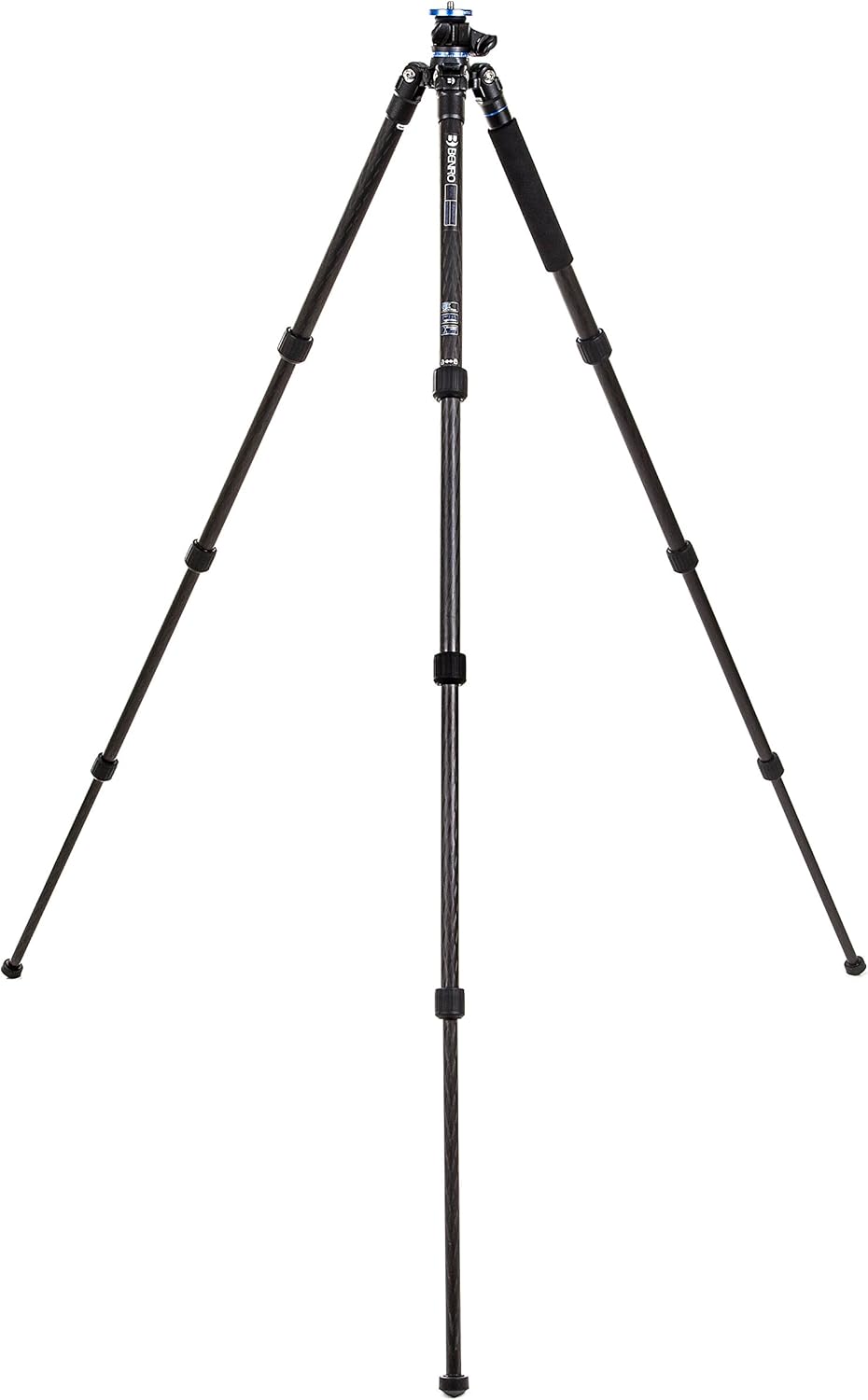
Figure 6.3: The center column extended horizontally, offering versatile camera positioning.

Figure 6.4: A camera mounted on the horizontal center column, ideal for overhead or macro shots.

Figure 6.5: Demonstrating the horizontal column's utility for precise product photography setups.
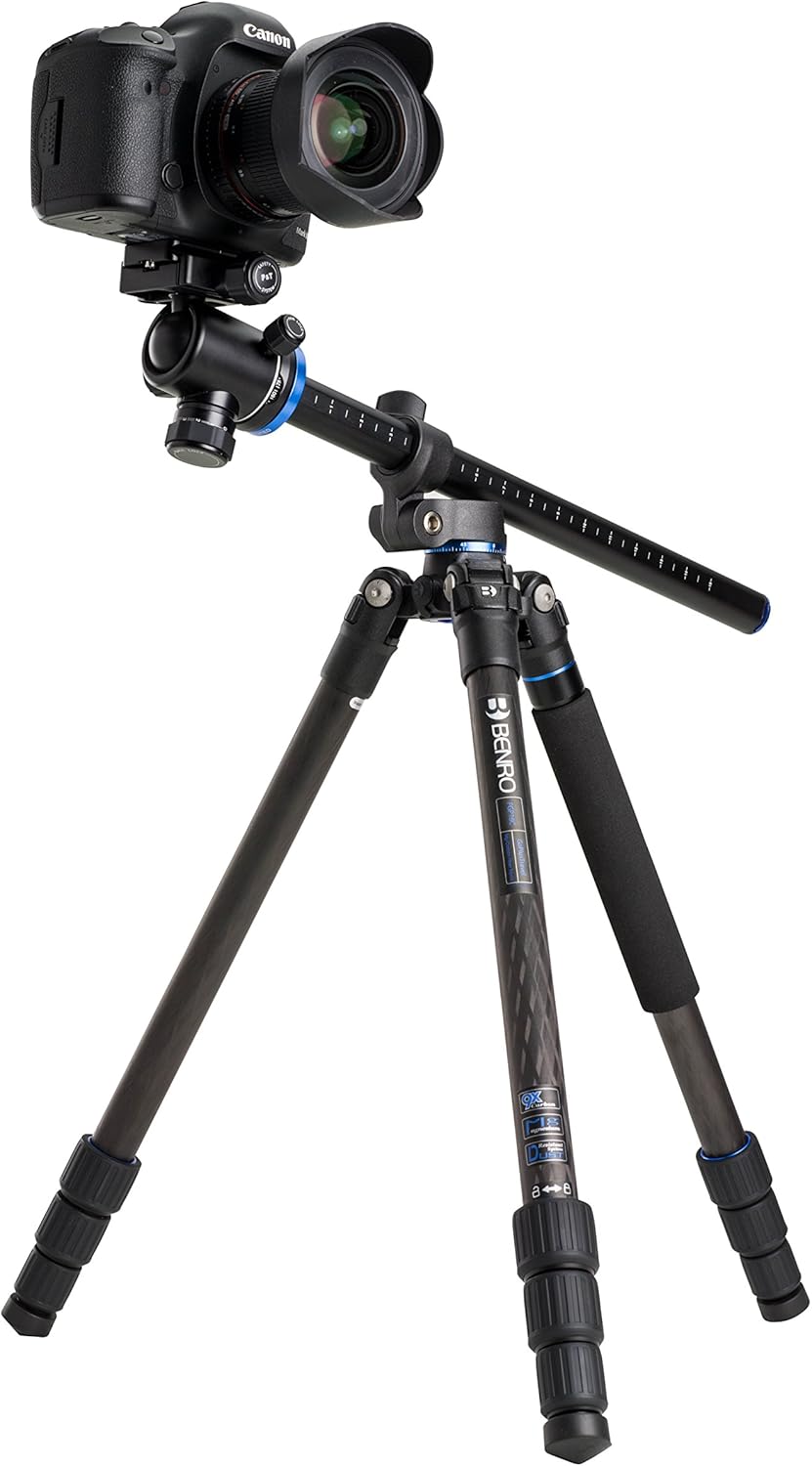
Figure 6.6: A broader view of the tripod with its horizontal column, showcasing its adaptability.
6.4 Using the Center Column Weight Hook
For increased stability, especially in windy conditions or when using heavy lenses, extend the weight hook from the bottom of the center column. Hang a counterweight (e.g., a camera bag filled with sand or rocks) from this hook.
6.5 Official Product Video
Video 6.1: An official video demonstrating the features and versatility of the Benro SystemGo Plus Carbon Fiber Tripod, including its monopod conversion and horizontal center column capabilities.
7. Maintenance
- Cleaning: After use, especially in dusty, sandy, or wet environments, wipe down the tripod with a soft, damp cloth. For stubborn dirt, use a mild soap solution. Ensure all parts are thoroughly dried before storage.
- Leg Locks: Periodically check the leg locks for smooth operation. If they become stiff, clean any accumulated debris and apply a small amount of silicone-based lubricant if necessary. Avoid oil-based lubricants.
- Joints and Screws: Inspect all joints and screws regularly for tightness. Use the provided tools to tighten any loose connections. Do not overtighten.
- Storage: Store the tripod in its padded carrying case in a dry, cool place away from direct sunlight and extreme temperatures.
- Avoid Disassembly: Do not attempt to disassemble complex parts of the tripod unless specifically instructed by Benro support, as this may void your warranty.
8. Troubleshooting
| Problem | Possible Cause | Solution |
|---|---|---|
| Tripod is unstable. | Legs not fully extended or locked; uneven terrain; excessive load; loose head. | Ensure all leg sections are extended and twist locks are tightened. Adjust leg angles for uneven ground. Verify camera head is secure. Consider adding weight to the center column hook. Do not exceed maximum load capacity. |
| Leg locks are stiff or difficult to operate. | Dirt, sand, or debris inside the lock mechanism. | Clean the leg locks thoroughly. If necessary, apply a small amount of silicone-based lubricant. |
| Center column rotation is not smooth. | Dirt or debris in the column mechanism; insufficient lubrication. | Clean the center column and its housing. Apply a small amount of silicone-based lubricant if needed. Ensure the locking knob is fully loosened before rotation. |
| Monopod feels wobbly after conversion. | Leg or center column not securely attached. | Double-check that the detached leg is fully screwed into the center column and that the camera head is securely mounted. |
9. Specifications
| Model Name | Benro SystemGo Plus Carbon Fiber Tripod with Monopod Conversion |
| Model Number | FGP18C |
| Material | Carbon Fiber, Aluminum |
| Item Weight | 2.93 pounds (1.33 kg) |
| Weight Limit | 30 pounds (13.6 kg) |
| Maximum Height | 62.2 inches (158 cm) |
| Folded Length | 18.11 inches (46 cm) |
| Tripod Head Type | Compatible with Ball Heads (head not included) |
| Special Features | Foldable, Portable, Monopod Conversion, 180-Degree Versatile Center Column |
10. Warranty & Support
Benro products are manufactured to high-quality standards and come with a limited warranty against defects in materials and workmanship. For specific warranty terms, registration, and support inquiries, please refer to the official Benro website or contact their customer service department. Keep your purchase receipt as proof of purchase for warranty claims.
Online Support: Visit the official Benro website for FAQs, product registration, and contact information.
Customer Service: Contact Benro customer service for technical assistance or warranty service.