
Etekcity EB4410B
Etekcity Digital Bathroom Scale User Manual
Model: EB4410B | Brand: Etekcity
Introduction
This manual provides instructions for the safe and effective use of your Etekcity Digital Bathroom Scale. This scale is designed to accurately measure body weight for individuals up to 440 lb (200 kg). Its extra-wide platform and large backlit LCD display ensure ease of use and readability.
Safety Information
- Always place the scale on a hard, flat surface. Using it on soft surfaces like carpet may affect accuracy.
- The scale's surface is made of tempered glass. Ensure the surface is dry before stepping on it to prevent slipping.
- Do not jump on the scale or use it for purposes other than weighing.
- Avoid exposing the scale to extreme temperatures or direct sunlight.
- Keep the scale away from water and moisture. Clean with a damp cloth; do not immerse in water.
- Do not attempt to disassemble or repair the scale yourself. This will void the warranty.
- Keep batteries out of reach of children.
Package Contents
- 1 x Etekcity Digital Bathroom Scale
- 4 x AAA Batteries (Pre-Installed)
- 1 x Quick Start Guide (QSG)
Specifications
| Feature | Detail |
|---|---|
| Weight Range | 11 - 440 lb / 5 - 200 kg |
| Resolution | 0.2 lb / 100g |
| Units | lb / kg |
| Platform Dimensions | 13.8” x 11.8” x 0.9” (355 x 305 mm) |
| LCD Display Size | 4” x 2” (100 x 51 mm) |
| Power Source | 4 x AAA batteries (included) |
| Material | 6mm Tempered Glass |
| Special Features | Auto-off, Auto-zero, Auto-calibration, Low battery & Overload indication, Backlit LCD |
Setup
- Unpack the Scale: Carefully remove the scale from its packaging. The 4 AAA batteries are pre-installed.
- Placement: Place the scale on a hard, flat, and stable surface. Avoid carpets or uneven flooring for accurate readings.
- Initial Calibration (Clear the Scale):
Step on the scale until the display lights up. Then, step off and wait for the display to show "0.0". This calibrates the scale for its current surface. Perform this step each time you move the scale.

Image: Etekcity Digital Bathroom Scale with a clear display showing a weight reading.
Operating Instructions
- Weighing Yourself:
Once the scale displays "0.0", step onto the center of the platform with bare, dry feet. Stand still until your weight is displayed and flashes a few times, indicating a stable reading.

Image: A person's feet on the scale, highlighting the large, easy-to-read LCD display.
- Unit Conversion:
The scale can display weight in pounds (lb) or kilograms (kg). To switch units, locate the unit button on the underside of the scale. Press it to toggle between lb and kg.
- High Accuracy Sensors:
The scale is equipped with 4 high-precision sensors to ensure consistent and accurate measurements. For best results, ensure your weight is evenly distributed on the platform.

Image: Diagram showing the four high-accuracy sensors on the scale's surface.
- Large Platform:
The 13.8 x 11.8 inch extra-large platform provides ample space for comfortable and stable weighing, suitable for various foot sizes.
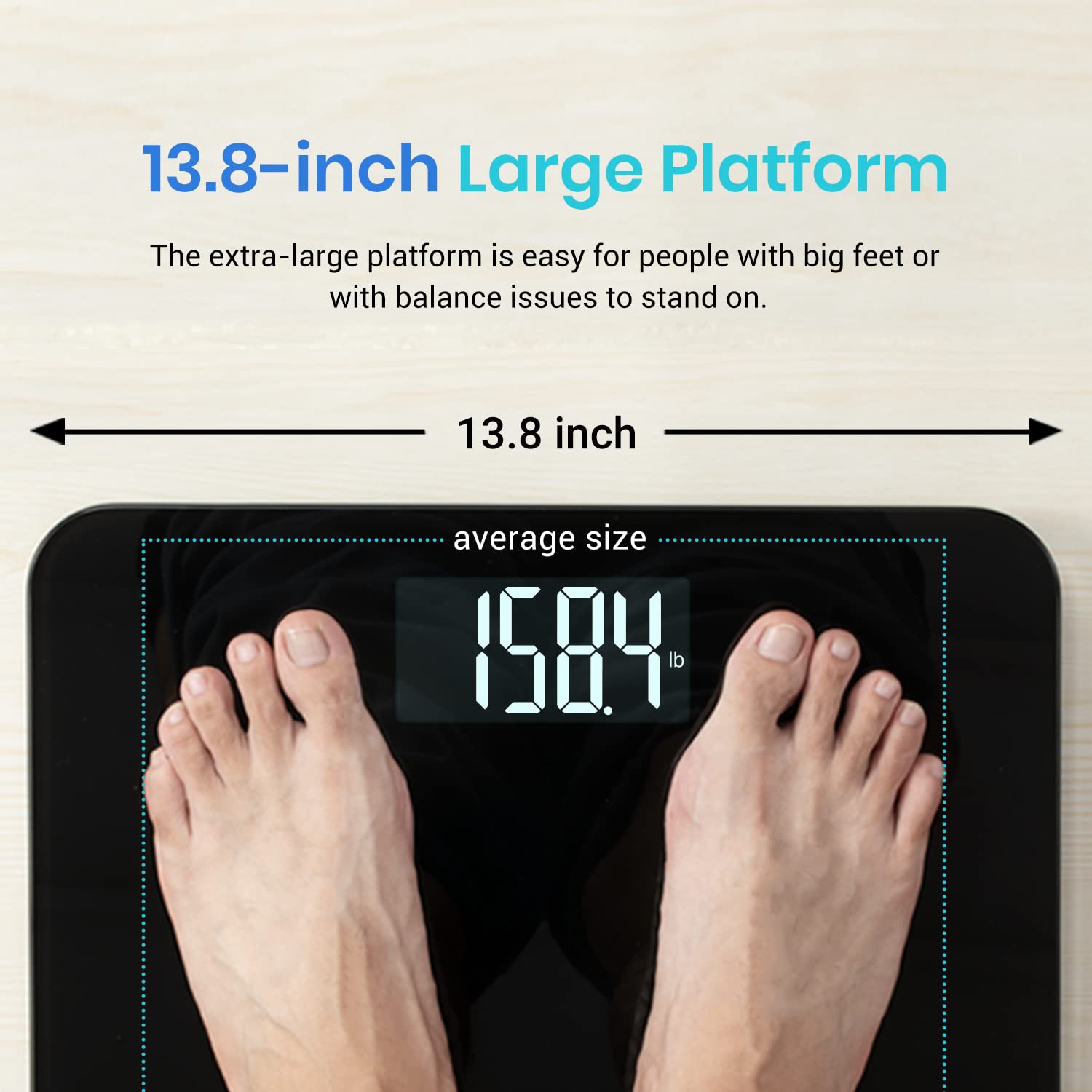
Image: Overhead view of the scale highlighting its 13.8-inch large platform.
- Maximum Weight Capacity:
The scale supports a maximum weight of 440 lb (200 kg) due to its durable 6mm tempered glass construction.

Image: A person standing on the scale, illustrating its robust 440 lb / 200 kg maximum weight capacity.
Maintenance
- Cleaning: Wipe the scale with a damp cloth and mild detergent if necessary. Avoid abrasive cleaners or harsh chemicals.
- Storage: Store the scale in a cool, dry place. Do not store it vertically or place heavy objects on it.
- Battery Replacement: If the display shows "Lo", it indicates low battery. Replace all 4 AAA batteries. Ensure correct polarity.
Troubleshooting
| Problem | Solution |
|---|---|
| "Lo" displayed | Low battery. Replace batteries. |
| "Err" displayed | Overload. The maximum weight capacity (440 lb / 200 kg) has been exceeded. Step off the scale immediately. |
| Inaccurate readings |
|
| Scale does not turn on | Check battery installation. Replace batteries if necessary. |
Warranty and Support
Etekcity provides a 1-year warranty for this product. For warranty claims, technical support, or any questions, please contact Etekcity customer service through their official website or the contact information provided in your Quick Start Guide.
Visit the official Etekcity Store for more information: Etekcity Store
Ask a question about this manual
Ask about setup, troubleshooting, compatibility, parts, safety, or missing instructions. Manuals+ will review the question and use this page’s manual context to help answer it.