
1. Introduction
This instruction manual provides essential information for the proper installation, operation, and maintenance of the Master-Bilt 19-00816 Timer Unit on Bracket. This unit is designed for use in commercial refrigeration systems, specifically as a freezer part, to control operational cycles. Adherence to these instructions will ensure optimal performance and longevity of the timer unit.
2. Product Overview
The Master-Bilt 19-00816 is a timer unit pre-mounted on a bracket, facilitating easier installation into compatible refrigeration systems. It features a mechanical timer dial for setting operational schedules and includes necessary electrical connections for integration.
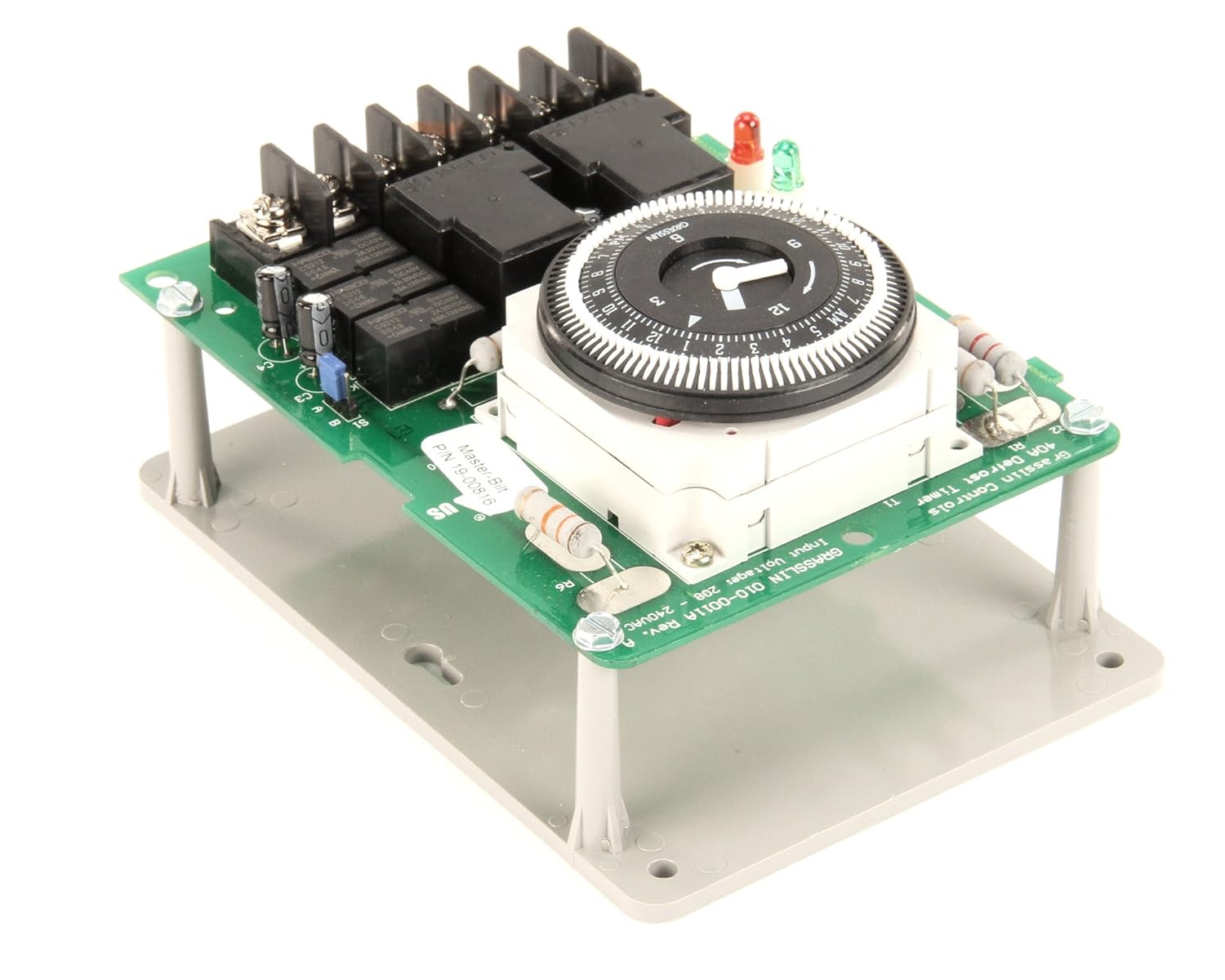
Figure 2.1: Overall view of the Master-Bilt 19-00816 Timer Unit on Bracket. This image displays the complete assembly, including the green circuit board, the central timer dial, relays, and the grey mounting bracket.

Figure 2.2: Side view of the timer unit, illustrating the various electrical components such as relays and capacitors mounted on the circuit board, along with some terminal connections.
3. Safety Information
- Professional Installation: Installation and servicing of this timer unit should only be performed by qualified and authorized personnel.
- Electrical Hazard: Ensure that the power supply to the refrigeration system is completely disconnected before attempting any installation, wiring, or maintenance procedures. Failure to do so can result in serious injury or death.
- Component Compatibility: Verify that this timer unit is compatible with your specific refrigeration system model before installation. Refer to your system's documentation.
- Environmental Conditions: Do not expose the timer unit to excessive moisture, extreme temperatures, or corrosive environments.
4. Setup and Installation
This section outlines the general steps for installing the timer unit. Specific wiring diagrams for your refrigeration system should be consulted.
- Power Disconnection: Turn off and lock out the main power supply to the refrigeration unit. Confirm power is off using a voltage tester.
- Mounting: Secure the timer unit's bracket to a stable surface within the refrigeration system's control panel using appropriate fasteners. Ensure the unit is mounted in an orientation that allows for easy access to the timer dial and wiring terminals.
- Wiring Connections:
- Identify the appropriate wiring terminals on the timer unit and the corresponding wires from the refrigeration system.
- Connect the power input, load output, and any control wires as per the refrigeration system's wiring diagram. Ensure all connections are secure and properly insulated.
- Refer to the labels on the circuit board (e.g., F, 3, 1, 2, 4, N) for terminal identification.

Figure 4.1: View of the timer unit highlighting the electrical terminal blocks. This image shows the screw terminals where system wiring connects to the timer unit for power and load control, with labels like F, 3, 1, 2, 4, N visible.
- Initial Power-Up: Once all connections are verified, restore power to the refrigeration system. Observe the timer unit for proper operation and any error indicators.
5. Operation
The Master-Bilt 19-00816 Timer Unit utilizes a mechanical dial for setting operational cycles, typically for defrost or other timed functions within a refrigeration system.
- Setting the Time of Day: Rotate the outer dial of the timer until the current time aligns with the indicator arrow or mark on the timer's stationary housing.
- Setting ON/OFF Cycles: The timer dial features small pins or segments around its circumference.
- To set an "ON" period, push the corresponding pins/segments inwards.
- To set an "OFF" period, leave the corresponding pins/segments outwards.
- Each segment typically represents a specific time interval (e.g., 15 minutes). Consult the timer's markings for precise intervals.
- Manual Override (if applicable): Some timers may include a manual override switch or lever. Refer to the timer unit itself for any such feature and its operation.
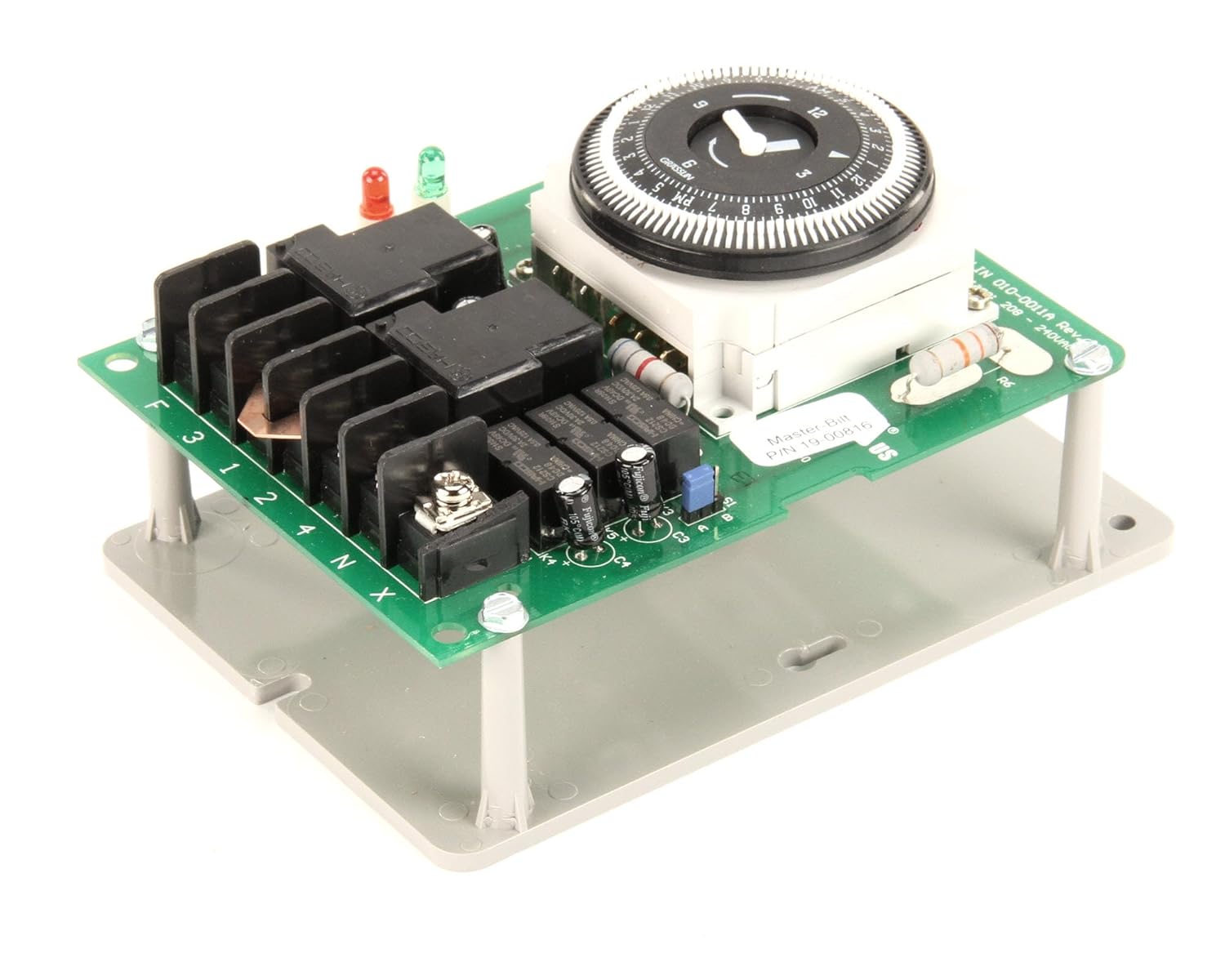
Figure 5.1: Detailed top-down view of the mechanical timer dial, showing the numbered segments and the central arrow indicator used for setting the time of day and programming ON/OFF cycles.
6. Maintenance
Regular maintenance ensures the reliable operation of your timer unit.
- Power Disconnection: Always disconnect power before performing any maintenance.
- Cleaning: Periodically inspect the unit for dust, dirt, or debris accumulation. Clean the exterior with a soft, dry cloth. Do not use liquid cleaners directly on the unit.
- Terminal Inspection: Annually, or as part of routine system maintenance, inspect all electrical connections for tightness and signs of corrosion. Re-tighten as necessary.
- Visual Inspection: Check for any visible damage to the circuit board, relays, or wiring. Replace the unit if significant damage is observed.
7. Troubleshooting
This section provides guidance for common issues. For complex problems, contact a qualified technician.
| Problem | Possible Cause | Solution |
|---|---|---|
| Timer unit not operating (no movement, no output). | No power supply; incorrect wiring; faulty unit. |
|
| Load (e.g., defrost heater) not turning ON/OFF as scheduled. | Incorrect timer settings; faulty relay; load issue. |
|
| Timer dial not advancing. | No power to the timer motor; mechanical obstruction; faulty motor. |
|
8. Specifications
| Model Number | MB19-00816 |
| Brand | Master-Bilt |
| Product Dimensions | 7"D x 9"W x 7"H (approximate, based on package dimensions and product description) |
| Item Weight | 1.01 Pounds (0.46 kg) |
| Country of Origin | United States |
| UPC | 046843109531, 220215087423 |
9. Warranty and Support
Specific warranty information for the Master-Bilt 19-00816 Timer Unit on Bracket is not provided in the product details. Please refer to the original purchase documentation or contact Master-Bilt customer service for warranty details and technical support.
For further assistance, please visit the official Master-Bilt website or consult your authorized Master-Bilt dealer.