1. Introduction
This document serves as the official instruction manual for the ONKYO AV Receiver, model TX-SA578 (S). This 7.1 channel AV receiver is designed to deliver a powerful and immersive audio experience with a maximum output of 160W per channel across seven channels. Please read this manual thoroughly before operating the unit to ensure proper use, optimal performance, and safety.
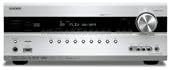
This image shows the front panel of the Onkyo TX-SA578 AV Receiver, featuring the display, control knobs, and input jacks.
2. Safety Information
To ensure safe operation and prevent damage, please observe the following precautions:
- Power Supply: Connect the unit only to an AC outlet of the voltage specified on the rear panel.
- Ventilation: Ensure adequate ventilation. Do not block ventilation openings or place the unit on soft surfaces that may block them.
- Water and Moisture: Do not expose the unit to rain or moisture. Do not place objects filled with liquids, such as vases, on the unit.
- Heat: Keep the unit away from heat sources such as radiators, heat registers, stoves, or other apparatus (including amplifiers) that produce heat.
- Cleaning: Unplug the unit from the wall outlet before cleaning. Use a dry cloth only.
- Servicing: Do not attempt to service this product yourself. Refer all servicing to qualified service personnel.
3. Package Contents
Please check that all the following items are included in the package:
- ONKYO TX-SA578 AV Receiver
- Remote Control Unit
- Batteries for Remote Control (AA/R6)
- FM Indoor Antenna
- AM Loop Antenna
- Power Cord
- Speaker Setup Microphone
- Instruction Manual (this document)
4. Setup
4.1 Connecting Speakers
The TX-SA578 supports a 7.1 channel speaker configuration. Connect your speakers to the corresponding terminals on the rear panel. Ensure correct polarity (+ to + and - to -) for all speakers to avoid phase issues and ensure optimal sound quality.
- Front Speakers (L/R): For main stereo sound.
- Center Speaker: For dialogue and central sound effects.
- Surround Speakers (L/R): For ambient and surround effects.
- Surround Back Speakers (L/R): For enhanced rear soundstage in 7.1 setups.
- Subwoofer: Connect to the PRE OUT SUBWOOFER jack for low-frequency effects.
4.2 Connecting Audio/Video Devices
Connect your audio and video sources (e.g., Blu-ray player, game console, cable box) to the appropriate input jacks on the receiver. Use HDMI cables for high-definition audio and video, or optical/coaxial digital cables for digital audio, and RCA cables for analog audio/video.

This image displays the rear panel of the Onkyo TX-SA578 AV Receiver, highlighting the various input and output terminals for speakers, HDMI, and other audio/video devices.
4.3 Initial Setup
- Power On: Connect the power cord and press the POWER button on the front panel or remote control.
- Speaker Calibration: Use the included setup microphone and the receiver's on-screen display (OSD) menu to perform automatic speaker calibration. This optimizes sound levels and delays for your listening environment.
- Input Assignment: Assign your connected audio/video devices to the corresponding input selectors in the receiver's setup menu.
- Radio Antennas: Connect the supplied FM and AM antennas for radio reception.
5. Operating Instructions
5.1 Basic Playback
To begin playback, ensure your source device is connected and powered on. Select the appropriate input on the receiver using the input selector buttons on the front panel or remote control. Adjust the master volume to your desired listening level.
5.2 Input Selection
The receiver has multiple input options. Press the dedicated input buttons (e.g., HDMI 1, GAME, CD, TV/CBL) on the remote control or rotate the INPUT SELECTOR knob on the front panel to switch between connected devices.
5.3 Volume Control
Use the large VOLUME knob on the front panel or the VOLUME +/- buttons on the remote control to adjust the overall sound level. Individual channel levels can be fine-tuned in the receiver's setup menu.
5.4 Using the Remote Control
The supplied remote control provides comprehensive control over the receiver's functions, including power, input selection, volume, sound modes, menu navigation, and more. Refer to the remote control section in the full manual for a detailed explanation of each button's function.
6. Maintenance
Proper maintenance ensures the longevity and optimal performance of your AV receiver.
- Cleaning: Wipe the unit with a soft, dry cloth. For stubborn stains, dampen the cloth with a mild detergent solution and wipe gently. Do not use abrasive cloths, thinners, alcohol, or other chemical solvents, as they may damage the finish.
- Ventilation: Periodically check that the ventilation openings are not obstructed by dust or debris.
- Power Off: When not in use for extended periods, it is recommended to unplug the power cord from the wall outlet.
7. Troubleshooting
If you encounter issues with your TX-SA578, refer to the table below for common problems and their solutions.
| Problem | Possible Cause | Solution |
|---|---|---|
| No power | Power cord disconnected; Unit in standby mode; Power outage. | Ensure power cord is securely plugged in; Press POWER button; Check household circuit breaker. |
| No sound | Incorrect input selected; Speakers not connected properly; Volume too low; Mute is on. | Select correct input; Check speaker connections and polarity; Increase volume; Press MUTE button on remote. |
| No video | Incorrect input selected; HDMI cable faulty or disconnected; TV input not set correctly. | Select correct input; Check HDMI cable connections; Ensure TV is on the correct HDMI input. |
| Remote control not working | Batteries are dead or inserted incorrectly; Obstruction between remote and receiver; Remote sensor blocked. | Replace batteries; Ensure line of sight; Clear any obstructions. |
8. Specifications
Key specifications for the ONKYO TX-SA578 AV Receiver:
- Brand: Onkyo
- Model: TX-SA578 (S)
- Number of Channels: 7.1
- Maximum Output Power: 160W per channel (7 channels)
- Control Method: Remote
- ASIN: B01HFVQZXC
- Date First Available on Amazon.co.jp: June 23, 2016
- Discontinued by Manufacturer: No
9. Warranty and Support
For warranty information and customer support, please refer to the warranty card included with your product or visit the official Onkyo website. Keep your proof of purchase for warranty claims. For technical assistance, contact Onkyo customer service.