
Introduction
Welcome to the user manual for your Bose QuietControl 30 Wireless Headphones. These headphones are designed to provide an exceptional listening experience with adjustable noise cancellation, allowing you to control how much of your surroundings you hear. Featuring Bluetooth and NFC pairing, a comfortable neckband design, and a long-lasting battery, the QuietControl 30 is engineered for all-day wear and superior audio performance.
Key features include:
- Breakthrough technology for adjustable noise cancellation.
- Wireless connectivity via Bluetooth and NFC.
- Noise-rejecting dual-microphone system for clear calls.
- Lightweight neckband design for all-day comfort.
- Up to 10 hours of wireless listening per charge.
Setup
What's in the Box
- QuietControl 30 wireless headphones
- 3 sizes of StayHear+ QC tips (S, M, L)
- USB charging cable
- Carrying case with accessory pouch
Charging the Headphones
Before first use, fully charge your QuietControl 30 headphones. Connect the small end of the USB charging cable to the micro-USB port on the neckband and the other end to a USB wall charger or computer. A full charge takes approximately 3 hours. The battery indicator light on the neckband will show charging status.

Image: The neckband of the QuietControl 30 headphones, highlighting the power button and LED indicators for charging and Bluetooth status.
Pairing with Devices (Bluetooth)
Your QuietControl 30 headphones can connect wirelessly to your devices using Bluetooth. For first-time pairing:
- Turn on the headphones by pressing and holding the Power/Bluetooth button on the neckband until the Bluetooth indicator blinks blue.
- On your device (smartphone, tablet, computer), enable Bluetooth and select "Bose QC30" from the list of available devices.
- Once connected, the Bluetooth indicator will glow solid white.
For enhanced control and managing paired devices, download the Bose Connect app from your device's app store. The app provides additional features and firmware updates.
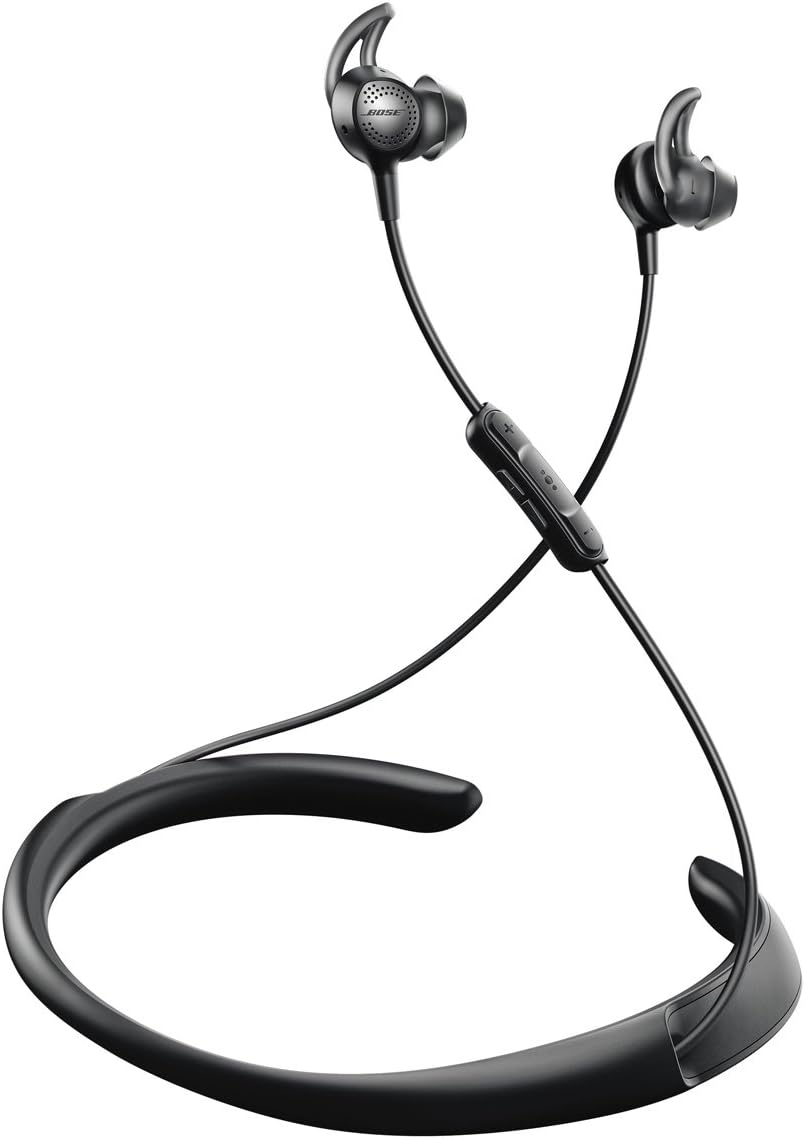
Image: Front view of the Bose QuietControl 30 Wireless Headphones, showcasing the neckband and the in-ear earbuds.
Operating Your QuietControl 30
Power On/Off
To power on, press and hold the Power/Bluetooth button on the neckband until the battery indicator glows. To power off, press and hold the same button until the battery indicator turns off.
Noise Cancellation Control
The QuietControl 30 headphones feature adjustable noise cancellation. You can control the level of noise cancellation using the inline remote or the Bose Connect app.
- Inline Remote: Use the dedicated noise cancellation buttons (+ and -) on the inline remote to increase or decrease the noise cancellation level.
- Bose Connect App: Open the app on your connected device to precisely adjust the noise cancellation level via a slider.

Image: Detailed view of the inline remote control, highlighting the buttons for volume, playback, and noise cancellation adjustment.
Audio Playback and Calls
The inline remote allows you to manage your audio and phone calls:
- Volume Control: Press the + or - buttons to adjust volume.
- Play/Pause: Press the center multi-function button once.
- Skip Track: Press the center multi-function button twice quickly.
- Answer/End Call: Press the center multi-function button once during an incoming call or active call.
- Decline Call: Press and hold the center multi-function button during an incoming call.
The integrated noise-rejecting dual-microphone system helps ensure clear calls by reducing ambient noise.
Wearing the Headphones
The QuietControl 30 features a lightweight neckband designed for comfort and stability. The StayHear+ QC tips are engineered to provide a secure fit and effective noise isolation.

Image: Side profile of the QuietControl 30 headphones, illustrating the ergonomic design of the neckband and the earbud placement.
Maintenance and Care
Cleaning
- Clean the ear tips and surfaces of the headphones with a soft, dry cloth.
- Do not use abrasive cleaners, solvents, or sprays.
- Ensure the charging port is free of dust and debris.
Storage
When not in use, store your headphones in the provided carrying case to protect them from dust and damage. Avoid storing them in extreme temperatures.
Battery Information
The headphones are powered by a rechargeable lithium-ion battery. For optimal battery life, avoid fully discharging the battery frequently. If the headphones will not be used for an extended period, charge them fully before storage.
Troubleshooting
| Problem | Possible Solution |
|---|---|
| Headphones do not power on. | Ensure the battery is charged. Connect to a power source using the USB cable. |
| Cannot pair with device. | Make sure Bluetooth is enabled on your device. Ensure headphones are in pairing mode (blinking blue light). Try forgetting the device in your Bluetooth settings and re-pairing. |
| No sound or poor audio quality. | Check volume levels on both headphones and device. Ensure headphones are properly connected. Try moving closer to your device to avoid interference. |
| Noise cancellation not working effectively. | Adjust the noise cancellation level using the inline remote or Bose Connect app. Ensure ear tips provide a good seal in your ears. |
| Bose Connect app issues. | Ensure your device's operating system is up to date. Try restarting the app or reinstalling it. |
For further assistance, refer to the official Bose support website or contact customer service.
Specifications
| Feature | Detail |
|---|---|
| Model Name | QuietControl 30 |
| Connectivity Technology | Bluetooth, NFC |
| Noise Control | Active Noise Cancellation (Adjustable) |
| Battery Life | Up to 10 hours |
| Charging Time | Approximately 3 hours |
| Weight | 0.8 ounces (22.68 g) |
| Dimensions (Product) | 0.75 x 6.5 x 5.98 inches |
| Included Components | Headphones, 3 sizes of StayHear+ QC tips, USB charging cable, carrying case |
| Color | Black |
| Water Resistance Level | Waterproof (Note: Refer to product documentation for specific water resistance ratings) |
Warranty and Support
Bose products are designed for durability and performance. For information regarding your product's warranty, please refer to the warranty card included with your purchase or visit the official Bose website.
For additional support, frequently asked questions, and product registration, please visit the Bose Support website. You can also download the full user guide PDF here.


