
1. Product Overview
The Bose SoundLink Color II is a compact, portable Bluetooth speaker designed to deliver bold sound wherever you go. Its durable, water-resistant design and soft-touch silicone exterior make it ideal for various environments, from poolside to patio. The speaker features a built-in microphone for speakerphone functionality and offers intuitive controls for seamless audio management.

Image 1.1: The Bose SoundLink Color II speaker, showcasing its compact design and Aqua Blue color.
Key Features:
- Bold Sound: Innovative Bose technology delivers full-range audio from a small speaker.
- Water-Resistant: Durable design allows for use in various outdoor and wet environments.
- Portable Design: Compact and lightweight (1.2 pounds) with a soft silicone texture for easy handling.
- Long Battery Life: Up to 8 hours of playtime on a single charge.
- Built-in Microphone: Enables clear speakerphone calls.
- Easy Connectivity: Bluetooth pairing with voice prompts and NFC for quick tap-to-pair functionality.
- Multi-Speaker Pairing: Connect two SoundLink speakers for Party Mode or Stereo Mode, or use Bose SimpleSync with Bose Smart Home Family devices.
2. What's in the Box
Upon unboxing your Bose SoundLink Color II, you should find the following items:
- Bose SoundLink Color Bluetooth speaker II
- USB cable (Micro-B)
3. Setup Instructions
3.1 Charging the Speaker
Before initial use, fully charge your speaker. The lithium-ion battery provides up to 8 hours of playtime.
- Connect the small end of the Micro-B USB cable to the charging port on the side of the speaker.
- Connect the other end of the USB cable to a USB wall charger (not included) or a computer's USB port.
- The battery indicator lights will illuminate during charging. A full charge typically takes 8 hours.

Image 3.1: Side view of the speaker highlighting the Micro-B USB charging port and auxiliary input.
3.2 Powering On/Off
- To power on, press the Power button (
 ) on the top panel.
 - To power off, press and hold the Power button until the speaker turns off.
3.3 Bluetooth Pairing
The speaker uses voice prompts to guide you through the pairing process.
- Power on the speaker. It will announce its battery level and indicate if it's ready to pair.
- On your mobile device, enable Bluetooth and select "Bose Color II" from the list of available devices.
- Once connected, the speaker will announce the device name.
For NFC-enabled devices, simply tap the NFC touchpoint on your device to the top of the speaker for quick pairing.

Image 3.2: Top panel of the speaker showing the power, Bluetooth, input mode, volume, and multi-function buttons.
4. Operating Instructions
4.1 Controls
The top panel of the speaker features several control buttons:
- Power Button: Turns the speaker on or off.
- Bluetooth Button: Initiates Bluetooth pairing mode.
- Input Mode Button: Switches between connected audio sources.
- Volume Down (-): Decreases the volume.
- Multi-function Button (...): Controls playback (play/pause, skip tracks) and manages calls.
- Volume Up (+): Increases the volume.
4.2 Speakerphone Functionality
The built-in microphone allows you to take calls directly through the speaker:
- To answer a call, press the Multi-function button once.
- To end a call, press the Multi-function button once.
- To decline a call, press and hold the Multi-function button.
4.3 Party Mode and Stereo Mode
Enhance your listening experience by connecting two Bose SoundLink speakers:
- Party Mode: Play audio simultaneously through two speakers for a louder, more expansive sound.
- Stereo Mode: Designate one speaker as the left channel and the other as the right channel for a stereo sound experience.
- Use the Bose Connect app for an additional way to pair your Bose speakers and manage these modes.
5. Maintenance
5.1 Cleaning
The speaker's soft-touch silicone exterior is easy to clean. Use a soft, damp cloth to wipe down the surface. Avoid using harsh chemicals or abrasive cleaners.
5.2 Water Resistance
The SoundLink Color II is water-resistant, meaning it can withstand splashes and light rain. It is not designed to be submerged in water. Ensure the charging port cover is securely closed when exposed to moisture.
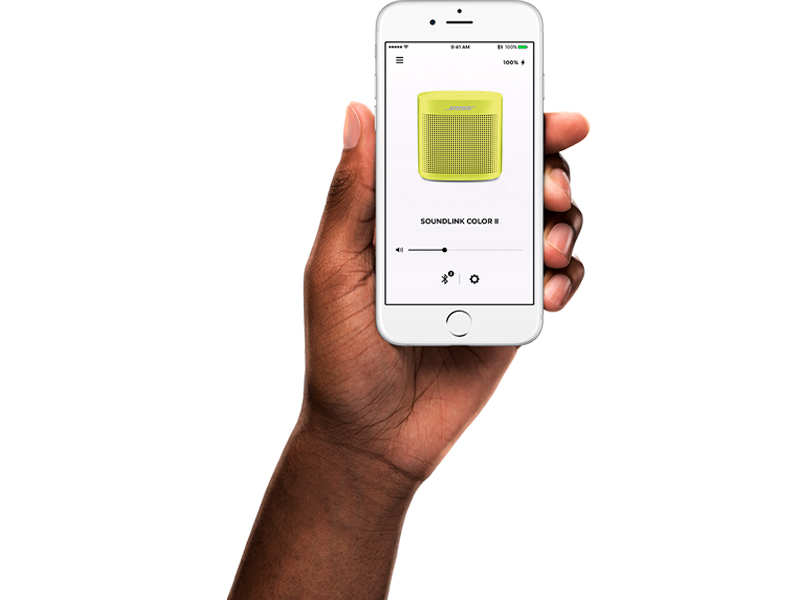
Image 5.1: The speaker's water-resistant design makes it suitable for outdoor use, such as by the pool.
6. Troubleshooting
6.1 Speaker Won't Pair with Mobile Device
- On your mobile device, turn the Bluetooth feature off and then on.
- Remove your speaker from the Bluetooth list on your mobile device. Then, attempt to pair your mobile device again.
- Clear your speaker’s pairing list: Press and hold the Bluetooth button for 10 seconds. Delete your Bose SoundLink speaker from the Bluetooth list on your device. Pair again.
- Try pairing a different device to confirm the speaker's functionality.
- Reset your speaker (refer to the full owner's guide for specific reset instructions).
6.2 Speaker Won't Pair with NFC
- Unlock your device and ensure both Bluetooth and NFC features are turned on.
- Tap the NFC Touchpoint on the back of your device to the top of your speaker.
- If NFC pairing fails, use the standard Bluetooth pairing method.
6.3 Bose Speakers Do Not Pair Together Manually (for Party/Stereo Mode)
- Download the Bose Connect app for an additional and recommended way to pair your Bose speakers for Party or Stereo mode.
- Verify that your second speaker supports Stereo or Party mode. Refer to its owner’s guide for compatibility.
7. Specifications
| Feature | Detail |
|---|---|
| Model Name | SoundLink Color II |
| Model Number | 752195-0500 |
| Dimensions (D x W x H) | 2.24" x 5" x 5.24" |
| Item Weight | 1.2 Pounds |
| Color | Aqua Blue |
| Material | Silicone |
| Connectivity Technology | Bluetooth, NFC |
| Wireless Range | Up to 30 Feet |
| Power Source | Battery Powered (Lithium Polymer) |
| Battery Life | Up to 8 Hours |
| Charging Time | 8 Hours |
| Water Resistance Level | Waterproof (IPX4 rated for splashes) |
| Audio Output Mode | Mono |
| Speaker Maximum Output Power | 5 Watts |
| Included Components | SoundLink Color Bluetooth speaker II, USB cable |
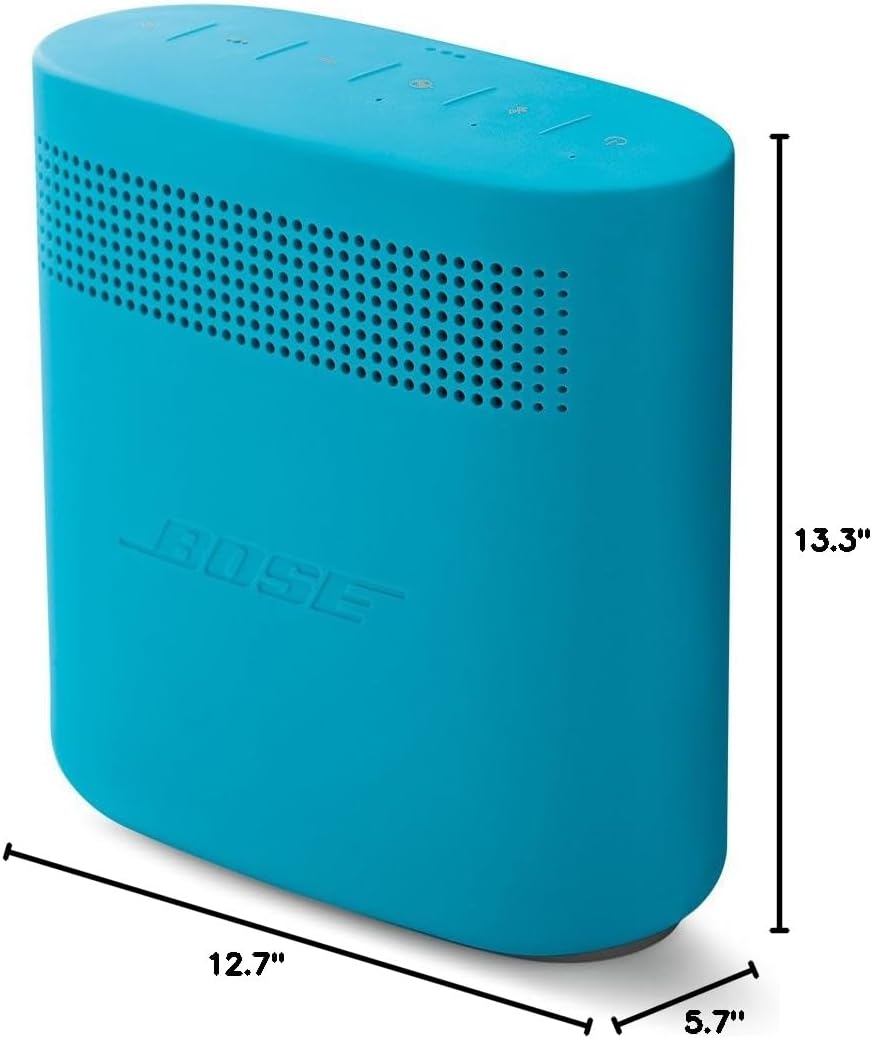
Image 7.1: Visual representation of the speaker's dimensions.
8. Official Product Videos
Video 8.1: An overview of the Bose SoundLink Color II Portable Bluetooth Wireless Speaker, highlighting its features and design.
Video 8.2: A demonstration of the speaker's reliability and portability, emphasizing its robust build quality.
Video 8.3: Showcasing the perfect size and portability of the Bose SoundLink Color II for everyday use.
Video 8.4: Highlighting the great sound quality, travel-friendly design, and water-resistant features of the speaker.
Video 8.5: A user demonstrating how they travel with their Bose SoundLink Color II speaker everywhere.
9. Warranty and Support
The Bose SoundLink Color II comes with a full manufacturer's warranty. For detailed warranty information, product registration, or technical support, please visit the official Bose website or contact their customer service. Keep your proof of purchase for warranty claims.


