
USA Toyz U818A
Contents
UDI U818A Drone User Manual
Model: U818A - Brand: USA Toyz
1. Introduction
The UDI U818A Drone is a versatile quadcopter featuring a camera for live video streaming (FPV) via WiFi, Altitude Hold for stable flight, and VR compatibility. This manual provides essential information for setting up, operating, maintaining, and troubleshooting your drone to ensure a safe and enjoyable experience.

Figure 1: UDI U818A Drone and included accessories.
2. Box Contents
Please verify that all items listed below are included in your package:
- UDI U818A Drone
- 4 GHz LCD Controller
- 2 x 3.7V 700mAh LiPo Batteries
- USB Battery Charger
- Power Bank (Bonus)
- 4GB SanDisk Micro SD Card + SD Card Reader
- 4 Spare Propellers
- Screwdriver
- User Manual
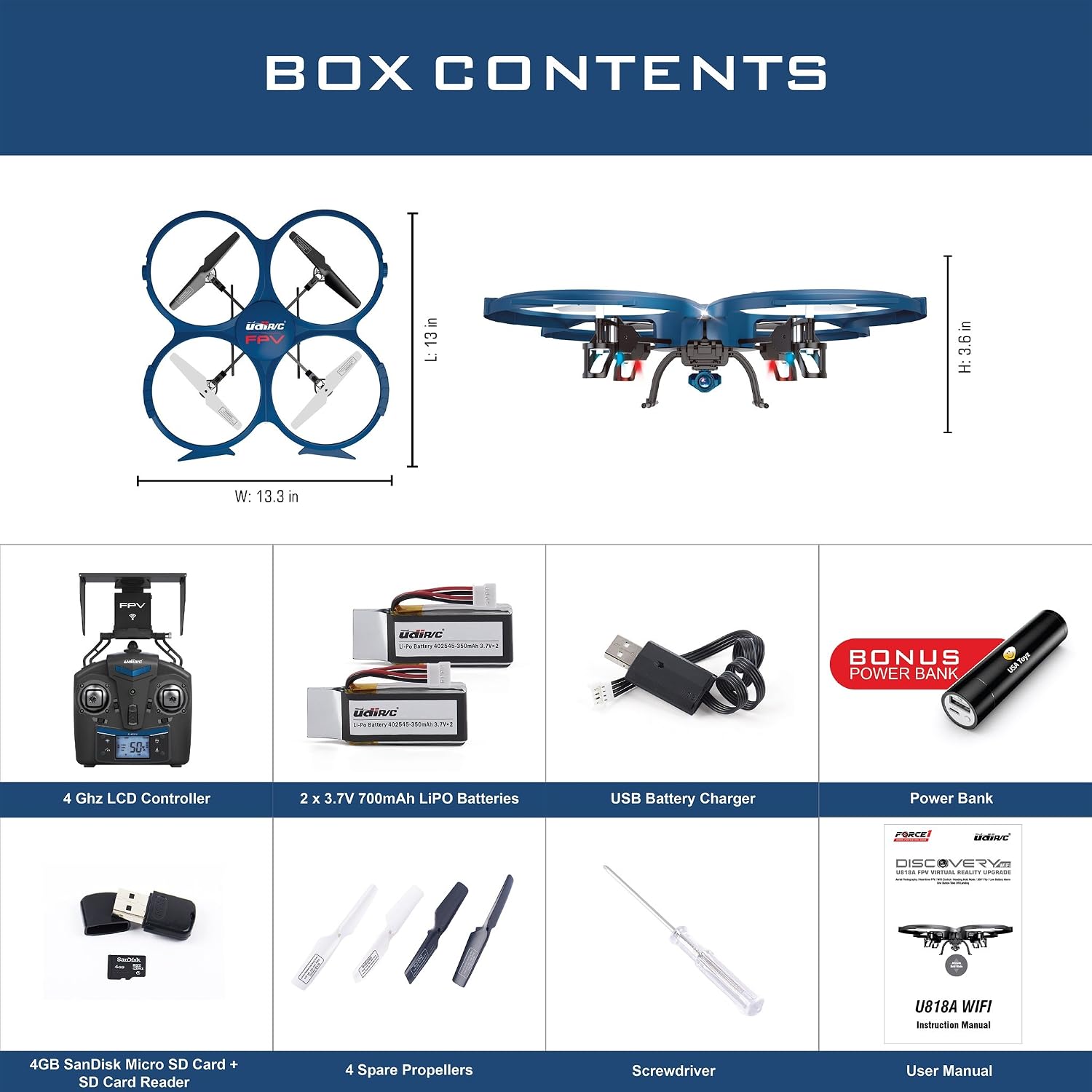
Figure 2: Detailed view of all components included in the UDI U818A Drone package.
3. Setup
3.1 Battery Charging
Connect the provided LiPo batteries to the USB battery charger. Plug the USB charger into a compatible USB power source (e.g., computer USB port, wall adapter, or the included power bank). The charging indicator will show when charging is complete. Ensure batteries are fully charged before first use for optimal performance.
3.2 Propeller Installation
The drone comes with pre-installed propellers. If replacement is needed, use the provided screwdriver to secure the new propellers. Ensure 'A' and 'B' labeled propellers are installed in their corresponding positions on the drone arms.
3.3 Controller Setup and Pairing
- Install 4 AA batteries (not included) into the controller.
- Turn on the controller. Ensure the throttle stick is in the lowest position (0%).
- Insert a fully charged drone battery into the drone's battery compartment and connect it. The drone's lights will begin to flash.
- On the controller, push the throttle stick all the way up, then all the way down. The drone's lights will become solid, indicating successful pairing.
- To calibrate the gyroscope, move both control sticks to the bottom-right corner simultaneously. The drone's lights will flash white briefly, confirming calibration.

Figure 3: UDI U818A Drone 2.4 GHz Remote Control layout.
3.4 FPV App and WiFi Connection
Download the
Ask a question about this manual
Ask about setup, troubleshooting, compatibility, parts, safety, or missing instructions. Manuals+ will review the question and use this page’s manual context to help answer it.