
Introduction
The Fenix CL30R is a high-performance rechargeable camping lantern designed for versatile lighting and power needs. It features a micro-USB port for recharging and a standard USB port for charging other electronic devices. The lantern operates on one, two, or three 18650 rechargeable batteries, housed in a cold-resistant compartment suitable for all-season use. It delivers a maximum output of 650 lumens, providing wide-area illumination. Additional features include a hanging lanyard and a tripod socket for flexible placement.

Image: The Fenix CL30R camping lantern shown in an outdoor environment, highlighting its wide beam illumination and other features.
Package Contents
Please check the package contents upon unboxing to ensure all items are present:
- Fenix CL30R Camping Lantern x1
- Spare O-ring for water seal x1
- Micro USB charging cable x1
- ARB-L18-2600 rechargeable 18650 battery x3
- User Manual x1
- Warranty Card x1

Image: A visual representation of the Fenix CL30R lantern and its included accessories, such as batteries, USB cable, and spare O-ring.
Specifications
| Feature | Detail |
|---|---|
| Light Source Type | Light Emitting Diode (LED) |
| Maximum Output | 650 Lumens |
| Beam Diameter | 35 meters (115 feet) |
| Power Source | Battery Powered (1-3 x 18650 Li-Ion rechargeable batteries) |
| Charging | Micro-USB port |
| Discharge Function | Standard USB port (Power Bank function) |
| Water Resistance | IPX-7 Standard (Submersible up to 1 meter for 30 minutes) |
| Impact Resistance | 1 meter |
| Dimensions | 93mm (Diameter) x 136mm (Height) |
| Weight | 412 grams (excluding batteries) |
| Material | Durable Synthetic |
| Special Features | Cold-resistant battery compartment, Battery level indicator, Reverse polarity protection, Tripod socket |
Performance Parameters:

Image: A detailed table showing the output (lumens) and runtime (hours) for different brightness modes (Turbo, High, Mid, Low, Eco, Flash) using 2600mAh and 3500mAh 18650 batteries, along with beam diameter, impact resistance, and waterproof rating.
Note: The above parameters are approximate and may vary between flashlights, batteries, and environments.
Setup
Battery Installation
- Unscrew the bottom cap of the lantern counter-clockwise.
- Insert one, two, or three 18650 rechargeable Li-ion batteries with the positive (+) terminal facing towards the head of the lantern. The CL30R features reverse polarity protection to prevent damage from incorrect battery insertion.
- Screw the bottom cap back on clockwise until it is fully tightened. Ensure the cap is securely fastened to maintain water resistance and proper electrical contact.

Image: A diagram illustrating the flexible battery installation options for the Fenix CL30R, showing how it can operate with one, two, or three 18650 batteries.
Initial Charging
Before first use, fully charge the batteries. The lantern comes with a Micro USB charging cable.
- Locate the Micro USB charging port on the side of the lantern.
- Connect the Micro USB cable to the lantern's charging port and the other end to a USB power source (e.g., computer, USB wall adapter).
- The indicator lights will flash during charging. When fully charged, the indicator lights will remain constant.

Image: A close-up view of the Fenix CL30R's Micro USB charging port and standard USB discharging port, with explanations of their functions.
Operating Instructions
Power On/Off and Mode Selection
The CL30R features a single button switch for all operations:
- Turn On/Off: Long press the switch for 0.8 seconds.
- Select Output Levels: With the light on, single click the switch to cycle through Eco → Low → Mid → High → Turbo.
- Enter Flash Mode: Double click the switch. Single click again to return to the previously used output level.
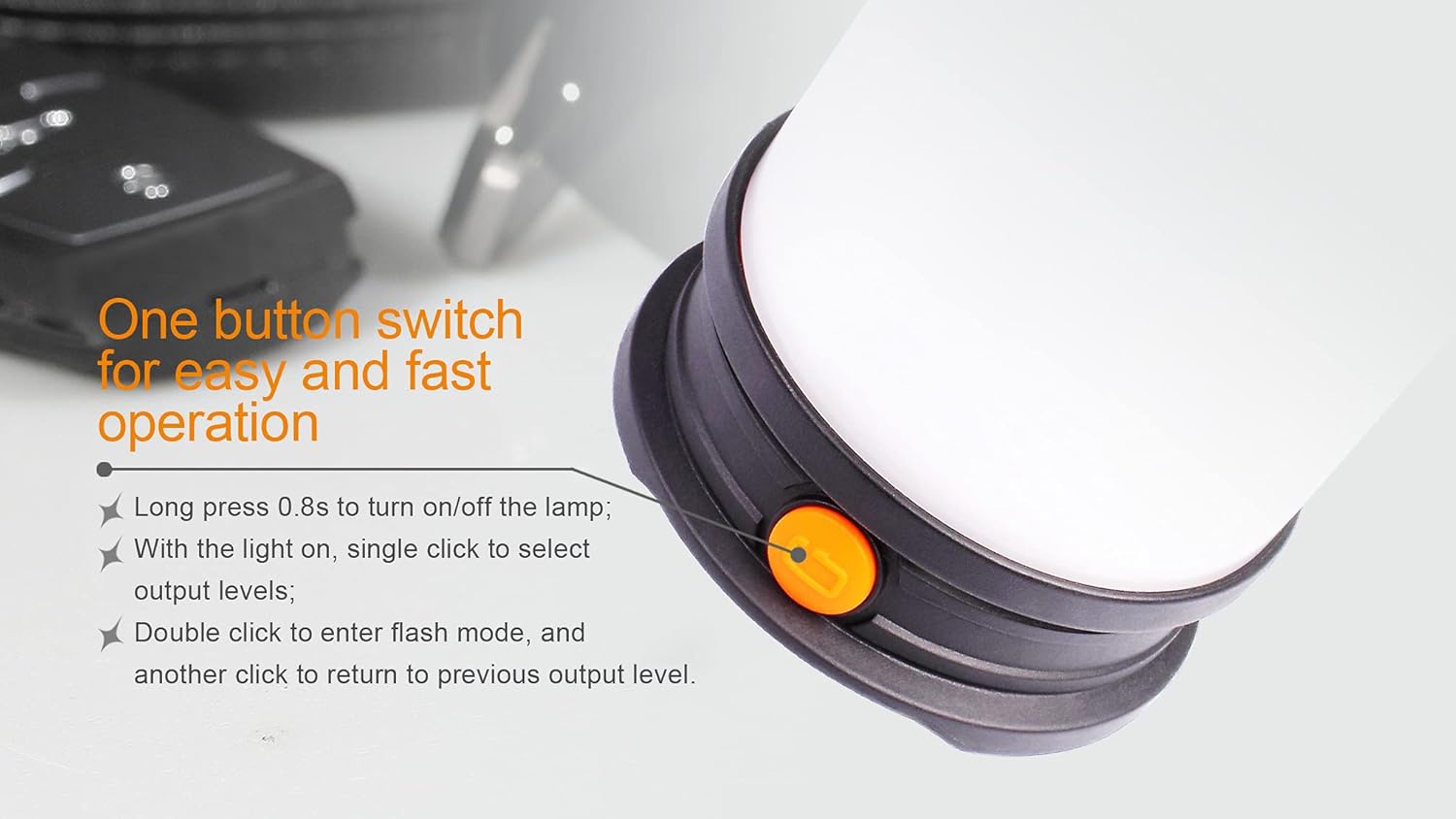
Image: A close-up of the Fenix CL30R's single orange button, detailing the press durations and clicks for power control and mode selection.
Battery Level Indicator
When the lantern is off, a single click of the switch will activate the battery level indicator. The four indicator lights will show the remaining battery charge:
- 4 lights constant: Over 85% charge
- 3 lights constant: 61-85% charge
- 2 lights constant: 35-60% charge
- 1 light constant: Below 35% charge
If the battery voltage drops below a preset level, the indicator light will flash to remind you to charge or replace the battery.

Image: A visual guide to the Fenix CL30R's battery level indicator, showing how the number of illuminated lights corresponds to the remaining battery percentage.
Charging External Devices (Power Bank Function)
The CL30R can serve as a portable power bank to charge other electronic devices. This function requires 18650 batteries with a button top.
- Connect your device's USB charging cable to the standard USB output port on the lantern.
- The lantern will begin charging your device.
Note: The power bank function has a limited output of 1.35 Amps. Some devices, particularly modern smartphones, may not charge or may charge very slowly due to higher power requirements.
Maintenance
- Cleaning: Clean the lantern's body with a soft cloth. For stubborn dirt, use a mild detergent. Do not use abrasive cleaners or solvents.
- O-ring Maintenance: Regularly inspect the O-ring for wear and tear. Replace if damaged to maintain water resistance. Lubricate the O-ring with silicone grease periodically.
- Battery Care: Remove batteries if the lantern will not be used for an extended period. Store batteries in a cool, dry place. Recharge batteries every few months to prolong their lifespan.
- Cold Resistance: The CL30R features a cold-resistant battery compartment. However, extreme cold can still affect battery performance. Keep batteries warm when possible in very low temperatures.

Image: An internal diagram illustrating the heat dissipation paths designed into the battery compartment for enhanced cold resistance.
Troubleshooting
- Lantern does not turn on:
- Ensure batteries are inserted correctly with the positive (+) terminal facing the head.
- Check if the batteries are charged. Recharge if necessary.
- Verify that the bottom cap is fully tightened. A loose cap can prevent electrical contact.
- Lantern output is low or flickers:
- Batteries may be low. Recharge or replace them.
- Ensure battery contacts are clean. Clean with a cotton swab if needed.
- External device not charging via USB output:
- Confirm that the 18650 batteries used are button-top type, as flat-top batteries may not make proper contact for the power bank function.
- Check the power requirements of your external device. The CL30R's USB output is limited to 1.35 Amps, which may be insufficient for some modern devices.
- Ensure the lantern has sufficient battery charge.
- Water ingress:
- Immediately turn off the lantern and remove batteries.
- Inspect the O-ring for damage or improper seating. Replace or reseat as needed.
- Ensure all caps and covers are securely tightened before exposing to water.

Image: The Fenix CL30R lantern submerged in water, illustrating its IPX-7 waterproof standard.
Warranty Information
The Fenix CL30R Camping Lantern is covered by a manufacturer's warranty. Please refer to the included Warranty Card in your package for specific terms, conditions, and duration of the warranty. Keep your proof of purchase for warranty claims.
Support
For further assistance, technical support, or warranty claims, please contact Fenix customer service. Contact information can typically be found on the manufacturer's official website or on the Warranty Card included with your product.
You can also visit the official Fenix store for more information: Fenix Store on Amazon


