
Introduction
Thank you for choosing the 1MORE iBFree Wireless Bluetooth Headphones. These headphones are designed to provide a superior audio experience with wireless freedom, featuring a lightweight and elegant design, meticulous wireless transmission, and titanium drivers for excellent sound quality during active use. This manual provides essential information for setting up, operating, and maintaining your headphones.
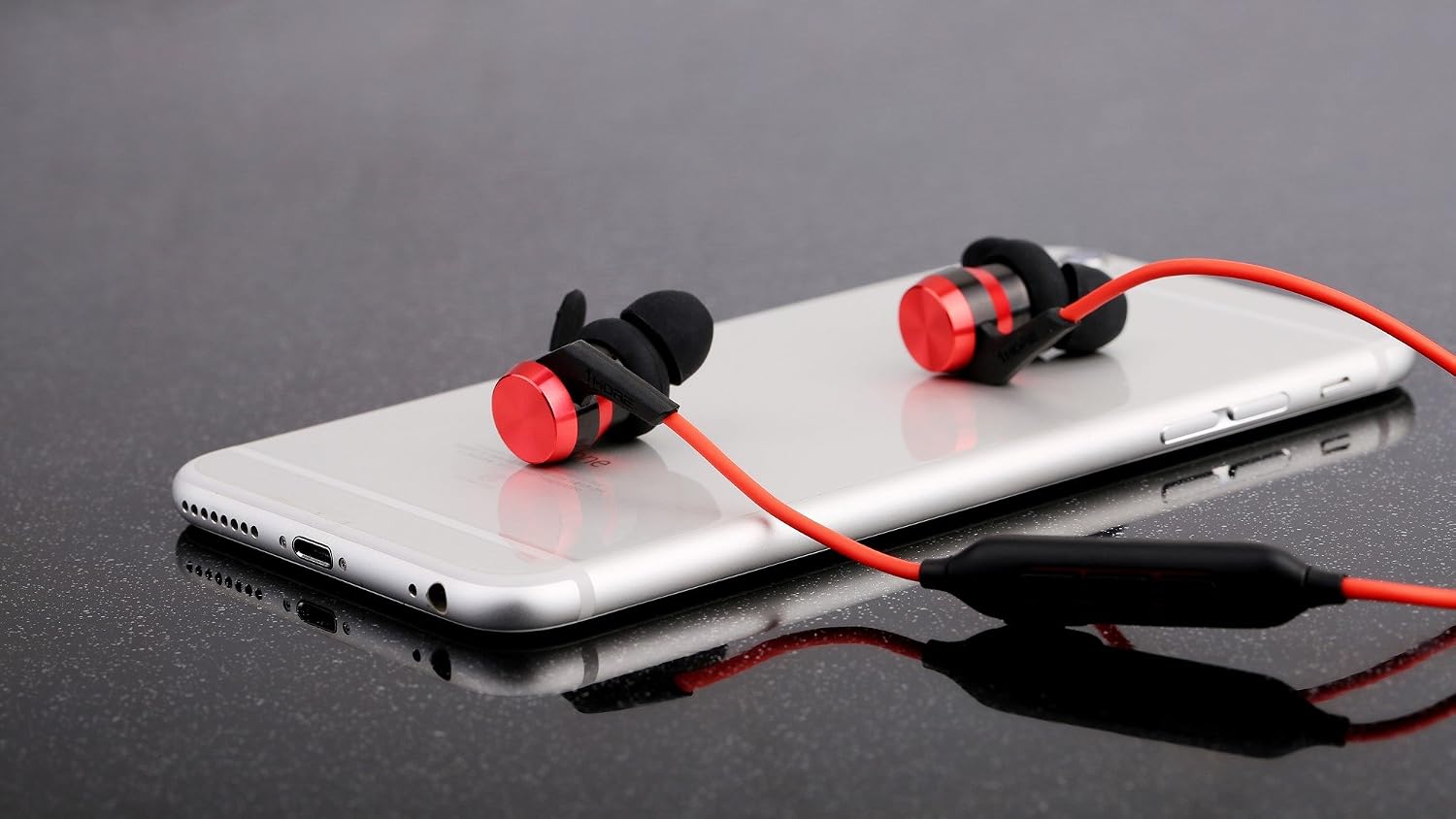
Image: 1MORE iBFree wireless Bluetooth headphones on a smartphone.
Package Contents
Please check the package for the following items:
- 1MORE iBFree Wireless Bluetooth Headphones
- Multiple sizes of silicone ear tips
- Multiple sizes of ear hooks
- USB Charging Cable
- User Manual

Image: Included ear tips and ear hooks for a customized fit.
Product Overview
Familiarize yourself with the main components and controls of your 1MORE iBFree headphones.
Earbud Design

Image: Close-up of an iBFree earbud, highlighting its design.
In-line Remote Control
The in-line remote control allows you to manage music playback, volume, and calls.

Image: Detailed view of the remote control with labeled buttons and USB charging port.
- Multi-Function Button: Power on/off, play/pause, answer/end calls, activate voice assistant.
- Volume + Button: Increase volume, skip to next track.
- Volume - Button: Decrease volume, skip to previous track.
- USB Charging Port: For charging the headphones.
Setup
1. Charging the Headphones
- Connect the USB charging cable to the USB charging port on the in-line remote control.
- Connect the other end of the cable to a USB power source (e.g., computer, wall adapter).
- The LED indicator will show charging status. A full charge takes approximately 2 hours.
- Once fully charged, the headphones provide up to 8 hours of playback time.
2. Bluetooth Pairing
- Ensure the headphones are turned off.
- Press and hold the Multi-Function button for approximately 3-5 seconds until the LED indicator flashes red and blue alternately. This indicates pairing mode.
- On your device (smartphone, tablet, etc.), enable Bluetooth and search for available devices.
- Select "1MORE iBFree" from the list of devices.
- Once successfully paired, the LED indicator will flash blue periodically.
- The headphones will automatically connect to the last paired device when powered on, if it is within range (up to 10 meters).
3. Wearing the Headphones
For optimal sound quality and comfort, choose the correct size ear tips and ear hooks. Insert the earbuds into your ears and adjust the ear hooks to fit securely around your ear cartilage.

Image: Proper wearing of the iBFree headphones for a secure fit.
Operating Instructions
Power On/Off
- Power On: Press and hold the Multi-Function button for 2 seconds. The LED will flash blue.
- Power Off: Press and hold the Multi-Function button for 4 seconds. The LED will flash red and then turn off.
Music Playback
- Play/Pause: Press the Multi-Function button once.
- Next Track: Press and hold the Volume + button for 2 seconds.
- Previous Track: Press and hold the Volume - button for 2 seconds.
Volume Control
- Increase Volume: Press the Volume + button once.
- Decrease Volume: Press the Volume - button once.
Call Management
- Answer Call: Press the Multi-Function button once.
- End Call: Press the Multi-Function button once during a call.
- Reject Call: Press and hold the Multi-Function button for 2 seconds during an incoming call.
Voice Assistant
- Activate Voice Assistant: Double-press the Multi-Function button.
Maintenance
Proper care will extend the life of your headphones.
- Cleaning: Gently wipe the headphones with a soft, dry cloth. Do not use harsh chemicals or abrasive materials.
- Storage: Store the headphones in a cool, dry place away from direct sunlight and extreme temperatures.
- Water Resistance: The headphones are water-resistant. However, avoid submerging them in water or exposing them to heavy rain for extended periods. Dry them thoroughly if they get wet.
- Battery Care: To preserve battery life, charge the headphones regularly and avoid fully discharging them for long periods.
Troubleshooting
If you encounter issues, refer to the following common solutions:
| Problem | Solution |
|---|---|
| Headphones do not power on | Ensure the headphones are charged. Connect to a power source and charge for at least 10 minutes before attempting to power on. |
| Cannot pair with device | Ensure headphones are in pairing mode (flashing red and blue). Turn off and on your device's Bluetooth. Move headphones closer to the device. |
| No sound or low volume | Check volume levels on both headphones and your connected device. Ensure headphones are properly paired. Try re-pairing. |
| Intermittent connection | Ensure no obstacles are between the headphones and your device. Move closer to the device (within 10 meters). Avoid strong Wi-Fi or other wireless interference. |
Specifications
| Feature | Detail |
|---|---|
| Model Number | E1006-RD |
| Connectivity Technology | Wireless (Bluetooth) |
| Bluetooth Version | 4.1 (compatible with Bluetooth 5) |
| Bluetooth Range | Up to 10 meters |
| Frequency Response | 20 Hz - 20,000 Hz |
| Impedance | 32 Ohms |
| Battery Life | Approximately 8 hours |
| Charging Time | Approximately 2 hours |
| Weight | 18 g |
| Dimensions | 2.54 x 2.54 x 2.54 cm |
| Water Resistance | Yes |
| Material | Aluminum |
Driver Technology

Image: Illustration of a headphone driver, indicating Titanium and PET components.
The 1MORE iBFree headphones feature dynamic drivers with a titanium composite diaphragm, combining the lightweight and fast response of PET with the rich, powerful bass of titanium for a balanced and detailed sound.
Safety Information
- Do not expose headphones to extreme temperatures, humidity, or corrosive environments.
- Avoid listening at high volume levels for extended periods to prevent hearing damage.
- Keep out of reach of children and pets.
- Do not disassemble or modify the headphones. This will void the warranty.
- Use only the provided charging cable or a certified equivalent.
Warranty and Support
1MORE products are covered by a limited warranty. For detailed warranty information, please refer to the warranty card included in your package or visit the official 1MORE website.
If you experience any issues or have questions regarding your 1MORE iBFree headphones, please contact 1MORE customer support through their official website or the retailer where you purchased the product. Please have your model number (E1006-RD) and proof of purchase ready.


