
1. Introduction
The KitchenAid Artisan Series 5 Quart Tilt-Head Stand Mixer is designed for versatile kitchen tasks, offering durability and performance. This manual provides essential information for the safe and effective use of your stand mixer.

Figure 1: KitchenAid Artisan Series 5 Quart Tilt Head Stand Mixer.
2. Product Features
- Durable Construction: Built with metal construction and 59 touchpoints around the mixer bowl for thorough mixing.
- 5 Quart Stainless Steel Bowl: Features a comfortable handle, suitable for small or large batches, and is dishwasher safe.
- Tilt-Head Design: Allows for easy access to the bowl for adding ingredients and facilitates attachment changes. The head locks in place during operation.
- 10 Speeds: Offers a range of speeds from gentle stirring to high-speed whipping for various recipes.
- Attachment Hub: Located at the front of the mixer head, it accommodates over 10 optional hub-powered attachments (sold separately).
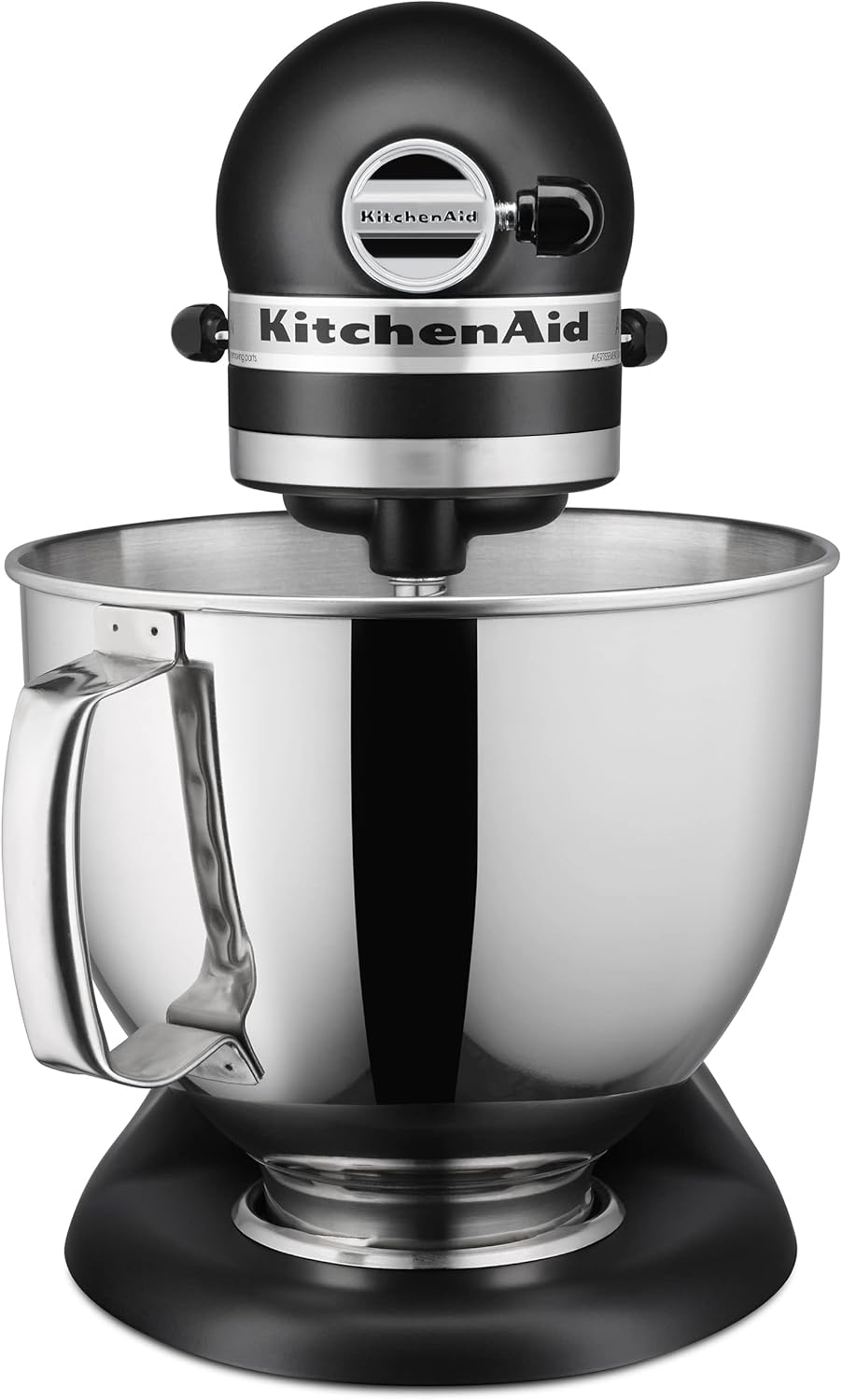
Figure 2: Stand mixer with the flat beater attachment in the bowl.
3. What's Included
Your KitchenAid Artisan Series Stand Mixer typically includes the following standard accessories:
- 5 Quart Stainless Steel Bowl with Handle
- Flat Beater
- Dough Hook
- Wire Whip
- Pouring Shield

Figure 3: Standard attachments for the KitchenAid Stand Mixer.
4. Setup
- Unpack: Carefully remove all parts and accessories from the packaging.
- Clean: Wash the stainless steel bowl, flat beater, dough hook, wire whip, and pouring shield in warm, soapy water before first use. Rinse thoroughly and dry. The mixer base can be wiped with a damp cloth.
- Position: Place the mixer on a dry, flat, and stable surface. Ensure it is unplugged during setup.
- Attach Bowl: Place the mixing bowl onto the clamping plate and turn it clockwise until it locks securely into place.
- Select Attachment: Choose the appropriate attachment for your recipe.
- Install Attachment: Ensure the mixer head is tilted back. Slide the attachment onto the beater shaft and turn it clockwise until it locks into place.

Figure 4: Mixer head tilted up for attachment installation.
5. Operating Instructions
- Lower Mixer Head: Push the locking lever to the UNLOCK position, gently lower the mixer head, and then push the lever back to the LOCK position.
- Add Ingredients: Place your ingredients into the mixing bowl. The pouring shield can be used to prevent splatters and facilitate adding ingredients while mixing.
- Select Speed: Turn the speed control lever to the desired setting (1-10). Start with a lower speed and gradually increase as needed.
- Mix: Allow the mixer to operate until ingredients are thoroughly combined.
- Stop: Turn the speed control lever to the OFF/0 position.
- Remove Attachment/Bowl: Push the locking lever to UNLOCK and tilt the mixer head back. Remove the attachment by turning it counter-clockwise and then remove the mixing bowl.

Figure 5: Mixer head tilted up, showing the flat beater attachment.
6. Attachments & Accessories
The KitchenAid Artisan Series Stand Mixer is compatible with a wide range of attachments to expand its functionality. The standard attachments are designed for specific mixing tasks:
- Flat Beater: Ideal for normal to heavy mixtures such as cakes, cookies, pastries, and mashed potatoes.
- Dough Hook: Used for mixing and kneading yeast doughs, such as bread, pizza dough, and pasta dough.
- Wire Whip: Incorporates air into ingredients for fluffy mixtures like eggs, egg whites, heavy cream, and boiled frostings.
- Pouring Shield: Helps prevent ingredients from splashing out of the bowl and provides a chute for adding ingredients during mixing.
Additional hub-powered attachments (e.g., food grinders, pasta makers, spiralizers) can be purchased separately and attach to the front power hub.

Figure 6: Stand mixer with optional attachments for diverse culinary tasks.
7. Maintenance & Cleaning
- Mixer Base: Unplug the mixer before cleaning. Wipe the base with a soft, damp cloth. Do not immerse the mixer base in water.
- Mixing Bowl: The 5-quart stainless steel bowl is dishwasher safe.
- Attachments: The flat beater, dough hook, and pouring shield are dishwasher safe. The wire whip should be hand-washed to prevent discoloration.
- Storage: Store the mixer and its attachments in a dry place.
8. Troubleshooting
If your mixer encounters issues, consider the following common troubleshooting steps:
- Mixer does not start: Ensure the power cord is securely plugged into a grounded outlet. Check if the speed control lever is in the OFF/0 position before turning it on.
- Mixer head not locking: Ensure the locking lever is fully engaged in the LOCK position after lowering the mixer head.
- Attachment not reaching ingredients: Refer to the user manual for instructions on adjusting the beater-to-bowl clearance.
- Excessive noise or vibration: Ensure the mixing bowl is properly locked in place and the mixer head is securely latched. Avoid overloading the mixer with excessively stiff doughs or large quantities.
For persistent issues, contact KitchenAid customer support.
9. Specifications
| Specification | Detail |
|---|---|
| Brand | KitchenAid |
| Model Name | 5-Qt. Tilt-Head Stand Mixer |
| Model Number | KSM150PS |
| Capacity | 5 Quarts |
| Color | Matte Black |
| Material | Stainless Steel |
| Product Dimensions | 13.9"D x 14.1"W x 8.7"H |
| Item Weight | 22.8 pounds |
| Controls Type | Knob |
| Voltage | 120 Volts |
| Wattage | 325 watts |
| Is Dishwasher Safe | Yes (Bowl, Flat Beater, Dough Hook, Pouring Shield) |
10. Warranty & Support
For warranty information, product registration, or customer support, please visit the official KitchenAid website or refer to the warranty card included with your product. Keep your purchase receipt for warranty claims.
Important Safety Information: Always unplug the appliance from the outlet before cleaning or when not in use. Do not immerse the motor base in water or other liquids. Read all instructions before operating the appliance.


