
EMB PKL6000
EMB PKL6000 PA Speaker System User Manual
Model: PKL6000
Introduction
Thank you for purchasing the EMB PKL6000 2000W 2x12" PA Rechargeable Trolley Speaker System. This manual provides essential information for the safe and efficient operation of your new speaker system. Please read this manual thoroughly before use and retain it for future reference.
Safety Information
To ensure safe operation and prevent damage, please observe the following precautions:
- Do not expose the unit to rain or moisture to avoid fire or electric shock.
- Do not open the speaker cabinet. There are no user-serviceable parts inside. Refer all servicing to qualified personnel.
- Place the unit on a stable, flat surface to prevent it from falling.
- Keep the unit away from direct sunlight, heat sources, and excessive dust.
- Ensure proper ventilation. Do not block ventilation openings.
- Use only the power adapter supplied with the unit.
- Avoid listening at excessively high volumes for prolonged periods to prevent hearing damage.
Package Contents
Carefully unpack your speaker system and ensure all items are present:
- EMB PKL6000 PA Speaker System
- Wireless Microphone
- Audio Cable
- Power Adapter
- Remote Control
- User Manual (this document)

Image: The EMB PKL6000 speaker system shown with its accompanying wireless microphone and an audio cable, illustrating the typical contents of the package.
Product Overview
Familiarize yourself with the various components and controls of your PKL6000 speaker system.
Front Panel and Features
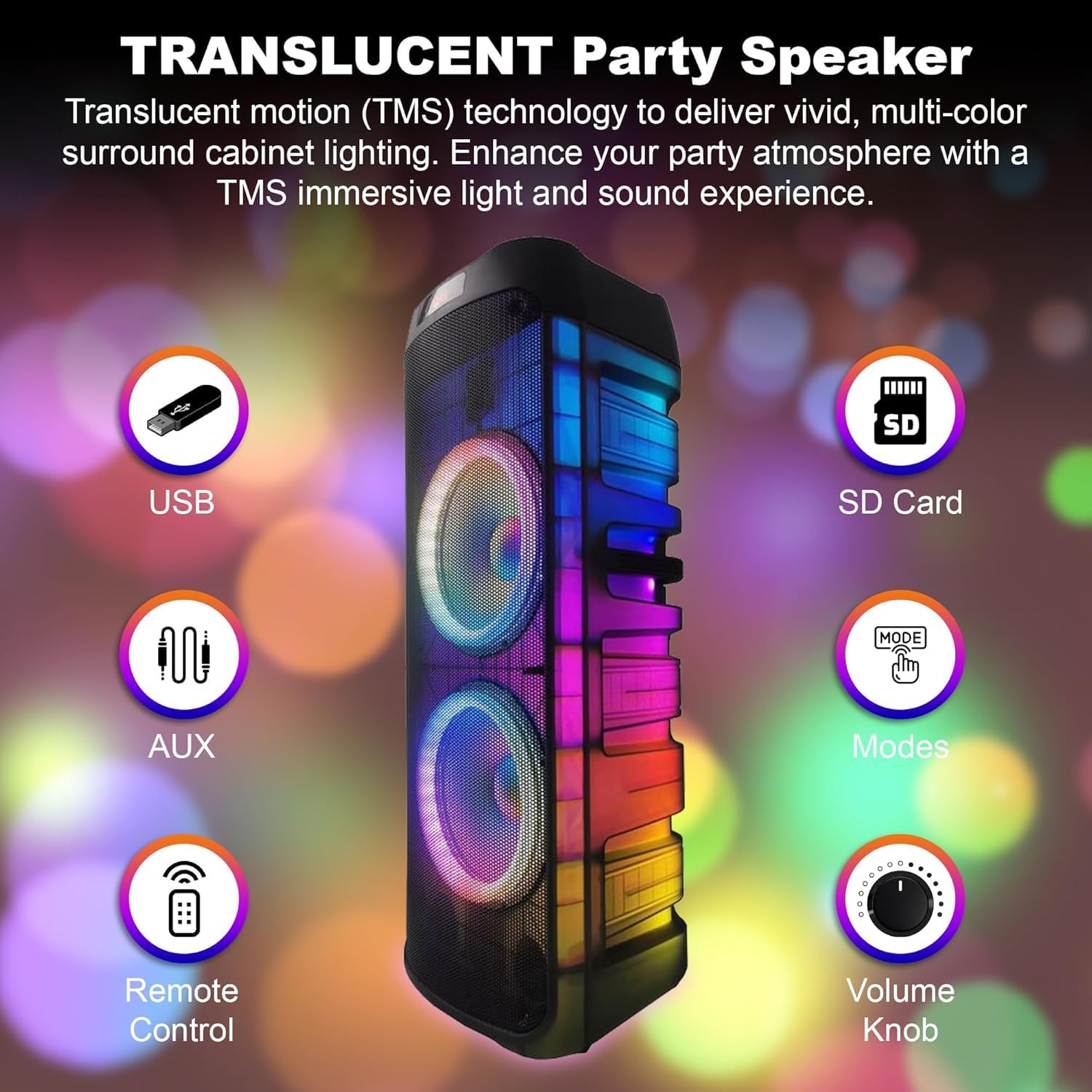
Image: Front view of the speaker, indicating key features such as USB port, SD card slot, AUX input, remote control sensor, mode selection, and the main volume knob.
- USB Port: For playing audio files from USB flash drives.
- SD Card Slot: For playing audio files from SD memory cards.
- AUX Input: For connecting external audio devices via a 3.5mm audio cable.
- Remote Control Sensor: Receives signals from the included remote control.
- Modes Button: Cycles through input modes (Bluetooth, USB, SD, AUX, FM).
- Volume Knob: Adjusts the overall master volume.
- Translucent Cabinet Lighting: Features multi-color LED lights that enhance the audio experience.
Rear Control Panel

Image: A close-up of the speaker's rear control panel, showing all input jacks, knobs, and switches clearly labeled for functions like Mic In, Guitar Jack Input, LED Switch, Adaptor, USB Input, LED Mode, Treble, Bass, Echo, Mic Vol, GT Vol, Power ON/OFF, Modes, Previous, Play/Pause, Skip, M.PRI, and Repeat.
- Mic In: 6.35mm input for connecting a wired microphone.
- Guitar Jack Input: 6.35mm input for connecting a guitar or other instrument.
- LED Switch: Toggles the LED lights on/off.
- Adaptor Input: Connects the power adapter for charging and continuous power.
- USB Input: (Repeated from front panel, likely a secondary or main port).
- LED Mode: Cycles through different LED light patterns.
- Treble Knob: Adjusts the high-frequency response.
- Bass Knob: Adjusts the low-frequency response.
- Echo Knob: Controls the echo effect for microphone input.
- Mic Vol Knob: Adjusts the volume of the microphone input.
- GT Vol Knob: Adjusts the volume of the guitar input.
- Power ON/OFF Switch: Turns the speaker system on or off.
- Modes Button: (Repeated from front panel).
- Previous Button: Skips to the previous track.
- Play/Pause Button: Plays or pauses the current track.
- Skip Button: Skips to the next track.
- M.PRI (Microphone Priority) Button: Activates/deactivates microphone priority mode, which lowers music volume when speaking into the microphone.
- Repeat Button: Repeats the current track or playlist.
Setup
Charging the Battery
The PKL6000 features a built-in rechargeable battery (12V 2200mAh). Before first use, it is recommended to fully charge the battery.
- Connect the supplied power adapter to the "Adaptor Input" on the rear panel of the speaker.
- Plug the other end of the power adapter into a standard AC power outlet.
- The charging indicator light (if present) will illuminate.
- A full charge typically takes approximately 4.5 hours.
- Once fully charged, the speaker can provide approximately 5 hours of playback time, depending on volume and usage.

Image: The speaker with an overlay highlighting its charging time of 4.5 hours and a playback time of 5 hours, indicating battery performance.
Powering On/Off
Locate the "Power ON/OFF" switch on the rear control panel. Flip the switch to the "ON" position to power on the speaker. Flip it to "OFF" to power off.
Operating Instructions
Bluetooth Pairing
Connect your Bluetooth-enabled device to the PKL6000 for wireless audio streaming.
- Power on the speaker.
- Press the "Modes" button until "Bluetooth" mode is selected (a voice prompt or display indicator may confirm).
- Enable Bluetooth on your mobile device (smartphone, tablet, etc.).
- Search for available Bluetooth devices. The speaker will appear as "EMB PKL6000" or similar.
- Select "EMB PKL6000" to pair. Once paired, a confirmation sound will be heard.
- You can now play audio from your device wirelessly. The effective range is up to 30 feet (approximately 9 meters).

Image: A smartphone screen showing the Bluetooth symbol, wirelessly connected to the speaker, illustrating the 30-foot Bluetooth connectivity range.
USB/SD Card Playback
Play audio files directly from a USB flash drive or SD card.
- Insert a USB flash drive into the USB port or an SD card into the SD card slot.
- The speaker will automatically switch to USB/SD mode and begin playing compatible audio files. If not, press the "Modes" button to select the correct input.
- Use the "Previous", "Play/Pause", and "Skip" buttons to control playback.
AUX Input
Connect external audio sources like MP3 players or laptops.
- Connect one end of a 3.5mm audio cable (included) to the AUX input on the speaker.
- Connect the other end to the headphone jack or audio output of your external device.
- Press the "Modes" button to select "AUX" mode.
- Control playback and volume from your external device.
Microphone and Guitar Input (Karaoke Features)
The PKL6000 supports microphone and guitar inputs for live performance or karaoke.
- Connect the wireless microphone receiver (if applicable) or a wired microphone to the "Mic In" jack.
- Connect a guitar or other instrument to the "Guitar Jack Input".
- Adjust the "Mic Vol" and "GT Vol" knobs to control the volume of the respective inputs.
- Use the "Echo" knob to add an echo effect to the microphone.
- Press the "M.PRI" button to activate Microphone Priority, which automatically lowers the background music volume when the microphone is in use. Press again to deactivate.
LED Lights Control
Enhance your audio experience with dynamic LED lighting.
- Use the "LED Switch" to turn the lights on or off.
- Press the "LED Mode" button to cycle through various light patterns and effects, including 360-degree motion lights.

Image: The speaker emitting vibrant, circular light patterns, demonstrating its 360-degree motion lighting feature.
True Wireless Stereo (TWS) Function
Connect two PKL6000 speakers wirelessly for a true stereo sound experience.
- Ensure both PKL6000 speakers are powered on and in Bluetooth mode, but not yet paired with any device.
- On one of the speakers (this will be the primary unit), press and hold the "TWS" button (or a similar button, if not explicitly labeled, it might be the Play/Pause button or Mode button pressed for longer). Refer to the specific button on your unit if "TWS" is not marked.
- The primary speaker will search for the secondary speaker. Once connected, a confirmation sound will be heard.
- Now, pair your Bluetooth device to the primary speaker as described in the "Bluetooth Pairing" section. Audio will play in stereo through both speakers.
- The wireless connection between the two speakers can extend up to 30 feet.

Image: Two speakers positioned apart, illustrating their ability to connect wirelessly for stereo sound, with a visual representation of the 30-foot maximum connection range.
Maintenance
- Cleaning: Use a soft, dry cloth to clean the exterior of the speaker. Do not use abrasive cleaners, waxes, or solvents.
- Storage: When not in use for extended periods, store the speaker in a cool, dry place, away from direct sunlight and extreme temperatures.
- Battery Care: To prolong battery life, fully charge the speaker before storing it for long periods. If stored for more than a few months, recharge the battery every 3-6 months to prevent deep discharge.
- Ventilation: Ensure the ventilation openings are clear of dust and debris to prevent overheating.
Troubleshooting
| Problem | Possible Cause | Solution |
|---|---|---|
| No power | Battery is depleted; Power switch is off; Power adapter not connected properly. | Charge the battery; Ensure the power switch is ON; Check power adapter connection and wall outlet. |
| No sound | Volume is too low; Incorrect input mode selected; Device not paired (Bluetooth); Cables not connected properly (AUX/Mic/Guitar). | Increase master volume and source device volume; Press "Modes" button to select correct input; Re-pair Bluetooth device; Check all cable connections. |
| Bluetooth connection unstable or fails | Device is out of range; Interference; Speaker already paired to another device. | Move device closer to speaker (within 30ft); Avoid obstacles; Disconnect from other devices and re-pair. |
| Microphone not working | Mic volume too low; Microphone not powered on (wireless mic); Incorrect jack used. | Increase "Mic Vol" knob; Ensure wireless microphone has fresh batteries and is powered on; Connect to "Mic In" jack. |
| USB/SD playback not working | Incompatible file format; USB/SD card corrupted; Incorrect mode selected. | Ensure files are in compatible format (e.g., MP3); Try another USB/SD card; Select USB/SD mode. |
Specifications
| Feature | Detail |
|---|---|
| Model Number | PKL6000 |
| Output Wattage | 2000 Watts (Peak) |
| Speaker Size | Dual 12" PA Speaker System |
| Power Source | Battery Powered (Rechargeable) / AC Power |
| Battery | 12V 2200mAh |
| Charging Time | Approx. 4.5 hours |
| Play Time | Approx. 5 hours (at moderate volume) |
| Connectivity Technology | Bluetooth, USB, SD Card, AUX (3.5mm), Microphone (6.35mm), Guitar (6.35mm) |
| Bluetooth Range | Up to 30 feet (9 meters) |
| Dimensions (L x W x H) | 34 x 14 x 12 inches (86.36 x 35.56 x 30.48 cm) |
| Item Weight | 36.7 pounds (16.65 kg) |
| Color | Black |
| Manufacturer | EMB |
| UPC | 701160333495 |
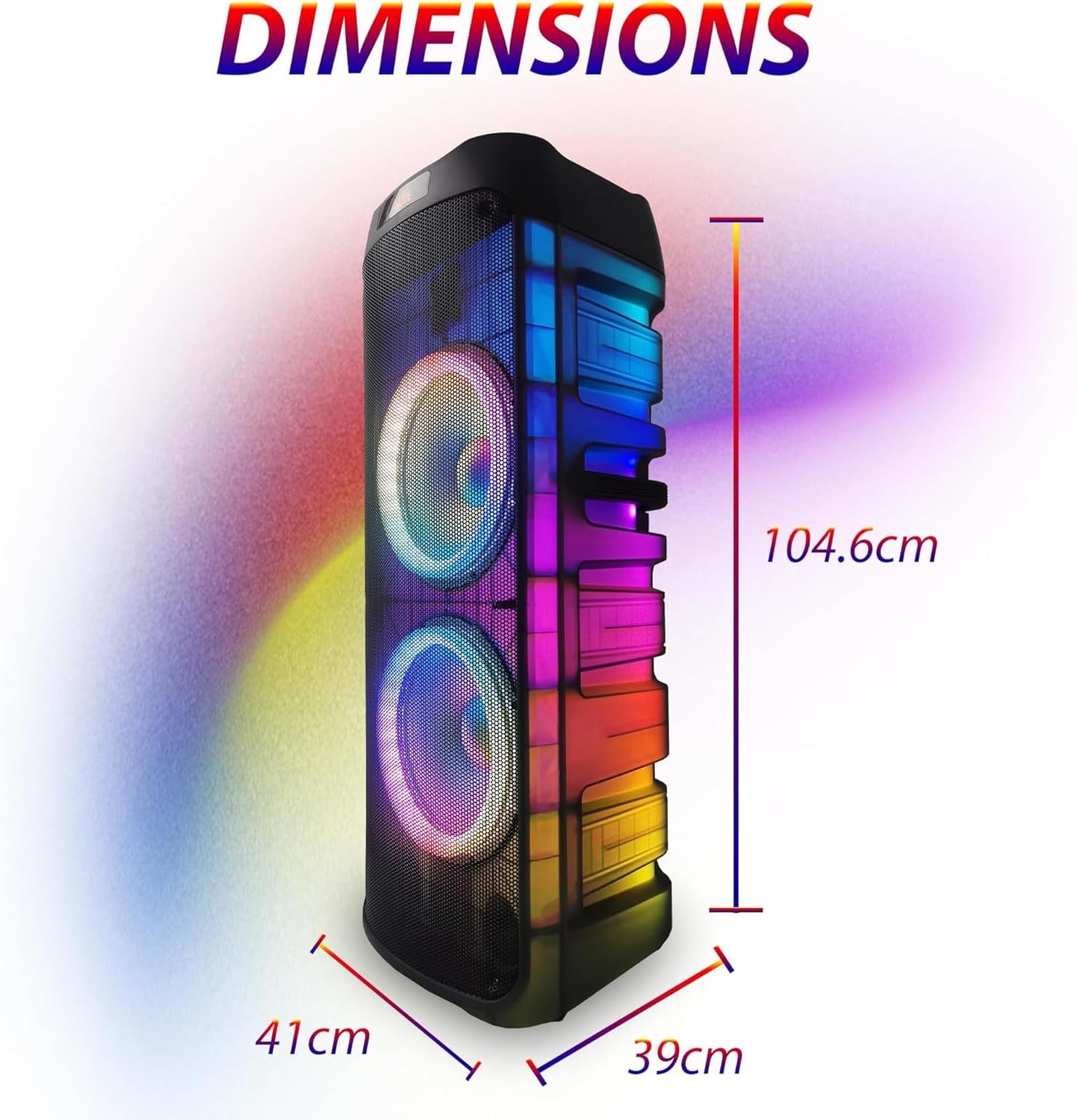
Image: The speaker with its dimensions clearly marked: 104.6 cm (height), 41 cm (width), and 39 cm (depth), providing a visual reference for its size.
Warranty and Support
For warranty information and technical support, please refer to the contact details provided by your retailer or visit the official EMB website. Keep your purchase receipt as proof of purchase for any warranty claims.
This product may be eligible for extended protection plans. Please check with your retailer for available options.
Related documentsPKL6000

Ask a question about this manual
Ask about setup, troubleshooting, compatibility, parts, safety, or missing instructions. Manuals+ will review the question and use this page’s manual context to help answer it.