
Introduction
This manual provides essential instructions for the safe and efficient operation, maintenance, and troubleshooting of your Oreck U2000r-1 Commercial Upright Vacuum. Please read this manual thoroughly before using the appliance and retain it for future reference.
Safety Information
Always follow basic safety precautions when using electrical appliances to reduce the risk of fire, electric shock, or injury. This appliance is intended for commercial indoor use only.
- Do not operate the vacuum with a damaged cord or plug.
- Do not use on wet surfaces or to pick up liquids.
- Keep hair, loose clothing, fingers, and all parts of body away from openings and moving parts.
- Unplug from outlet when not in use and before servicing.
Setup
Follow these steps to prepare your Oreck U2000r-1 vacuum for first use:
- Unpacking: Carefully remove all components from the packaging. Inspect for any damage.
- Handle Assembly: Insert the handle into the main body of the vacuum until it clicks securely into place. Ensure all connections are firm.
- Bag Installation: Verify that the bag filter is correctly installed within the vacuum's bag compartment. Refer to the 'Maintenance' section for detailed bag replacement instructions if needed.
- Power Connection: Plug the power cord into a standard 120V electrical outlet.
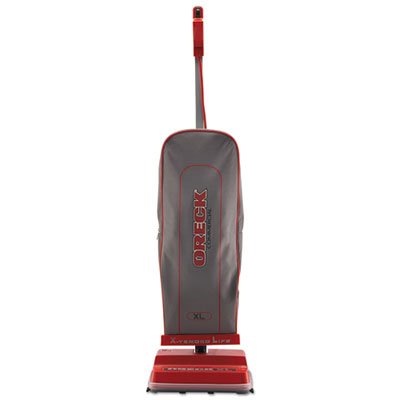
Image: The Oreck U2000r-1 Commercial Upright Vacuum, featuring its gray bag and red base. This image illustrates the fully assembled unit ready for operation.
Operating Instructions
Your Oreck U2000r-1 is designed for effective cleaning on various indoor surfaces.
- Power On/Off: Locate the power switch, typically a push button, on the vacuum handle or body. Press it once to turn the vacuum on, and again to turn it off.
- Vacuuming: Guide the vacuum over the desired cleaning area. The powerful suction and brush roll are effective on both carpeted and hard floor surfaces.
- Emptying the Bag: When the vacuum's performance decreases or the bag indicator (if present) suggests, it's time to empty or replace the bag filter. Refer to the 'Maintenance' section for detailed instructions.
- Storage: When not in use, store the vacuum in an upright position in a dry, safe area.
Maintenance
Regular maintenance ensures optimal performance and extends the life of your vacuum.
- Bag Filter Replacement:
- Unplug the vacuum from the power outlet.
- Open the bag compartment cover.
- Carefully remove the full bag, ensuring the opening is sealed to prevent dust escape.
- Insert a new Oreck replacement bag, aligning it correctly with the bag collar.
- Close the bag compartment cover securely.
- Brush Roll Cleaning:
- Unplug the vacuum.
- Turn the vacuum over to access the brush roll.
- Use scissors or a brush to remove any tangled hair, string, or debris from the brush roll.
- Ensure the brush roll spins freely after cleaning.
- Exterior Cleaning: Wipe the exterior surfaces of the vacuum with a soft, damp cloth. Do not use harsh chemicals or abrasive cleaners.
Troubleshooting
Refer to this section for solutions to common issues.
| Problem | Possible Cause | Solution |
|---|---|---|
| Vacuum does not turn on | No power to the unit; Power switch off | Check power cord connection and wall outlet; Ensure power switch is pressed. |
| Loss of suction | Full bag filter; Clog in hose or nozzle; Brush roll obstructed | Replace bag filter; Clear any clogs; Clean brush roll. |
| Unusual noise | Obstruction in brush roll or fan; Loose component | Inspect and clear brush roll; Check for loose parts; Contact support if noise persists. |
Specifications
Key technical specifications for the Oreck U2000r-1 Commercial Upright Vacuum:
- Model: U2000r-1
- Brand: Oreck
- Voltage: 120 V
- Dimensions (L x W x H): 12.5 x 6.75 x 47.75 inches (approximately)
- Color: Red/Gray
- Special Feature: Bag Filter System
- Filter Type: Bag Filter
- Cordless: No
- Recommended Uses: Carpet, Hard Floor, Home, Hotel, Office
- Form Factor: Upright
- Noise Level: 69 dB
- Controller Type: Push Button
- Portable: Yes
- Indoor/Outdoor Usage: Indoor
Warranty and Support
For warranty information, please refer to the documentation included with your purchase or visit the official Oreck website. For technical support or service inquiries, please contact Oreck customer service directly.


