
Best Price Square 305260
Contents
Best Price Square Triax TR 60 DVB-T2 Set-Top Box User Manual
Model: 305260
Introduction
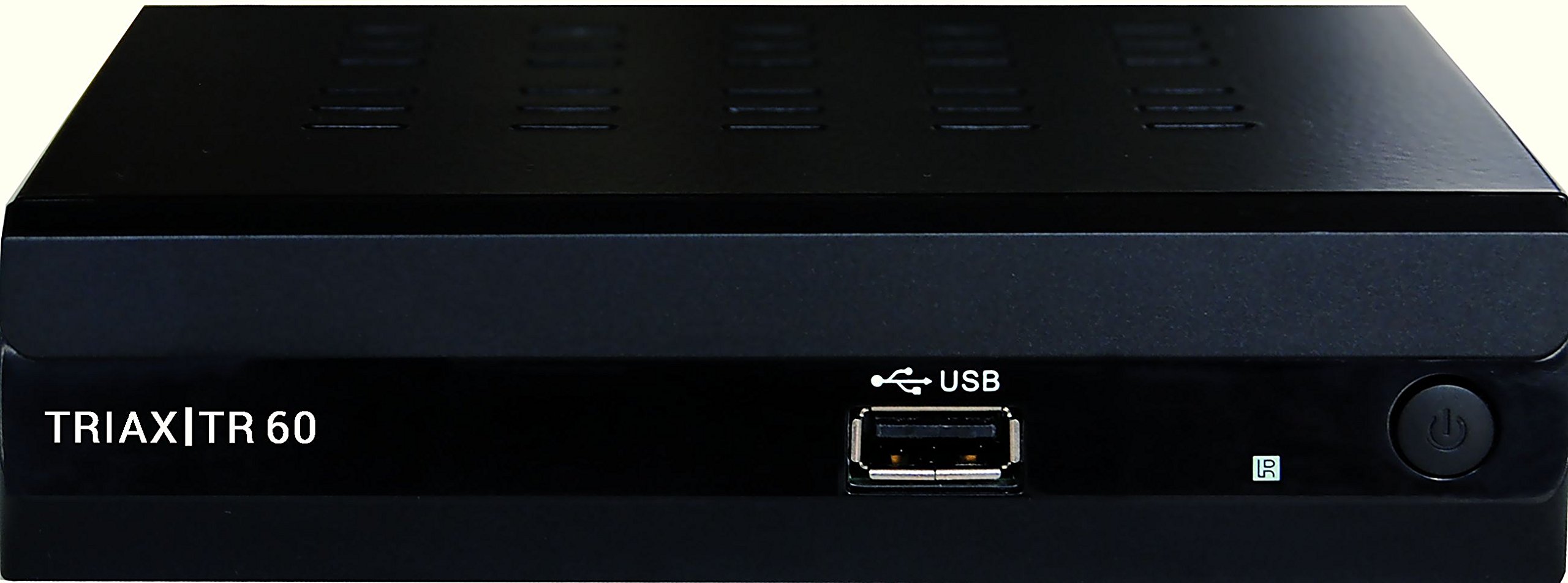
The Best Price Square Triax TR 60 (Model 305260) is a digital set-top box designed to receive cable and satellite television signals. This device features an FM tuner and a USB port for media playback. This manual provides essential information for setting up, operating, and maintaining your TR 60 set-top box to ensure optimal performance and user experience.
1. Setup
1.1 Unboxing and Package Contents
Before you begin, ensure all components are present in the package:
- Triax TR 60 Set-Top Box
- Remote Control
- Batteries for Remote Control
- User Manual (this document)
1.2 Connecting the Set-Top Box
Follow these steps to connect your TR 60 to your television and power source:
- Connect Antenna/Cable: Connect your DVB-T2 antenna or satellite/cable input to the appropriate input port on the back of the TR 60.
- Connect to TV: Use an HDMI cable (not included) to connect the HDMI OUT port on the TR 60 to an HDMI input port on your television. Note the HDMI input number on your TV.
- Connect Power: Plug the power cable into the TR 60 and then into a wall outlet.
- Insert Batteries: Open the battery compartment on the remote control and insert the provided batteries, ensuring correct polarity.
1.3 First Power On and Channel Scan
After connecting, power on your TV and select the correct HDMI input. Then, power on the TR 60 using the remote control.
- The device will typically start with an initial setup wizard. Follow the on-screen prompts.
- Select your preferred language and country.
- Initiate an automatic channel scan. This process will search for available digital television and radio channels. This may take several minutes.
- Once the scan is complete, save the channels. Your TR 60 is now ready for use.
2. Operating Instructions
2.1 Remote Control Functions
The remote control provides full access to all functions of your Triax TR 60 set-top box. Familiarize yourself with the button layout:
This image displays the remote control for the Triax TR 60 set-top box, showing all buttons for navigation, channel selection, volume control, and special functions.
- POWER (Red Button): Turns the set-top box on or off (standby).
- MUTE: Mutes or unmutes the audio.
- Number Buttons (0-9): Directly select channels.
- VOL +/-: Adjusts the volume level.
- CH +/-: Changes the channel up or down.
- OK: Confirms selections in menus or displays channel information.
- Arrow Buttons (Up/Down/Left/Right): Navigate through menus and lists.
- MENU: Accesses the main menu for settings and features.
- EXIT: Exits the current menu or screen.
- EPG: Displays the Electronic Program Guide.
- MEDIA: Accesses media playback functions (e.g., from USB).
- REC (Red Button): Initiates recording (if a USB storage device is connected and configured).
- USB: Switches to USB media playback mode.
- SUBTITLE: Toggles subtitles on/off.
- TTX: Accesses Teletext.
- AUDIO: Selects audio tracks (e.g., different languages).
- INFO: Displays current program information.
- FAV: Accesses favorite channel lists.
- TV/RADIO: Switches between TV and Radio modes.
- Colored Buttons (Red, Green, Yellow, Blue): These buttons have context-sensitive functions, often indicated on-screen within menus or EPG.
2.2 Basic Channel Operations
- Changing Channels: Use the CH +/- buttons or enter the channel number directly using the number buttons.
- Volume Control: Adjust the volume with the VOL +/- buttons.
- Program Information: Press the INFO button to view details about the current program.
- Electronic Program Guide (EPG): Press the EPG button to see a schedule of upcoming programs. Use the arrow buttons to navigate and OK to select.
2.3 Media Playback via USB
The TR 60 supports media playback from a USB storage device (e.g., USB flash drive).
- Insert a USB storage device into the USB port on the set-top box.
- Press the MEDIA or USB button on the remote control.
- Navigate through the folders and files on your USB device using the arrow buttons and OK to select.
- Supported media formats include JPG, MP4, AVI, WMV, 3GP, FLV, MPG, VOB, MP3, WMA, M4A.
2.4 Recording Function (PVR)
The TR 60 may offer basic recording functionality (PVR) when a compatible USB storage device is connected.
- To record the current program, press the REC button.
- To schedule a recording, access the EPG, select the desired program, and follow the on-screen prompts to set a timer recording.
- Note: Recording features on this device are generally basic. It may not support recording one channel while watching another, or offer advanced playback options like resuming from a paused point or precise fast-forward/rewind. Ensure your USB device has sufficient free space and is formatted correctly (e.g., FAT32 or NTFS).
3. Maintenance
3.1 Cleaning
To maintain the appearance and functionality of your TR 60:
- Disconnect the power cable before cleaning.
- Wipe the exterior surfaces with a soft, dry cloth.
- Do not use liquid cleaners, aerosols, or abrasive materials, as these can damage the device.
- Ensure ventilation openings are free from dust and obstructions.
3.2 Software Updates
Periodically check the manufacturer's website for available software updates. Updates can improve performance, add features, or fix bugs. Follow the instructions provided with the update file carefully to avoid damaging the device.
4. Troubleshooting
If you encounter issues with your Triax TR 60, refer to the following common problems and solutions:
- No Power:
- Ensure the power cable is securely plugged into the set-top box and the wall outlet.
- Check if the wall outlet is functioning by plugging in another device.
- Press the POWER button on the remote control or the device itself.
- No Picture/Sound:
- Verify that your TV is set to the correct HDMI input source.
- Check the HDMI cable connection between the TR 60 and your TV. Try a different HDMI cable if available.
- Ensure the volume on both the TR 60 and your TV is not muted or set too low.
- No Signal/Poor Reception:
- Check the antenna/cable connection to the TR 60.
- Ensure your antenna is correctly positioned and pointed.
- Perform a new channel scan (refer to Section 1.3).
- Note: Some users report needing to restart the channel scan periodically for certain channels.
- Remote Control Not Responding:
- Replace the batteries in the remote control.
- Ensure there are no obstructions between the remote control and the set-top box's IR sensor.
- Point the remote directly at the set-top box.
- Recording Issues:
- Ensure a compatible USB storage device is connected and has sufficient free space.
- Check the formatting of the USB device (FAT32 or NTFS are common).
- Be aware that recording functionality may be basic, as noted in Section 2.4.
5. Specifications
| Brand | Best Price Square |
| Model | 305260 |
| Model Year | 2016 |
| Compatible Devices | Television |
| Special Features | FM-tuner |
| Audio Output | Loudspeakers |
| Output Wattage | 5 Watt |
| Wattage | 6 Watt |
| Batteries Included | Yes |
| Batteries Required | Yes |
| Number of USB Ports | 1 |
| Connector Type | USB |
| Remote Control Included | Yes |
| Product Dimensions | 9 x 15.8 x 3.6 cm; 500 g |
| First Available Date | 15 May 2020 |
6. Warranty and Support
For warranty information and technical support, please refer to the documentation provided with your purchase or contact the retailer where the product was acquired. Keep your proof of purchase for warranty claims.
Documents and downloads
Ask a question about this manual
Ask about setup, troubleshooting, compatibility, parts, safety, or missing instructions. Manuals+ will review the question and use this page’s manual context to help answer it.