Introduction
This manual provides essential instructions for the proper installation, operation, and maintenance of the Samsung DA97-08725F Multi-Ref Cover Assembly. This component is an Original Equipment Manufacturer (OEM) authorized part designed to fit various Samsung brand refrigerator models. It serves as a replacement cover assembly for the multi-refrigerator section, ensuring proper function and aesthetic integration with your appliance.
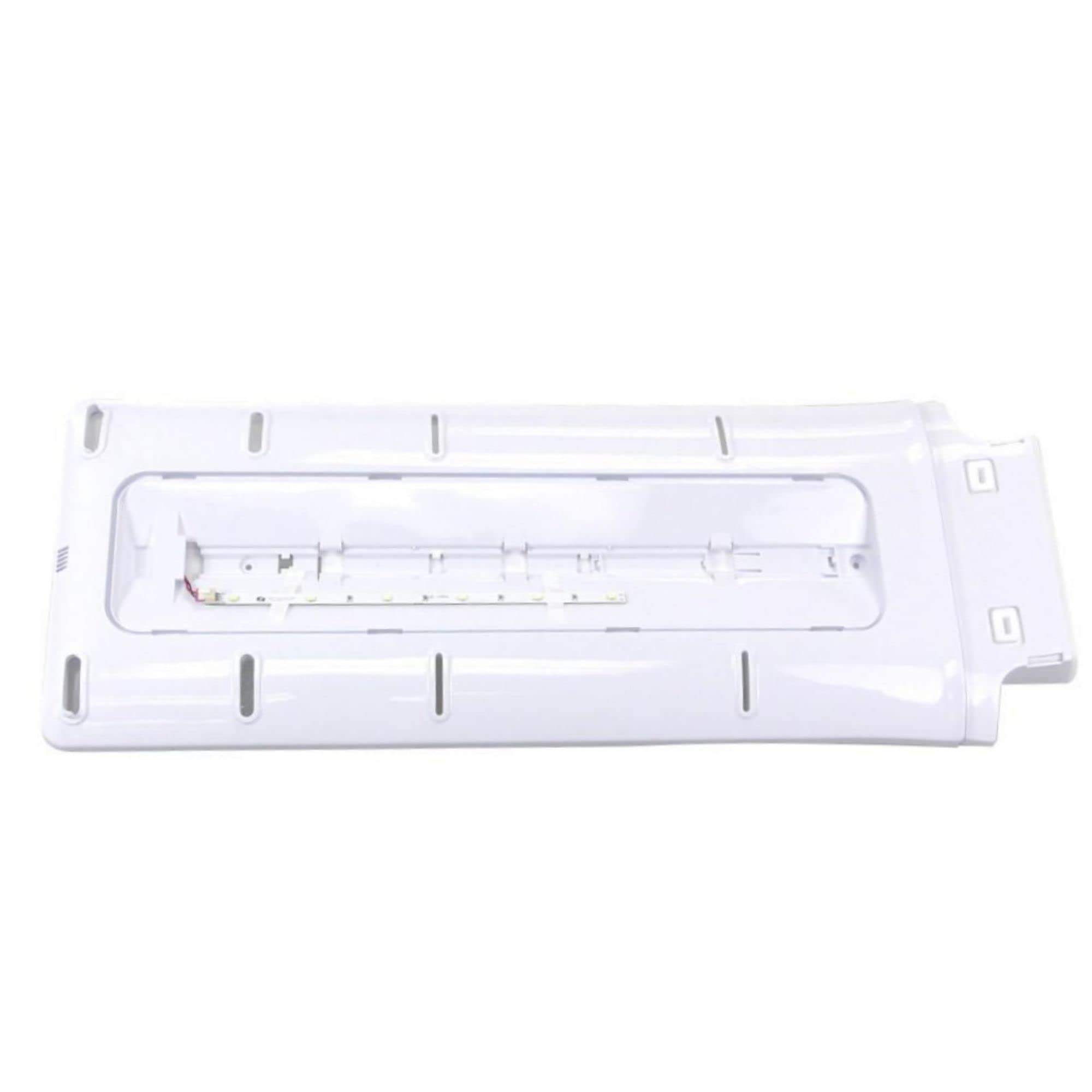
Image 1: The Samsung DA97-08725F Multi-Ref Cover Assembly. This image displays the replacement part, which is a cover designed for the multi-refrigerator section of compatible Samsung appliances. It is typically made of plastic or a similar durable material and includes various attachment points for secure installation.
Setup and Installation
The Samsung DA97-08725F Multi-Ref Cover Assembly is a replacement part. Installation typically involves removing the old, damaged cover and securing the new one. Due to the nature of appliance repair, it is recommended that installation be performed by a qualified service technician. If you choose to proceed with self-installation, please follow these general guidelines carefully.
Safety Precautions:
- Disconnect Power: Always unplug the refrigerator from the power outlet before attempting any installation or repair. Failure to do so can result in electric shock or injury.
- Wear Protective Gear: Use gloves to protect your hands from sharp edges or components.
- Handle with Care: The cover assembly may have delicate clips or tabs. Handle it gently to avoid damage.
General Installation Steps:
- Prepare the Appliance: Ensure the refrigerator is unplugged and any contents that might obstruct access to the cover assembly are removed.
- Remove the Old Cover: Carefully locate and remove any screws, clips, or tabs securing the existing multi-ref cover assembly. Note their positions for reinstallation.
- Inspect the Area: Clean any dust or debris from the area where the new cover will be installed.
- Install the New Cover: Align the new Samsung DA97-08725F cover assembly with the mounting points. Gently press or slide it into place, ensuring all clips engage and screw holes align.
- Secure the Cover: Reinstall any screws, clips, or fasteners that were removed from the old cover. Ensure the new cover is securely attached and does not wobble.
- Restore Power: Once the cover is securely installed, plug the refrigerator back into the power outlet.
- Verify Functionality: Check that the refrigerator operates normally and that the new cover does not interfere with any moving parts or seals.
If you encounter any difficulties or are unsure about any step, please consult a professional appliance technician.
Operating Instructions
As a cover assembly, the Samsung DA97-08725F does not have active operational controls. Its function is passive, providing structural integrity, insulation, and protection for internal components within the multi-refrigerator section. Once correctly installed, it operates as an integral part of your Samsung appliance, contributing to its overall efficiency and performance.
Maintenance
Regular maintenance of the DA97-08725F Multi-Ref Cover Assembly primarily involves keeping it clean to ensure proper hygiene and appearance of your refrigerator.
Cleaning:
- Frequency: Clean the cover assembly as needed, or during routine refrigerator cleaning.
- Method: Use a soft cloth dampened with mild soap and water. Avoid abrasive cleaners, solvents, or harsh chemicals, as these can damage the surface finish.
- Drying: Wipe the surface dry with a clean, soft cloth to prevent water spots.
Periodically inspect the cover for any signs of damage, cracks, or loose fittings. If damage is observed, consider replacing the part to maintain the appliance's integrity.
Troubleshooting
If you encounter issues after installing the Samsung DA97-08725F Multi-Ref Cover Assembly, consider the following common troubleshooting steps:
- Cover Does Not Fit Properly:
- Ensure you have the correct part number (DA97-08725F) for your specific Samsung refrigerator model.
- Recheck the alignment of all clips and screw holes. Sometimes a slight adjustment is needed.
- Verify that no obstructions (e.g., wires, insulation) are preventing the cover from seating correctly.
- Appliance Not Functioning After Installation:
- Confirm that the refrigerator is properly plugged into a working power outlet.
- Ensure no internal wiring or components were accidentally disconnected or damaged during the installation process.
- If the issue persists, immediately unplug the appliance and contact a qualified service technician.
For complex issues or if you are unsure about any troubleshooting step, it is always best to seek professional assistance.
Specifications
Key specifications for the Samsung DA97-08725F Multi-Ref Cover Assembly:
| Attribute | Detail |
|---|---|
| Brand Name | Samsung |
| Model Info / Part Number | DA97-08725F |
| Item Weight | 1.45 pounds |
| Product Dimensions | 29 x 11 x 2 inches |
| Included Components | appliance-replacement-parts |
| Batteries Required? | No |
| Date First Available | June 10, 2016 |
Warranty Information
As an Original Equipment Manufacturer (OEM) authorized part, the Samsung DA97-08725F Multi-Ref Cover Assembly is typically covered under Samsung's standard warranty policy for replacement parts. Warranty terms can vary based on region and purchase date. Please retain your proof of purchase for warranty claims.
For detailed information regarding the specific warranty coverage for this part, please refer to the warranty documentation provided with your original Samsung appliance or visit the official Samsung support website.
Customer Support
If you require further assistance, have questions about installation, or need to report a defective part, please contact Samsung Customer Support:
- Online Support: Visit the official Samsung website and navigate to the support section for your region.
- Phone Support: Refer to your original appliance manual or the Samsung website for local customer service contact numbers.
- Service Centers: Locate authorized Samsung service centers for professional repair and assistance.
When contacting support, please have your appliance model number and the part number (DA97-08725F) readily available.