
1. Product Overview
The WALI SBR201 Universal Sound Bar Mount Bracket is designed to securely attach a soundbar to your television, either above or below the screen. This bracket is compatible with most 32 to 70-inch flat panel TVs and supports soundbars weighing up to 33 lbs (15 kg). Its adjustable design allows for various installation configurations to suit your home entertainment setup.
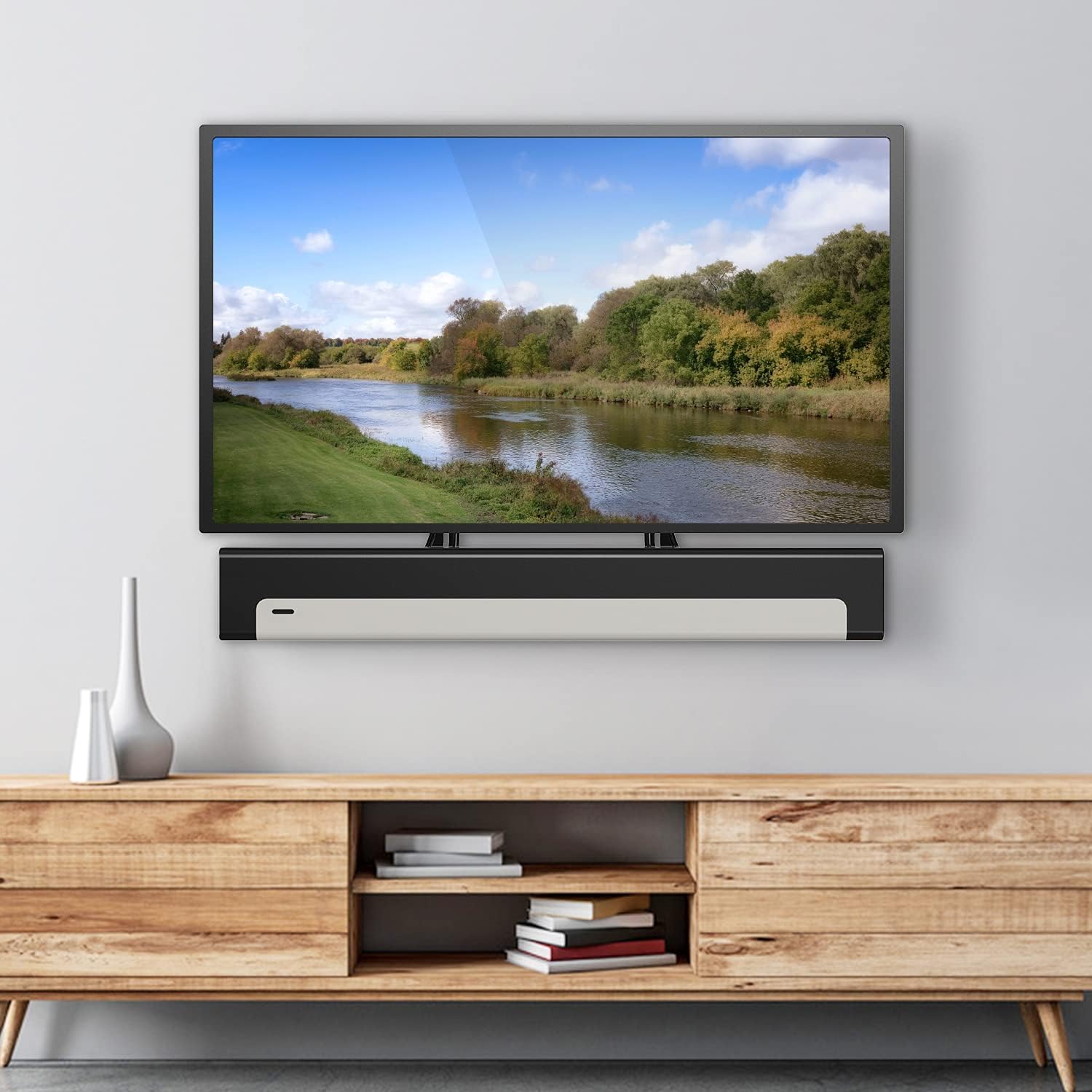
Image: WALI SBR201 Sound Bar Mount Bracket installed below a TV.
2. Product Contents
Verify that all components are present before beginning installation:
- 2 x WALI Sound Bar Brackets (Black)
- 1 x Mounting Hardware Kit (various screws and anchors)
- 1 x User Manual (this document)
3. Specifications
- Material: 2.5mm Steel
- Color: Black
- Loading Capacity: Up to 33 lbs (15 kg)
- Compatible TV Size: Most 32"-70" flat panel TVs
- VESA Compatibility: 200x100, 200x200, 300x300, 400x200, 400x400, 600x400mm
- Product Dimensions: 17.44 (L) x 5.9 (W) x 7.2 (H) inches
- Item Weight: 2 pounds

Image: Product dimensions and weight capacity.
4. Compatibility
Before installation, ensure your soundbar and TV meet the following criteria:
- Your soundbar's weight must be less than 33 lbs (15 kg).
- Your soundbar must have mounting holes on the back.
- The mounting holes on your soundbar should be less than 24 inches (600mm) horizontally.
- The TV's VESA mounting holes should be within 200x100, 200x200, 300x300, 400x200, 400x400, or 600x400mm.
- The bracket fits most TV wall mounts (fixed, tilt, full motion, articulating, interactive).

Image: Maximum mounting distance for soundbars.
5. Setup and Installation
The WALI SBR201 bracket offers flexible installation options, allowing you to mount your soundbar above or below your TV. It can be attached directly to the TV's VESA mounting points or integrated with an existing TV wall mount.
Installation Options:
- Mounting on TV: Attach the soundbar brackets directly to the VESA mounting holes on the back of your TV.
- Mounting with TV Wall Mount: Secure the soundbar brackets between your TV and its existing wall mount.
Multiple Configurations:
The adjustable bolt slots allow for various configurations to position the soundbar optimally. The brackets can be oriented to support the soundbar either above or below the television.

Image: Multiple soundbar mounting configurations.

Image: Soundbar mounted with a full-motion TV wall mount.
Video Installation Guide:
Video: Detailed installation guide for the WALI Universal Sound Bar Mount Bracket.
Video: Overview of the WALI Universal Sound Bar Mount Bracket (SBR201) features and installation.
6. Operating Instructions
Once the WALI SBR201 Sound Bar Mount Bracket is securely installed and your soundbar is attached, no further operation is required for the bracket itself. The soundbar will function as intended, providing audio output from its mounted position.
7. Maintenance
To ensure the longevity and continued secure mounting of your soundbar, periodic maintenance is recommended:
- Inspection: Regularly check all screws and connections to ensure they remain tight. Over time, vibrations or minor shifts can cause fasteners to loosen.
- Cleaning: Wipe the brackets with a soft, dry cloth to remove dust. Avoid using abrasive cleaners or solvents that could damage the finish.
- Weight Limit: Do not exceed the maximum weight capacity of 33 lbs (15 kg).
8. Troubleshooting
If you encounter any issues during or after installation, consider the following:
- Soundbar feels loose: Ensure all mounting screws attaching the soundbar to the brackets, and the brackets to the TV/wall mount, are fully tightened.
- Bracket does not fit TV: Verify your TV's VESA pattern and soundbar's mounting hole dimensions against the compatibility specifications in Section 4.
- Missing parts: Refer to Section 2 for a list of included components. If any parts are missing, contact customer support.
9. Warranty and Support
WALI provides experienced and friendly US-based customer support, available to assist 7 days a week. For any questions, concerns, or warranty claims, please refer to the contact information provided in your product packaging or visit the official WALI website.


