
1. Product Overview
The Xiaomi Mi Bluetooth Speaker Mini (Model: XMYX02YM) is a compact and portable wireless speaker designed for high-quality audio playback. It features Bluetooth connectivity for seamless pairing with various devices and a durable, waterproof design for versatile use.
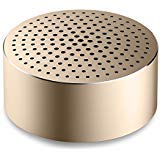
Image: The Xiaomi Mi Bluetooth Speaker Mini, a small, cylindrical black speaker with a mesh grille, showcasing its compact design.
2. Setup
2.1 Unboxing
Carefully remove all components from the packaging. The box should contain the Mi Bluetooth Speaker Mini.
2.2 Charging the Speaker
The speaker is powered by an internal battery. Before first use, ensure the speaker is fully charged. Connect the appropriate charging cable (not included) to the speaker's charging port and to a compatible USB power source. The charging indicator light will provide status updates.
2.3 Bluetooth Pairing
- Power On: Press and hold the power button on the speaker until you hear an audible prompt or see the indicator light flash, indicating it is in pairing mode.
- Activate Bluetooth: On your device (smartphone, tablet, laptop, MP3 player), enable Bluetooth.
- Select Speaker: In your device's Bluetooth settings, search for available devices. Select "Mi Bluetooth Speaker Mini" from the list.
- Confirm Connection: Once paired, the speaker will provide an audible confirmation, and the indicator light will change to a steady state.
The speaker is now ready for audio playback.
3. Operating Instructions
3.1 Power On/Off
- To Power On: Press and hold the power button for approximately 2-3 seconds.
- To Power Off: Press and hold the power button for approximately 3-4 seconds until the speaker powers down.
3.2 Audio Playback
After successful Bluetooth pairing, play audio from your connected device. The sound will be transmitted wirelessly to the Mi Bluetooth Speaker Mini. The speaker supports stereo audio output.
3.3 Touch Controls
The speaker features touch controls for basic functions. Refer to the specific touch areas on your speaker for volume adjustment, play/pause, and track navigation. (Specific touch control details may vary; consult product packaging or quick start guide for exact touch gestures).
3.4 Auxiliary Input
While primarily a Bluetooth speaker, the device may support an auxiliary audio input. If available, connect an audio cable (not included) from your device's audio output to the speaker's auxiliary input port for wired audio playback.
4. Maintenance
4.1 Cleaning
To clean the speaker, use a soft, dry, lint-free cloth. Do not use abrasive cleaners, solvents, or strong chemicals, as these can damage the speaker's surface or internal components.
4.2 Water Resistance
The Xiaomi Mi Bluetooth Speaker Mini is waterproof. While it can withstand splashes and light exposure to water, it is not designed for prolonged submersion. Ensure all ports are securely closed before exposure to water. After exposure, dry the speaker thoroughly before charging or using it again.
4.3 Storage
When not in use for extended periods, store the speaker in a cool, dry place away from direct sunlight and extreme temperatures. It is recommended to charge the speaker periodically to maintain battery health.
5. Troubleshooting
- Speaker does not power on: Ensure the battery is charged. Connect the speaker to a power source and try again.
- Cannot pair with device:
- Ensure the speaker is in pairing mode (indicator light flashing).
- Turn off and on Bluetooth on your device.
- Move the speaker closer to your device.
- Clear previous Bluetooth connections on your device and try pairing again.
- No sound during playback:
- Check the volume levels on both the speaker and your connected device.
- Ensure the speaker is successfully paired and connected to your device.
- Try playing audio from a different application or device.
- Poor audio quality:
- Ensure there are no obstructions between the speaker and your device.
- Move away from sources of interference (e.g., Wi-Fi routers, other Bluetooth devices).
- Check the audio source quality.
6. Specifications
| Feature | Detail |
|---|---|
| Model | XMYX02YM |
| Brand | XIAOMI |
| Speaker Type | Bookshelf (Portable) |
| Connectivity Technology | Bluetooth, Wireless |
| Wireless Communication Technology | Bluetooth |
| Compatible Devices | Laptop, MP3 Player, Smartphone, Tablet |
| Power Source | Battery Powered |
| Control Method | Touch |
| Audio Output Mode | Stereo |
| Audio Driver Type | Dynamic Driver |
| Surround Sound Channel Configuration | 2.1 |
| Item Weight | 59 g |
| Product Dimensions (LxWxH) | 0.43 x 0.43 x 0.2 cm (4 x 4 x 2 Millimeters) |
| Colour | Black |
| Waterproof | Yes |
| Batteries Required | Yes (Internal, rechargeable) |
| Included Components | Mi Bluetooth Speaker Mini |
| Manufacturer | Xiaomi Technology Inc. |
7. Warranty and Support
For warranty information, please refer to the documentation included with your purchase or visit the official Xiaomi website. For technical support or service inquiries, please contact Xiaomi customer service through their official channels.


