Introduction
Thank you for purchasing the Caline CP-31 Wah + Volume Guitar Pedal. This compact and versatile pedal is designed to provide both classic wah effects and precise volume control for your guitar. Its durable construction and true bypass design ensure reliable performance. Please read this manual thoroughly to understand the pedal's features and ensure proper operation.
Safety Information
- Use only a regulated 9V DC power supply with negative center polarity. Incorrect power supplies can damage the unit.
- Do not expose the pedal to extreme temperatures, humidity, or direct sunlight.
- Avoid dropping or subjecting the pedal to strong impacts.
- Do not attempt to disassemble or modify the pedal. This will void the warranty.
- Keep out of reach of children.
- Disconnect power when not in use or during cleaning.
Package Contents
Please check that all items are present in the package:
- Caline CP-31 Wah + Volume Guitar Pedal
- User Manual (this document)
Note: A 9V DC power supply is not included and must be purchased separately.
Product Overview
The Caline CP-31 features a compact design with intuitive controls for both wah and volume functions.

Figure 1: Angled view of the Caline CP-31 Wah + Volume Pedal, highlighting the main pedal surface with the Caline logo, the input jack, and the DC 9V power input.
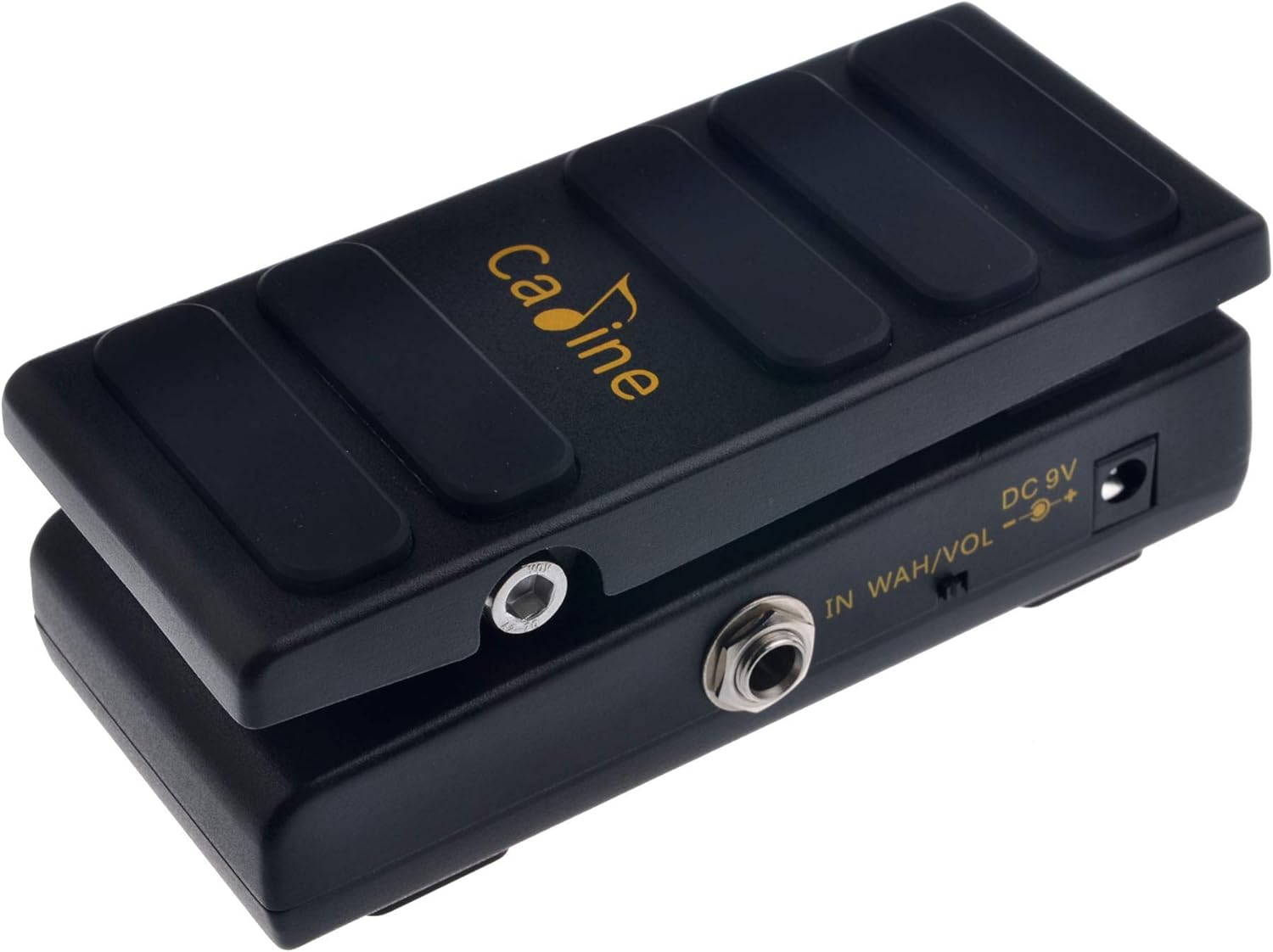
Figure 2: Top-down view of the Caline CP-31 Wah + Volume Pedal, illustrating its compact footprint suitable for pedalboards.
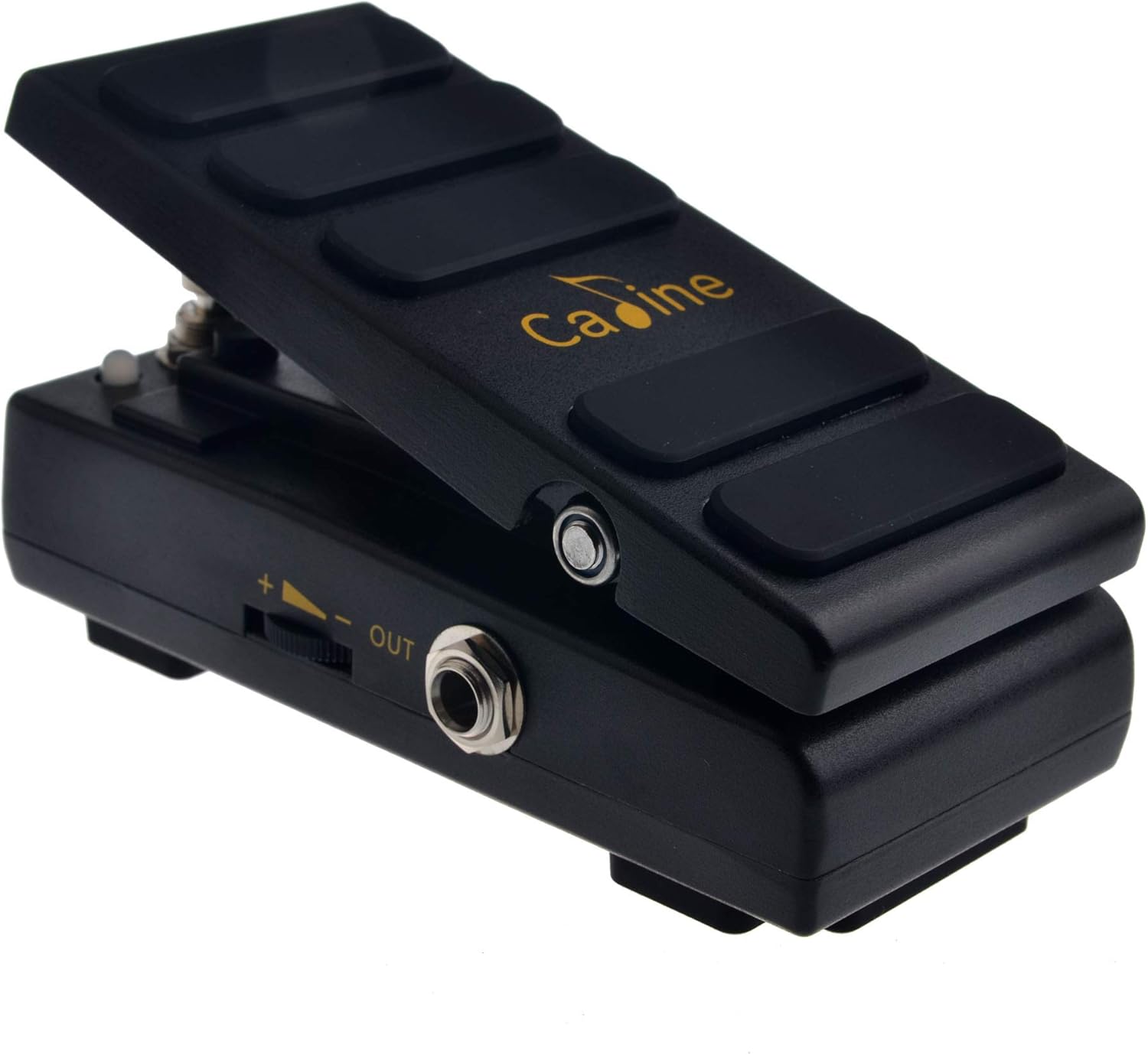
Figure 3: Angled view of the Caline CP-31 Wah + Volume Pedal, displaying the output jack and the side-mounted volume control knob for adjusting the minimum volume in volume mode.
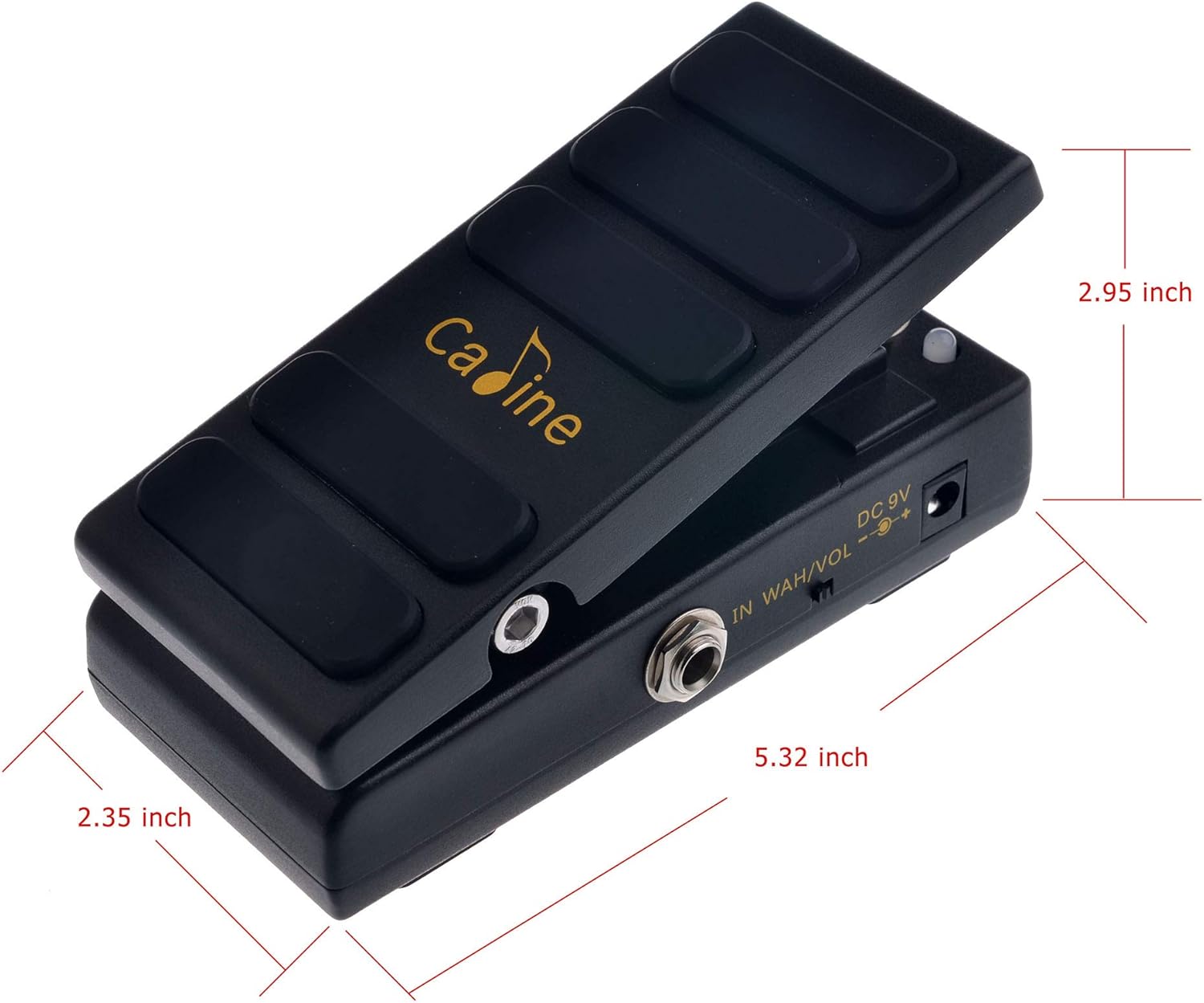
Figure 4: Dimensions of the Caline CP-31 Wah + Volume Pedal, showing its length, width, and height for pedalboard planning.
Key Components:
- Pedal Treadle: The main movable part of the pedal, used to control the wah effect or volume level.
- Input Jack (IN WAH/VOL): Connect your guitar or previous effect pedal here using a 1/4-inch instrument cable.
- Output Jack (OUT): Connect this to your amplifier or next effect pedal using a 1/4-inch instrument cable.
- DC 9V Power Input: Connect a 9V DC power supply (negative center, 15mA minimum) here.
- Mode Switch: A small switch on the side to toggle between Wah and Volume modes.
- Volume Control Knob: Located on the side, this knob adjusts the minimum volume level when the pedal is in Volume mode.
- Footswitch: Integrated into the pedal's movement, pressing down firmly on the toe end of the pedal engages or disengages the effect (or switches between wah/volume modes).
Setup
- Power Connection: Connect a standard 9V DC power supply (negative center, 15mA minimum) to the DC 9V input jack on the pedal. Ensure your power supply meets these specifications to prevent damage.
- Input Connection: Connect your guitar or the output of a preceding effect pedal to the "IN WAH/VOL" jack using a 1/4-inch instrument cable.
- Output Connection: Connect the "OUT" jack of the CP-31 pedal to your amplifier's input or the input of the next effect pedal in your signal chain using a 1/4-inch instrument cable.
- Initial Check: Once all connections are made, ensure your amplifier is on and set to a low volume before activating the pedal.
Operating Instructions
Switching Modes (Wah / Volume):
The CP-31 can function as either a Wah pedal or a Volume pedal. Use the small toggle switch located on the side of the pedal to select the desired mode.
- Move the switch to the "WAH" position for wah effects.
- Move the switch to the "VOL" position for volume control.
Using as a Wah Pedal:
- Ensure the mode switch is set to "WAH".
- Press down firmly on the toe end of the pedal until you feel a click. This engages the wah effect. An indicator light (if present) may illuminate.
- Rock the pedal back and forth with your foot to sweep through the wah frequency range. Pushing the toe down emphasizes higher frequencies, while rocking back emphasizes lower frequencies.
- To bypass the wah effect, press down firmly on the toe end again until you feel a click. The pedal will return to true bypass mode.
Using as a Volume Pedal:
- Ensure the mode switch is set to "VOL".
- Press down firmly on the toe end of the pedal until you feel a click. This engages the volume control.
- Rock the pedal back and forth to control your guitar's volume.
- Toe Down: Maximum volume.
- Heel Down: Minimum volume.
- Use the "Volume Control Knob" on the side of the pedal to set the desired minimum volume level when the pedal is in the heel-down position. This allows for swells from silence or from a reduced volume level.
- To bypass the volume control, press down firmly on the toe end again until you feel a click. The pedal will return to true bypass mode.
Maintenance
- Cleaning: Use a soft, dry cloth to clean the pedal's exterior. Do not use abrasive cleaners or solvents.
- Storage: When not in use for extended periods, disconnect the power supply and store the pedal in a dry, cool place away from direct sunlight.
- Jacks: Periodically check input and output jacks for any debris or loose connections.
Troubleshooting
| Problem | Possible Cause | Solution |
|---|---|---|
| No sound when pedal is engaged. |
|
|
| Wah effect is weak or not sweeping correctly. |
|
|
| Volume pedal does not go to full silence. | Volume control knob setting. | Adjust the "Volume Control Knob" on the side of the pedal. Turn it fully counter-clockwise for minimum volume (potentially silence). |
| Excessive noise or hum. |
|
|
Specifications
| Model: | CP-31 |
| Effect Type: | Wah / Volume |
| Signal Format: | Analog |
| Input/Output: | 1/4-inch Mono Audio Jack |
| Power Requirement: | 9V DC (Negative Center) |
| Current Draw: | 15mA |
| Bypass: | True Bypass |
| Dimensions (L x W x H): | Approx. 5.32 x 2.95 x 2.35 inches (13.5 x 7.5 x 6 cm) |
| Weight: | Approx. 13.4 ounces (380g) |
Warranty and Support
Caline products are designed for reliability and performance. For warranty information and technical support, please refer to the warranty card included with your purchase or visit the official Caline website. Keep your proof of purchase for warranty claims.
For further assistance, you may contact Caline customer support through their official channels. Please provide your product model (CP-31) and a detailed description of the issue when seeking support.
Caline Official Website: Visit the Caline Store on Amazon


